






SleekPixel for Twitch streamers
Each stream-highlight post, schedule page, and clip on your creator site already has a title, game tag, and date. SleekPixel renders Instagram squares and OG images on save so every Twitter quote and Discord forward stays on-brand.
♾️ Lifetime License available
Twitch streamers fight for attention everywhere but Twitch
A working Twitch streamer publishes constantly outside Twitch: stream-recap posts on the personal site after each session, schedule pages that update weekly, clip pages for individual highlights, sub-perks pages, merch drops, and the occasional sponsored-post page. Each one needs its own share art for Twitter, Instagram link previews, Threads, and Discord. The pre-publish ritual is always the same: screenshot a moment from the VOD, retype the title in Photoshop, export a square for Instagram, export an OG image for Twitter, upload everything separately. Across a streaming week the cards drift because the streamer is making them at 4 am after a long session.
The frustrating part is that the recap post already holds the stream title, the game tag, the date, the runtime, and a thumbnail reference. The schedule page already has the days, the games for each day, and the start times. The clip page already has the moment description and the timestamp. SleekPixel reads those fields on save and renders the Instagram square, the OG image, and the vertical Story version in one pass. The streamer publishes the recap, hits save, and the share art is ready for Twitter quote-tweets and Discord pings by the time the page loads.
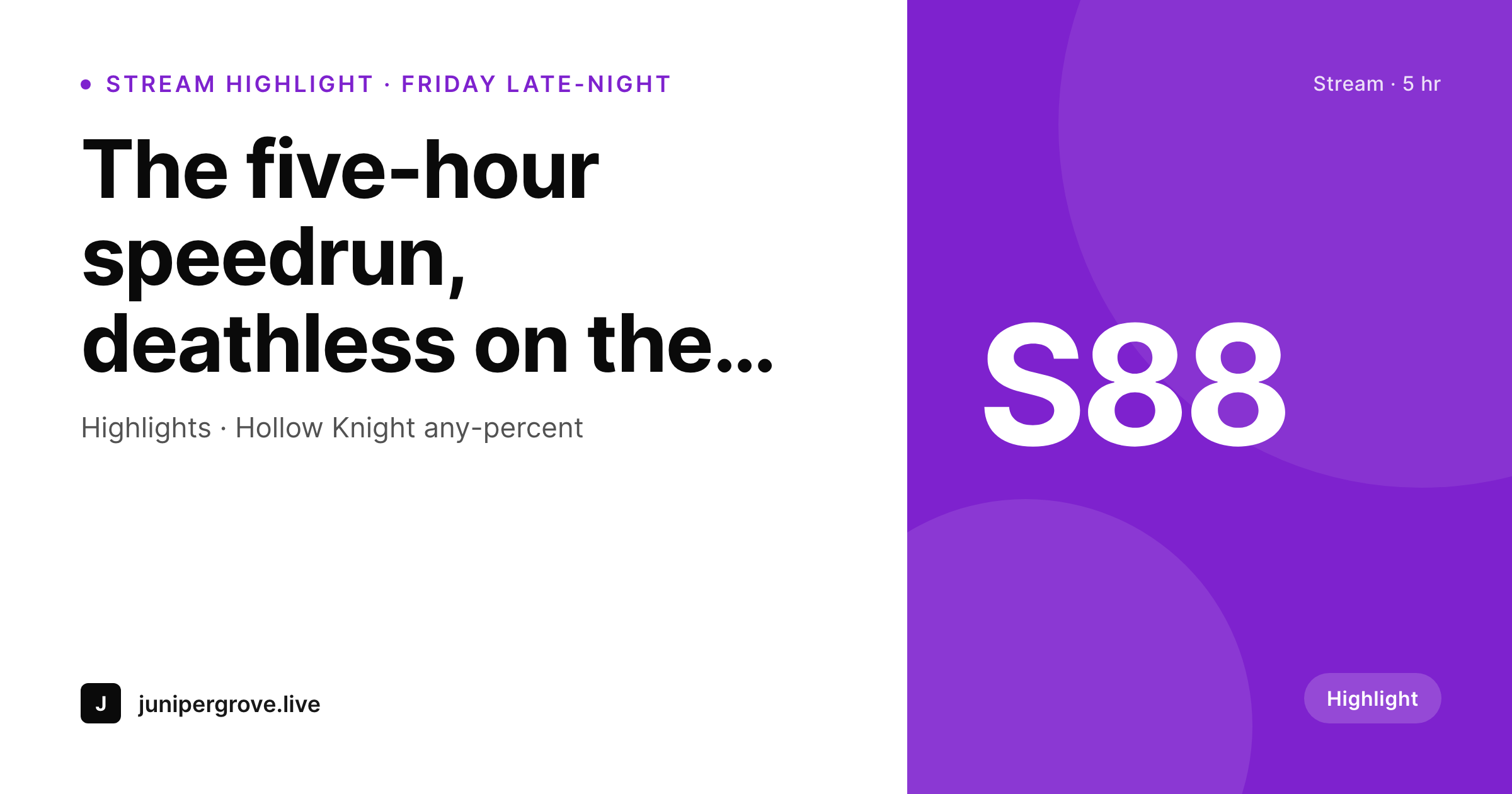
The actual VOD or clip still drives the page itself, so the gameplay does the heavy lifting. The share card is the wrapper that makes every cross-post look like the same channel. A subscriber quote-tweeting the streamer's Friday late-night recap pulls a card that says channel name, game, and stream length, not a stretched homepage logo. The streamer stops opening Photoshop after every session and goes back to streaming.
Workflow
From end-of-stream to cross-platform-ready in one save
Set the stream template
Map the post types
Publish the recap
Cross-post automatically
Output
What ships with every stream-recap post
A 1200 by 630 OG image: stream title, game tag, runtime, and channel wordmark, ready for Twitter quotes, Instagram link previews, and Discord forwards.
Comparison
Photoshop queue vs auto-rendered stream art
Photoshop / Canva
- Every stream recap means screenshotting the VOD and retyping the title
- Twitter cards, Instagram squares, and OG images each need separate exports
- Brand drift across the back catalog as templates get re-saved
- Cross-platform reach suffers when share cards are wrong or missing
- Old recap links share with stretched logos when subscribers forward them
SleekPixel
- Recap post becomes the source: title, game, runtime pull from fields
- Square, Story, and OG image render in one save
- Schedule pages get the week's games and start times onto the card
- Re-render the back catalog when the channel evolves (no per-recap work)
- OG and Twitter cards write to the head so links share with real previews
Features
What SleekPixel gives you for Twitch streamers
Stream cards ready
Every recap post saves with a feed-ready square and an OG image. The streamer writes; the cross-platform art happens.
Game-aware art
Recaps tagged with a specific game render with the game name and a per-game accent. Variety streamers stay coherent across genres.
Schedule previews
Weekly schedule pages share with a clean card showing the days, games, and start times. No more stretched homepage banners.
Use cases
What Twitch streamers generate with SleekPixel
Stream-recap posts
Each session's recap saves with a square, a Story, and an OG image. Subscribers quote-tweeting the link see the game and the stream length.
Clip pages
Standout moments from a stream get their own pages with cards tied to the moment description and the timestamp.
Schedule and event pages
Weekly schedules, charity streams, and sub-anniversary events each share with cards tied to the dates and games. Discord pings open with a real preview.
The bigger picture
Why cross-platform consistency drives Twitch growth
Twitch growth depends heavily on cross-platform forwards because Twitch's own discovery is dominated by category browsing and existing follows. New viewers find a streamer on Twitter through a quote-tweeted highlight, on Discord through a friend's ping, on Threads through a forwarded recap, and on Instagram through a clip post. Each of those touch points is a forwarded link, and each link is mediated by an OG image.
A clean card with the channel name, the game, and the stream title signals a streamer who is treating cross-platform like a serious surface. A stretched homepage logo or a missing OG image signals a streamer who is treating everything outside Twitch as an afterthought. Across a year of streams the difference compounds into actual follower growth, because the cross-platform forwards are the supply chain that brings new viewers to the channel.
The second reason is sustainability. Most streamers run their own everything: streaming, moderating, editing clips, writing recaps, posting to socials. The Photoshop hour for cross-platform variants eats the time that should be sleeping after a long stream or planning the next session.
SleekPixel removes that hour by binding the share art to the recap post. The streamer publishes one recap, the cross-platform art falls out of it. The hours saved go back into the parts of the channel that actually compound: better streams, deeper community, more consistent schedule.
Questions
Common questions about SleekPixel for Twitch streamers
If the panel-page generator is a separate tool, no. SleekPixel renders share images for whatever is on WordPress: the personal blog, schedule, clip pages, and event pages. Twitch panels and on-stream overlays live on Twitch and stay in their existing tools.
Yes. Add a game taxonomy and a per-game color field. The template can render the game name on the share card and pick up a per-game accent so variety streamers stay coherent across genres.
Twitter reads the OG image and the Twitter-specific og:twitter:image tag. SleekPixel writes both with high priority, so quote-tweeted recap links open with the right preview in the Twitter timeline. Threads and Bluesky pull from the same tags.
Yes. The Gutenberg sidebar has a download button for each rendered format. The 9:16 Story version exports at full resolution, ready for upload to Instagram or for vertical clip posts on TikTok.
Indirectly. Search engines do not rank pages by their OG image, but click-through rates from social shares affect the size of an audience that ends up linking back. A clean share preview drives more clicks, more clicks bring more new viewers, and more viewers create the shares that matter for cross-platform visibility.
Yes. SleekPixel supports per-category, per-tag, and per-CPT templates. Routing rules pick the right card so ranked-grind recaps look distinct from casual-game recaps, all from the same template family.
Run a bulk re-render and every existing recap and clip page updates to the new visual. File names stay the same, so cached OG previews refresh on the next platform scrape. The catalog stays unified instead of looking like 'before and after' the rebrand.
Affiliate-tier streamers often see the largest percentage gains because growth depends heavily on every cross-platform forward landing well. The bottleneck for an affiliate streamer is one person doing everything, and the cross-platform variant work is exactly the kind of repetitive task that SleekPixel makes disappear.
Pricing
More than 1000+
happy customers
Explore our flexible licensing options tailored to your needs. Upgrade your license anytime to access more features, or opt for a lifetime license for ongoing value, including lifetime updates and lifetime support. Our hassle-free upgrade process ensures that our platform can grow with you, starting from whichever plan you choose.
Lifetime ♾️
Most popular
EUR
once
- Unlimited websites
- Lifetime updates
- Lifetime support
...or get the Bundle Deal
and save €250 🎁
💎 Want everything forever? The All Access Pass is going away on 01.08.2026.
The Bundle (unlimited sites)
Pay once, own it forever
Elevate your WordPress site with our exclusive plugin bundle that includes all of our premium plugins in one package. Enjoy lifetime updates and lifetime support. Save significantly compared to buying plugins individually.
What’s included
-
SleekAI
-
SleekByte
-
SleekMotion
-
SleekPixel
-
SleekRank
-
SleekView
€749
Continue to checkoutBrowse more
- beta invite card
- do vs don't cards
- survey result card
- hiring announcement images
- merch drop cards
- founding customer card
- prediction cards
- postmortem cards
- industry report cards
- incorporation card
- salary report cards
- Product Hunt launch card
- waitlist open card
- SOC 2 announcement card
- user count cards
- Snapchat Discover tiles
- Bandcamp banner
- X list banners
- Threads story-style images
- Xiaohongshu cover images
- Snapchat snap images
- Shopify product images
- Rednote (Xiaohongshu) post
- Bandcamp release cover
- Bluesky link cards
- Behance project covers
- Discord stage banner
- Threads social images
- Weibo post images
- Pinterest pins