






SleekPixel for Wrike projects
Wrike runs the enterprise project portfolio, but executive recap posts and stakeholder updates usually leave the platform as a screenshot of a Gantt. SleekPixel reads project data synced into WordPress and renders branded share cards per project, with status, phase and timeline pulled from Wrike.
♾️ Lifetime License available
Wrike Gantt screenshots do not belong on LinkedIn
Wrike sits in the middle of a lot of enterprise PMOs. Marketing operations, product launches, agency client portfolios and IT rollouts all run through Wrike workspaces with hundreds of tasks across nested folders. The platform is built for project managers, not for external storytelling. The screenshots that leak out of it to LinkedIn, executive decks and internal newsletters reflect that: dense Gantt views, color-coded statuses that do not match the company brand, project hierarchies cropped to fit.
The recap is the moment when a project leaves the Wrike workspace and meets a broader audience. Executive stakeholders, prospective clients, internal departments outside the PMO. That audience does not need the full Gantt, it needs a clear card with the project name, the phase, the outcome and the brand mark. The data exists in Wrike, the brand layer does not.
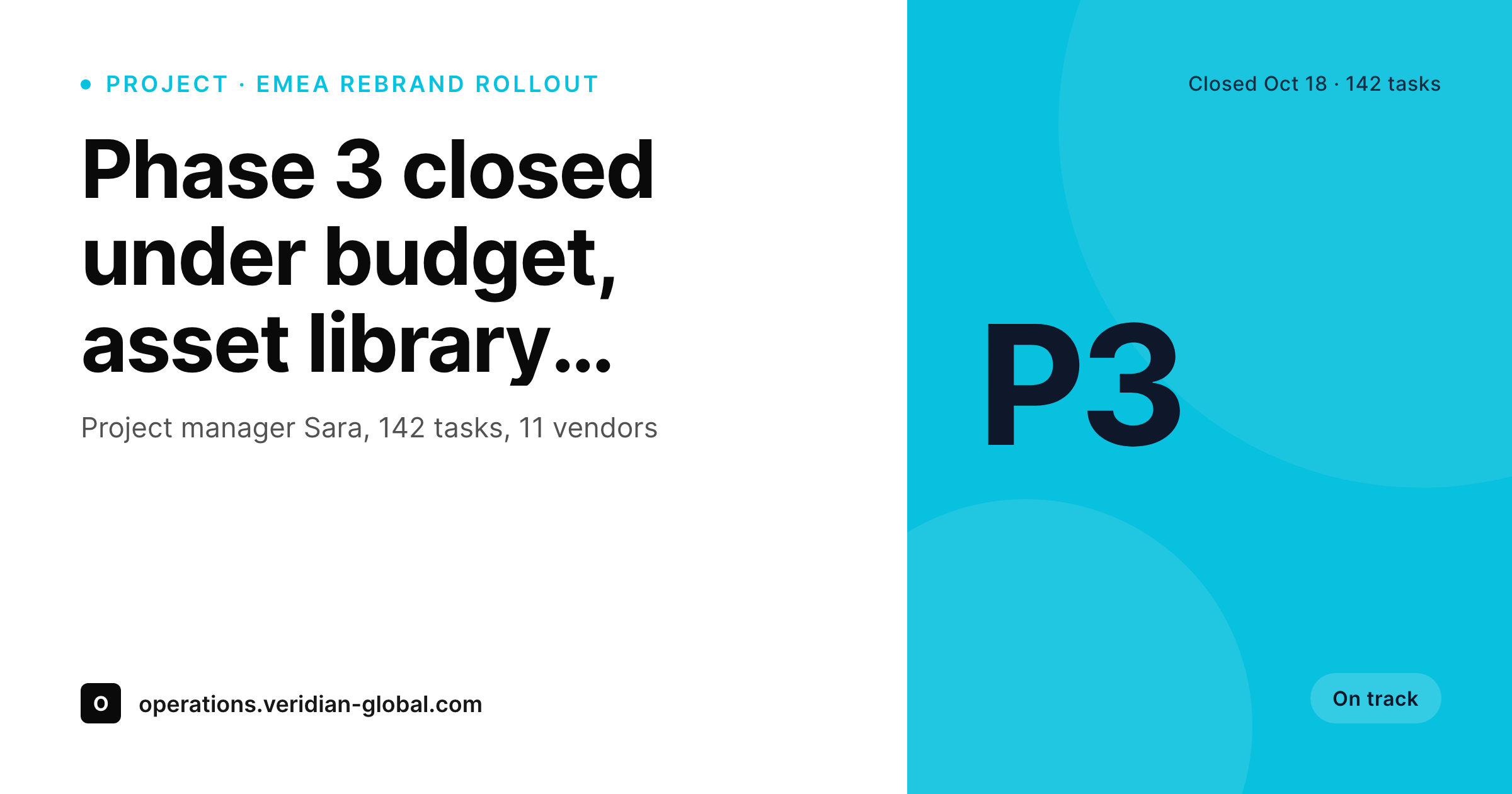
SleekPixel runs on the WordPress side of a Wrike to WordPress sync. Selected projects or phases get pushed to a custom post type by Zapier, Make or the Wrike API. SleekPixel reads the post fields (project name, owner, phase, status, timeline) and renders a 1200 by 630 card per project. PMO recaps, executive briefings and case-study previews ship as branded cards.
Workflow
From Wrike project to branded recap card
Sync Wrike projects into WordPress
Build the project template
Render on update
Share the WordPress URL
Output
Sample Wrike project recap card
A 1200 by 630 OG image: project name, phase, status pill, owner and timeline range, rendered from the WordPress post synced from Wrike.
Comparison
Wrike Gantt screenshot vs SleekPixel card
Wrike Gantt screenshot
- Gantt screenshots overwhelm an executive audience with task-level detail
- Wrike status colors rarely match the corporate brand palette
- Project hierarchies get cropped awkwardly to fit social aspect ratios
- Recap posts inherit a generic theme image instead of a project-specific card
- Every phase change forces a re-screenshot to keep the share current
SleekPixel
- Reads WordPress fields synced from Wrike projects via Zapier or the API
- Project name, phase, status and owner bind to template slots
- Re-renders when a synced project updates from Wrike
- Bulk re-render the project portfolio after a brand refresh
- Leaves the Wrike workspace untouched, only the WordPress side renders
Features
What SleekPixel gives you for Wrike projects
Phase-aware framing
Discovery, build, launch and wrap-up each render with a matching template variant. A reader can tell at a glance which phase of the project the recap describes.
Status pill rendering
On track, at risk and behind statuses each map to a color the team controls on the WordPress side, so the card reads consistently regardless of Wrike's internal palette.
Project owner credit
Each card renders the assigned PM as a credit line. Stakeholder communications carry the project lead's name on every share.
Use cases
Who shares Wrike projects as branded cards
Enterprise PMO recaps
Monthly portfolio updates ship as one card per major project. Executives see a consistent visual instead of a stack of Gantt crops.
Case-study landing pages
Closed-out projects that become case studies on the marketing site share with a real project card. The share preview matches the case-study cover.
Quarterly review communications
QBRs and operational reviews use the same template family across every project, which keeps the visual identity stable across the year.
The bigger picture
Why PMO communications deserve a consistent visual layer
Enterprise PMOs spend most of their year running projects and most of their visibility on the few moments when those projects get described externally. Executive recaps, quarterly reviews, case-study covers, stakeholder briefings. Those moments are the difference between a PMO that reads as operational backbone and a PMO that reads as a folder of Gantt charts.
A jagged Wrike screenshot, even when the work behind it was clean, undercuts the perception of the team. A branded card with the same data but the right typography and the corporate palette does the opposite. Across a year, the difference compounds: every monthly recap, every QBR slide, every closed-project handoff participates in the same visual identity.
SleekPixel does not replace Wrike. Wrike keeps running the portfolio. WordPress becomes the brand layer for the projects that need to communicate outward.
The card renders from the synced data, so when the project phase advances or the status updates and the next sync runs, the next render of the card reflects it.
Questions
Common questions about SleekPixel for Wrike projects
No. SleekPixel renders on the WordPress side. Projects need to reach WordPress as posts first, typically through Zapier, Make or the Wrike API hitting your WordPress REST API. Once a project is a post, SleekPixel renders from the bound fields.
Yes. Filter on the sync side using Wrike folders, project status, a custom 'Public' field or a specific space. Most enterprises only sync flagship and case-study projects, not the full internal workload.
Any field you sync into WordPress. Common picks are project name, status, owner, phase, custom workflow stage, start and end dates, and any custom fields. The template binds to whatever post meta you populate.
Yes. The synced status value drives a CSS class on the card, so any custom workflow stage your team defines can have a matching visual treatment. The template controls the styling on the WordPress side.
Request form submissions create Wrike projects, which then sync to WordPress just like any other project. The intake date and original request fields can render as part of the card meta if you want them on the share.
Yes, because nothing reaches WordPress unless your sync rule pushes it. Confidential or NDA-bound projects can be filtered out at the sync layer. The card render only sees what was deliberately synced.
Yes. Both editions expose projects through the same API and Zapier integration. Whether the project represents a marketing campaign or a billable engagement, the WordPress side treats it as a post with bound fields.
Renders run on save and complete in a couple of seconds. For very large portfolios, bulk re-renders queue in the background. A standard enterprise WordPress install handles thousands of synced projects without affecting site performance.
Pricing
More than 1000+
happy customers
Explore our flexible licensing options tailored to your needs. Upgrade your license anytime to access more features, or opt for a lifetime license for ongoing value, including lifetime updates and lifetime support. Our hassle-free upgrade process ensures that our platform can grow with you, starting from whichever plan you choose.
Lifetime ♾️
Most popular
EUR
once
- Unlimited websites
- Lifetime updates
- Lifetime support
...or get the Bundle Deal
and save €250 🎁
💎 Want everything forever? The All Access Pass is going away on 01.08.2026.
The Bundle (unlimited sites)
Pay once, own it forever
Elevate your WordPress site with our exclusive plugin bundle that includes all of our premium plugins in one package. Enjoy lifetime updates and lifetime support. Save significantly compared to buying plugins individually.
What’s included
-
SleekAI
-
SleekByte
-
SleekMotion
-
SleekPixel
-
SleekRank
-
SleekView
€749
Continue to checkoutBrowse more
- tutorial thumbnails
- podcast quote cards
- media mention card
- office opening card
- AppSumo launch card
- fundraising announcement cards
- this not that cards
- shareholder letter card
- lesson thumbnail cards
- support update cards
- values card
- glossary term cards
- patent grant card
- ISO certification card
- acquisition announcement cards
- Ko-fi banners
- Farcaster cast images
- Flickr cover photo
- Medium article headers
- Reddit subreddit banners
- Spotify playlist cover
- Threads social images
- YouTube end screens
- Rumble thumbnails
- TikTok profile banners
- Behance project covers
- Threads profile banners
- Kick stream thumbnails
- Spotify Canvas
- Linktree banner image