






SleekPixel for MailerLite emails
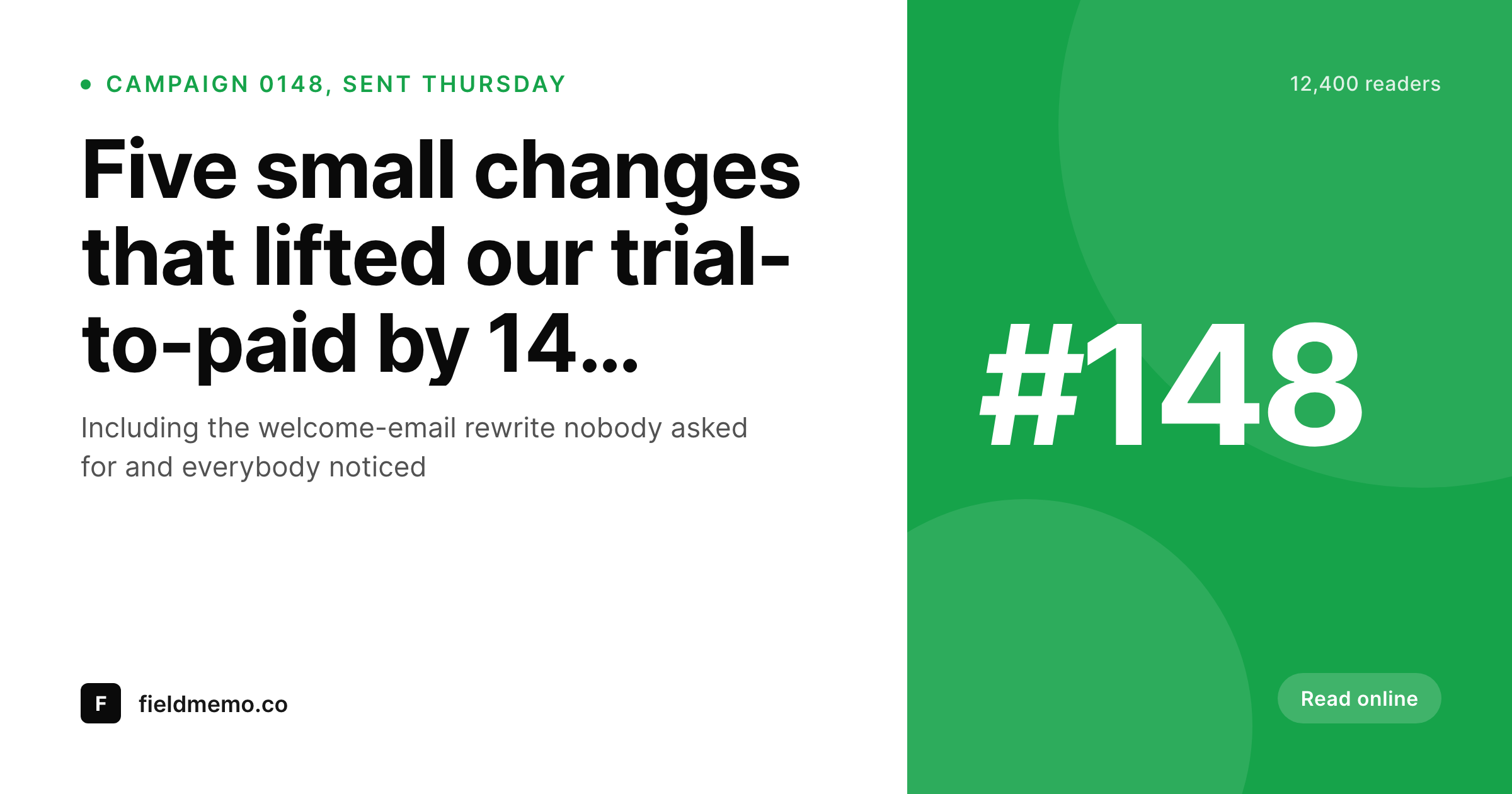
When a MailerLite campaign gets mirrored into a WordPress archive, the subject line and send date already live on the post. SleekPixel reads those fields and renders a branded OG cover on save, so every shared archive link opens with a real publication card.
♾️ Lifetime License available
Archive posts are where MailerLite campaigns get shared
MailerLite handles the send, the segmentation and the deliverability. What it does not do is host the public archive of past campaigns in a form that lives on the publisher's own domain. Most publishers solve this by mirroring each campaign into a WordPress post, either through Zapier, a custom integration, or a manual copy and paste after the broadcast. The archive becomes the canonical public record, and the canonical thing that gets linked from social, newsletters and referral pages.
The share preview on those archive links is whatever the WordPress theme provides. Usually a stretched homepage logo, sometimes a featured image that was cropped wrong for the platform, occasionally nothing at all. The campaign that opened with strong design in the inbox shares with a generic card on the web, and the reader who forwards the archive link to a colleague forwards a flat preview.
SleekPixel binds the archive post fields to a cover template. Subject line goes large, campaign number sits in a fixed slot, send date renders as a small caption, segment or category sits in the corner. The image renders on save and the og:image tag writes itself. The archive page now shares the way the email arrived, and every onward forward keeps the publication consistent.
Workflow
From MailerLite campaign to social-ready archive in one save
Design the cover template
Archive the campaign
Share the archive link
Edit and re-render
Output
What a MailerLite archive cover ships as
A 1200 by 630 PNG built from the archive post, with campaign number, subject line and send date positioned in the locked template.
Comparison
Default MailerLite archive share vs SleekPixel
Default MailerLite archive image
- Theme falls back to the same homepage banner on every archived campaign
- Featured image gets cropped wrong on Twitter, LinkedIn and Slack previews
- Subject-line edits made after send never reach the archive cover
- Per-series differences (free vs paid, weekly vs special) never come through visually
- Manual Canva covers drift in typography across the year
SleekPixel
- Render fires on save for every archived campaign post
- Subject line, campaign number and send date pulled from existing fields
- og:image and twitter:image meta tags written automatically
- Per-segment or per-category templates pick themselves
- Subject-line edits regenerate the cover instantly
Features
What SleekPixel gives you for MailerLite emails
Campaign-aware
Whether the archive lives in native posts, an ACF-backed CPT or a Zapier import from MailerLite, the template reads the same campaign fields the email used.
Edits regenerate
Fix a typo in the subject line after the send and the archive cover re-renders on the next save. Social previews never carry the old wording.
Per-series templates
Free issues, paid issues, product updates and onboarding emails can each have their own cover template, picked by category or custom field.
Use cases
Who uses SleekPixel for MailerLite emails
Solo MailerLite publishers
One person writing, sending and archiving. SleekPixel removes the per-campaign design step so the archive post is the only thing that needs to be filled in.
Small marketing teams
Multiple writers sharing one MailerLite account. Each archived campaign ships with the same locked cover style regardless of who wrote it.
Course and product newsletters
MailerLite drips, onboarding series and weekly product updates each get their own archive template. Free preview pages share with a real cover.
The bigger picture
Why MailerLite publishers care about archive covers
MailerLite is generous with deliverability and segmentation but it stops at the inbox. The web archive is where the campaign keeps living once it has been sent, and the web archive is where almost all of the public sharing happens. Readers forward archive URLs, contributors paste them into community channels, journalists link to specific issues when they reference the newsletter.
Every one of those touches pulls the OG image, and a stretched homepage banner there is a quiet conversion drag that shows up nowhere on the MailerLite dashboard. The second reason is consistency across a long catalog of past issues. A publisher who has run weekly campaigns for two years has a hundred archived posts, and a publisher who runs daily has six hundred.
Manually keeping cover art consistent across that volume is unrealistic, which is why most archives have a small block of branded launch covers and a long tail of generic ones. SleekPixel inverts the ratio because rendering is automatic from the data already on the campaign. A brand evolution becomes a template change and a bulk re-render rather than a six-week design project.
The archive starts to look like a publication instead of an accumulation, and the cumulative effect of consistent share previews compounds into trust at the discovery point.
Questions
Common questions about SleekPixel for MailerLite emails
No. SleekPixel runs on the WordPress side and reads whatever post fields the archive uses. The MailerLite plan only affects what gets sent through MailerLite; the archive and its cover image are entirely a WordPress concern once the campaign lands as a post.
Several options exist: Zapier from a MailerLite campaign-sent trigger to a WordPress post, the official MailerLite WordPress integration plugin, a custom webhook posting to wp-json, or a manual copy and paste. SleekPixel does not care which one runs as long as the result is a post with the right fields populated.
If the import stores the sent subject line in a custom field (most Zapier setups do, since the post title sometimes ends up edited for SEO), the template can bind to that field instead of the post title. The cover then renders the subject line that actually went out, regardless of how the archive page is titled.
MailerLite A/B tests choose one winner. Whichever subject was used for the eventual broadcast is what lands on the archived post. The cover renders that one. If you want to archive both variants separately for transparency, create two posts and bind the cover to whichever subject each carries.
Yes. Pass the segment name as a custom field on the archived post, then set up a template router that picks a template based on the field value. A premium segment can use a different cover style from the free list, even though both campaigns share the same archive post type.
Use the bulk re-render command to apply the new template to every existing archive post in one pass. Subject lines, dates and segment fields all already exist on those posts; the rendering just generates covers for them. A two-year archive of weekly campaigns finishes in a few minutes.
No. SleekPixel only touches the OG image meta on the WordPress archive page. The tracking pixels and click-redirects in the MailerLite send are entirely separate and remain untouched. Archive page analytics happen on WordPress through whatever analytics plugin already runs there.
Yes. The same campaign can render multiple sizes: a 1200 by 630 OG and Twitter card, a 1200 by 627 LinkedIn variant, and a 1000 by 1500 Pinterest pin from the same data. Each variant uses its own template; SleekPixel renders them all on save.
Pricing
More than 1000+
happy customers
Explore our flexible licensing options tailored to your needs. Upgrade your license anytime to access more features, or opt for a lifetime license for ongoing value, including lifetime updates and lifetime support. Our hassle-free upgrade process ensures that our platform can grow with you, starting from whichever plan you choose.
Lifetime ♾️
Most popular
EUR
once
- Unlimited websites
- Lifetime updates
- Lifetime support
...or get the Bundle Deal
and save €250 🎁
💎 Want everything forever? The All Access Pass is going away on 01.08.2026.
The Bundle (unlimited sites)
Pay once, own it forever
Elevate your WordPress site with our exclusive plugin bundle that includes all of our premium plugins in one package. Enjoy lifetime updates and lifetime support. Save significantly compared to buying plugins individually.
What’s included
-
SleekAI
-
SleekByte
-
SleekMotion
-
SleekPixel
-
SleekRank
-
SleekView
€749
Continue to checkoutBrowse more
- Schema Pro
- Smart Coupons for WooCommerce
- Uncanny Automator
- Contact Form 7
- MainWP Dashboard
- German Market
- Smash Balloon YouTube Feed
- Patreon tiers
- Kadence Blocks
- WooCommerce PDF Invoices & Packing Slips
- Mautic campaigns
- Smash Balloon Instagram Feed
- Vidstack player
- Google Listings & Ads
- Marketo emails
- Pinterest video pin covers
- TikTok ad images
- Mastodon link previews
- Stan Store cover
- Open Graph images
- Behance project covers
- Weibo post images
- YouTube playlist covers
- Kindle book cover
- Apple Music cover art
- Tidal cover art
- YouTube Shorts covers
- YouTube Shorts thumbnails
- X Space banners
- Douyin thumbnails