






SleekPixel for MRR update cards
Type the month's MRR, growth delta, churn and net-new customers into the post. SleekPixel renders the share card with those numbers and writes the og:image meta tag on save.
♾️ Lifetime License available
Monthly MRR posts deserve a consistent card
Indie founders posting MRR every month live or die on the share card. The number is the entire pitch. Followers scroll past a generic site logo and click on a clean card that shows the MRR figure, the growth delta, and the founder's handle. The work of producing that card every month, however, is the work that gets dropped first.
The pattern usually goes: write the recap on the blog, screenshot the Stripe dashboard, paste it into Canva, export, upload to Twitter and LinkedIn separately. By month four the Canva file is full of duplicates with slightly different fonts and the numbers no longer match the post body because someone edited the recap after exporting.
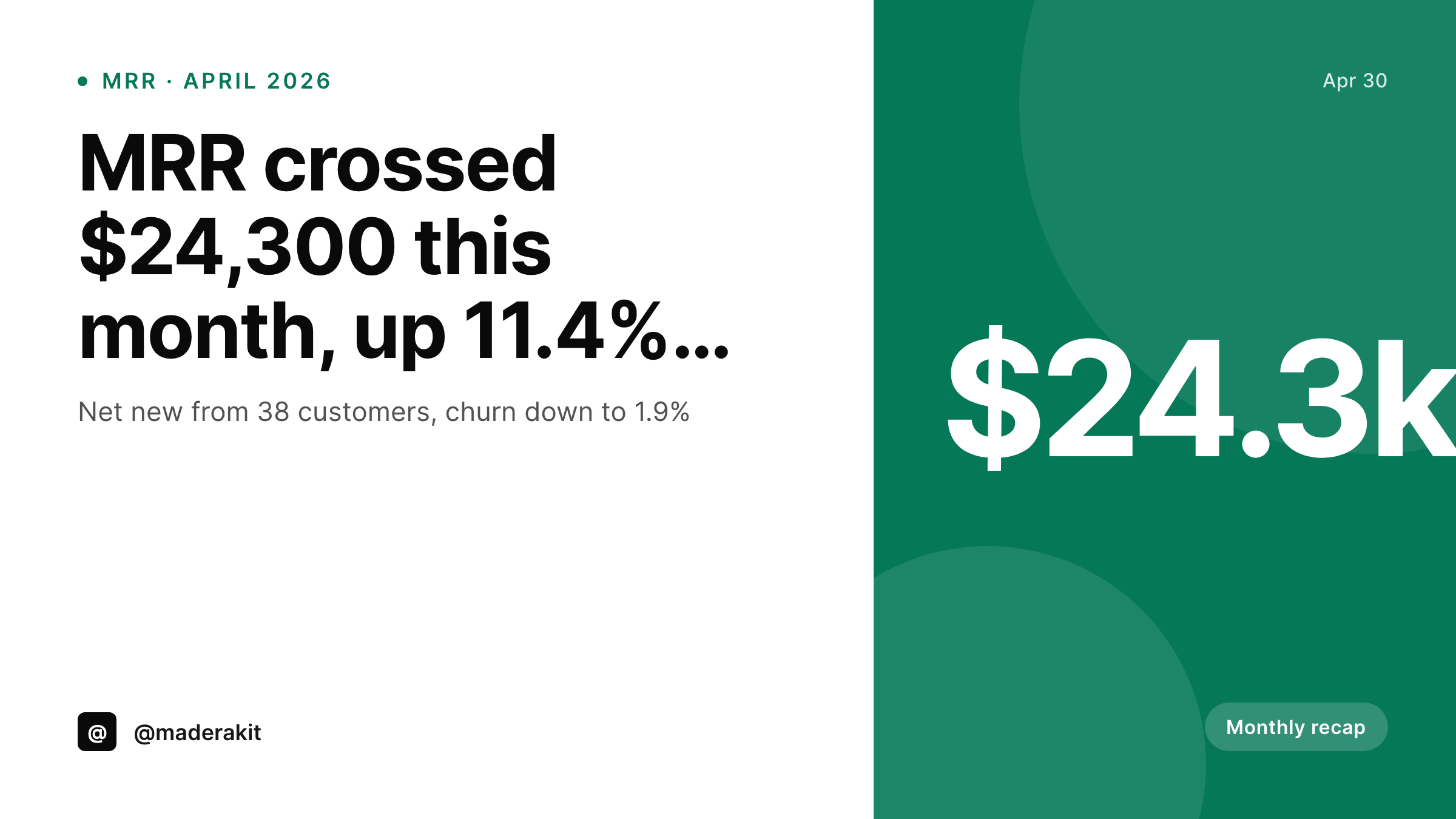
SleekPixel anchors the card design in WordPress. The recap post holds the MRR, growth percentage, churn rate, and net new customer count as custom fields. On save, SleekPixel renders the 1200x675 Twitter card with those values baked into the image. Edit the post a week later to fix a typo and the card regenerates with the corrected number.
Workflow
From recap draft to MRR card on save
Design the MRR card template
Bind to recap post fields
Write the recap and save
Share the post URL
Output
What an MRR update card looks like
A 1200x675 Twitter card with the MRR figure, growth delta and customer count pulled live from the recap post fields.
Comparison
Canva MRR card per month vs SleekPixel
Canva + Stripe screenshot
- Founder duplicates last month's Canva file and overwrites the numbers
- Stripe screenshot crops differently every month, dashboard UI keeps changing
- Card MRR drifts from the post body when the recap gets edited later
- Different font weights creep in across months as Canva auto-updates
- Cross-posting to Twitter and LinkedIn means two manual exports per recap
SleekPixel
- Card renders from the recap post fields on save
- MRR, growth percent, churn and customer count are bound layers
- og:image and twitter:image meta tags written into the post head
- Edits to the post regenerate the card automatically
- Same template across the entire year of monthly recaps
Features
What SleekPixel gives you for MRR update cards
Bound to MRR fields
Map text layers to custom fields like mrr_total, mrr_growth_percent, churn_rate, net_new_customers. The card always reflects whatever is in the post right now.
Delta-aware coloring
Positive growth renders the delta in green, a negative month in red, flat in neutral. The template reads the sign of the value and picks the right swatch.
Month label baked in
The card auto-fills the month and year from the post date so January's recap card cannot accidentally ship saying December.
Use cases
Who ships MRR update cards every month
Bootstrapped SaaS founders
A solo founder posting transparent monthly numbers. Each recap is a Twitter and LinkedIn post backed by a card the audience now expects to see.
Indie hacker collectives
A small team sharing combined MRR across products. SleekPixel renders a card per product and a combined card from the same recap.
Open startup pages
Companies running an Open page with public revenue. The monthly card on social mirrors the live figure on the Open page, both reading from the same source.
The bigger picture
Why the MRR card carries the post
Public MRR posts are pure distribution. A founder writes 800 words of context, but the share preview is what every passive scroller sees. The number, the growth delta, the handle, the month.
If those four pieces are not on the card, the post is invisible in a feed. If the card looks like the founder spent ten minutes on it every month, the audience starts to expect it and shares it on for the founder. A consistent monthly card builds the kind of visual recognition that the SaaS dashboards of Plausible, Buffer, and Mike Pretzlaff have built up over years.
The trap is that producing the card every month is the work that gets skipped when revenue is low and time is tight. SleekPixel removes the skip by tying the render to the recap post itself, which the founder is writing anyway. The number on the card and the number in the body cannot drift, because both come from the same field.
The card lives as long as the post does and updates the same way the post does.
Questions
Common questions about SleekPixel for MRR update cards
Update the custom field and save the post. SleekPixel re-renders the card and the og:image URL stays stable, so the next scrape picks up the corrected number. Twitter and Facebook card debuggers can be used to force a refresh of cached previews.
Yes. The currency symbol is part of the template, not a hardcoded character. Bind it to a per-post field or set it globally so EUR and USD cards both render correctly.
SleekPixel reads from WordPress fields. You can populate those fields manually each month, paste them from a Stripe export, or wire them with a custom integration that pulls Stripe data into ACF or Meta Box fields.
The template reads the sign of the delta and picks the right color treatment. A negative month renders cleanly with the red delta. Honesty in public MRR posts is part of why people follow them.
Yes. Configure a 1200x675 twitter-card template and a 1200x627 linkedin-post template. Both render on save and both get downloaded from the Gutenberg sidebar.
No post means no render. Skipping a month is fine. When the next recap goes up, that card renders normally and the visual rhythm of the series picks back up.
SleekPixel runs inside WordPress. If your recap posts live in WordPress, the rendering works. The card image itself is a static PNG you can use anywhere, including external dashboards or newsletters.
Yes. The admin has a bulk regenerate command. Update the template, run the regenerate, every prior recap's card updates to the new style with its original numbers preserved.
Pricing
More than 1000+
happy customers
Explore our flexible licensing options tailored to your needs. Upgrade your license anytime to access more features, or opt for a lifetime license for ongoing value, including lifetime updates and lifetime support. Our hassle-free upgrade process ensures that our platform can grow with you, starting from whichever plan you choose.
Lifetime ♾️
Most popular
EUR
once
- Unlimited websites
- Lifetime updates
- Lifetime support
...or get the Bundle Deal
and save €250 🎁
💎 Want everything forever? The All Access Pass is going away on 01.08.2026.
The Bundle (unlimited sites)
Pay once, own it forever
Elevate your WordPress site with our exclusive plugin bundle that includes all of our premium plugins in one package. Enjoy lifetime updates and lifetime support. Save significantly compared to buying plugins individually.
What’s included
-
SleekAI
-
SleekByte
-
SleekMotion
-
SleekPixel
-
SleekRank
-
SleekView
€749
Continue to checkoutBrowse more
- loyalty program cards
- partnership card
- newsletter issue card
- assignment cards
- good vs bad cards
- employee spotlight card
- security advisory cards
- restock alert cards
- comparison chart cards
- behind the scenes cards
- panel discussion card
- library of the week card
- beta invite card
- transparency report card
- GDPR update card
- Facebook Marketplace images
- Twitch overlay
- LinkedIn newsletter headers
- Tidal cover art
- LinkedIn ad images
- Open Graph images
- LinkedIn banner images
- Substack post thumbnail
- Bluesky link cards
- Dailymotion thumbnails
- Signal sticker pack
- TikTok ad images
- TikTok Now image
- Etsy shop banners
- Threads post images