






SleekPixel for LinkedIn ad images
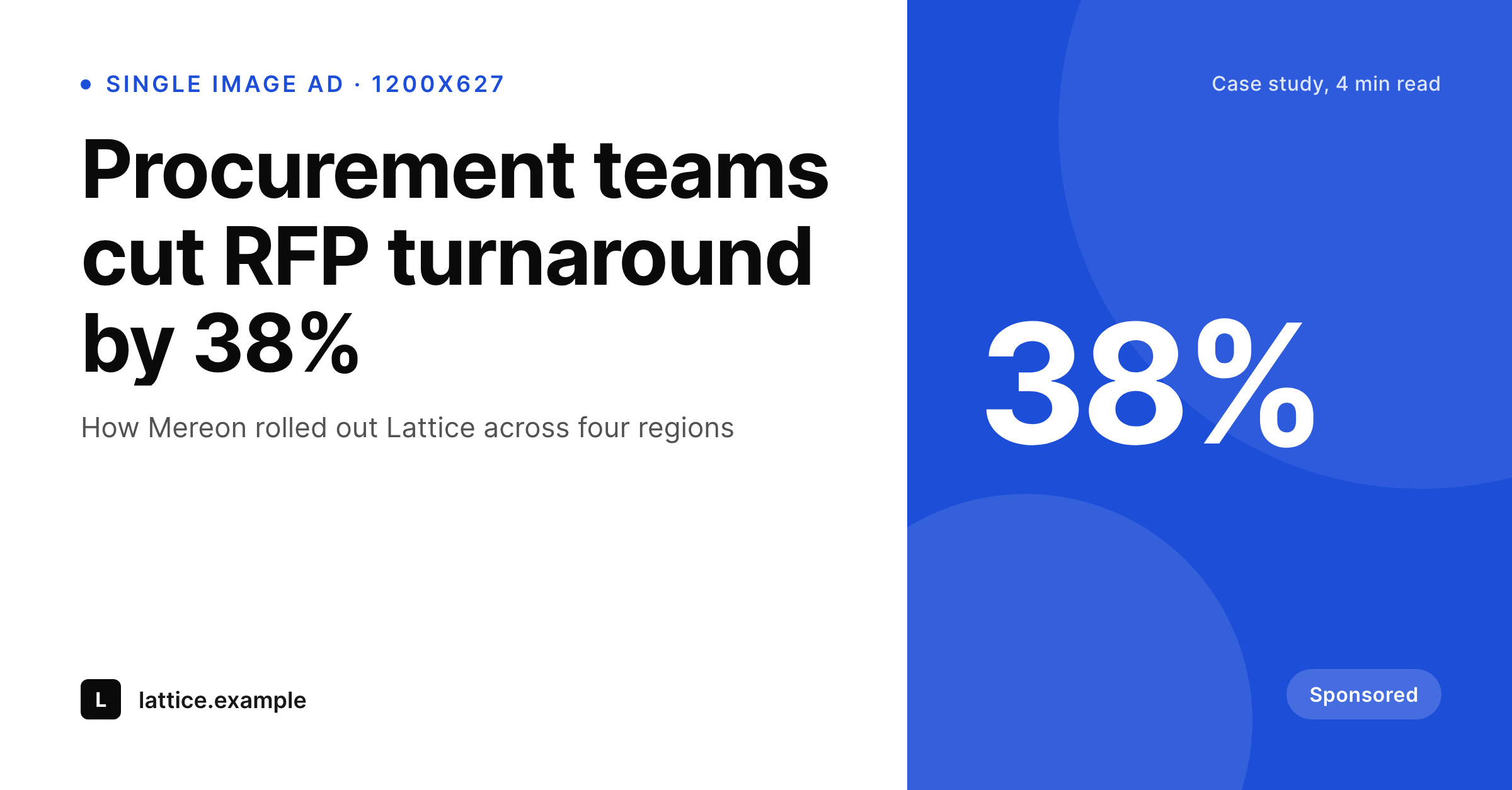
Each WordPress campaign post produces a 1200x627 single-image LinkedIn ad, plus a 1200x1200 square variant. The campaign field set drives the creative.
♾️ Lifetime License available
B2B ad creative loses to inconsistency more than to bad copy
LinkedIn ads run on a higher CPM than most networks, so the cost of a weak creative is real money. B2B marketing teams test by vertical, by job title, and by region, which means a single quarterly campaign can spawn fifteen variants. Designed-per-variant creative caps the test count and forces teams to ship fewer iterations.
SleekPixel reads a WordPress campaign post that owns the headline, the case-study reference, the result metric, the brand frame, and the CTA. The 1200x627 PNG renders with that data and an accent locked per brand kit. Variant B is a duplicated post with a tweaked headline for a different vertical.
Because the source is structured, the same campaign post can also emit the carousel slide, the document post cover, and the email banner. One campaign, every LinkedIn ad format, one save.
Workflow
From brief to LinkedIn ad PNG
Create a campaign post
Map the LinkedIn ad templates
Save the post
Upload to LinkedIn Campaign Manager
Output
Sample LinkedIn ad image
1200x627 PNG with the headline, the result metric, the brand frame, and the CTA hint.
Comparison
Photoshop-per-vertical vs SleekPixel for LinkedIn ads
Designer per vertical
- Each vertical test means a fresh design pass
- Result metric placement drifts across variants, hurting brand recall
- Square and rectangle variants get designed in parallel
- Carousel slides for the same campaign get a third design pass
- Killing a losing creative feels expensive when the asset was hand-built
SleekPixel
- 1200x627 ad image with case-study metric anchored
- Reads campaign data from a WordPress post
- Square 1200x1200 variant from the same source
- Brand kit per campaign keeps creative on-brand
- Re-render every active ad after a brand refresh
Features
What SleekPixel gives you for LinkedIn ad images
Metric-led layout
The result metric, like a percentage lift or a dollar saving, sits in a defined mark slot. Type sizing scales for two, three, or four characters.
Vertical-aware headlines
Each vertical or job title is a duplicated post with a new headline. The PNG renders immediately for the new audience cut.
Format family included
Single-image ad, square ad, carousel slides, document post cover, and email banner render from one campaign source.
Use cases
Teams using SleekPixel for LinkedIn ads
Enterprise SaaS growth
Sales-led SaaS companies running case-study ads by vertical. The result metric is the hook, the case-study reference is the credibility.
ABM campaigns
Account-based marketing teams running named-account creative. The template carries the named account on the ad, with the result metric leading.
Lead-magnet promotion
Companies promoting reports and whitepapers. The cover plus result-promise template runs across many lead magnets in a year.
The bigger picture
Why LinkedIn ad teams need a render pipeline, not a design queue
LinkedIn's audience is the most expensive on a CPM basis of any major network, which means the cost of running a weak creative is highest there. Teams that win on LinkedIn run more variants, kill faster, and reinvest into the winners. The constraint is almost never the targeting or the budget, it is the creative supply.
Designed-per-variant ads choke the funnel at the design queue. Renders from WordPress posts remove the queue, because marketing duplicates a post and gets a new variant in seconds. The case study, the metric, and the brand frame are already in WordPress.
The ad is a render of that data.
Questions
Common questions about SleekPixel for LinkedIn ad images
No. SleekPixel renders the PNGs into WordPress uploads. The media buyer downloads and uploads to Campaign Manager. A separate API integration could automate the step.
Yes. Message Ads use the inline image at 300x250, Document Ads use the cover slide. Bind both templates to the same campaign source.
The campaign post can reference a case-study post in WordPress. The metric field defaults to the value on the case study, so the ad always cites a real customer result.
Yes. The customer logo field accepts an SVG or transparent PNG, rendered in a defined slot inside the safe zone.
LinkedIn no longer enforces the strict 20% text rule, but heavy text still hurts engagement. The template balances type and image to keep text under a third of the canvas.
Yes. Batch regenerate from the SleekPixel admin. Every active campaign post produces a fresh PNG.
Dynamic ads pull from member profiles, which is a different mechanism. Static creative for sponsored content, message, and document ads is the right fit for SleekPixel.
Yes. Each campaign post owns a unique slug. The PNG filename embeds the slug, so LinkedIn analytics tools that read asset URLs can attribute performance per variant.
Pricing
More than 1000+
happy customers
Explore our flexible licensing options tailored to your needs. Upgrade your license anytime to access more features, or opt for a lifetime license for ongoing value, including lifetime updates and lifetime support. Our hassle-free upgrade process ensures that our platform can grow with you, starting from whichever plan you choose.
Lifetime ♾️
Most popular
EUR
once
- Unlimited websites
- Lifetime updates
- Lifetime support
...or get the Bundle Deal
and save €250 🎁
💎 Want everything forever? The All Access Pass is going away on 01.08.2026.
The Bundle (unlimited sites)
Pay once, own it forever
Elevate your WordPress site with our exclusive plugin bundle that includes all of our premium plugins in one package. Enjoy lifetime updates and lifetime support. Save significantly compared to buying plugins individually.
What’s included
-
SleekAI
-
SleekByte
-
SleekMotion
-
SleekPixel
-
SleekRank
-
SleekView
€749
Continue to checkoutBrowse more
- Substack post thumbnail
- Facebook post images
- Amazon Storefront banners
- Mailchimp email banner
- Snapchat Discover tiles
- YouTube end screens
- Instagram feed posts
- LinkedIn document post covers
- Nostr note images
- X list banners
- Buy Me a Coffee banners
- Kick channel banners
- Douyin cover
- Telegram bot avatar
- WeChat Moments images