






SleekPixel for Stripe products
Stripe powers checkout for the SaaS, course, and subscription products you launch from WordPress. SleekPixel renders branded share images for the WordPress pages that represent those products, so pricing pages and launch posts share with a real plan card.
♾️ Lifetime License available
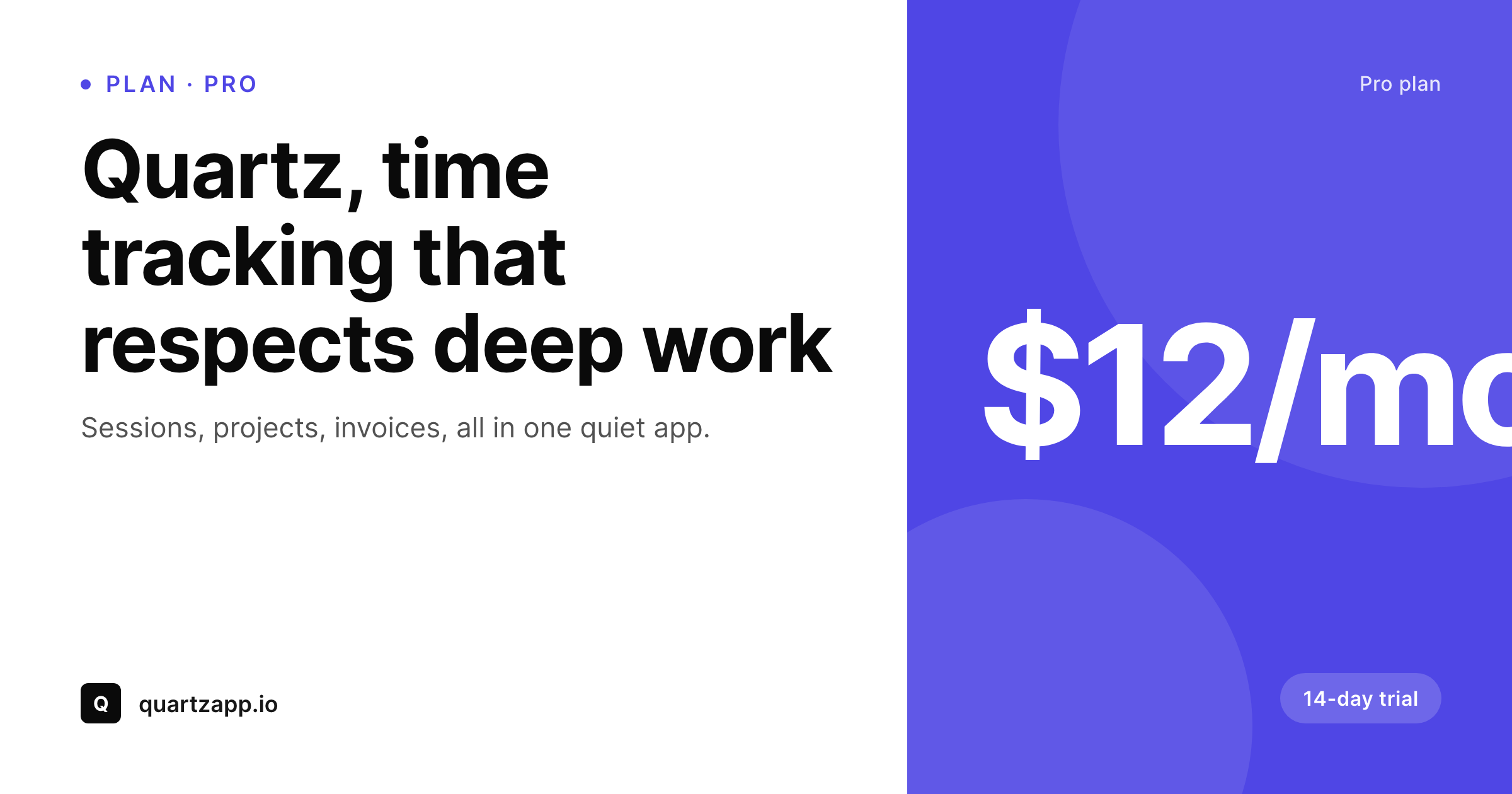
Stripe billing, WordPress front door
Stripe is the billing backbone for a large share of SaaS, subscription, and digital product businesses. It handles the cards, the subscriptions, the invoices, the tax calculations through Stripe Tax, and the customer portal. What it does not provide is the marketing site, the pricing page, the launch post, or the docs. Those live wherever the team chose to build, and for a meaningful share of indie and small-team SaaS businesses, that is WordPress.
A WordPress pricing page typically lists each plan with a title, price, feature list, and a buy button that opens a Stripe Checkout session or a Stripe Payment Link. Each plan tier may have its own URL or section anchor. Launch posts announce new plans, price changes, and new product lines. The OG image for each of those pages is what Twitter, LinkedIn, Slack, and email previews scrape. By default that image is the site logo, identical across plans and posts.
SleekPixel reads the plan and pricing fields stored on the WordPress page, often as ACF fields or as content block attributes, and renders a real share card on save. Plan name, monthly price, feature highlight, trial length, and brand wordmark all become part of the card. Stripe handles the checkout; SleekPixel handles the share preview that gets the customer there in the first place.
Workflow
From plan page to share-ready
Set up the plan fields
Build per-tier templates
Save the plan page
Share and convert
Output
What ships with every Stripe plan or product page
A 1200 by 630 OG image with plan name, monthly price, trial badge, key feature line, and brand wordmark, rendered from the page's fields on save.
Comparison
Default OG vs Stripe-aware plan card
Default site OG image
- Every plan or product page shares with the same site logo
- Monthly price stays invisible in the share preview
- Trial length, a key conversion signal, never appears in the social card
- Plan tier, free, starter, pro, is impossible to tell from the share
- Price change announcements share with the original launch image
SleekPixel
- Reads plan fields from ACF or block attributes on the WordPress page
- Plan name, monthly price, trial length, and tier badge render onto the card
- Per-tier template variants for free, starter, pro, enterprise plans
- Price-change re-renders when the post field updates
- Works alongside Stripe Checkout, Payment Links, and Pricing Tables
Features
What SleekPixel gives you for Stripe products
Plan-aware rendering
Free, starter, pro, and enterprise tiers each get the right accent, badge, and feature emphasis. The card matches the tier the page represents.
Trial and onboarding badges
14-day trial, free forever, no credit card required, each can render as a badge so the share announces the friction-free path to signup.
Pricing-change ready
When a plan repositions or changes price, updating the page field re-renders the share card. Reshares carry the current pricing, not stale art.
Use cases
Who uses SleekPixel for Stripe products
Solo and small-team SaaS
Pricing pages and launch posts share with branded plan cards. The launch tweet announces the actual product instead of the company logo.
Subscription course and content sites
Membership tiers and subscription plans get per-tier share cards so newsletter and Twitter shares preview the right plan.
Multi-product catalogs on Stripe
Sites selling several Stripe-billed products from one WordPress install get matching share art across the catalog, each branded per product.
The bigger picture
Why plan-level share previews matter for Stripe-powered SaaS
SaaS pricing pages are some of the most-shared URLs a small SaaS business has. Customers compare plans, support pastes plan links into help chats, founders link to specific tiers in tweets and threads, affiliates post the pricing URL with their take on the offering. Each of those shares is a potential signup, and each is one OG image away from looking serious or looking generic.
When the share is the site logo, the audience that did not click through directly has no plan-level context, and the click-through rate from social previews compresses. When the share is a real plan card, monthly price visible, trial badge clear, tier obvious, the preview itself answers the prospect's first question and lifts the click-through. Across hundreds of plan-link shares per month for a healthy SaaS, that compounds into real signup volume.
The second reason is the price-change moment. SaaS pricing changes are visible events: a price drop, a new tier, a trial extension. The launch post for that change needs to share with the current pricing, not the launch-day art from six months ago.
SleekPixel re-renders when the field updates, so every reshare of the pricing-change announcement carries the new price. The product evolves and the share previews evolve with it, without anyone in operations rebuilding social art by hand.
Questions
Common questions about SleekPixel for Stripe products
No. SleekPixel is a WordPress plugin and runs on a WordPress site. Stripe is a billing backend with no plugin surface. The integration works by rendering share images for the WordPress pages that represent Stripe-billed products and plans.
The plan name, price, and feature list typically live on the WordPress page directly, as ACF fields or content blocks. The Stripe price ID lives in the checkout button configuration. Some teams use a webhook to mirror Stripe price changes back into WordPress, most maintain pricing in WordPress as the source of truth for the marketing site.
Pricing Tables are embeds rendered by Stripe. The WordPress page that contains the embed still has its own OG image. SleekPixel renders that page-level image from whatever plan fields you also store on the page. The embed itself is unaffected.
Not directly. SleekPixel reads WordPress fields. If you want Stripe price changes to flow through to share images automatically, set up a Stripe webhook that updates the WordPress price field, which then triggers SleekPixel to re-render on save.
Payment Links live on Stripe's domain. The WordPress page that promotes the Payment Link is what gets shared, and SleekPixel renders the OG image for that page. The Payment Link itself remains untouched.
Yes. If your pricing page has separate URLs or anchors for monthly and annual, each can have its own share image with the appropriate price. If billing toggles are on the same page, the share image typically defaults to monthly and notes annual as a savings line.
No. SleekPixel only writes OG and Twitter image meta tags on WordPress pages. Stripe Checkout, subscriptions, invoices, tax, and customer portal all run untouched on the Stripe side. The plugin has no connection to the Stripe backend.
No. Image rendering happens on save. Visitor traffic hits cached files. Bulk re-render runs in the background through the admin and does not block publishing or editing.
Pricing
More than 1000+
happy customers
Explore our flexible licensing options tailored to your needs. Upgrade your license anytime to access more features, or opt for a lifetime license for ongoing value, including lifetime updates and lifetime support. Our hassle-free upgrade process ensures that our platform can grow with you, starting from whichever plan you choose.
Lifetime ♾️
Most popular
EUR
once
- Unlimited websites
- Lifetime updates
- Lifetime support
...or get the Bundle Deal
and save €250 🎁
💎 Want everything forever? The All Access Pass is going away on 01.08.2026.
The Bundle (unlimited sites)
Pay once, own it forever
Elevate your WordPress site with our exclusive plugin bundle that includes all of our premium plugins in one package. Enjoy lifetime updates and lifetime support. Save significantly compared to buying plugins individually.
What’s included
-
SleekAI
-
SleekByte
-
SleekMotion
-
SleekPixel
-
SleekRank
-
SleekView
€749
Continue to checkoutBrowse more
- Threads social images
- Ko-fi shop images
- YouTube playlist covers
- LinkedIn banner images
- Twitch stream overlay images
- Douyin cover
- Open Graph images
- YouTube Shorts cover
- Linktree banner image
- Twitch profile banner
- KDP paperback cover
- Threads profile banners
- TikTok Now image
- Bandcamp release cover
- LinkedIn newsletter headers