






SleekPixel for Thinkific courses
Thinkific runs the course delivery and student dashboard. WordPress runs the public marketing site. SleekPixel renders the OG and Twitter card on the WordPress course post so every launch share unfurls with the course title, price, and cohort badge.
♾️ Lifetime License available
Thinkific delivers, WordPress markets
Thinkific is the school in the back. The lessons stream from it, the quizzes grade on it, the certificates issue from it, the student dashboard lives on it. The marketing site usually lives somewhere else, and for a large group of creators that somewhere is WordPress, because the rest of the brand, the blog, the case studies, the team page, and the SEO landing pages, already runs there.
The course catalog on the WordPress side typically mirrors what Thinkific holds. A custom post type per course, a buy button that hands off to Thinkific checkout, a syllabus on the public page. The architecture works, except the share preview gets neglected. Course title, price, cohort dates, and lesson count all sit as post meta on WordPress and never reach the OG image.
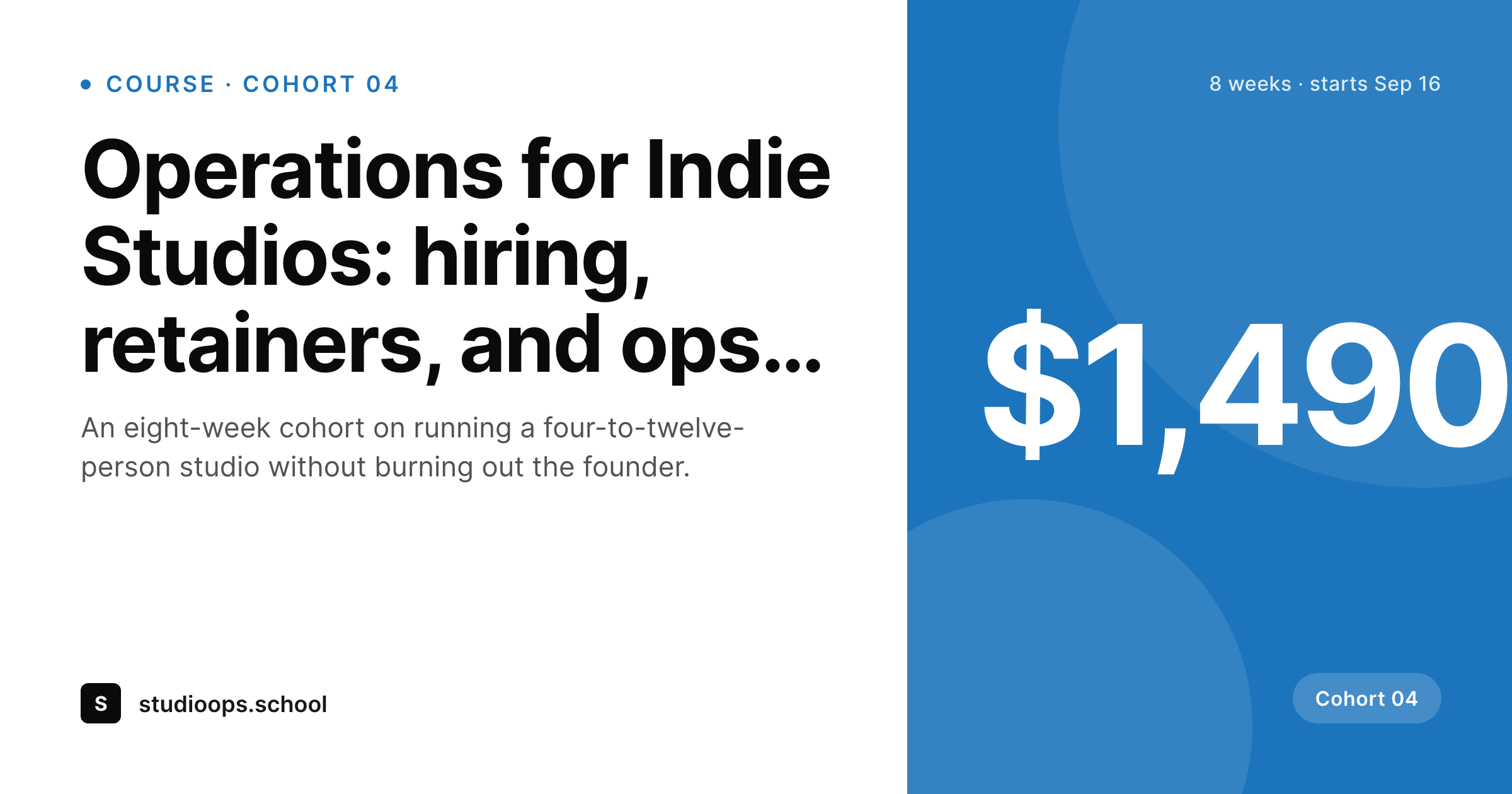
SleekPixel reads those fields on save and renders the per-course card. Cohort 04 of a flagship program renders with cohort number, start date, price, and the seat count if you bind it. Self-paced courses render without the date but with module count and a quiet 'self-paced' badge. The PNG lands in uploads and the og:image tag points at it. Thinkific stays exactly as it is. The WordPress marketing site stops shipping default banners for course shares.
Workflow
From Thinkific course to clean WordPress share
Mirror courses to a WordPress post type
Build the per-course template
Save the WordPress post
Launch the cohort
Output
Per-course card layout
A 1200 by 630 OG and Twitter card: course title, cohort or self-paced badge, price, start date or lesson count, and brand wordmark, rendered from the WordPress course post fields.
Comparison
Default WordPress unfurl vs Thinkific-aware rendering
Default theme OG
- Course pages on the WordPress side unfurl with a homepage banner
- Cohort numbers and dates never reach the share preview
- Featured images chosen for the hero crop oddly at 1200 by 630
- Manual share cards per cohort stop happening after Cohort 02
- Brand refresh requires redoing every past course card by hand
SleekPixel
- Reads WordPress fields for each Thinkific course you sell through WP
- Cohort and self-paced variants share the same template family
- Price, start date, seat count, and lesson count render automatically
- Bulk re-render the entire course catalog on a template change
- Runs alongside any Thinkific embed or buy-button plugin
Features
What SleekPixel gives you for Thinkific courses
Cohort-aware variants
Cohort courses render with cohort number, start date, and seats remaining. Self-paced courses render with a quieter badge and module count. One template, two variants.
Start-date badges
A small badge renders the cohort start date as a static value, useful for launch tweets where the urgency is the headline.
Seats remaining
Optional badge with seats remaining renders from a custom field. Updates whenever the post saves, so a launch nudge can re-trigger the render.
Use cases
Who pairs Thinkific with a WordPress marketing site
Cohort-based programs
Operators running quarterly cohorts use WordPress as the launch page and Thinkific as the delivery layer, with every cohort getting its own dated card.
Multi-course schools
Coaches and studios selling a library of ten to thirty courses keep the catalog on WordPress for SEO and ship a per-course OG card.
B2B training providers
Corporate training shops sell courses through Thinkific and run a WordPress site for buyer research, where every course unfurls with a branded preview.
The bigger picture
Why per-course cards convert better for cohort launches
Cohort launches are concentrated. A two-week launch window does the bulk of the year's revenue for many Thinkific operators. Within that window every share matters, and the share preview is the last visual impression before the click.
A generic site banner on a launch tweet costs a measurable share of click-through, because readers assume the link is a generic 'about' page and skip past. A per-course card that names the cohort, shows the start date, and signals price tells the reader exactly what is on the other side of the click. The conversion lift is most visible during launch windows, but the same dynamic applies to self-paced catalogs all year.
The other compounding effect is brand consistency across a multi-course catalog. A school that runs eight courses looks like a real institution when each course card uses the same template family, and looks like a hobby site when each card is whatever Canva produced that week. SleekPixel produces the consistency for free, every time the WordPress post saves, and the catalog keeps feeling like a school as it grows.
Questions
Common questions about SleekPixel for Thinkific courses
No. SleekPixel reads WordPress post fields. The Thinkific side is unchanged: course delivery, student dashboards, checkout, and certificates all stay on Thinkific. Only the WordPress marketing site gets the per-course share card.
Then SleekPixel does not have a WordPress post to render against. Most operators host marketing pages on WordPress specifically because it gives OG control, SEO, and brand consistency. If you stay fully on Thinkific-hosted pages, Thinkific's own previews handle shares.
Yes, via template variants. A custom field on the post selects between cohort and self-paced layouts. Cohort variants get a date and seats remaining; self-paced variants get a module count and a quieter badge.
Some operators sync seat count from Thinkific into a WordPress custom field via a small webhook or scheduled script. SleekPixel reads that field on render. If the count changes, saving the post re-renders the card.
Yes. Bundles can use their own variant with a bundle badge and a combined course count. The template reads whatever fields you bind, including a list of included courses.
No. SleekPixel only writes OG tags on WordPress URLs. Thinkific's hosted pages have their own meta handling. The plugin solves the share preview for the marketing site, not for the platform itself.
The card renders whatever currency string you store on the WordPress post. If you show different prices to different regions, you can render different cards by storing per-region prices and choosing the variant based on URL or query.
Yes. A WP-CLI command walks every course post and re-renders the card with the current template. Useful when migrating an existing catalog onto SleekPixel or after a brand refresh.
Pricing
More than 1000+
happy customers
Explore our flexible licensing options tailored to your needs. Upgrade your license anytime to access more features, or opt for a lifetime license for ongoing value, including lifetime updates and lifetime support. Our hassle-free upgrade process ensures that our platform can grow with you, starting from whichever plan you choose.
Lifetime ♾️
Most popular
EUR
once
- Unlimited websites
- Lifetime updates
- Lifetime support
...or get the Bundle Deal
and save €250 🎁
💎 Want everything forever? The All Access Pass is going away on 01.08.2026.
The Bundle (unlimited sites)
Pay once, own it forever
Elevate your WordPress site with our exclusive plugin bundle that includes all of our premium plugins in one package. Enjoy lifetime updates and lifetime support. Save significantly compared to buying plugins individually.
What’s included
-
SleekAI
-
SleekByte
-
SleekMotion
-
SleekPixel
-
SleekRank
-
SleekView
€749
Continue to checkoutBrowse more
- acquisition announcement cards
- Stripe Atlas card
- workshop cards
- certification badges
- expectation vs reality cards
- glossary term cards
- countdown banners
- recipe
- holiday greeting cards
- review snippet cards
- field notes card
- office hours card
- webinar replay card
- fact-of-the-day card
- book recommendation cards
- X community banners
- Pinterest shop banners
- Telegram channel images
- Twitch starting soon screen
- YouTube community images
- Threads post images
- Facebook post images
- Threads story-style images
- Discord stage banner
- YouTube end screens
- Instagram collab post images
- Mastodon profile header
- eBay listing images
- Douyin cover
- Rumble thumbnails