






SleekPixel for countdown banners
SleekPixel reads the launch date on each campaign post and renders a banner with the days remaining, the event title, and the brand mark on save. The OG card, the in-page hero, and any embed share one template, so every share carries the right number until the day it ships.
♾️ Lifetime License available
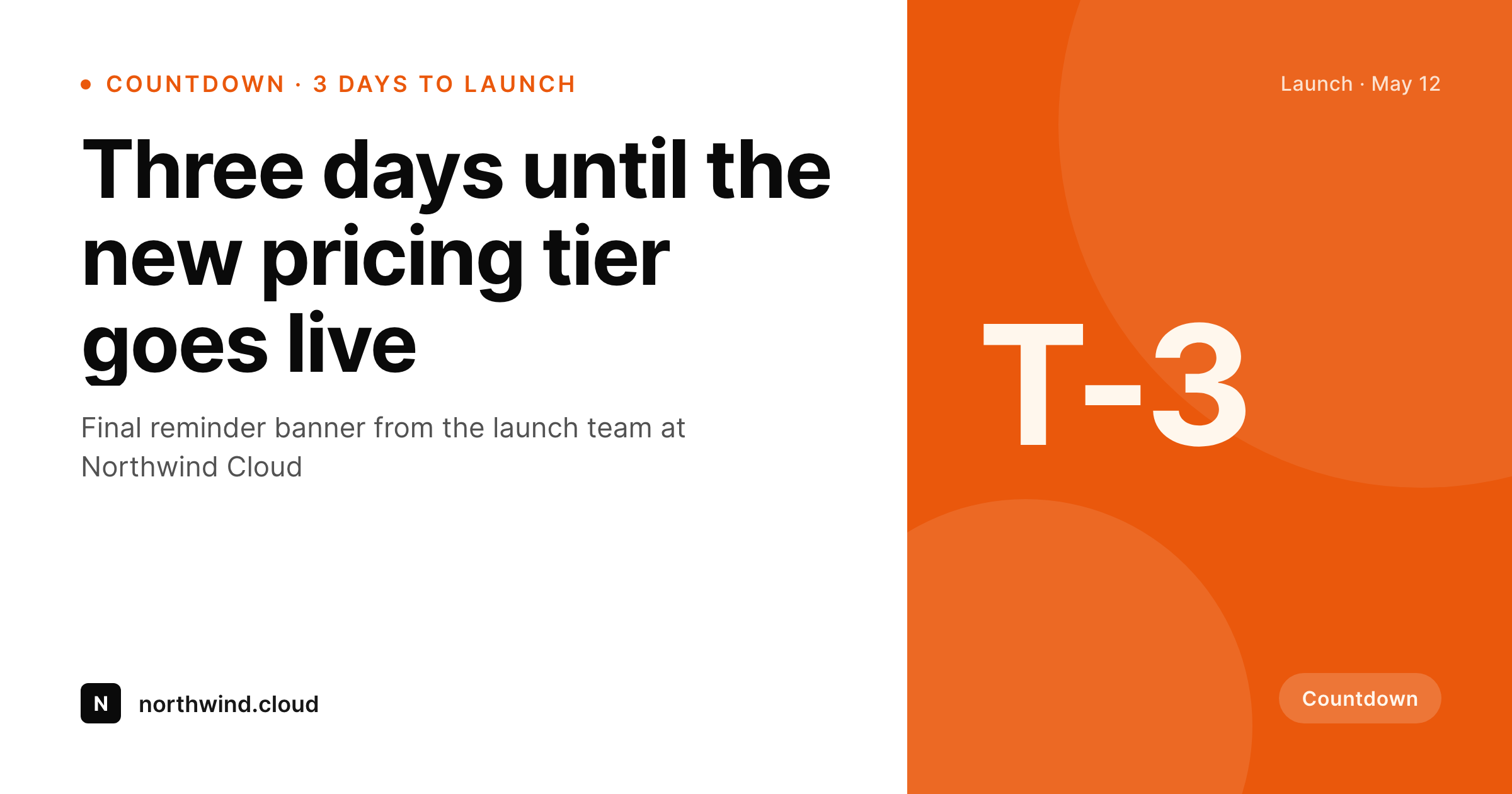
Countdown content needs a card that reflects the actual count
A countdown campaign loses its urgency the moment the preview lies. The team announces a launch ten days out, drops a banner with a big numeral, and then the next day the same image is still showing ten when the real count is nine. Most teams either redraw the banner every day (which never happens past day three) or skip the count entirely and ship a static teaser. The countdown becomes prose in the post body and the preview goes generic.
SleekPixel turns the countdown into a derived artifact. The campaign post type already holds the launch date and the event title. The template encodes the layout once, with a slot for the days remaining computed from now. Save the post and the renderer writes the OG card, the in-page hero, and any embed in one pass. Schedule a daily regenerate and the count drops by one each morning, so the share that goes out on day three reads T-3 and the share that goes out on day one reads T-1.
For launches and limited windows, this changes the relationship between the countdown and the link. The link is no longer a stale teaser. Every reshare during the run-up carries the right number, and the campaign feels alive. On launch day the renderer flips to a launch state, the banner reads live, and the same URL keeps working without a manual swap.
Workflow
From a launch date to a counting banner
Encode the banner layout
Set the launch date field
Schedule the daily regenerate
Flip on launch day
Output
How a countdown banner composes
An OG card with the days remaining, event title, and brand mark, all assembled from a launch date and event fields.
Comparison
Static teaser banners vs counted ones
Same number on every share
- Countdown number goes stale the day after the banner is exported
- Manual redraws fall off after the first two days
- Launch-day swap is a separate task that often gets missed
- Time zones make the right number hard to bake into a static image
- Different sizes (OG, hero, in-issue) drift out of sync
SleekPixel
- Days remaining computed from a launch-date field
- Daily regenerate keeps every share current
- Launch-day state flips the banner to a live label
- OG card, in-page hero, and embed share one template
- Time zone honored at render time so the count is correct per region
Features
What SleekPixel gives you for countdown banners
Date-driven
The launch date sits in a regular post field. The template computes T-minus on every render, so the banner stays accurate without a designer touching the file.
Daily refresh
Schedule a one-click bulk regenerate to run every morning. The whole campaign archive walks the count down without touching the post body.
Launch-state flip
Set a launch state in the template. The same banner switches to a live label on the launch date so the URL keeps working through the transition.
Use cases
Countdown formats this template covers
Product launches
Launches with a fixed go-live date. The banner walks down to launch and flips to a live state automatically.
Event reminders
Conferences, webinars, and AMAs with a hard start time. The banner counts down in days until the morning of the event.
Limited windows
Sales windows, beta access, and registration cutoffs. The banner shows the days remaining until the window closes.
The bigger picture
Why a counted banner outperforms a static teaser
Countdown campaigns work because urgency compounds with each reshare. A reshare on day five only feels urgent if the preview reads T-5. A reshare that still reads T-10 from the original announcement breaks the urgency loop and turns the link into a stale post.
Most teams know this and redraw the banner once or twice, then fall back to a static teaser because daily redraws are unrealistic. The countdown becomes prose, the preview goes generic, and the urgency loop never gets a chance to compound. SleekPixel makes the counted banner the default.
The post holds the date, the template computes the count, and a scheduled regenerate keeps every share current through the run-up. Each reshare carries the right number, the launch-day flip handles the transition without a swap, and the campaign feels alive across a window of days rather than at a single export moment. Programs that ship multiple launches a year compound the gain across every campaign.
Questions
Common questions about SleekPixel for countdown banners
From a launch-date field on the post. The template reads now, subtracts the launch date, and renders the integer days remaining. On launch day the template branch flips to a live label.
Schedule the bulk regenerate as a daily cron job. Every active campaign refreshes overnight, so the next share served the next morning carries the right count.
The renderer uses the site time zone by default. For audiences in multiple regions, store the launch date in UTC and let the template normalize, or render per-locale variants from the same template.
Yes. The template carries a launch-state branch. On the launch date and after, the same template renders a launched label so the URL keeps working without a manual swap.
Yes. Register OG, an in-page hero size, and a square social size against the same template. SleekPixel renders all of them on save and on the daily regenerate.
Update the launch-date field on the post. The next render uses the new date and the count walks back up. No manual edit to the banner is needed.
Yes. Each campaign post has a Gutenberg sidebar with download buttons for every registered size, always reflecting the current day.
No. The image is rendered to a static PNG and served as a regular file. Visitors hit a normal image URL, no compute happens at view time.
Pricing
More than 1000+
happy customers
Explore our flexible licensing options tailored to your needs. Upgrade your license anytime to access more features, or opt for a lifetime license for ongoing value, including lifetime updates and lifetime support. Our hassle-free upgrade process ensures that our platform can grow with you, starting from whichever plan you choose.
Lifetime ♾️
Most popular
EUR
once
- Unlimited websites
- Lifetime updates
- Lifetime support
...or get the Bundle Deal
and save €250 🎁
💎 Want everything forever? The All Access Pass is going away on 01.08.2026.
The Bundle (unlimited sites)
Pay once, own it forever
Elevate your WordPress site with our exclusive plugin bundle that includes all of our premium plugins in one package. Enjoy lifetime updates and lifetime support. Save significantly compared to buying plugins individually.
What’s included
-
SleekAI
-
SleekByte
-
SleekMotion
-
SleekPixel
-
SleekRank
-
SleekView
€749
Continue to checkoutBrowse more
- YouTube ad thumbnails
- KakaoTalk channel banners
- Facebook post images
- Bluesky profile banners
- Spotify Canvas
- Facebook group banners
- Instagram stories
- Telegram channel images
- TikTok Now image
- Twitter/X header
- YouTube channel banners
- YouTube Shorts covers
- Kick channel banners
- Depop listing images
- WhatsApp status images