






SleekPixel for monthly roundup cards
SleekPixel reads each monthly post's month and headline, then renders a card on save. The OG card, the archive thumbnail, and any in-issue embed share one template, so every month the team publishes lands with the right period stamp and a recognizable identity.
♾️ Lifetime License available
Monthly roundups deserve a card per month
Monthly roundups ship twelve times a year. April's roundup, May's roundup, June's roundup, each with its own URL, its own headline, its own pull-quote. In most teams every month ships with the same default site card, and the only way for a reader to tell April's roundup apart from June's is to click through and read the body. The cumulative branding effect of a year of monthly roundups compounds at zero rate at the visual layer.
SleekPixel turns the roundup card into a derived artifact. The roundup post type already holds the month, a count of stories or pieces, and the brand mark. The template encodes the layout once, with a slot for the month and a slot for the lead metric. Save the post and the renderer writes the OG card, the archive thumbnail, and any embed in one pass. April's roundup ships with an April-stamped card, May's with a May-stamped card, and the archive becomes a wall of distinguishable months instead of a stack of identical thumbnails.
For programs that ship monthly, this changes how the archive reads in aggregate. Subscribers browsing past months can find a specific issue from the card. New readers see a coherent program rather than a single ongoing post. The cumulative work compounds the way it does for any series whose issues each carry their own visual identity.
Workflow
From a draft month to a ready card
Encode the roundup layout
Set up the roundup post type
Publish the roundup
Refresh the archive
Output
How a monthly roundup card composes
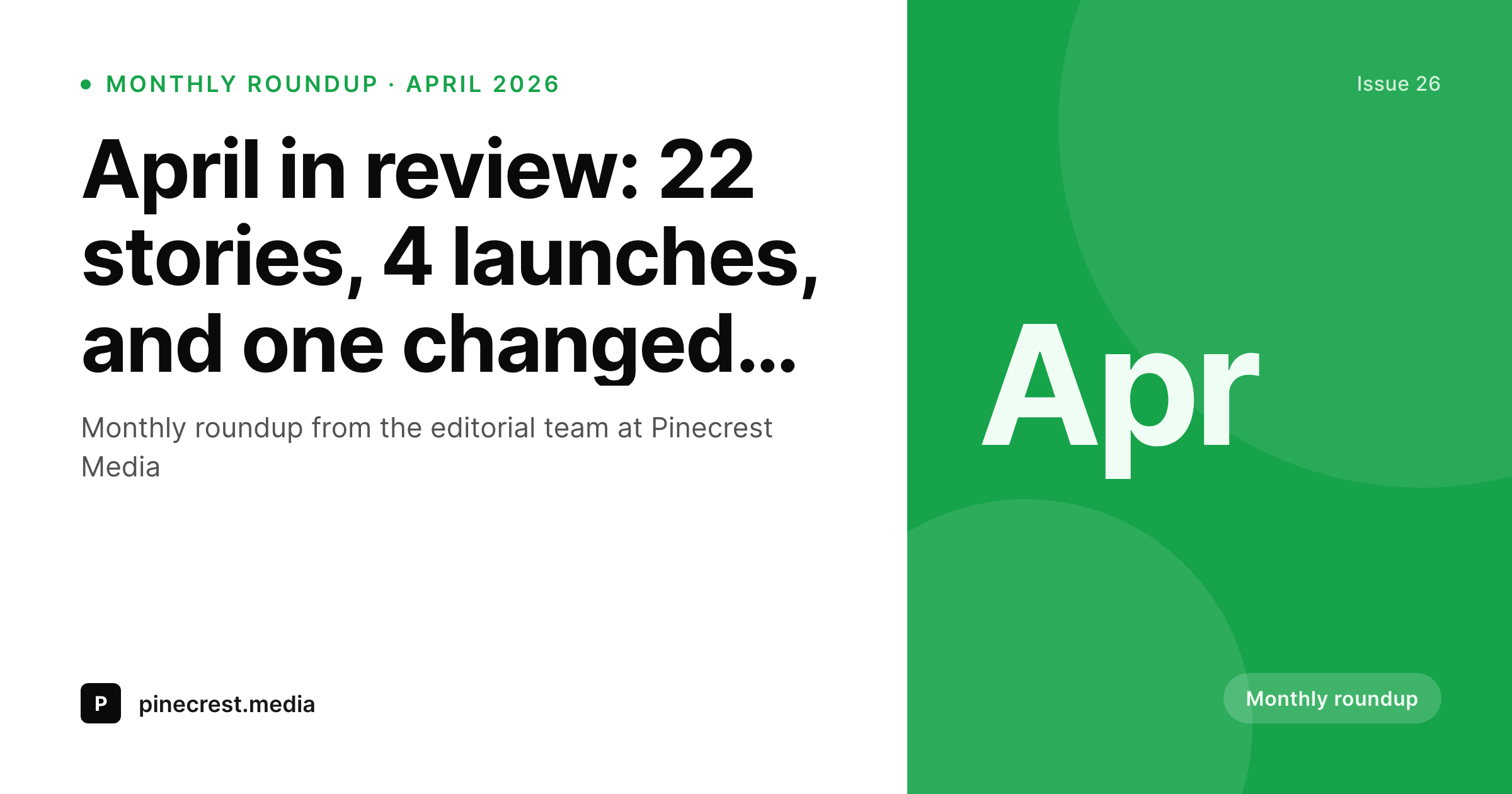
An OG card with the month, stories count, and brand mark, all assembled from real roundup fields.
Comparison
Default monthly cards vs rendered ones
Same site card on every month
- Month is invisible from the preview
- Stories count lives only in prose
- Long roundup headlines get truncated and the month disappears
- Archive thumbnail is a flat list with no period markers
- Brand refresh forces a manual re-export across twelve months
SleekPixel
- Month and stories count drive the roundup card
- Period stays visible across reshares and old links
- OG card, archive thumbnail, and in-issue embed share one template
- Bulk regenerate refreshes the whole monthly archive
- Section accent rotates so different sections stay distinct
Features
What SleekPixel gives you for monthly roundup cards
Month-stamped
The month renders from a field. The card carries the period prominently so subscribers and new readers both spot it in any feed.
Stories count visible
The count of stories or pieces renders from a field, so the card conveys the volume of work per month at a glance.
Archive and OG together
Register OG, the archive thumbnail, and any in-issue embed against the same template. The archive page and social card stay in lockstep.
Use cases
Monthly roundup formats this template covers
Industry roundups
Monthly roundups of an industry's biggest stories. The card carries the month and the stories count for cadence.
Newsletter monthly archives
Monthly archive issues of a daily or weekly newsletter. The card stamps the month so the archive lays out cleanly.
Community roundups
Community roundups for a Discord, Slack, or forum. The card carries the month and the count of contributions or events.
The bigger picture
Why monthly roundups need their own period card
Monthly roundups are how teams keep touch with subscribers who are not ready for a daily or weekly cadence. The reader skims the link, decides in a second whether this month is worth their fifteen minutes, and clicks or scrolls. A card that says April with a clear count of stories signals a real recap and earns the click.
A default card with no period reads like a one-off post and earns a scroll. Most teams default to generic cards because twelve months a year is too tight a cadence for hand-designed cards per month. SleekPixel makes the period-stamped card the default.
The month and count come from real fields, the archive becomes a navigable record, and the cumulative work compounds at the preview layer. After a year of consistent monthly cards, the program reads as a series rather than a stack of one-offs, and subscribers who join late can navigate the back catalogue from the cards alone.
Questions
Common questions about SleekPixel for monthly roundup cards
From a field on the roundup post (April, Apr 2026, or a date range). The template renders it as a badge in the right slot.
Yes. If stories or pieces live in a CPT, the template can pull a count by month via a query. Otherwise, store the count as a regular field on the roundup post.
Yes. Map the accent to a section taxonomy term. Editorial, product, and community roundups can each resolve to a distinct color while sharing one template.
Yes. Register OG, the archive thumbnail, and any in-issue embed against the same template. SleekPixel renders all of them on save.
Yes. SleekPixel attaches templates to whichever post types you choose. Your existing CPT, with its month and count fields, becomes the data source.
Yes. The admin has a one-click bulk regeneration that re-renders every monthly card. Years of monthly archives refresh in one pass.
Yes. Each roundup post has a Gutenberg sidebar with download buttons for every registered size.
No. The image is a static PNG written at render time. Visitors load a regular image URL with no compute at view time.
Pricing
More than 1000+
happy customers
Explore our flexible licensing options tailored to your needs. Upgrade your license anytime to access more features, or opt for a lifetime license for ongoing value, including lifetime updates and lifetime support. Our hassle-free upgrade process ensures that our platform can grow with you, starting from whichever plan you choose.
Lifetime ♾️
Most popular
EUR
once
- Unlimited websites
- Lifetime updates
- Lifetime support
...or get the Bundle Deal
and save €250 🎁
💎 Want everything forever? The All Access Pass is going away on 01.08.2026.
The Bundle (unlimited sites)
Pay once, own it forever
Elevate your WordPress site with our exclusive plugin bundle that includes all of our premium plugins in one package. Enjoy lifetime updates and lifetime support. Save significantly compared to buying plugins individually.
What’s included
-
SleekAI
-
SleekByte
-
SleekMotion
-
SleekPixel
-
SleekRank
-
SleekView
€749
Continue to checkoutBrowse more
- Twitter card images
- Discord server icon
- Douyin thumbnails
- Spotify playlist cover
- Discord event cover
- WhatsApp status images
- Substack post thumbnail
- Pinterest board covers
- WeChat Moments images
- Instagram grid tiles
- Substack podcast cover
- Nostr note images
- Instagram stories
- Bluesky profile banners
- LinkedIn carousel slides