






SleekPixel for certification badges
SleekPixel reads each certification post's standard, issuing body, issue date, and validity window and generates a custom OG image on save. No more hand-cropping issuer logos - the credential post becomes the source.
♾️ Lifetime License available
Stop manually compositing every new certification badge
Certifications stack up over a company's life - SOC 2, ISO 27001, HIPAA attestations, industry-specific accreditations - and each one is worth a credible announcement. The challenge is that issuer logos arrive in awkward formats, expiry dates change every audit cycle, and the marketing team rarely has time to recompose a clean graphic with all the right details.
SleekPixel removes the compositing step. You design one layout in the WordPress admin with fields like {standard_name}, {issuing_body}, {issue_date}, and {valid_through}. Each certification gets its own post; on save, SleekPixel renders the template and attaches the result as the og:image. Share the post URL on LinkedIn or Twitter and the card shows the standard, the issuer, and the validity window without anyone touching a design tool.
Edit the template once and every certification card refreshes - including expired ones, which can route to a different template variant. The credential lives in the CMS as data; the card is just a representation of it.
Workflow
From audit complete to social-ready in one save
Design the template
Connect to the certifications post type
Save the certification
Share anywhere
Output
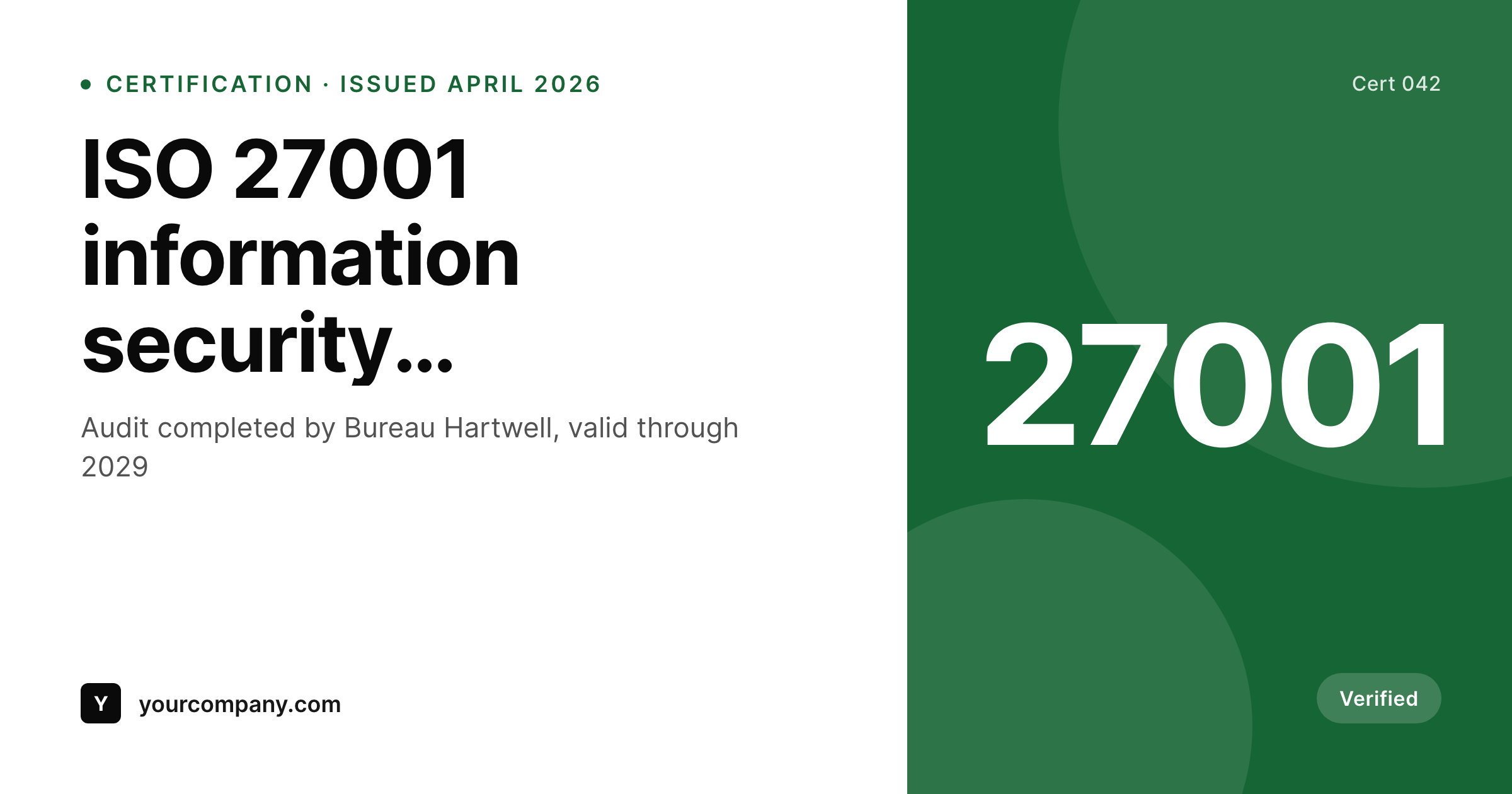
Sample social card from a certification post
This card was rendered from a certification post's standard, issuer, and validity dates. Same template, every credential.
Comparison
Hand-made certification graphics vs SleekPixel
Designer composites each badge
- Issuer logos get cropped inconsistently across credential graphics
- Expiry dates go stale on shared images while the credential renews
- Each new audit cycle means a designer touches the file again
- Brand refresh leaves old certification cards looking dated
- No bulk update - every credential is a one-off PNG
SleekPixel
- Auto-generated badge card per certification on save
- Per-credential variables: standard, issuer, issue date, valid-through, scope
- One template = one consistent visual identity across every accreditation
- Edit the template once and every certification card refreshes
- Falls back gracefully if scope or validity is missing
Features
What SleekPixel gives you for certification badges
Template-driven
Design the credential card layout once with text, shapes, seal placeholders, and dynamic fields. Every certification inherits it on save.
OG + Twitter meta
SleekPixel writes the og:image, twitter:image, and twitter:image:alt meta tags directly on each post - no theme code to touch.
Regenerate on demand
Audit cycle changed dates? Bulk-regenerate every certification's image so the validity window on shared cards is always current.
Use cases
Where this fits best
SaaS and infrastructure companies
SOC 2, ISO 27001, HIPAA - every compliance milestone gets a polished announcement card the day the report is signed.
Agencies with platform certifications
HubSpot, Google, AWS, Salesforce partner credentials each render to the same brand template, with the issuer baked into the field data.
Training and accreditation providers
Certifying bodies that issue credentials to others use SleekPixel to generate recipient-specific cards programmatically from the awards CPT.
The bigger picture
Why a consistent credential card matters
Certifications are trust signals, and trust signals lose force the moment they look slapdash. A buyer doing diligence on your security posture lands on a trust page where every credential graphic uses a different font and a different aspect ratio - the takeaway isn't security, it's improvisation. The companies that turn certifications into real demand-gen moments treat each one as a polished announcement: same layout, same hierarchy, accurate dates.
Doing that by hand is fine for the first three credentials and impossible by the tenth. A template that pulls standard name, issuer, and validity from the post lets the trust page and the social cards stay in perfect sync, including across audit renewals. SleekPixel makes that the default rather than a quarterly cleanup task.
The trust signal stays sharp the way it would on a public-company investor deck, without the dedicated design support that backs one.
Questions
Common questions about SleekPixel for certification badges
Yes. SleekPixel writes the og:image meta tag directly into the document head - it doesn't depend on theme support. If your theme already outputs og:image, SleekPixel takes precedence and overrides it cleanly.
The template renders without it. You can set defaults per field (e.g., 'Issued by an accredited body' for missing issuers) or design the layout so missing fields collapse gracefully. Nothing breaks if data is incomplete.
Yes. The admin has a one-click bulk regeneration that re-renders all credential images using the template. Useful after audit cycles or brand refreshes.
No. The image is rendered once at save time and stored as a static PNG/JPG. Visitors load a regular image URL - no rendering happens at view time.
Yes - they read the og:image meta tag on first share. Both have card debuggers (Twitter Validator, LinkedIn Post Inspector) you can use to clear their caches if you're testing.
Yes. SleekPixel supports routing by category, tag, or custom field state. Active credentials can use one template; expired or in-renewal ones can route to a muted variant automatically.
Add it as a media field on the certification post and reference it in the template. SleekPixel supports image fields, so each card shows the correct issuer logo automatically.
Stores. Each generated image is a real PNG/JPG saved to the uploads folder. This keeps page loads fast and means images survive even if the plugin is later disabled.
Pricing
More than 1000+
happy customers
Explore our flexible licensing options tailored to your needs. Upgrade your license anytime to access more features, or opt for a lifetime license for ongoing value, including lifetime updates and lifetime support. Our hassle-free upgrade process ensures that our platform can grow with you, starting from whichever plan you choose.
Lifetime ♾️
Most popular
EUR
once
- Unlimited websites
- Lifetime updates
- Lifetime support
...or get the Bundle Deal
and save €250 🎁
💎 Want everything forever? The All Access Pass is going away on 01.08.2026.
The Bundle (unlimited sites)
Pay once, own it forever
Elevate your WordPress site with our exclusive plugin bundle that includes all of our premium plugins in one package. Enjoy lifetime updates and lifetime support. Save significantly compared to buying plugins individually.
What’s included
-
SleekAI
-
SleekByte
-
SleekMotion
-
SleekPixel
-
SleekRank
-
SleekView
€749
Continue to checkoutBrowse more
- Mailchimp email banner
- Weibo post images
- LinkedIn article covers
- Threads post images
- Amazon Storefront banners
- Dailymotion thumbnails
- YouTube Music cover art
- Facebook post images
- Pinterest video pin covers
- Facebook Marketplace images
- Bluesky link cards
- Twitch panel images
- WeChat Moments images
- SoundCloud track art
- YouTube Shorts thumbnails