






SleekPixel for milestone celebration cards
SleekPixel reads each milestone post's number, label, and date and renders a square Instagram card on save. The post becomes the source - team anniversaries, customer counts, revenue marks all share the same on-brand layout.
♾️ Lifetime License available
Stop redrawing the same milestone card every quarter
Milestones happen on a steady cadence in growing companies. The first 100 customers, the 1,000th, the 10,000th. Year-one anniversary, year-five. Revenue marks, hiring marks, product-launch counts. Each one deserves a moment, and each one usually arrives at exactly the time when no one has bandwidth for a design step.
SleekPixel makes the milestone graphic a function of writing the milestone post. You design one square layout in the WordPress admin with fields like {milestone_number}, {milestone_label}, {date_reached}, and {category}. Save the post and SleekPixel renders the template with that data and writes it as the og:image. The number is rendered large, the label below it, the date as a strip - same proportions, every milestone, no Canva tab open.
Edit the template once and every past milestone card updates - including last year's anniversary, which now matches this year's. The celebration copy lives in the post; the card is just a clean visual punctuation of it.
Workflow
From milestone hit to social-ready in one save
Design the template
Connect to the milestones post type
Save the milestone
Share anywhere
Output
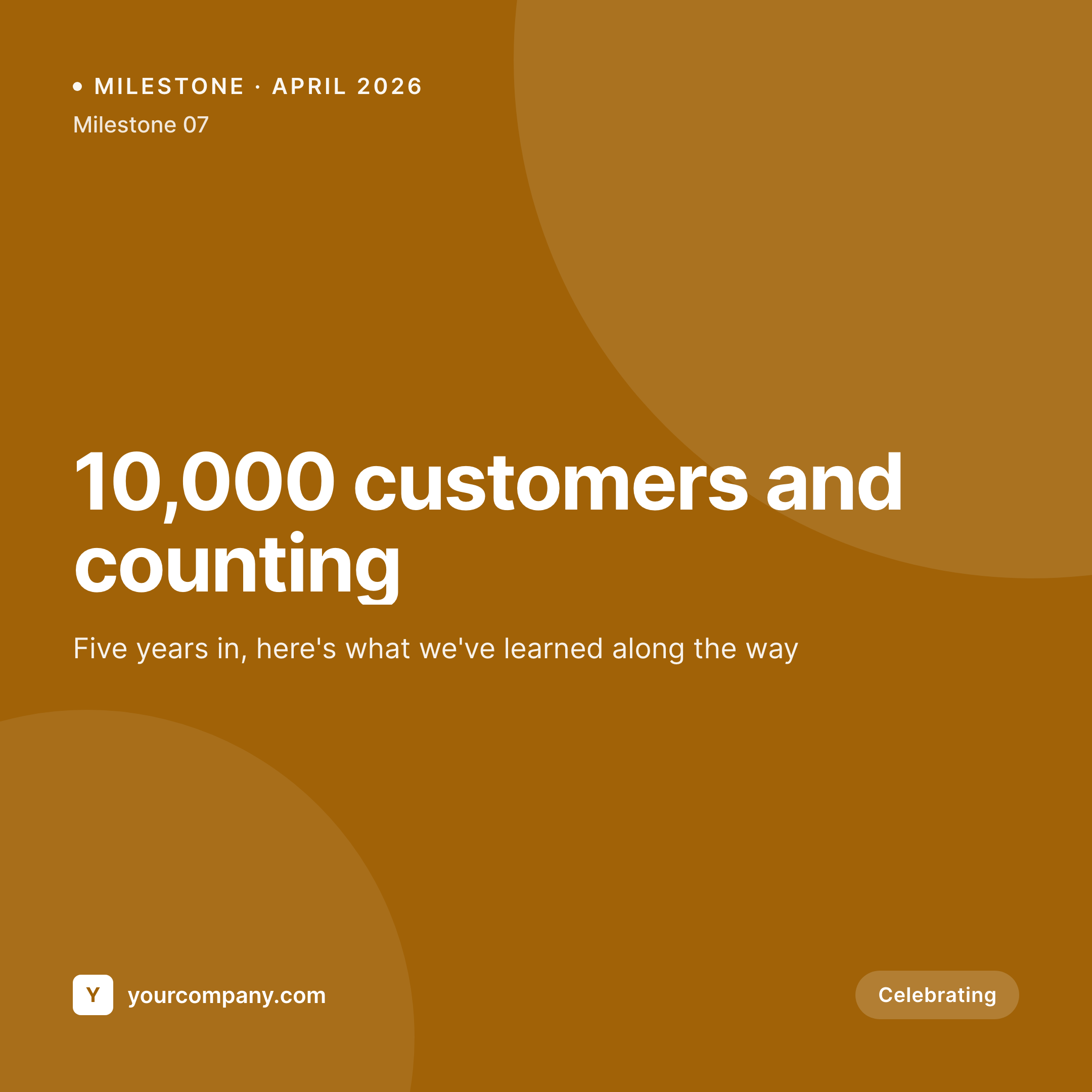
Sample milestone card from a celebration post
This card was rendered from a milestone post's number, label, and date. Same template, every milestone.

Comparison
Hand-made milestone graphics vs SleekPixel
Designed in Canva per milestone
- Every milestone waits for a design step that rarely fits the timing
- Number sizing drifts - some cards huge, some too small, no system
- Last year's anniversary card looks completely different from this year's
- Brand refresh leaves the milestone archive feeling dated
- No bulk update - every celebration is a one-off PNG
SleekPixel
- Auto-generated celebration card per milestone on save
- Per-milestone variables: number, label, date reached, category, note
- One template = one consistent visual identity across every celebration
- Edit the template once and every milestone card refreshes
- Falls back gracefully if note or category is missing
Features
What SleekPixel gives you for milestone celebration cards
Template-driven
Design the milestone card layout once with large numerals, accent strips, and dynamic fields. Every milestone inherits it on save.
OG + Instagram-ready
SleekPixel writes a square 1080 × 1080 image and the og:image meta tag - share to LinkedIn, Twitter, or push to Instagram via a scheduler.
Regenerate on demand
Updated the brand? Bulk-regenerate every past milestone card so the timeline of celebrations on your site stays visually unified.
Use cases
Where this fits best
Customer-count milestones
100, 1,000, 10,000 customers - every round number gets a clean celebration card at exactly the moment the team wants to share it.
Anniversary marks
Company birthdays, hire anniversaries, product launch dates - all rendered to the same template with the year auto-filled from the post.
Revenue and growth marks
ARR milestones, country expansions, team-size targets - the celebration card is ready the same hour the milestone post goes up.
The bigger picture
Why a consistent milestone card matters
Milestones are the public moments where a company gets to share a number that took a long time to earn. They're some of the most-shared posts a brand will ever publish - by the team, by customers, by investors. A clean, on-brand card on each one builds a visual through-line across the company's history; a one-off Canva graphic each time builds nothing.
The companies whose milestone posts perform best are usually not the ones with the biggest numbers - they're the ones whose celebrations feel like they belong to a single visual story. Doing that by hand demands a design step at the exact moment the team wants to be celebrating, which is when design steps fall apart. A template that pulls number and label from the post turns every milestone into a chapter in the same story.
SleekPixel makes that template the default, the same way the rest of the post's metadata gets handled.
Questions
Common questions about SleekPixel for milestone celebration cards
Yes. SleekPixel writes the og:image meta tag directly into the document head - it doesn't depend on theme support. If your theme already outputs og:image, SleekPixel takes precedence and overrides it cleanly.
The template renders without it. You can set defaults per field or design the layout so missing fields collapse gracefully. Nothing breaks if data is incomplete.
Yes. The admin has a one-click bulk regeneration that re-renders all milestone cards using the template. Useful after brand updates or template tweaks.
No. The image is rendered once at save time and stored as a static PNG/JPG. Visitors load a regular image URL - no rendering happens at view time.
LinkedIn reads og:image directly. Instagram doesn't, but a scheduler (Buffer, Later, Publer) can read the URL SleekPixel writes and queue the post for Instagram automatically.
Yes. SleekPixel supports per-category, per-tag, and per-CPT templates. Customer-count milestones can use one template, anniversaries another - routing rules pick automatically.
Set the number formatting in the template - thousands separators, abbreviations, suffix labels. SleekPixel applies the formatting at render time so the milestone post can store a raw integer.
Stores. Each generated card is a real PNG/JPG saved to the uploads folder. This keeps page loads fast and means images survive even if the plugin is later disabled.
Pricing
More than 1000+
happy customers
Explore our flexible licensing options tailored to your needs. Upgrade your license anytime to access more features, or opt for a lifetime license for ongoing value, including lifetime updates and lifetime support. Our hassle-free upgrade process ensures that our platform can grow with you, starting from whichever plan you choose.
Lifetime ♾️
Most popular
EUR
once
- Unlimited websites
- Lifetime updates
- Lifetime support
...or get the Bundle Deal
and save €250 🎁
💎 Want everything forever? The All Access Pass is going away on 01.08.2026.
The Bundle (unlimited sites)
Pay once, own it forever
Elevate your WordPress site with our exclusive plugin bundle that includes all of our premium plugins in one package. Enjoy lifetime updates and lifetime support. Save significantly compared to buying plugins individually.
What’s included
-
SleekAI
-
SleekByte
-
SleekMotion
-
SleekPixel
-
SleekRank
-
SleekView
€749
Continue to checkoutBrowse more
- GitHub README banners
- Buy Me a Coffee banners
- LinkedIn newsletter headers
- LinkedIn document post covers
- Threads profile banners
- X community banners
- Lemon8 post
- Twitch starting soon screen
- Passes page banner
- Telegram channel images
- Facebook cover photos
- eBay listing images
- Twitch panel images
- Patreon cover images
- LinkedIn ad images