






SleekPixel for hiring announcement images
SleekPixel reads each job post's title, location, team, and employment type and renders a LinkedIn share card on save. Recruiters, hiring managers, and the team all share the same on-brand preview - no recruiter-toolkit subscription required.
♾️ Lifetime License available
Stop building one-off graphics for every open role
Hiring is one of the most-shared activities a small or mid-sized company does. Every team member is asked to repost the role on LinkedIn, and the link preview carries most of the visual weight in those reposts. Most companies ship that preview as a generic site logo or a stock photo of an office, and watch the share-through rate underperform what the role actually deserves.
SleekPixel turns the job post itself into the share asset. You design one LinkedIn-sized layout in the WordPress admin with fields like {job_title}, {location}, {team}, {employment_type}, and {experience_level}. Each role lives as a post in your careers CPT (or whatever ATS posts it via webhook). On save, SleekPixel renders the template with the role's actual data and writes the image URL into og:image. When anyone shares the role URL on LinkedIn, the preview is the on-brand card with the title front and center.
Edit the template once and every active and past role card updates. Add a small team strip, every role inherits it. The role description lives in the post; the card is just a programmatic mirror of the role's metadata.
Workflow
From role drafted to share-ready in one save
Design the template
Connect to the careers post type
Save the role
Team shares the URL
Output
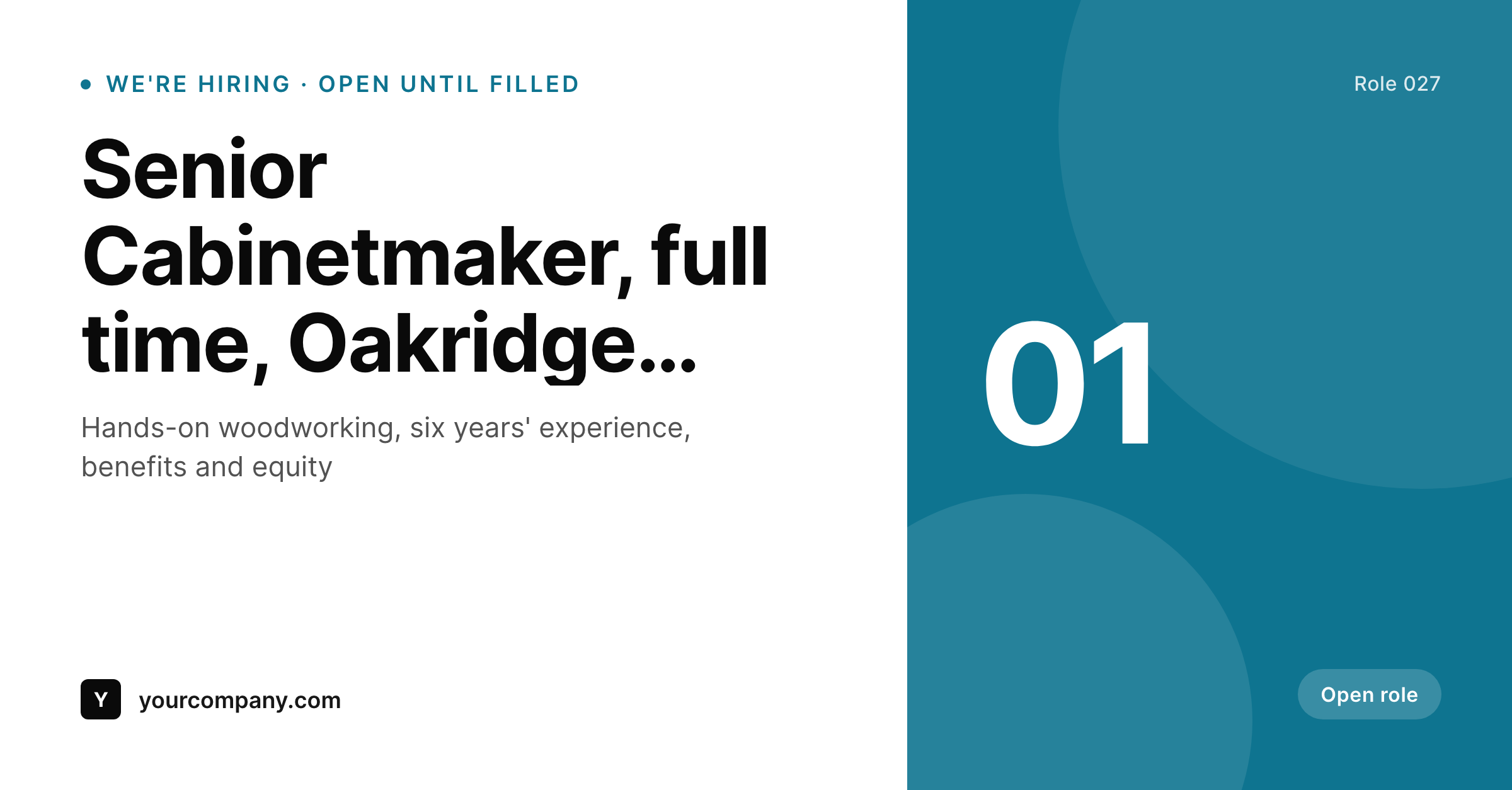
Sample share card from a hiring post
This card was rendered from a job post's title, location, and team. Same template, every role.
Comparison
Hand-made hiring graphics vs SleekPixel
Designed per role or stock photo
- Most roles ship with a default site-logo or stock-office preview
- When a card does ship, it's inconsistent across roles and teams
- Team-size-of-one recruiting orgs can't keep up with bespoke designs
- Brand refresh leaves the careers archive looking dated
- No bulk update - hundreds of past roles, hundreds of inconsistent previews
SleekPixel
- Auto-generated share card per role on save
- Per-role variables: title, location, team, employment type, experience level
- One template = one consistent visual identity across every role
- Edit the template once and every role card refreshes
- Falls back gracefully if team or experience level is missing
Features
What SleekPixel gives you for hiring announcement images
Template-driven
Design the role card layout once with title text, location strip, accent block, and dynamic fields. Every role inherits it on save.
OG + LinkedIn-ready
SleekPixel writes a 1200 × 627 image and the og:image meta tag - LinkedIn reads it directly when team members share the role URL.
Regenerate on demand
Brand evolved? Bulk-regenerate every past role's card so the careers archive ships with the current visual identity.
Use cases
Where this fits best
In-house recruiting teams
Every open role gets a polished card the moment it's posted - team members share the URL on LinkedIn and the preview does the work.
Companies in growth mode
Hiring sprees produce dozens of roles a quarter; each one ships with consistent branding without queueing behind design.
Multi-location organizations
Each office's roles render to the same template with the location field filled in - global brand, local relevance.
The bigger picture
Why a consistent hiring card matters
Recruiting on LinkedIn is mostly about how role URLs travel. A hiring manager posts the link to their network, three colleagues reshare, twelve more people see it in their feed - that chain of reshares decides how many qualified applicants the role actually attracts. The visual that travels with the URL is the link preview, and a generic preview drops share-through and quality both.
Companies whose roles attract strong inbound applicants without massive recruiting spend tend to be the ones whose previews look intentional - title clearly readable, brand visible, role context obvious. Building that consistency by hand means every role waits in a design queue, which kills the velocity hiring needs. A template that pulls title, location, and team from the role post lets the share asset ship on the same timeline as the job description.
SleekPixel makes the on-brand card the default outcome of opening the role, not a separate marketing project.
Questions
Common questions about SleekPixel for hiring announcement images
If your ATS posts roles into WordPress as a CPT (via webhook, plugin, or manual entry), SleekPixel renders cards for each one. Map the ATS fields to your template variables and every new role gets a card automatically.
The template renders without it. You can set defaults per field or design the layout so missing fields collapse gracefully. Nothing breaks if a role is published with partial data.
Yes. The admin has a one-click bulk regeneration that re-renders all role cards using the template. Useful after brand updates or template tweaks.
No. The image is rendered once at save time and stored as a static PNG/JPG. Visitors load a regular image URL - no rendering happens at view time.
Yes - LinkedIn reads og:image on first share. The LinkedIn Post Inspector clears the cached preview if you update a role and want the new card to show on subsequent shares.
Yes. SleekPixel supports per-category, per-tag, and per-CPT templates. Engineering roles can use one accent color, design roles another - routing rules pick automatically.
Route closed roles to a 'filled' template variant via category or status field. The card can show a 'role closed' strip instead of the active call-to-apply.
Stores. Each generated card is a real PNG/JPG saved to the uploads folder. This keeps page loads fast and means images survive even if the plugin is later disabled.
Pricing
More than 1000+
happy customers
Explore our flexible licensing options tailored to your needs. Upgrade your license anytime to access more features, or opt for a lifetime license for ongoing value, including lifetime updates and lifetime support. Our hassle-free upgrade process ensures that our platform can grow with you, starting from whichever plan you choose.
Lifetime ♾️
Most popular
EUR
once
- Unlimited websites
- Lifetime updates
- Lifetime support
...or get the Bundle Deal
and save €250 🎁
💎 Want everything forever? The All Access Pass is going away on 01.08.2026.
The Bundle (unlimited sites)
Pay once, own it forever
Elevate your WordPress site with our exclusive plugin bundle that includes all of our premium plugins in one package. Enjoy lifetime updates and lifetime support. Save significantly compared to buying plugins individually.
What’s included
-
SleekAI
-
SleekByte
-
SleekMotion
-
SleekPixel
-
SleekRank
-
SleekView
€749
Continue to checkoutBrowse more
- Signal sticker pack
- Substack post headers
- Etsy cover photos
- Facebook group banners
- KDP hardcover cover
- Twitch stream overlay images
- Mailchimp email banner
- VK community cover photos
- Tumblr header
- Threads post cover
- GitHub social preview images
- Warpcast frame images
- Ghost feature images
- Pinterest Idea Pins
- Fansly banner