






SleekPixel for explainer video thumbnails
SleekPixel reads each explainer post's title, series, duration, and topic and renders a 1280x720 thumbnail on save. Same file works as the YouTube upload thumbnail and the OG image on the post page.
♾️ Lifetime License available
Stop redrawing the same thumbnail layout for every explainer
Explainer videos win or lose in the thumbnail. The viewer scrolls, sees a rectangle, decides in under a second. Channels that maintain a consistent visual pattern across explainers build the muscle memory that gets clicks; channels that ship a different layout every video lose recognition. The hard part is keeping the pattern consistent without spending an hour in Figma per video.
SleekPixel automates the consistent part. You build one template in the WordPress admin using fields like {post_title}, {series}, {duration}, and {topic}. Every explainer post you save renders a thumbnail at 1280x720 that you can upload to YouTube directly, use as the OG image on the show notes page, or both.
Edit the template once and every past explainer's thumbnail regenerates. Add a new field - a chapter number, a difficulty rating - every explainer inherits it. The animation, the voiceover, and the screen capture all stay in the video; the thumbnail makes the channel look like one show instead of a folder of unrelated uploads.
Workflow
From explainer post to thumbnail in one save
Design the template
Connect to post type
Save the explainer
Use it anywhere
Output
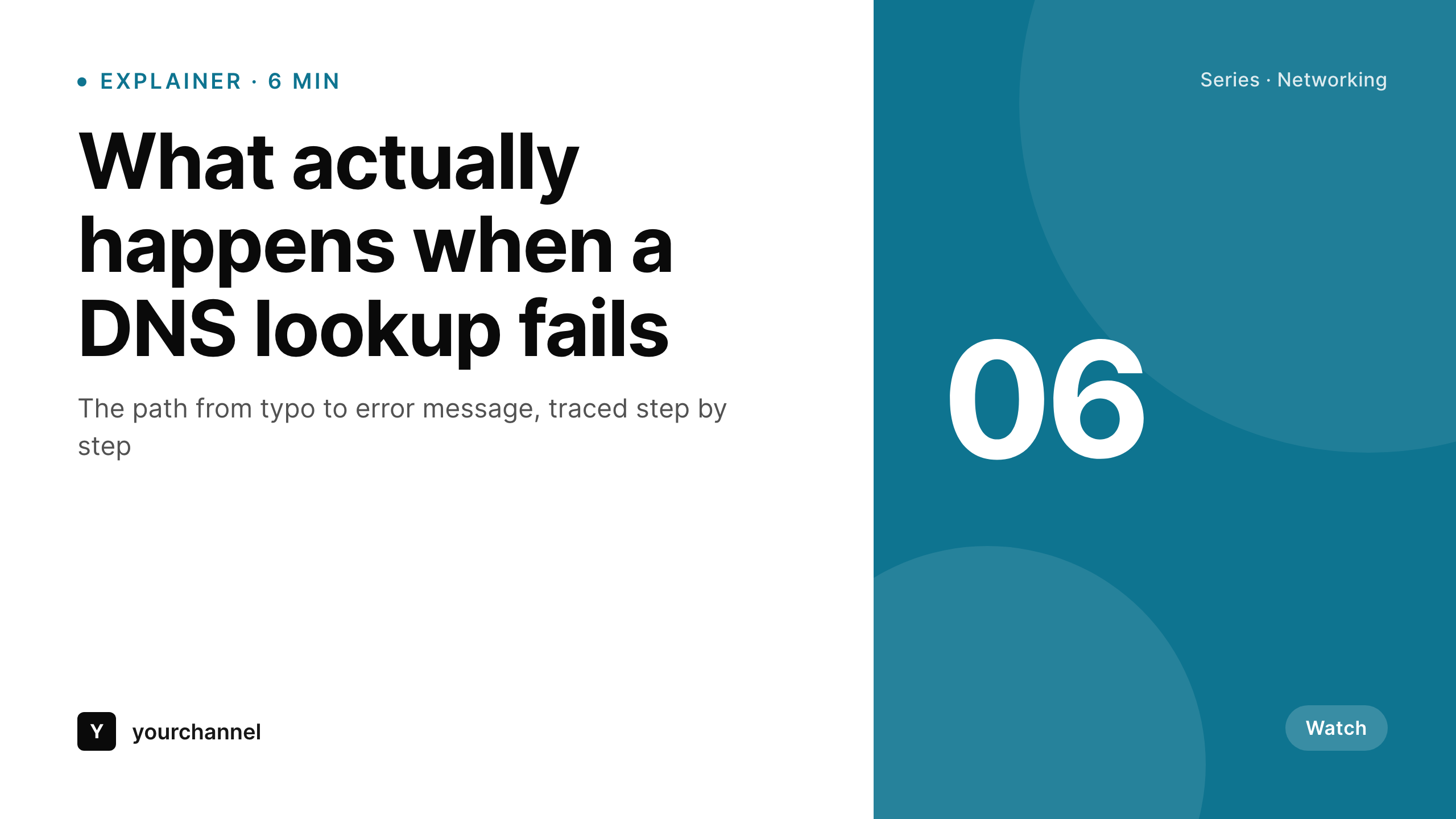
Sample thumbnail from an explainer post
This thumbnail was rendered from an explainer post's title, series, and duration. Same template, every video.
Comparison
Hand-made thumbnails vs SleekPixel
Manual thumbnail per video
- Each thumbnail is hand-arranged - the layout drifts every time
- Series identity gets diluted because every video looks like its own thing
- Brand updates mean re-exporting every past thumbnail by hand
- Title length surprises blow up the layout in unpredictable ways
- No automation - the editor is always the bottleneck before publish
SleekPixel
- Auto-generated 1280x720 thumbnail per explainer post on save
- Per-post variables: title, series, duration, topic, custom fields
- One template = one consistent series look across every explainer
- Edit the template once and bulk-regenerate every past video
- Falls back gracefully if a series tag or duration is missing
Features
What SleekPixel gives you for explainer video thumbnails
Template-driven
Design the thumbnail layout once with shapes, text, and dynamic fields. Every explainer inherits it automatically on the next save.
OG + Twitter meta
SleekPixel writes og:image, twitter:image, and twitter:image:alt tags on each show-notes post - no theme code required.
Regenerate on demand
Updated the template after a series rebrand? Bulk-regenerate every past explainer thumbnail from the admin in one pass.
Use cases
Where this fits best
Educational channels
A consistent thumbnail pattern signals an ongoing series and builds subscriber recognition over time.
Series-driven content
Series name and chapter pulled per post - viewers see at a glance which season or arc a video belongs to.
Growing creator teams
Onboard new editors without retraining them on the thumbnail template - the WordPress admin handles it automatically.
The bigger picture
Why a consistent thumbnail matters
Explainer videos compete in feeds where ten other thumbnails are screaming for attention. Channels that maintain a recognizable visual pattern train viewers to spot them at a glance - half the click is already won before the title gets read. Channels that ship a different layout every video lose the recognition advantage entirely and end up competing on title alone.
Hand-designing every thumbnail is realistic for a creator publishing monthly with hours of design time; for anyone shipping more than a few times a month, the pattern drifts and the channel starts looking like a folder. The middle path - a template that fills in title, series, and duration automatically - is how channels with strong identities like Kurzgesagt and CGP Grey keep a tight visual signature. SleekPixel brings the same approach to any WordPress site publishing video alongside written content.
Questions
Common questions about SleekPixel for explainer video thumbnails
Yes. The output is a 1280x720 PNG saved to the uploads folder. Download it from the post and upload it to YouTube, or use a YouTube API integration to push it automatically.
The template renders without it. You can set a default per field (e.g., 'Explainer' if series is empty) or design the layout so missing fields collapse cleanly.
Yes. The admin has a one-click bulk regeneration that re-renders all thumbnails for posts using the template.
No. The image is rendered once at save time and stored as a static PNG. Visitors load a regular image URL - no rendering happens at view time.
Yes. The template supports image fields, so a per-video illustration uploaded to a custom field is composited into the layout. Use the WordPress media library.
Yes. SleekPixel supports per-category, per-tag, and per-CPT templates. Tag explainers by series and route each tag to its own template.
The video embed stays as is - SleekPixel doesn't touch theme content. The thumbnail lives in the post's image field and og:image tag.
Stores. Each generated thumbnail is a real PNG saved to the uploads folder. This keeps page loads fast and means images survive even if the plugin is later disabled.
Pricing
More than 1000+
happy customers
Explore our flexible licensing options tailored to your needs. Upgrade your license anytime to access more features, or opt for a lifetime license for ongoing value, including lifetime updates and lifetime support. Our hassle-free upgrade process ensures that our platform can grow with you, starting from whichever plan you choose.
Lifetime ♾️
Most popular
EUR
once
- Unlimited websites
- Lifetime updates
- Lifetime support
...or get the Bundle Deal
and save €250 🎁
💎 Want everything forever? The All Access Pass is going away on 01.08.2026.
The Bundle (unlimited sites)
Pay once, own it forever
Elevate your WordPress site with our exclusive plugin bundle that includes all of our premium plugins in one package. Enjoy lifetime updates and lifetime support. Save significantly compared to buying plugins individually.
What’s included
-
SleekAI
-
SleekByte
-
SleekMotion
-
SleekPixel
-
SleekRank
-
SleekView
€749
Continue to checkoutBrowse more
- Apple Podcasts covers
- YouTube thumbnails
- Twitch profile banner
- Twitch schedule banners
- Threads post images
- YouTube Music cover art
- Etsy shop banners
- LinkedIn article covers
- Facebook ad images
- Farcaster cast images
- eBay listing images
- Substack post headers
- TikTok cover images
- KakaoTalk channel banners
- Twitch starting soon screen