






SleekPixel for LinkedIn article covers
Templated 1200x627 article covers generated from post data on every save. The og:image meta tag is set so the LinkedIn article unfurls with a real, branded cover instead of a default avatar.
♾️ Lifetime License available
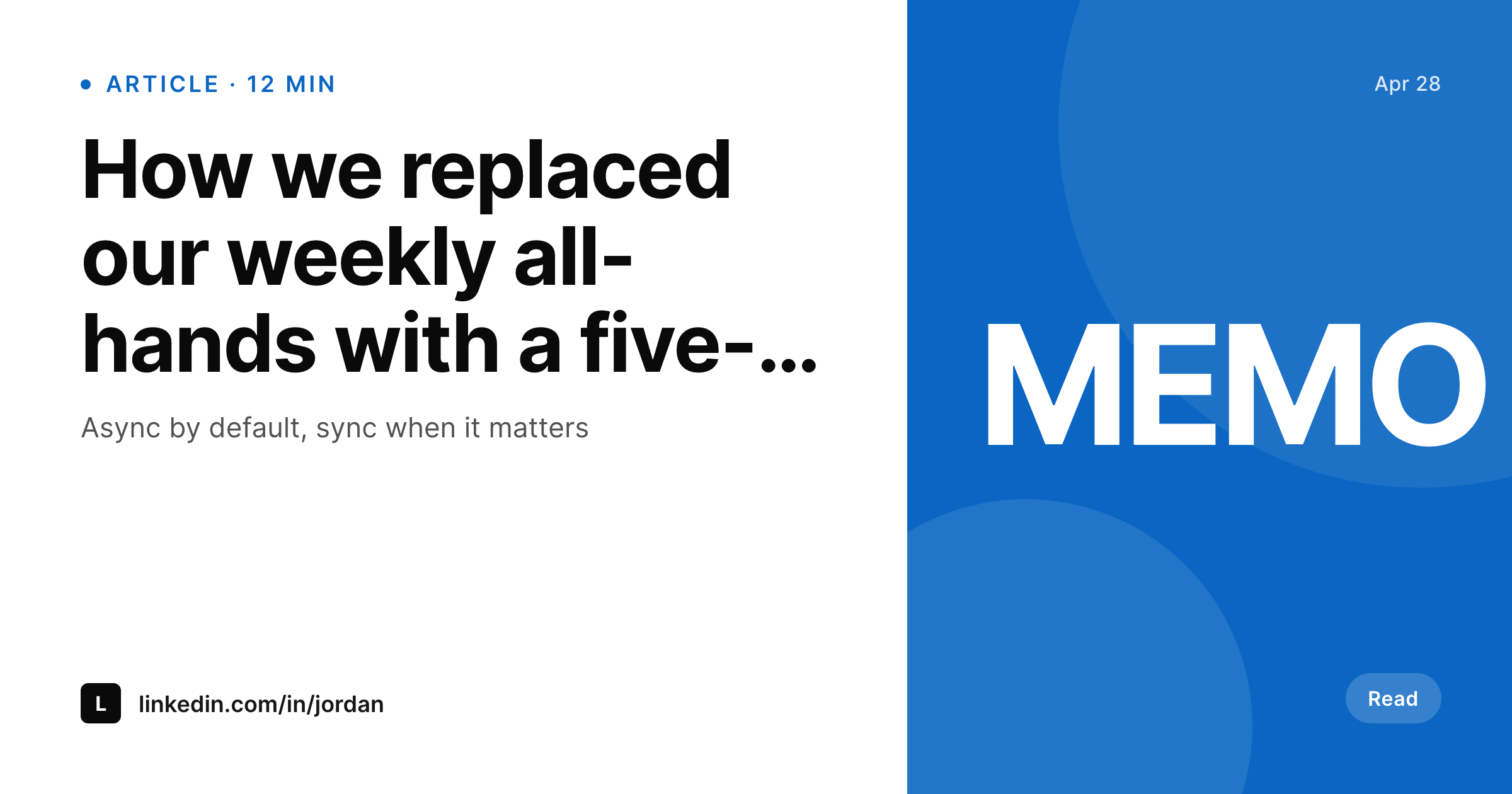
LinkedIn articles unfurl on the cover, not on the body
LinkedIn long-form articles render in the feed as a cover image, a title, and an author handle. The cover image is the first thing the feed shows, and most articles ship without a cover that fits the format. The default behavior on a typical site is to use the post's featured image, which was sized for a blog grid, not for a 1.91:1 unfurl. The cover ends up cropped, stretched, or replaced by the author avatar. The article competes in the feed with whatever cover the author last designed in Figma, which is to say usually nothing.
SleekPixel renders the cover during the save lifecycle. The 1200x627 PNG includes the article title, author, and read time, written to the uploads directory and registered as og:image. When the author posts the article on LinkedIn or pastes the URL into a post, the unfurl shows a real cover with the article identity intact. Branding refreshes propagate by re-rendering the archive instead of by opening Figma per article.
Because the template is HTML and CSS, design changes are version-controlled and apply uniformly. The author stops being a single point of failure for cover image consistency.
Workflow
From post save to LinkedIn-ready cover
Design the cover
Bind the fields
Save the post
Validate in Post Inspector
Output
What gets generated per article
A 1200x627 PNG with the article title, author handle, and read time, sized for the LinkedIn long-form unfurl crop.
Comparison
Default LinkedIn article covers versus SleekPixel
Featured image fallback
- Featured image gets cropped to 1.91:1 and looks awkward on the unfurl
- Author avatar replaces the cover when no og:image is set, so the brand disappears
- Long-form articles ship inconsistently because each one needs a Figma export
- Repost in LinkedIn newsletters reuses whatever cover existed on the original
- Brand refresh leaves dozens of articles with stale covers that need manual rework
SleekPixel
- 1200x627 PNG rendered for every article on save
- og:image meta tag set so LinkedIn unfurls with a real cover
- Author handle, read time, and title bound to real post fields
- Re-renders on title or field changes
- Real PNG in WordPress uploads, served from your own domain
Features
What SleekPixel gives you for LinkedIn article covers
Per-article render
Every long-form post saves with its own 1200x627 cover. No designer bottleneck on the long tail of articles.
og:image set
The og:image meta tag points at the rendered file. LinkedIn pulls the cover when the URL is shared or the article is reposted in a newsletter.
Author surfaced
Cover includes the author's display name and handle so the unfurl carries identity, not just a logo.
Use cases
Where LinkedIn article covers earn the click
Founder long-form
A founder's long-form posts get a cover with their name and a category mark, so the feed reads like a series, not unrelated articles.
Newsletter reposts
LinkedIn newsletter issues that link out to a full WordPress article unfurl with the same cover the article carries on the site.
Multi-author teams
Each author's cover surfaces their byline, so feed readers see who wrote what without clicking into the article first.
The bigger picture
Why LinkedIn long-form covers matter on the feed
LinkedIn long-form sits inside a feed that competes for attention with status updates, native posts, and short-form video. The cover image is the entire visual surface a long-form article gets in that feed. Most articles lose this competition by default because the cover is missing or cropped from a featured image that was never sized for a 1.91:1 unfurl.
SleekPixel rebuilds the cover from a template that is sized correctly the first time, includes the article identity (title, author, read time), and stays consistent across the archive. Every article in a publication or every long-form by a founder reads as a series because the renderer enforces the visual system. Reposts in newsletters or quotes from other accounts pull the same cover, so the brand reads consistently across every share.
The author stops being the bottleneck for visual consistency, and the long-form archive carries a coherent visual identity without anyone opening Figma.
Questions
Common questions about SleekPixel for LinkedIn article covers
SleekPixel renders covers for WordPress posts. The cover lives at the WordPress URL via og:image. When you share or link to that URL on LinkedIn (including from a LinkedIn newsletter), the cover unfurls. For native LinkedIn articles written inside LinkedIn, you would download the PNG from the editor sidebar and paste it as the article cover manually.
1200x627 is the safe default for LinkedIn unfurls. SleekPixel ships 1200x627 for LinkedIn-specific templates and 1200x630 for general OG. Either dimension unfurls correctly.
No. SleekPixel hands the rendered URL to Yoast and Rank Math when they are active, so their og:image output uses the new cover. There is one og:image tag in the head.
Yes. If a featured image is uploaded, the template can use it as a thumbnail or background element. The cover does not require a photo, though, since title and author often carry the unfurl on their own.
Yes. Run batch regenerate from the SleekPixel admin and every existing post is rebuilt with a fresh cover. The og:image URL stays the same, so LinkedIn refreshes its cache on the next inspector run.
Yes. The template can pull the post author or any custom byline field. For multi-author posts via Co-Authors Plus or a similar plugin, you can map the byline list into the template.
In the WordPress uploads directory, served from your domain. It is a real PNG, in your media library, and included in normal backups. Re-downloading later does not require a re-render.
No. The render runs once on save and the result is a static file. There is no per-view API call, no third-party renderer, and no usage cap.
Pricing
More than 1000+
happy customers
Explore our flexible licensing options tailored to your needs. Upgrade your license anytime to access more features, or opt for a lifetime license for ongoing value, including lifetime updates and lifetime support. Our hassle-free upgrade process ensures that our platform can grow with you, starting from whichever plan you choose.
Lifetime ♾️
Most popular
EUR
once
- Unlimited websites
- Lifetime updates
- Lifetime support
...or get the Bundle Deal
and save €250 🎁
💎 Want everything forever? The All Access Pass is going away on 01.08.2026.
The Bundle (unlimited sites)
Pay once, own it forever
Elevate your WordPress site with our exclusive plugin bundle that includes all of our premium plugins in one package. Enjoy lifetime updates and lifetime support. Save significantly compared to buying plugins individually.
What’s included
-
SleekAI
-
SleekByte
-
SleekMotion
-
SleekPixel
-
SleekRank
-
SleekView
€749
Continue to checkoutBrowse more
- TikTok cover images
- TikTok Now image
- YouTube Shorts thumbnails
- Mastodon profile header
- Twitter card images
- Klaviyo email banner
- Klaviyo email headers
- VSCO cover
- Apple Music cover art
- YouTube channel banners
- SoundCloud track art
- Pinterest shop banners
- Bluesky link cards
- Bluesky profile banners
- Mastodon post images