






SleekPixel for DJs
SleekPixel reads each post's title, the venue, the date, and your wordmark, then renders a square Instagram card on save. Consistent cards across every share, with no design step.
♾️ Lifetime License available
Stop redesigning the booking flyer for every set
Working DJs publish steadily - upcoming bookings, mix releases, residency pages, and the occasional studio update. Every booking ends with a flyer post on Instagram and a link to the artist site for tickets, and every flyer is a one-off Photoshop or Canva job that drifts further from the previous one. By the end of a season the artist's feed looks like four different artists.
SleekPixel solves this without taking creative control away. You build one card template in the admin that reflects the brand - the artist mark, the typographic identity, a slot for the venue, the date, and a small badge for the night - using fields like {post_title}, {venue}, {set_date}, and {category}. Every time a booking or mix page is saved, SleekPixel renders that template, sized for a square share.
Edit the template once and every booking and mix release picks up the new look. The flyer art for the actual venue still comes from the promoter; the artist's own share card stays consistent across the whole calendar. Mailing-list links, story tags from venue accounts, and DMs to bookers all carry the same identity, and the artist stops opening Photoshop the night before every show.
Workflow
From booked to share-ready in one save
Design the template
Connect to post type
Save the booking
Share anywhere
Output
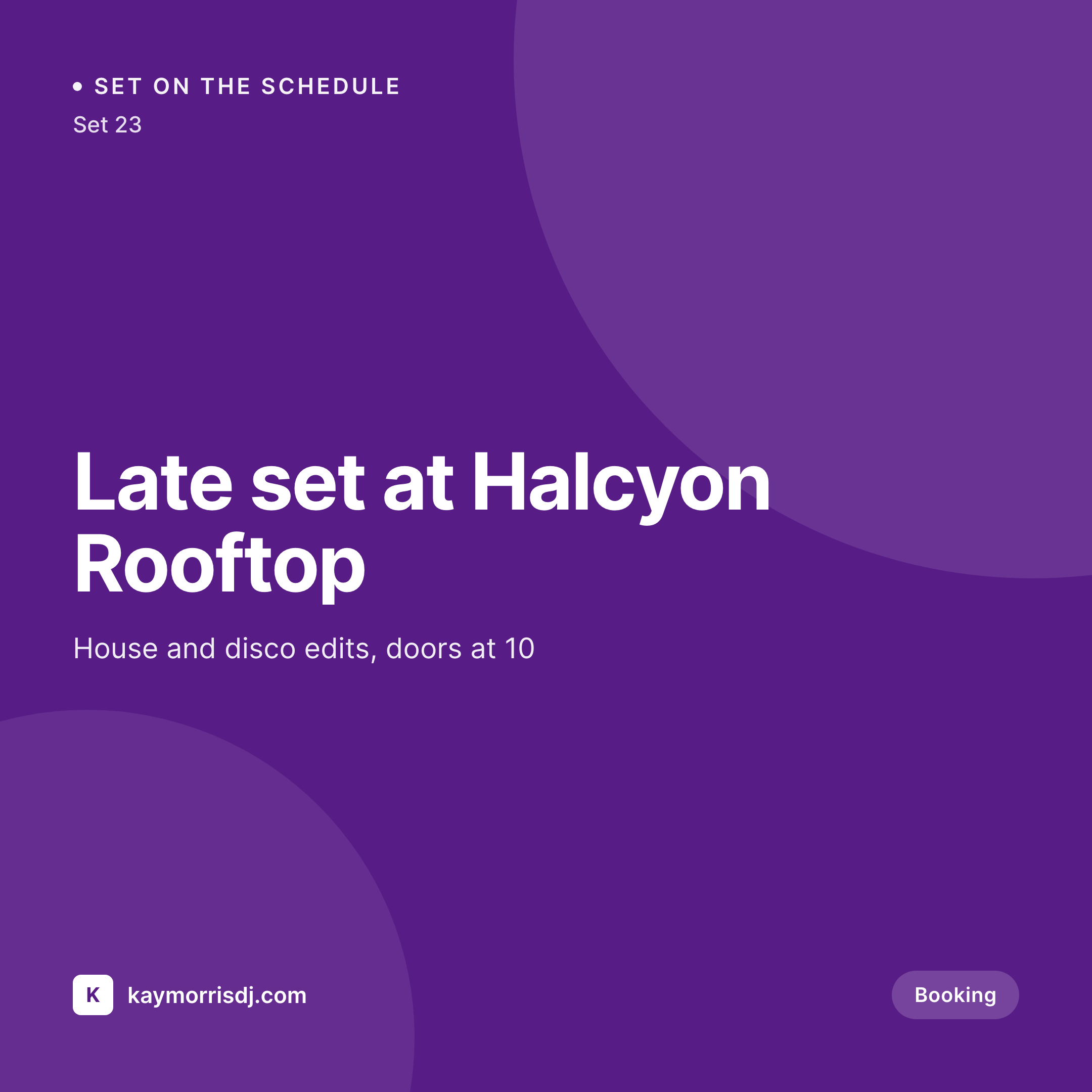
Sample square card from a booking page
This card was rendered from a booking's title, the venue, the date, and a single saturated accent. Same template, every set.
Comparison
Hand-designed booking cards vs SleekPixel
Manual flyers per booking
- Every booking flyer gets cropped and typeset by hand the night before
- Type and color drift across sets and venues
- Old residency pages look different from new ones after a brand refresh
- The artist spends hours per week on simple typesetting
- No automation - the share card depends on remembering every time
SleekPixel
- Auto-generated square card per booking on save, every time
- Per-post variables: title, venue, set date, night
- One template = one consistent artist mark across every booking
- Edit the template once and every past booking's card refreshes
- Falls back gracefully if a venue or set time is missing
Features
What SleekPixel gives you for DJs
Template-driven
Design the card layout once with the artist mark, the title slot, and the venue and date lines. Every booking page inherits it on the next save.
Square 1:1 by default
Renders at 1080 × 1080 - sized for Instagram and link-in-bio tools. Vertical 9:16 templates available for Stories and Reels covers.
Regenerate on demand
Refreshed the artist mark? Bulk-regenerate every booking's card from the admin so the calendar is in step.
Use cases
Where this fits best
Booking pages
Each upcoming set gets a card tied to the venue, date, and night, not a generic artist logo.
Mix releases
Each released mix gets its own card pulling the title, length, and category so the SoundCloud or Mixcloud share isn't generic.
Residency pages
Each residency gets a card sized for the feed so a story tag from the venue ties cleanly back to the artist's site.
The bigger picture
Why a consistent share card matters for DJs
A DJ's identity lives in shared links - bookers passing along the artist site, fans saving the residency page to their calendar, venue accounts pulling up the booking page in a story tag. Each handoff is mediated by a thumbnail. Generic artist-logo cards waste the moment.
Hand-crafted flyers drift over months because each one is made on a different night, often last-minute. Bespoke per-set designs are unrealistic during a busy summer. The middle path - a template that adapts to each booking automatically - keeps the artist mark holding the brand together across the calendar while leaving flyer art from venues and promoters in its own lane.
SleekPixel brings that to WordPress without forcing the artist to keep design files in sync across multiple tools, and without taking the design work out of the artist's hands when they actually want it.
Questions
Common questions about SleekPixel for DJs
No. The venue or promoter's flyer is its own thing - usually shared on their feed. SleekPixel's card is the artist site's own preview when the booking page itself is shared.
Yes. SleekPixel writes og:image with high priority - it overrides Yoast, Rank Math, and AIOSEO fallbacks cleanly. The rest of the SEO stack keeps doing what it already does.
Yes. The admin has a one-click bulk regeneration that re-renders every booking's card. After a rebrand, one click brings the entire calendar in line.
No. The image is rendered once at save time and stored as a static PNG. Visitors load a regular image URL - no rendering happens on each page view.
Instagram pulls link previews from og:image when booking pages are shared in Stories or DMs. In-feed posts still come from the file uploaded directly in the Instagram app.
Yes. SleekPixel supports per-category, per-tag, and per-CPT templates. Routing rules pick the right card so residency pages can look distinct from one-off bookings.
You can set a per-post 1080 × 1920 template alongside the square card. SleekPixel can render and store both per booking.
Stores. Each generated image is a real PNG saved to the WordPress uploads folder, so it survives plugin deactivation and pages stay fast under share-spike traffic.
Pricing
More than 1000+
happy customers
Explore our flexible licensing options tailored to your needs. Upgrade your license anytime to access more features, or opt for a lifetime license for ongoing value, including lifetime updates and lifetime support. Our hassle-free upgrade process ensures that our platform can grow with you, starting from whichever plan you choose.
Lifetime ♾️
Most popular
EUR
once
- Unlimited websites
- Lifetime updates
- Lifetime support
...or get the Bundle Deal
and save €250 🎁
💎 Want everything forever? The All Access Pass is going away on 01.08.2026.
The Bundle (unlimited sites)
Pay once, own it forever
Elevate your WordPress site with our exclusive plugin bundle that includes all of our premium plugins in one package. Enjoy lifetime updates and lifetime support. Save significantly compared to buying plugins individually.
What’s included
-
SleekAI
-
SleekByte
-
SleekMotion
-
SleekPixel
-
SleekRank
-
SleekView
€749
Continue to checkoutBrowse more
- open startup cards
- expectation vs reality cards
- ship log cards
- comparison chart cards
- buy one get one cards
- album release cards
- founding customer card
- lesson thumbnail cards
- waitlist cards
- developer tool card
- diversity report card
- fundraise card
- founders day card
- good vs bad cards
- office opening card
- Telegram channel images
- Twitch profile banner
- Twitch starting soon screen
- Ko-fi shop images
- Bluesky link cards
- Signal sticker pack
- Threads profile banners
- Snapchat Discover tiles
- Threads post images
- Dailymotion thumbnails
- Amazon Storefront banners
- Ko-fi banners
- Snapchat Spotlight covers
- GitHub social preview images
- Buy Me a Coffee banners