






SleekPixel for ship log cards
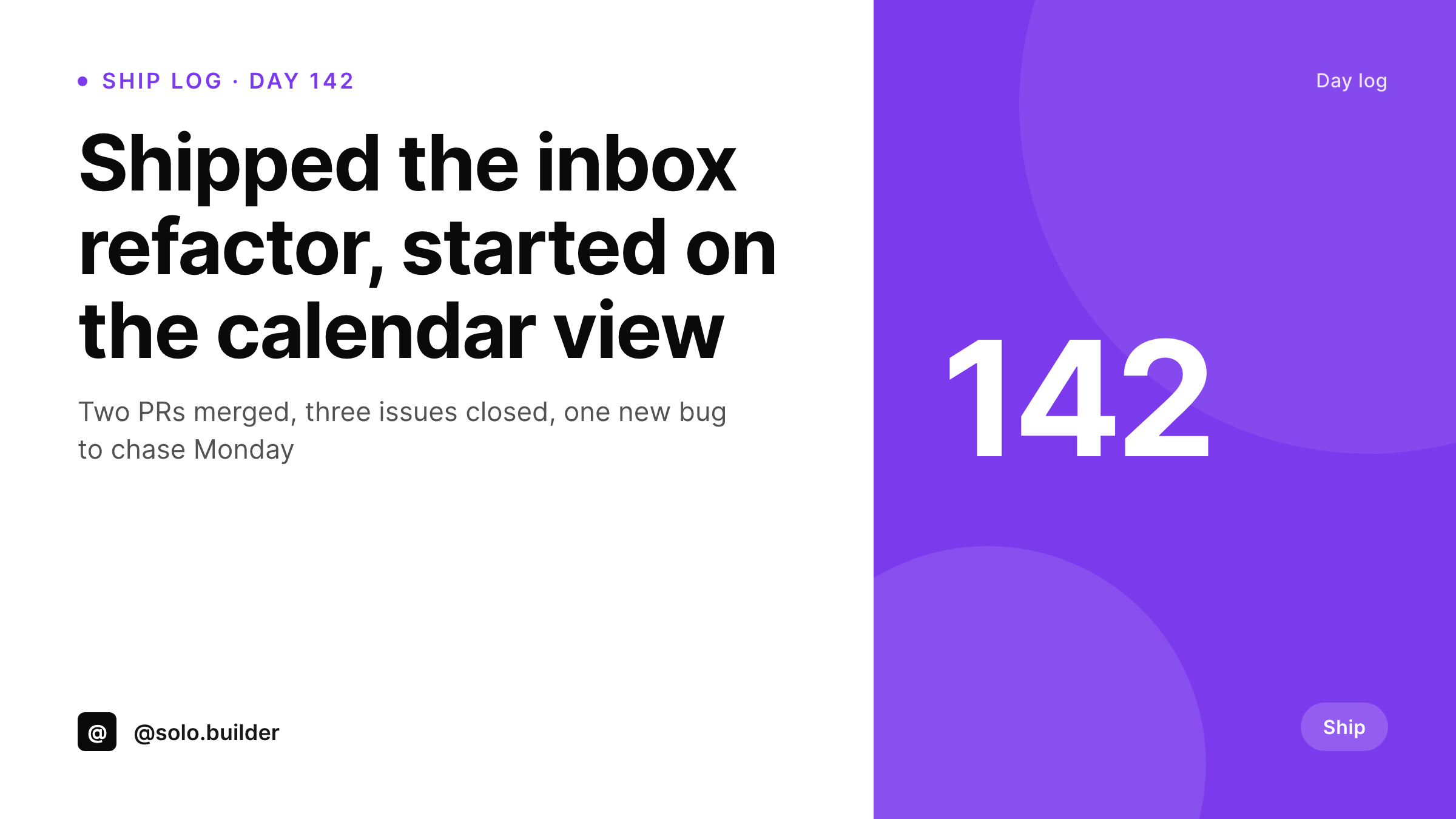
Solo builders post a ship log every day. SleekPixel turns each daily post into a 1200x675 branded card so the day number, the summary, and the counts make it into the tweet without a design step.
♾️ Lifetime License available
A daily card dies on day twelve
Ship logs are the kind of content that only works if it ships every day. The exact day a solo founder skips the post is the day the streak breaks. The friction that breaks the streak is almost always the design step: writing the log takes ten minutes, designing a card takes twenty, and on day twelve the card gets dropped, then the post, then the streak.
SleekPixel keeps the streak alive. The daily ship-log post in WordPress holds the day number, a short summary, and any counts like PRs merged or issues closed. The template renders those into a 1200x675 Twitter card. The post saves, the PNG renders, the day's tweet goes out with a card that matches every other day's card.
Over a year that is three hundred and sixty-five cards that all match, which is the kind of visual consistency that turns a personal ship log into a recognizable public project.
Workflow
From daily journal post to daily tweet card
Design the daily template
Bind to the ship-log post type
Write the daily log
Post the daily tweet
Output
What a day's ship log card carries
A 1200x675 image with the day number, the ship summary, and up to three counts. Same slots every day, content varies.
Comparison
Text-only ship tweet vs SleekPixel ship-log card
Text-only daily tweet
- Text-only ship tweets look indistinguishable from each other in a feed
- Designing a fresh card each day breaks the daily cadence
- Day numbers get hand-typed and skip when life gets busy
- Counts get retyped from the changelog into a design tool
- No path from the daily log on the website to the daily tweet
SleekPixel
- 1200x675 ship-log card rendered per daily WordPress post
- Day number, summary, and counts bind to post fields
- Same template every day, content varies per post
- og:image meta tag set on every daily post automatically
- Sidebar download button for the daily tweet attachment
Features
What SleekPixel gives you for ship log cards
Day number slot
A fixed slot for the day number, big and readable. Increment it on each post or let an ACF field carry it. The count becomes the recognizable element of the series.
Counts row
Three small slots for counts like PRs merged, issues closed, or commits pushed. Empty slots collapse so a quieter day still looks balanced.
Streak-friendly
Because the card renders on save, there is no separate design step to break the daily cadence. The friction of the daily post is the same as writing a short paragraph.
Use cases
Who keeps a daily ship-log going
Solo SaaS builders
A solo founder posts the day's ship log on the website and tweets the card. The streak compounds attention over months.
Open-source maintainers
A maintainer logs PRs reviewed and bugs triaged. Contributors see the work happening even on days without a tagged release.
Learners and bootcamp grads
A learner posts the day's challenge solved and the things tried. The streak doubles as a portfolio piece for job applications.
The bigger picture
Why a daily ship log earns more attention than any other content cadence
Daily is the rarest cadence on the internet because most creators cannot sustain it past the first month. The accounts that do sustain it compound attention faster than any other format, because the algorithm rewards posting frequency and the audience rewards reliability. The single thing that kills daily cadence is friction in the publishing step.
A solo founder who has to open Figma for the day's card will skip the card on a busy day, then skip the post, then skip the day. Removing the design step from the publishing step turns the daily log into something that can survive a busy week, a sick day, or a travel day. Over a year that is three hundred and sixty-five tweets with a card, which is more public artifacts than most founders produce in five years.
Questions
Common questions about SleekPixel for ship log cards
Two ways. Either a numeric field on the post that the author increments by hand each day, or a computed field that counts published ship-log posts. Both work; the hand-incremented version handles skipped days more naturally.
Yes. Register the template against a category or against multiple post types. A maintainer with three open-source projects can run three separate ship logs with three accent colors.
The template hides empty count slots and rebalances. A research-heavy day with no PRs merged still produces a clean card with just the day number and the summary.
No. The default template is text-only over an accent block. If you want a small screenshot or a chart per day, bind a placeholder to the featured image and the template will compose it in.
WordPress doesn't track streaks natively, but you can use a category and the post count to show a live day counter on the public ship log page. SleekPixel renders the card; the streak counter is a theme feature.
No. The image renders in the background after save. The post is published immediately; the card lands in /uploads within a couple of seconds and the sidebar download button updates.
Yes. The 1200x675 size renders well on LinkedIn as well as Twitter. Some authors run one card for both platforms with the same accent; others register a separate 1200x627 LinkedIn variant.
Yes. Pass a contributors list as a field on the post. The template can show up to three avatars or initials so the team's daily contribution is visible on the card.
Pricing
More than 1000+
happy customers
Explore our flexible licensing options tailored to your needs. Upgrade your license anytime to access more features, or opt for a lifetime license for ongoing value, including lifetime updates and lifetime support. Our hassle-free upgrade process ensures that our platform can grow with you, starting from whichever plan you choose.
Lifetime ♾️
Most popular
EUR
once
- Unlimited websites
- Lifetime updates
- Lifetime support
...or get the Bundle Deal
and save €250 🎁
💎 Want everything forever? The All Access Pass is going away on 01.08.2026.
The Bundle (unlimited sites)
Pay once, own it forever
Elevate your WordPress site with our exclusive plugin bundle that includes all of our premium plugins in one package. Enjoy lifetime updates and lifetime support. Save significantly compared to buying plugins individually.
What’s included
-
SleekAI
-
SleekByte
-
SleekMotion
-
SleekPixel
-
SleekRank
-
SleekView
€749
Continue to checkoutBrowse more
- YouTube Shorts cover
- Klaviyo email banner
- Klaviyo email headers
- Twitch camera frame
- Apple Podcasts covers
- Weibo post images
- Discord event cover
- YouTube Shorts thumbnails
- Kick channel banners
- VSCO cover
- Snapchat Spotlight covers
- Ghost feature images
- X social cards
- Kindle book cover
- Facebook group banners