






SleekPixel for Gumroad products
Indie makers who sell on Gumroad often launch and announce from a WordPress blog. SleekPixel renders branded share cards for those WordPress posts, so every launch tweet and reshare opens with the product title, price, and tier instead of a generic logo.
♾️ Lifetime License available
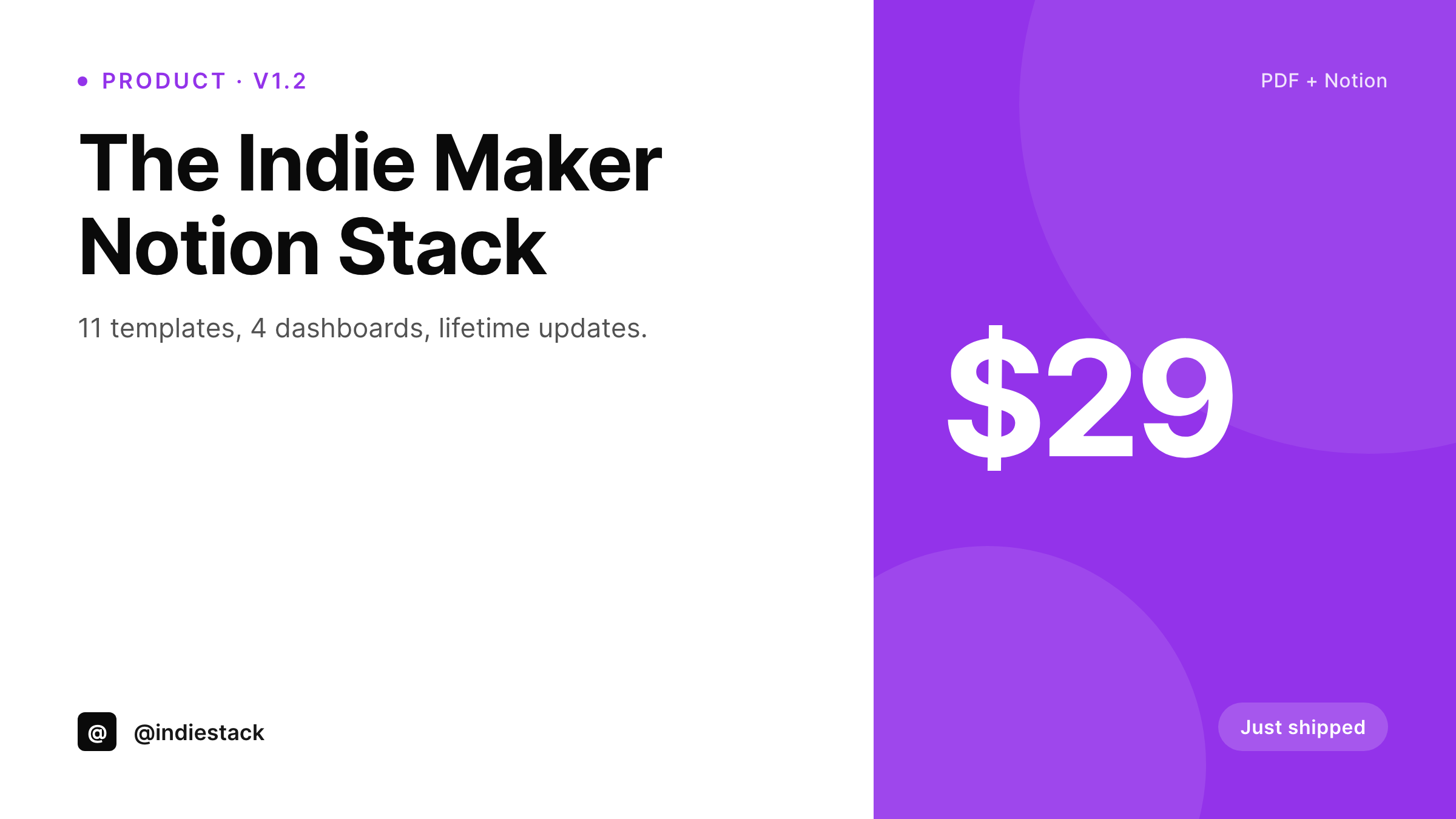
Gumroad checkout, WordPress launch posts
Gumroad is the default storefront for indie makers, course creators, and digital product sellers. The platform handles checkout, file delivery, license keys, and tier management. What it does not do as well is long-form launch storytelling. So a lot of Gumroad sellers write launch posts on a WordPress blog, link out to the Gumroad checkout, and use the WordPress post as the canonical URL they share on Twitter, in newsletters, and in indie hacker communities.
That WordPress post is what Twitter scrapes for the social card. By default, Twitter pulls the page's OG image, which for most blog themes is the homepage banner or the post's featured image at the wrong ratio. So a launch tweet that should land with a real product card and price lands with a generic blog header. The launch post itself is great, but the social share strips away every product detail that would make the tweet click-worthy.
SleekPixel reads the launch post's fields, title, price, version, tier, badge, and renders a Twitter-card-sized image on save. The launch tweet lands with the product title prominent, the price visible, and the brand wordmark in place. Reshares carry the same card. The Gumroad checkout itself stays untouched; SleekPixel only affects how WordPress posts about Gumroad products appear in the share preview.
Workflow
From launch post to launch tweet
Set up the launch fields
Build the Twitter card template
Write the launch post
Launch and announce
Output
What ships with every Gumroad launch post
A 1200 by 675 Twitter card with product title, price, version tag, tier or format badge, and seller handle, rendered from the launch post fields.
Comparison
Default OG vs Gumroad-aware Twitter card
Default theme OG image
- Launch tweets land with the site logo or a cropped header, no product context
- Price stays invisible in the share even when prominent on the page
- Version bumps and updates share with the original launch image, looking stale
- Tier and format details, PDF, Notion, video, never appear in the preview
- Every product launch from the same blog looks identical in Twitter previews
SleekPixel
- Reads product fields from ACF or block attributes on the WordPress post
- Title, price, version, and tier render onto the Twitter card
- Version bumps re-render the card so updates look current in shares
- Per-product template variants for templates, courses, and zines
- Bulk re-render the catalog when the brand or template evolves
Features
What SleekPixel gives you for Gumroad products
Launch-day ready
The launch post fills the fields, hits publish, and the Twitter card is ready. The launch tweet lands with a real product preview, not a blog header.
Version-aware
When the product hits v1.2, updating the version field re-renders the card. Reshares carry the current version instead of the launch-day art.
Format and tier badges
PDF, Notion template, video, ebook, course, each format can have its own badge so the share announces what the product actually is.
Use cases
Who uses SleekPixel for Gumroad products
Indie makers and solo founders
Sellers who launch from a personal blog get a real product card on every launch post. The Twitter announcement lands with the product, not the blog logo.
Digital course and zine sellers
Course creators selling on Gumroad share their launch posts with branded cards showing module count, format, and tier.
Maker communities and indie hackers
Product Hunt launches and indie hacker reshares pull the WordPress launch post's OG image. SleekPixel makes that image worth resharing.
The bigger picture
Why launch card quality decides Gumroad reshare rates
Indie product launches live and die by the first 48 hours. Every quote-tweet, every reshare, every Slack paste, every Indie Hackers comment thread carries the launch post URL forward. Each of those carries the OG image as the visual handle.
If the image is the site logo, the share has no product signal and the second-hand audience has nothing to react to. If the image is a real product card with the title, price, and format, the share announces what was launched and the click-through curiosity is anchored to the product itself. Across hundreds of reshares in a typical indie maker launch, the difference compounds materially.
The second reason is the long tail. A Gumroad product launched on Tuesday is still being shared three months later by buyers who recommend it, podcast guests who mention it, and newsletters that link to it. The OG image on the WordPress launch post is what every one of those shares carries.
SleekPixel keeps that image current with the product: version bumps, price changes, and new tier additions all re-render the card so the share preview matches the product today, not the product on launch day. The launch post does its long-tail job without needing a fresh round of design work every quarter.
Questions
Common questions about SleekPixel for Gumroad products
No. SleekPixel is a WordPress plugin. Gumroad does not support third-party plugins on its product pages. The integration works by rendering share images for the WordPress pages that announce or promote Gumroad products.
Usually manually: the maker writes the launch post and fills the ACF fields for title, price, version, and format. Some makers automate this with a small script that reads the Gumroad API on save, but most start by hand.
Only when the WordPress field updates. Gumroad and WordPress are not synced natively. A small webhook or Zapier setup can mirror price changes if the product is repriced often; otherwise the share image reflects whatever was on the post at last save.
Yes. A format field on the post, PDF, Notion, video, course, switches template variants. A Notion template card looks different from a video course card, so the share preview is honest about what is being offered.
Gumroad renders default cards for its product pages, but those live on the Gumroad domain. SleekPixel renders cards for the WordPress launch posts, which are usually the URLs makers actually share. The two systems do not conflict.
Yes, via the post fields. A 'pay what you want' price renders as 'PWYW' or 'starts at $0', and tier prices can render as a range. The template uses whatever pricing convention you choose to express in the field.
Yes. Updating the version field on the WordPress post triggers a re-render. A separate workflow can bulk re-render all posts in a category when a brand refresh applies to the whole catalog.
No. Rendering happens on save, not on page load. Visitor traffic hits cached files. Bulk re-render runs in the background through the admin without affecting publish flow.
Pricing
More than 1000+
happy customers
Explore our flexible licensing options tailored to your needs. Upgrade your license anytime to access more features, or opt for a lifetime license for ongoing value, including lifetime updates and lifetime support. Our hassle-free upgrade process ensures that our platform can grow with you, starting from whichever plan you choose.
Lifetime ♾️
Most popular
EUR
once
- Unlimited websites
- Lifetime updates
- Lifetime support
...or get the Bundle Deal
and save €250 🎁
💎 Want everything forever? The All Access Pass is going away on 01.08.2026.
The Bundle (unlimited sites)
Pay once, own it forever
Elevate your WordPress site with our exclusive plugin bundle that includes all of our premium plugins in one package. Enjoy lifetime updates and lifetime support. Save significantly compared to buying plugins individually.
What’s included
-
SleekAI
-
SleekByte
-
SleekMotion
-
SleekPixel
-
SleekRank
-
SleekView
€749
Continue to checkoutBrowse more
- Threads profile banner
- Etsy cover photos
- Instagram feed posts
- Threads post images
- Stan Store cover
- Twitch starting soon screen
- Twitch profile banner
- LinkedIn ad images
- Rednote (Xiaohongshu) post
- Bluesky feed banner
- Amazon Storefront banners
- Discord server banners
- Reddit subreddit banners
- Klaviyo email headers
- Facebook Shop product images