






SleekPixel for Constant Contact emails
Constant Contact runs newsletters for nonprofits, associations, studios and local businesses where the brand matters more than the metrics. SleekPixel renders a branded cover for every archived campaign so social shares look like the organization's own publication.
♾️ Lifetime License available
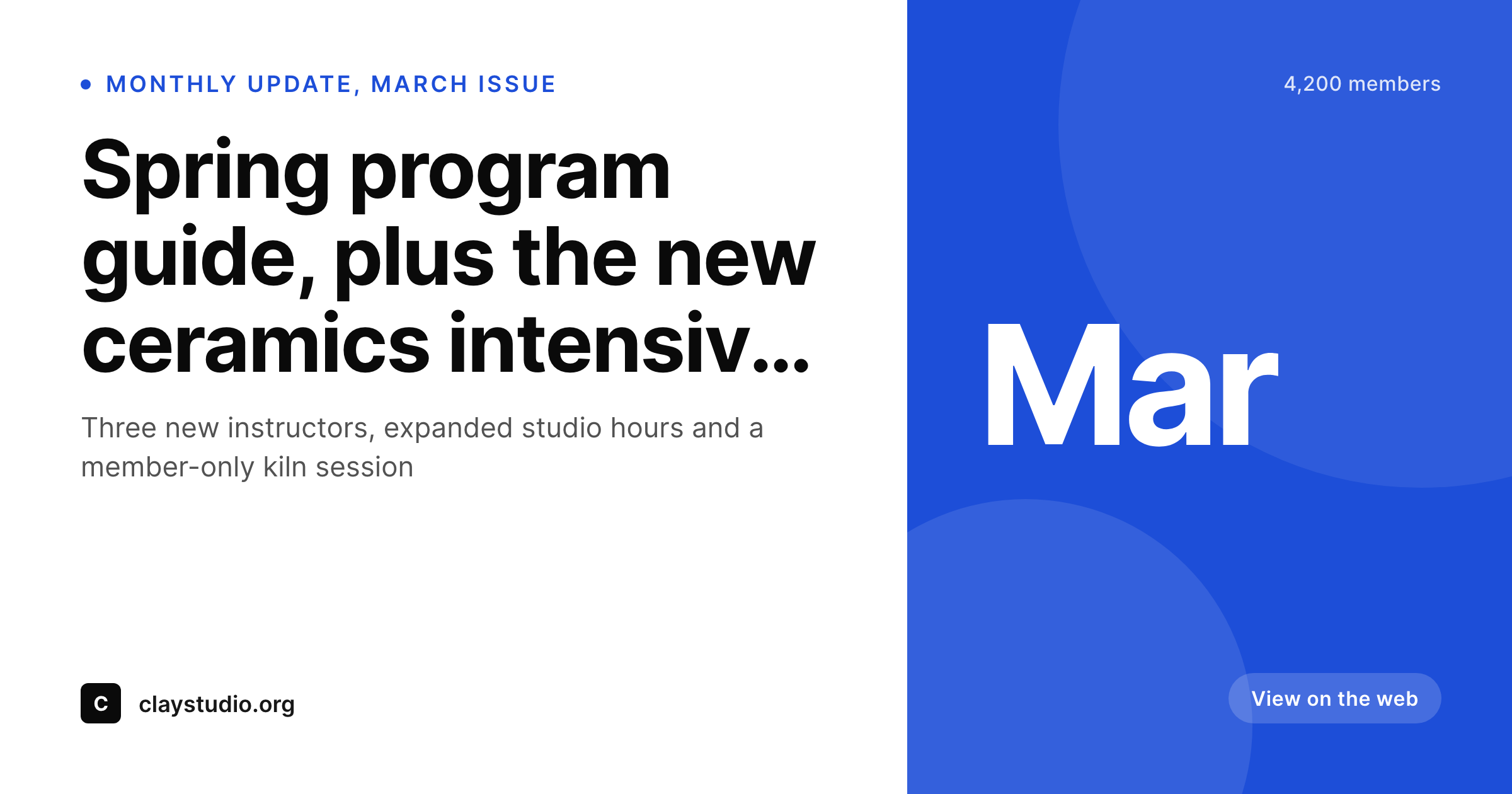
Constant Contact archives sit closer to the audience than the inbox
Constant Contact has a long history serving nonprofits, religious organizations, art centers, small clinics and local membership groups. Those organizations send less frequent but more identity-loaded campaigns: monthly program updates, donor appeals, member newsletters, season announcements. The audience often forwards these messages, and the public archive on the organization's WordPress site is the canonical version of the email once it has left the inbox.
The archive page is also the destination shared on social media, in board meeting agendas, in volunteer Slack channels and in local press coverage. Every one of those shares pulls the WordPress archive page's OG image. For most Constant Contact users that image is the organization's homepage banner stretched over the URL, which makes every campaign look identical and undermines the careful design effort that went into the email itself.
SleekPixel reads the archive post fields and renders a real campaign cover on save. Issue title, send date, member or donor segment and program tag all live on the post already; the template just reads them. The cover image lands in uploads, the og:image tag updates, and the next share carries an archive preview that matches the inbox version. Across a year of monthly campaigns the difference is the difference between an organization that ships emails and an organization that publishes them.
Workflow
From Constant Contact campaign to social-ready archive
Design the archive cover
Mirror the campaign
Share the archive URL
Edit and re-render
Output
What a Constant Contact archive cover ships with
A 1200 by 630 PNG: issue tag, subject line, send date and program segment, rendered from the archive fields on save.
Comparison
Default Constant Contact archive share vs SleekPixel
Default Constant Contact archive image
- Theme falls back to the homepage banner on every archived campaign
- Monthly program covers all look identical despite different topics
- Donor appeals and member updates share with the same default preview
- Featured images get cropped wrong on Facebook and LinkedIn community shares
- Manual Canva covers drift across the year and across staff turnover
SleekPixel
- Render fires on save for every archived Constant Contact campaign post
- Issue tag, subject line and send date pulled from existing fields
- og:image and twitter:image written automatically
- Per-program templates for newsletters, appeals and event announcements
- Bulk re-render the catalog when the brand evolves
Features
What SleekPixel gives you for Constant Contact emails
Archive-post aware
Reads the archive post type, native posts, ACF-backed CPT or Zapier import. The campaign data is the source of truth.
Program-aware templates
Donor appeals, member newsletters, event announcements and class updates each get their own template, picked by category or custom field.
Edits regenerate
Subject-line corrections or program rename trigger a re-render on the next save. Shared links never carry stale wording or branding.
Use cases
Who uses SleekPixel for Constant Contact emails
Nonprofits and associations
Member newsletters, donor appeals and annual reports mirror into the public WordPress archive. SleekPixel makes every shared link look like the organization itself.
Art studios and community centers
Monthly program guides and class schedules get a real archive cover. Volunteers and students forward links with confidence that the preview matches the program.
Local small businesses
Seasonal promotions and event announcements share with a real preview instead of the storefront's stock photo. Local press picks up branded cards naturally.
The bigger picture
Why Constant Contact users benefit from archive covers
Constant Contact accounts skew toward organizations where the brand is the message: nonprofits asking for donations, art studios announcing season programs, churches inviting members to events, professional associations updating membership. Those audiences forward emails, screenshot announcements and share archive URLs in community channels and on Facebook groups far more than typical commercial newsletters do. Every one of those shares is a chance to reinforce the organization's identity, and every default homepage banner there is a missed reinforcement.
The cumulative effect across a year of monthly campaigns is real, especially for organizations whose entire fundraising and engagement model depends on community trust. The second reason is operational continuity. Nonprofits and associations have staff turnover, volunteer-driven communications and limited design budgets.
Hand-making cover art per campaign rarely survives a staff change, which is why most organization archives have a few branded launch covers and then a long tail of defaults. SleekPixel keeps every campaign's cover consistent because rendering happens from the data already on the post. A new staff member can ship a campaign on day one and the archive cover comes out looking like the rest of the year, because the template does the design work, not the staffer.
Questions
Common questions about SleekPixel for Constant Contact emails
Three common patterns: Zapier from a Constant Contact campaign-sent trigger to a WordPress post, a custom webhook from the Constant Contact API to wp-json, or a manual copy and paste after each send. SleekPixel reads the resulting post fields regardless of which flow created the post.
Yes, if the program is stored as a custom field or taxonomy on the archived post. Most nonprofits and studios already tag campaigns by program, so binding a cover slot to that tag is a small configuration step. The template renders the tag in a designated slot.
Yes. Appeals can have their own template, often with the campaign goal, deadline or thermometer reference rendered onto the cover. The data lives on the campaign post or in a related custom field. Templates can also pull from a separate giving-progress source if available.
Event-specific campaigns are usually a separate template in Constant Contact. When mirrored to WordPress, they can use an event-specific cover template that renders the event name, date and venue. The template picks itself based on the campaign category.
Yes. National associations with local chapters often run separate Constant Contact accounts per chapter. Each chapter mirrors into its own WordPress site or its own section of a multisite. The cover template can include chapter name, region and local logo while keeping the national brand structure.
Yes. The SleekPixel side runs on WordPress and reads the post fields. The Constant Contact plan only affects what gets sent through the platform; the archive cover render is a WordPress-side concern. Even free-trial Constant Contact accounts can mirror to WordPress and use SleekPixel for the archive.
Yes. Use the bulk re-render command to apply the template to every existing archive post in one pass. Subject lines, dates and program tags already exist on those posts. A multi-year archive of monthly campaigns usually completes in a few minutes.
No. SleekPixel only touches the OG image and Twitter card meta on the WordPress archive page. Constant Contact's open, click and forward tracking happens entirely inside their platform via tracked URLs and pixel events in the sent email. The WordPress archive is a separate layer.
Pricing
More than 1000+
happy customers
Explore our flexible licensing options tailored to your needs. Upgrade your license anytime to access more features, or opt for a lifetime license for ongoing value, including lifetime updates and lifetime support. Our hassle-free upgrade process ensures that our platform can grow with you, starting from whichever plan you choose.
Lifetime ♾️
Most popular
EUR
once
- Unlimited websites
- Lifetime updates
- Lifetime support
...or get the Bundle Deal
and save €250 🎁
💎 Want everything forever? The All Access Pass is going away on 01.08.2026.
The Bundle (unlimited sites)
Pay once, own it forever
Elevate your WordPress site with our exclusive plugin bundle that includes all of our premium plugins in one package. Enjoy lifetime updates and lifetime support. Save significantly compared to buying plugins individually.
What’s included
-
SleekAI
-
SleekByte
-
SleekMotion
-
SleekPixel
-
SleekRank
-
SleekView
€749
Continue to checkoutBrowse more
- Facebook group banners
- Lemon Squeezy product covers
- Twitter header banners
- Threads post cover
- Spotify playlist cover
- Substack post headers
- Mastodon post images
- Ghost feature images
- Discord server banners
- TikTok Now image
- Dailymotion thumbnails
- Mastodon profile header
- SoundCloud track art
- Spotify Canvas
- X community banners