






SleekPixel for ebook
Indie ebooks need a cover for the sales page, a Pinterest pin, an email banner, and a Threads card. SleekPixel renders the 2:3 cover on save so the visual reaches every channel without rebuilding files.
♾️ Lifetime License available
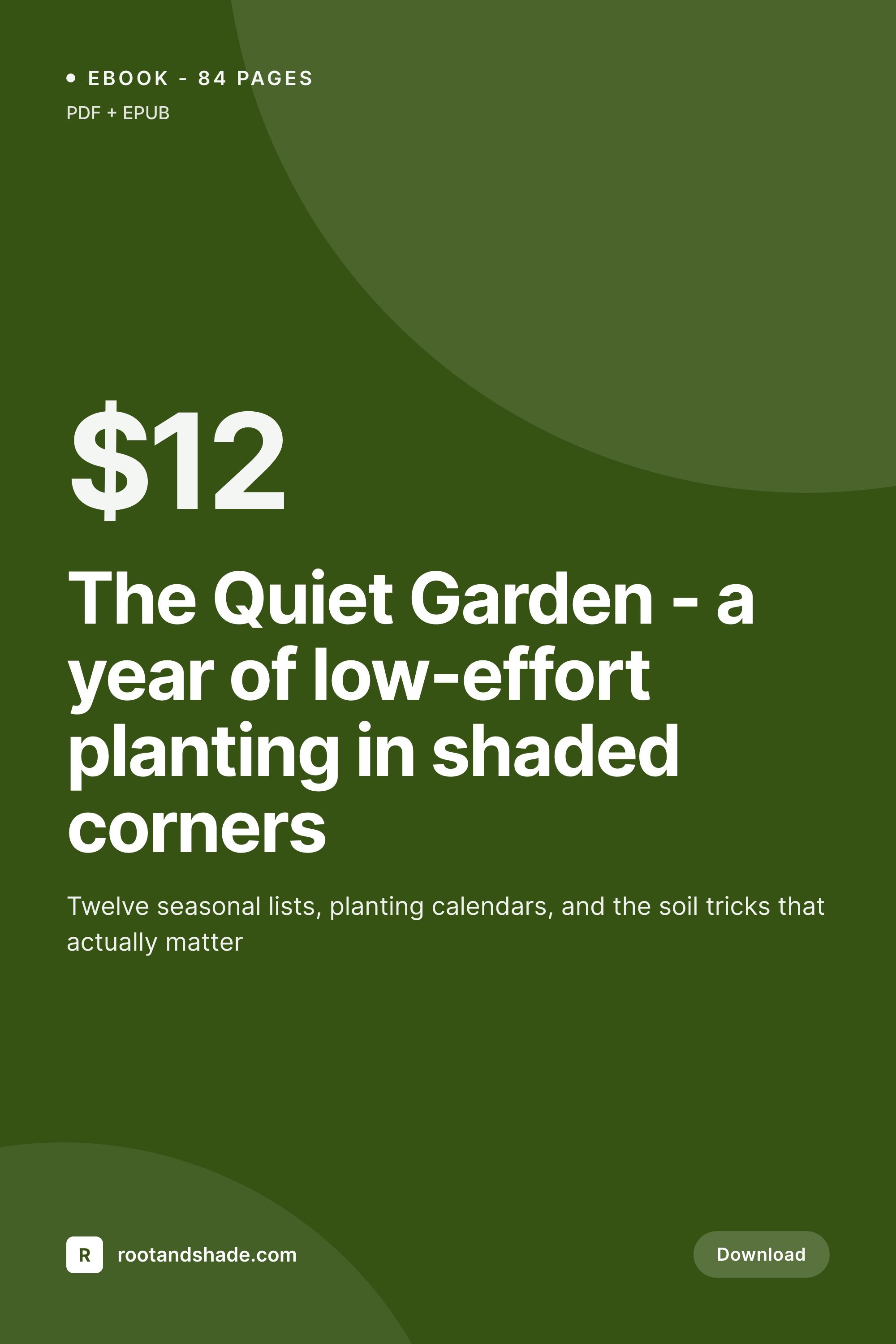
Indie ebooks live or die on the cover
An indie ebook is sold by its cover everywhere except the actual reading interface. The Pinterest pin shows the cover. The sales-page hero shows the cover. The email announcing the launch shows the cover. The Threads link card shows the cover. The author's Instagram-story announcement shows the cover. Each of those surfaces wants the same image but at slightly different aspect ratios, and changing any of them after launch (a new subtitle, a different author photo, a price change) means rebuilding multiple files.
The first instinct is to commission a cover designer to deliver one master file and crop variations. That works for the first ebook. By the third or fourth, the cost adds up and the consistency across the catalog drifts as different cover designers leave their fingerprints on different titles. Authors with a series end up with a back-catalog where book one looks nothing like book seven, which is exactly the wrong outcome for a series brand.
SleekPixel renders covers from a WordPress ebook post. The template binds to title, subtitle, author, page count, price, and a cover-art image field. New ebook, new cover. New subtitle, new cover. The same template generates a 2:3 Pinterest pin and any other variants you set up - a 1200x630 OG card, a 1080x1080 Instagram square, all from the same source post.
Workflow
Ebook cover workflow from post to download
Design template
Create ebook post
Render variants
Use everywhere
Output
What an ebook cover looks like
A 1000x1500 PNG with the ebook title, subtitle, author and brand mark, sized for Pinterest and ebook-cover use cases.

Comparison
Custom-designed covers vs SleekPixel
Cover designer per book
- Cover designer commissioned for every new ebook in the catalog
- Series titles drift visually because different designers handle each
- Title or subtitle change after publish means re-commissioning
- Different aspect ratios for different platforms means multiple exports
- Old ebooks in the catalog look nothing like new ones
SleekPixel
- Locked template covers a whole series with one visual system
- Title, subtitle, author from ebook post fields
- Cover-art image field renders inside the template frame
- Pinterest pin, OG card and Instagram square from one source
- Subtitle edits regenerate every variant
Features
What SleekPixel gives you for ebook
Series-aware
Books in a series render with the series mark and a number. Reader sees "Book 3 of The Quiet Garden" baked into the cover, with the same visual system across every entry.
Cover-art slot
Bind an image layer to a cover-art ACF or Meta Box field. The author uploads a single illustration or photo per book, the template wraps it with title, subtitle and brand.
Subtitle edits regenerate
Authors revise titles and subtitles after launch as feedback comes in. SleekPixel re-renders all variants on save so the sales page, the Pinterest pin and the email image all stay current.
Use cases
Ebook scenarios this fits
Lead-magnet ebooks
Free downloads used as email-list lead magnets. Each ebook ships with a cover that matches the brand, so the landing page does not look like a Canva-fest.
Indie author series
Author series with multiple books. Series-aware templates keep the visual language consistent across every entry without commissioning a new cover per book.
Course bonus ebooks
Course platforms that include downloadable ebooks as bonuses. Each ebook gets a cover matching the parent course's brand without per-bonus design work.
The bigger picture
Why ebook covers need automation for indie authors
Indie publishing operates with thin margins. The economics only work if the marketing surface area is wide - Pinterest, email, social, sales pages, course bonuses - and the cost per surface stays low. Cover design at the per-ebook level is a fixed cost that does not scale, especially for authors who release frequently or who run lead-magnet ebooks as part of a content strategy.
The traditional answer is to use a cover-design service for the flagship book and Canva for the rest, which produces a fragmented visual catalog where readers cannot tell which titles belong to the same author. The better answer is to lock the visual system once at the template layer and let every ebook render through it. The author still controls the unique cover-art element (illustration, photo, abstract) but the title, subtitle, author name, and brand mark all come from the WordPress post and render the same way every time.
Series titles get series treatment. Lead magnets get lead-magnet treatment. The Pinterest pin, the sales-page hero, the OG card and the email banner all share a source.
Updating a subtitle propagates. Rebranding the entire catalog takes one bulk regenerate. The author keeps the time they would have spent in Canva and spends it on the writing, which is the actual moat.
Questions
Common questions about SleekPixel for ebook
No. SleekPixel handles the layout - title, subtitle, author placement, brand mark, frame - but the unique cover illustration or photograph is whatever the author uploads. Bind an image layer to a cover-art field and that image goes inside the template frame.
Yes. Set up multiple templates for the same post type at different sizes - 1000x1500 Pinterest pin, 1200x630 OG card, 1080x1080 Instagram square. All render on save and all appear in the Gutenberg sidebar with download buttons.
Yes. EDD products are custom post types and SleekPixel binds to those fields the same way it does for WooCommerce or any other plugin. The download product page gets a cover render automatically.
Both work. MemberPress and AccessAlly use custom post types or product structures that SleekPixel reads field-by-field. Bind the template to the appropriate fields and ebook covers render on save.
Yes. Add a series-number custom field to the ebook CPT and bind a text layer to it. The template renders "Book 3" wherever you placed it, and changing the number on the post regenerates the cover.
Amazon's KDP cover specifications are different from web-share covers - typically 1600x2560 at higher resolution. Set up a separate KDP template at those dimensions and you get a printer-ready cover from the same WordPress post that powers the web variants.
Yes. Templates are assignable per category, custom taxonomy, or custom field. Cookbooks render with one style, fiction with another, lead magnets with a third, all from the same plugin without per-post switching.
Per-save render time is typically under a second on a normal host. For an ebook with 4-5 cover variants generated per save, the overhead is still negligible. Bulk operations across an existing catalog run in a queued background process so editing stays responsive.
Pricing
More than 1000+
happy customers
Explore our flexible licensing options tailored to your needs. Upgrade your license anytime to access more features, or opt for a lifetime license for ongoing value, including lifetime updates and lifetime support. Our hassle-free upgrade process ensures that our platform can grow with you, starting from whichever plan you choose.
Lifetime ♾️
Most popular
EUR
once
- Unlimited websites
- Lifetime updates
- Lifetime support
...or get the Bundle Deal
and save €250 🎁
💎 Want everything forever? The All Access Pass is going away on 01.08.2026.
The Bundle (unlimited sites)
Pay once, own it forever
Elevate your WordPress site with our exclusive plugin bundle that includes all of our premium plugins in one package. Enjoy lifetime updates and lifetime support. Save significantly compared to buying plugins individually.
What’s included
-
SleekAI
-
SleekByte
-
SleekMotion
-
SleekPixel
-
SleekRank
-
SleekView
€749
Continue to checkoutBrowse more
- milestone celebration cards
- longform article card
- checklist download card
- status update cards
- scheduled maintenance card
- compensation report cards
- weekly ship cards
- office opening card
- beta launch cards
- office hours recap card
- open startup cards
- downtime notice cards
- infographic card snippets
- trademark card
- KPI cards
- Twitch profile banner
- YouTube ad thumbnails
- Rednote (Xiaohongshu) post
- KakaoTalk channel banners
- GitHub social preview images
- TikTok shop images
- Vimeo thumbnails
- Instagram stories
- Mastodon link previews
- Bluesky profile banners
- Douyin cover
- Discord event cover
- Depop listing images
- Discord stage banner
- LinkedIn article covers