






SleekPixel for infographic card snippets
Long infographics work as a single image and as a sequence of standalone cards. SleekPixel renders one card per stat from a repeater field on the post, on save.
♾️ Lifetime License available
An infographic is a sequence, but the feed is one card at a time
Infographics are dense by design. A reader takes ten minutes with a long infographic and walks away with seven or eight discrete facts. The same infographic posted to Instagram as a single image gets a half-second glance, because no one zooms into a feed image to read seven stacked percentages. The work that took a designer a day produces a single under-performing post.
The standard fix is to break the infographic into a manual carousel. A designer exports each segment as a square at 1080x1080, builds the brand frame on each, types in the stat, the source, and the slide number, and the carousel goes live. By the third infographic this workflow burns most of the designer's week. The carousels are slow to ship, and editorial gives up on cross-posting older infographics because the design cost is prohibitive.
SleekPixel binds each stat card to a repeater field on the post. The repeater holds an entry per stat with the headline, the percentage, the source, the icon. The renderer produces one PNG per entry inside the same template. Save the post, the entire carousel is in uploads and exposed in the Gutenberg sidebar. The infographic ships as a single image and as a sequence of social-native cards from the same post.
Workflow
From an infographic post to a carousel of stat cards on save
Design the snippet template
Add the repeater entries
Renderer produces one card per entry
Push the carousel
Output
What a generated infographic snippet card looks like
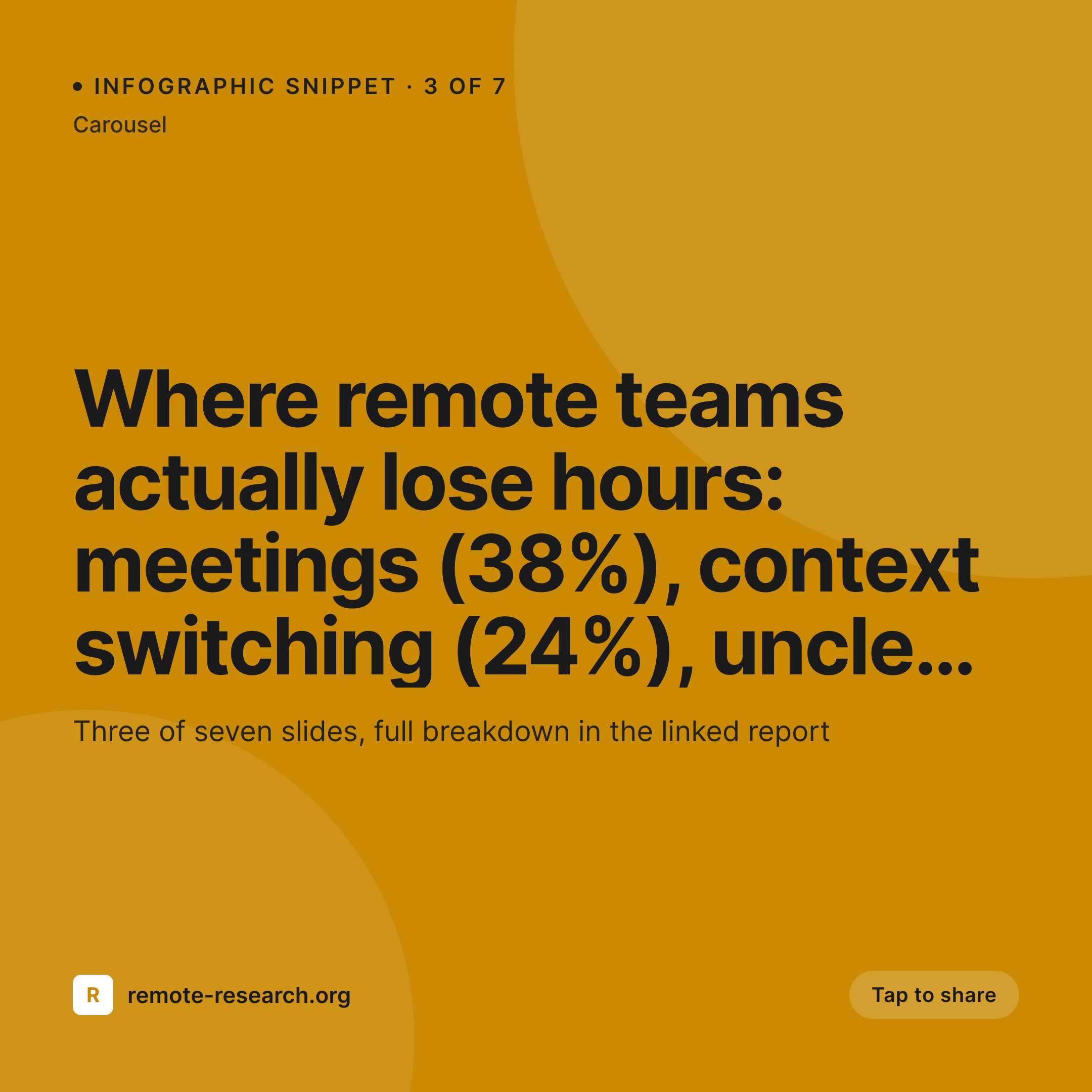
A 1080x1080 PNG with one stat, the headline, the source line, and a slide-number badge. One card per repeater entry.


Comparison
Default infographic snippet image vs SleekPixel
Default carousel slide
- Each carousel slide built by hand in Figma or Canva
- Stat numbers drift between the infographic and the carousel
- Slide-number badges placed inconsistently across slides
- Source line gets dropped on some slides for space
- No regeneration path when the underlying data changes
SleekPixel
- One card per stat from a single repeater field on the post
- Slide number, source, and headline rendered consistently
- All slides regenerate on save when the data changes
- og:image points to the lead card, sidebar exposes all variants
- Same template, every infographic, no per-slide design
Features
What SleekPixel gives you for infographic card snippets
Repeater drives the carousel
A repeater field on the post holds an entry per stat. The renderer fires once per entry and produces one square PNG each. The post is the source of truth.
Stat numbers stay in sync
Edit a number in the repeater, save, the card regenerates. The infographic and the carousel never disagree because both come from the same data.
Slide badge per card
Each card carries an automatic slide-number badge (3 of 7) so the viewer reads the carousel in order even when slides are reshared individually.
Use cases
Where infographic snippet cards work best
Research report summaries
A long PDF report distilled into seven or eight headline stats. Each stat becomes a card, the carousel hits Instagram, the lead card hits Twitter.
Educational explainers
Step-by-step breakdowns of a process. Each step is a repeater entry, each card carries one step in the right order for a swipe-through.
Market roundups
Quarterly market roundups with ten stats each. The renderer ships forty cards per year per category from forty save actions.
The bigger picture
Why infographics need a per-card renderer
Long-form infographics fail on social platforms in a predictable way. The reader sees a thumbnail, decides they cannot read it at that size, and scrolls past. The fix is to break the infographic into per-card snippets, but the manual workflow for doing that scales badly.
A team that wants to publish two infographics a month ends up shipping one a quarter because the carousel build eats the timeline. SleekPixel removes the manual step. The repeater field is a natural data structure for the kind of content infographics carry, and the renderer is happy to fire once per entry.
The team that builds the infographic also ships the carousel without the carousel showing up on a separate sprint. The cost of producing the social-native version drops to the cost of filling in a few more rows on the post. After a year, the infographic program is publishing weekly carousels instead of quarterly PDFs, and the underlying research is reaching a much larger audience.
Questions
Common questions about SleekPixel for infographic card snippets
There is no hard cap. Typical carousels run six to ten cards, but the renderer happily handles twenty or more if the repeater holds them. Render time scales linearly.
Yes. Add a color field per repeater entry and bind the template accent to it. Cards inside the same carousel can carry different palettes for visual variety.
Yes. Designate one repeater entry as the lead and SleekPixel sets that card as og:image. Twitter and LinkedIn read it for the URL preview.
Yes. Each repeater entry can include an icon field. The template references it and renders the right icon per card.
Yes. Register a second size against the same repeater and the renderer produces a story-shaped card per entry in addition to the square.
Edit the repeater entry, save, all cards regenerate. The carousel reshipped to Instagram is a one-button regenerate; the lead card on the post updates automatically.
Yes. The source line is part of the template, not the entry. Every card carries the same source unless an entry overrides it with a per-entry source field.
Indirectly. If you sync a sheet into post meta via a plugin, the repeater can read from the synced fields. The renderer treats them like any other meta.
Pricing
More than 1000+
happy customers
Explore our flexible licensing options tailored to your needs. Upgrade your license anytime to access more features, or opt for a lifetime license for ongoing value, including lifetime updates and lifetime support. Our hassle-free upgrade process ensures that our platform can grow with you, starting from whichever plan you choose.
Lifetime ♾️
Most popular
EUR
once
- Unlimited websites
- Lifetime updates
- Lifetime support
...or get the Bundle Deal
and save €250 🎁
💎 Want everything forever? The All Access Pass is going away on 01.08.2026.
The Bundle (unlimited sites)
Pay once, own it forever
Elevate your WordPress site with our exclusive plugin bundle that includes all of our premium plugins in one package. Enjoy lifetime updates and lifetime support. Save significantly compared to buying plugins individually.
What’s included
-
SleekAI
-
SleekByte
-
SleekMotion
-
SleekPixel
-
SleekRank
-
SleekView
€749
Continue to checkoutBrowse more
- eBay listing images
- Instagram carousel slides
- Spotify podcast covers
- Buy Me a Coffee banners
- Instagram Shop product images
- Tidal cover art
- Lemon Squeezy product covers
- TikTok Now image
- LinkedIn event banners
- Twitch camera frame
- Twitter/X header
- X list banners
- Rednote (Xiaohongshu) post
- Facebook group banners
- Reddit subreddit banners