






SleekPixel for ConvertKit emails
ConvertKit broadcasts and sequences carry subject, preheader, and send date. SleekPixel reads those fields on save and writes a real share image to the public web archive, so every forwarded link and tweet about the issue lands with a clean preview.
♾️ Lifetime License available
Newsletter forwards are the cheapest growth channel
ConvertKit creators send most of their issues through email, but the public web archive is where new subscribers find them. Someone tweets a quote from issue 47, somebody pastes the public link into a Slack channel, a podcaster references the newsletter on a show notes page. Each of those links pulls the OG image for the archive page. If the archive page is a default WordPress single, the share preview is whatever the theme falls back to, usually a stretched homepage logo or a blank card.
The miss is that ConvertKit creators already have everything needed for a real card: a subject line that took an hour to write, a preheader that doubles as a subtitle, an issue number, a publish date, a list size. The data exists. The render does not, because building a custom share image for every weekly issue is a chore that gets dropped within a month of launching the newsletter.
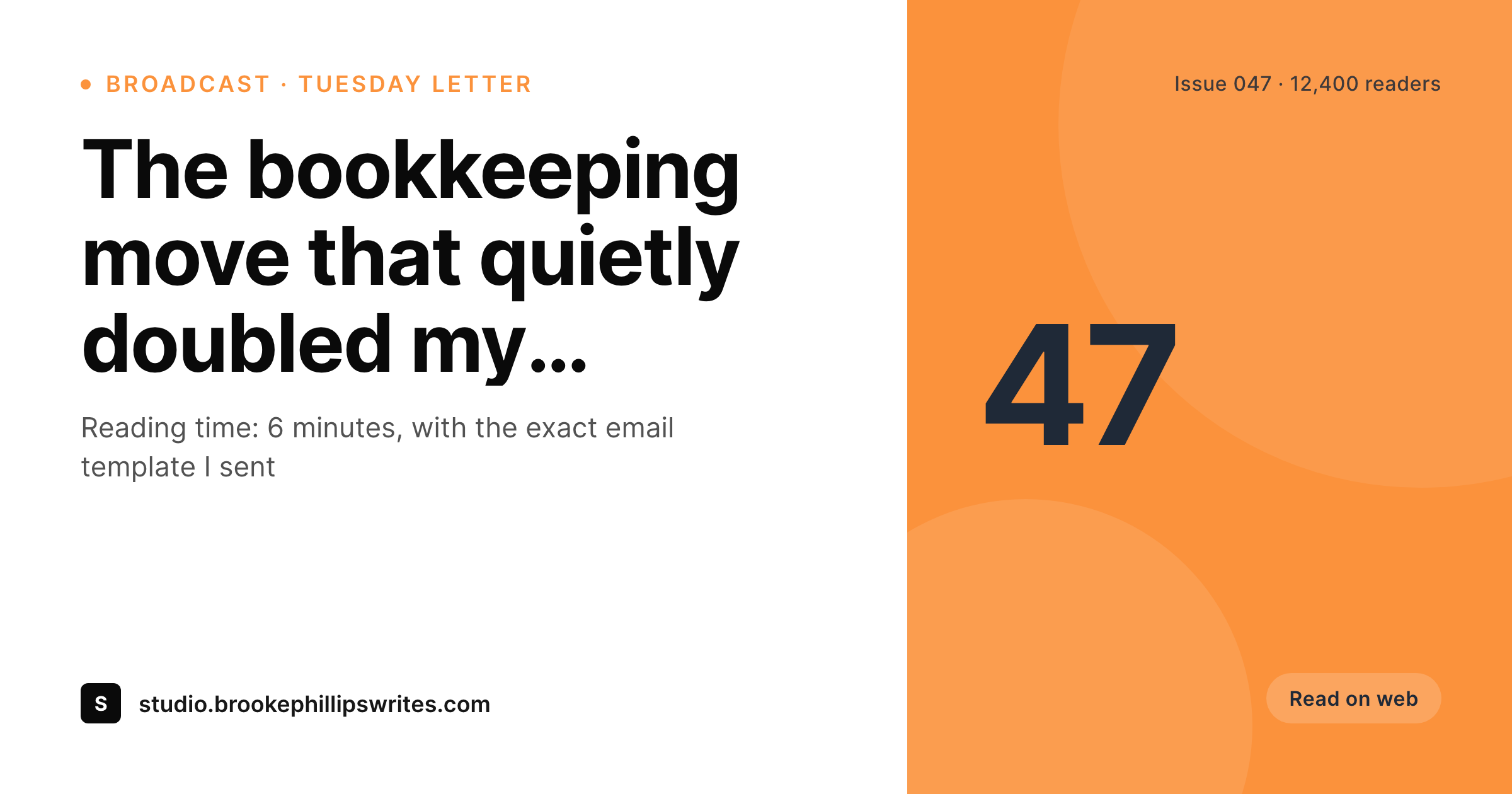
SleekPixel renders the share image automatically from the archive post fields. The subject line becomes the headline, the issue number renders into a corner badge, the publish date and reading time render as meta, the brand wordmark sits at the bottom. New issues match old issues because the rendering is bound to the post type, not to a designer's calendar. The newsletter looks edited and consistent the moment somebody shares a link out of the inbox.
Workflow
From ConvertKit issue to share-ready in one save
Set up the archive post type
Build the issue template
Save the post
Share anywhere
Output
Sample ConvertKit issue card
A 1200x630 OG image: issue subject, issue number, publish date, reading time, and brand wordmark, rendered from the archive post on save.
Comparison
Default WordPress archive vs ConvertKit-aware rendering
Default theme OG image
- Web archive pages share with the homepage banner instead of the issue subject
- Issue numbers and publish dates never appear on the share preview
- Forwards from the inbox to Twitter open with a generic theme image
- Manual Canva exports stop happening by issue 8 of every newsletter
- Brand updates require redoing every past issue card by hand
SleekPixel
- Reads the archive post for every ConvertKit issue you publish to web
- Subject line, issue number, preheader, and date render automatically
- Sequence emails and broadcasts share the same template family
- Bulk re-render the whole back catalog when the brand evolves
- Works alongside the ConvertKit WordPress plugin without conflicts
Features
What SleekPixel gives you for ConvertKit emails
Subject-line headlines
The hour you spent on the subject line shows up as the card headline. No retyping, no second copywriting pass for the share image.
Issue numbering
Issue numbers, season tags, and date stamps render into corner badges so a reader scanning a thread can tell at a glance which week the issue came from.
Subscriber-count badges
Optional small badge with current subscriber count or list size renders from a custom field. Useful for social proof on the public archive shares.
Use cases
What ConvertKit newsletters generate with SleekPixel
Weekly broadcast archive
Each weekly issue gets its own share card. Forwards from subscribers to Twitter and LinkedIn open with the actual subject line, not a homepage banner.
Welcome sequences
Each email in a paid course sequence has a public landing page. Cards show course title, lesson number, and reading time, so paid customers share with branded previews.
Top-issue roundups
Year-end retrospectives and top-issue lists each carry their own card. The roundup post and every linked issue all share with a consistent visual.
The bigger picture
Why archive shares compound for ConvertKit newsletters
ConvertKit creators grow primarily through three channels: paid acquisition, content marketing on the public archive, and word-of-mouth from existing subscribers. The first channel is expensive, the second is slow, and the third is the one that scales without budget. Every forwarded link out of a subscriber's inbox is a free impression with intent already attached.
The recipient is reading because someone they trust thought the issue was worth sharing. If the share preview is a stretched homepage banner, the implied context collapses and the click feels like a generic newsletter pitch. If the share preview is a real issue card with the actual subject line and a clean brand mark, the click happens with the right expectations and the conversion to subscriber is meaningfully higher.
The second compounding effect is back catalog browsing. New subscribers who land on a recent issue often click through to older issues. Those internal navigations also surface as shares when readers paste the URL into a Slack channel or a Twitter thread.
A consistent visual across every issue makes the back catalog feel like a real publication, not a scattered set of broadcasts. SleekPixel bakes that consistency in without the operator spending Sunday nights making thumbnails.
Questions
Common questions about SleekPixel for ConvertKit emails
No. ConvertKit's hosted public link is a fine fallback when there is no WordPress archive. SleekPixel works on the WordPress side: if you republish broadcasts to a WordPress archive post type, the share image gets generated for the WordPress URL. Many creators link to the WordPress archive precisely because it gives them OG control and SEO.
The ConvertKit WordPress plugin can sync broadcasts to a post type, or you can use Zapier, Make, or a custom webhook from ConvertKit to create the archive post on send. SleekPixel does not handle the sync; it renders the share image once the post exists in WordPress.
Subscriber count yes, via a custom field that you update periodically or through a ConvertKit API call. Open rate is more sensitive, and most creators do not want it on a public share card. The template can render either if you bind the field, but the default is to keep performance metrics off the share.
If you correct the archive post subject after publication, the next save triggers a re-render and the share image updates to match. Existing scrapes by Twitter or LinkedIn refresh on their own cycle, usually within a day. Future shares pick up the corrected image immediately.
Yes, if the sequence emails are also archived to WordPress. Many course operators do this on purpose: each lesson email in the sequence has a public archive page that doubles as a sales asset. SleekPixel renders the same kind of card for sequence emails as for broadcasts, with a sequence-specific badge if you want to distinguish them visually.
The share image is generated for the public archive URL. If the archive is gated behind a paywall, the page itself can still have an OG image: a teaser card showing the subject and a 'paid issue' badge. Subscribers see the full content, sharers see the teaser card, both pull the same generated image.
Yes. A custom field on the post or a category taxonomy can pick the right template variant. Free issues might render a clean blue card, paid issues might render a darker card with a subtle 'paid' badge. The template selection happens at render time based on whatever field you bind.
No. SleekPixel only renders the OG and Twitter card meta tags on archive post pages. It does not touch ConvertKit forms, popups, or the subscription flow. The plugin runs alongside ConvertKit on the WordPress side without modifying anything in the email tool itself.
Pricing
More than 1000+
happy customers
Explore our flexible licensing options tailored to your needs. Upgrade your license anytime to access more features, or opt for a lifetime license for ongoing value, including lifetime updates and lifetime support. Our hassle-free upgrade process ensures that our platform can grow with you, starting from whichever plan you choose.
Lifetime ♾️
Most popular
EUR
once
- Unlimited websites
- Lifetime updates
- Lifetime support
...or get the Bundle Deal
and save €250 🎁
💎 Want everything forever? The All Access Pass is going away on 01.08.2026.
The Bundle (unlimited sites)
Pay once, own it forever
Elevate your WordPress site with our exclusive plugin bundle that includes all of our premium plugins in one package. Enjoy lifetime updates and lifetime support. Save significantly compared to buying plugins individually.
What’s included
-
SleekAI
-
SleekByte
-
SleekMotion
-
SleekPixel
-
SleekRank
-
SleekView
€749
Continue to checkoutBrowse more
- Threads profile banners
- Snapchat Discover tiles
- Linktree banner image
- KakaoTalk channel banners
- LINE official account banners
- podcast cover art
- Klaviyo email headers
- Nostr note images
- Open Graph images
- Threads profile banner
- Audible audiobook cover
- Vimeo thumbnails
- YouTube thumbnails
- Instagram Reels covers
- Douyin cover