






SleekPixel for byline card
Newsrooms compete on bylines. Readers follow reporters, not just publications. SleekPixel renders a Twitter card that leads with the reporter's portrait and name, alongside the headline, generated from the post on save so the link preview matches the byline.
♾️ Lifetime License available
The byline is the reason the reader clicks
In serious reporting, the byline does the work. A reader sees a tweet about SEC enforcement, recognizes the reporter who has covered that beat for years, and clicks because of that recognition. The headline matters, but the byline is often what converts the impression. Most news sites still ship Twitter cards that show a generic publication logo, no portrait, and a headline that competes with thousands of others in the feed.
SleekPixel restructures the share card around the byline. The reporter's portrait sits on one side, their name and beat read clearly, the headline anchors the layout, and the publication mark sits in the corner. On save, the card renders from the post's author field, headline, and featured image. The og:image and twitter:image meta tags update automatically. Every social share, every Slack unfurl, every email forward pulls the same byline-led preview.
The reporter gets the credit their work deserves. The publication gets a more clickable card because readers respond to faces and bylines, not generic logos. The editor does nothing extra. The post is the source, the render runs on save, and the byline leads the share.
Workflow
Byline cards that ship on publish
Design the byline template
Set up reporter profiles
Publish the story
Refresh portraits in bulk
Output
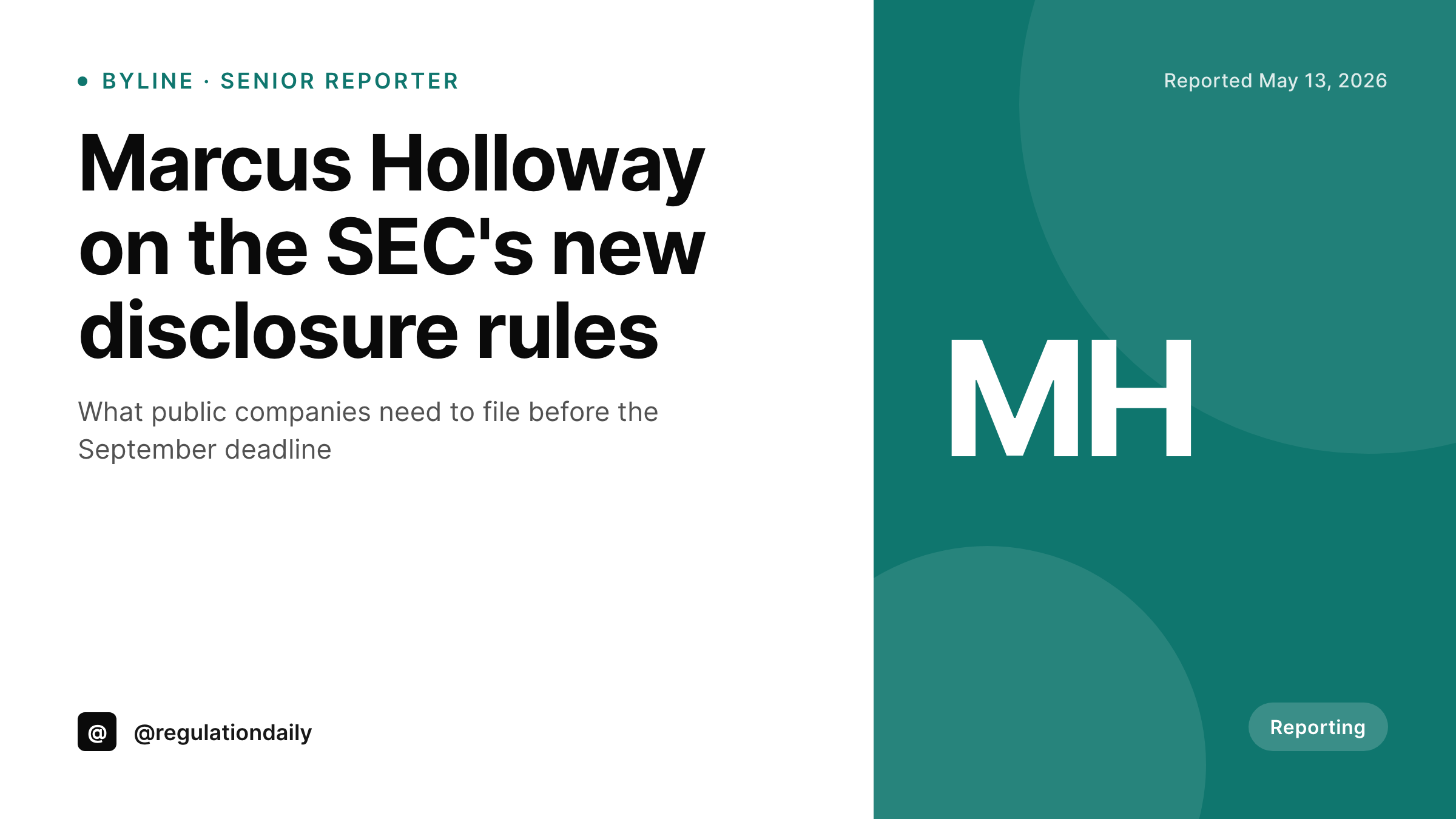
Sample byline-led Twitter card
A 1200x675 Twitter card with the reporter's portrait, their name, their beat, and the post headline composed by a single template.
Comparison
Generic site logo vs SleekPixel
Default site logo card
- Twitter card shows the publication logo with no portrait
- Reporters lose the byline credit on social shares
- Followers of the reporter cannot recognize their work in the feed
- Headlines compete in feeds without a visual differentiator
- Old posts never get re-cardified when a reporter's portrait updates
SleekPixel
- Reporter's portrait leads the layout
- Beat or section reads clearly under the name
- Headline anchors the right side of the card
- Publication mark sits in a corner without dominating
- Bulk regenerate updates every byline if a reporter's portrait changes
Features
What SleekPixel gives you for byline card
Portrait-first layouts
Templates designed to highlight the reporter. Portrait area sized for a real headshot, with optional accent borders that match the publication's brand.
Beat and section binding
Reporter's beat pulls from a user meta field. Section pulls from the post's primary category. Both render under the byline without manual entry.
Featured image as backdrop
Templates can overlay the byline and headline on a dimmed featured image, or keep the byline on a solid brand panel. Both layouts ship out of the box.
Use cases
Where byline cards belong
News and investigative
Newsrooms where reporters build personal followings get social previews that lead with the byline, increasing click-through from reader recognition.
Trade publications
Trade pubs whose readers follow specific analysts and reporters get share cards that surface the byline first, the headline second.
Academic journalism
Long-form sites with named correspondents get share cards that maintain the byline credit, which is contractual in many publishing arrangements.
The bigger picture
Why byline credit shows up on the share card
Bylines are how readers find reporters and how reporters build careers. A share card that buries the byline in favor of the publication logo is correct branding for the corporation and wrong branding for the actual product, which is the reporter's work. The publications that lead with bylines on social do better in feeds because readers recognize names and faces faster than they read headlines.
They also retain reporters better, because reporters notice when their employer treats their byline as the headline rather than the footer. SleekPixel makes byline-led cards a structural default rather than a per-post editorial decision. The post is the source.
The reporter is the byline. The card is rendered with their portrait and name at the center. Readers who follow the reporter recognize them.
Readers who do not still see a real person attached to the headline, which raises the credibility of the story over a faceless brand card.
Questions
Common questions about SleekPixel for byline card
Each site's WordPress installation can run SleekPixel independently with the reporter's local profile, or a multisite setup can share user meta across networked sites. The render reads from whatever profile the post is assigned to.
Yes. The template can conditionally show the byline only when a user meta flag is set, falling back to a staff byline or no byline for sensitive pieces.
User meta typically holds the beat. Some publications drive the section from the primary post category instead. Both fields are bindable in the template editor.
Yes. With Co-Authors Plus or a multi-author field, templates can lay out two or three portraits with names. Beyond three, the layout typically falls back to a 'By Staff' or counted byline.
Fall back to a custom portrait field on the user profile, or to an initials avatar with the publication's brand colors. Templates handle the missing-portrait case gracefully.
The same image works for both. Twitter renders 1200x675 as a summary_large_image card. LinkedIn crops 1200x675 to roughly the same proportions for its preview. One render covers both.
Yes. Templates support per-category accents. Politics in red, business in blue, culture in purple, all driven by the primary category on the post.
Yes. SleekPixel writes og:image, twitter:image, og:image:width, and og:image:height on save. Yoast or Rank Math continue to handle og:title and og:description. The two coexist without conflict.
Pricing
More than 1000+
happy customers
Explore our flexible licensing options tailored to your needs. Upgrade your license anytime to access more features, or opt for a lifetime license for ongoing value, including lifetime updates and lifetime support. Our hassle-free upgrade process ensures that our platform can grow with you, starting from whichever plan you choose.
Lifetime ♾️
Most popular
EUR
once
- Unlimited websites
- Lifetime updates
- Lifetime support
...or get the Bundle Deal
and save €250 🎁
💎 Want everything forever? The All Access Pass is going away on 01.08.2026.
The Bundle (unlimited sites)
Pay once, own it forever
Elevate your WordPress site with our exclusive plugin bundle that includes all of our premium plugins in one package. Enjoy lifetime updates and lifetime support. Save significantly compared to buying plugins individually.
What’s included
-
SleekAI
-
SleekByte
-
SleekMotion
-
SleekPixel
-
SleekRank
-
SleekView
€749
Continue to checkoutBrowse more
- TikTok cover images
- Open Graph images
- X list banners
- KDP hardcover cover
- Twitch offline banners
- Discord event cover
- Passes page banner
- Patreon tier images
- Flickr cover photo
- Mastodon profile banners
- Warpcast frame images
- podcast cover art
- Substack post thumbnail
- Substack podcast cover
- LinkedIn banner images