






SleekPixel for forecast cards
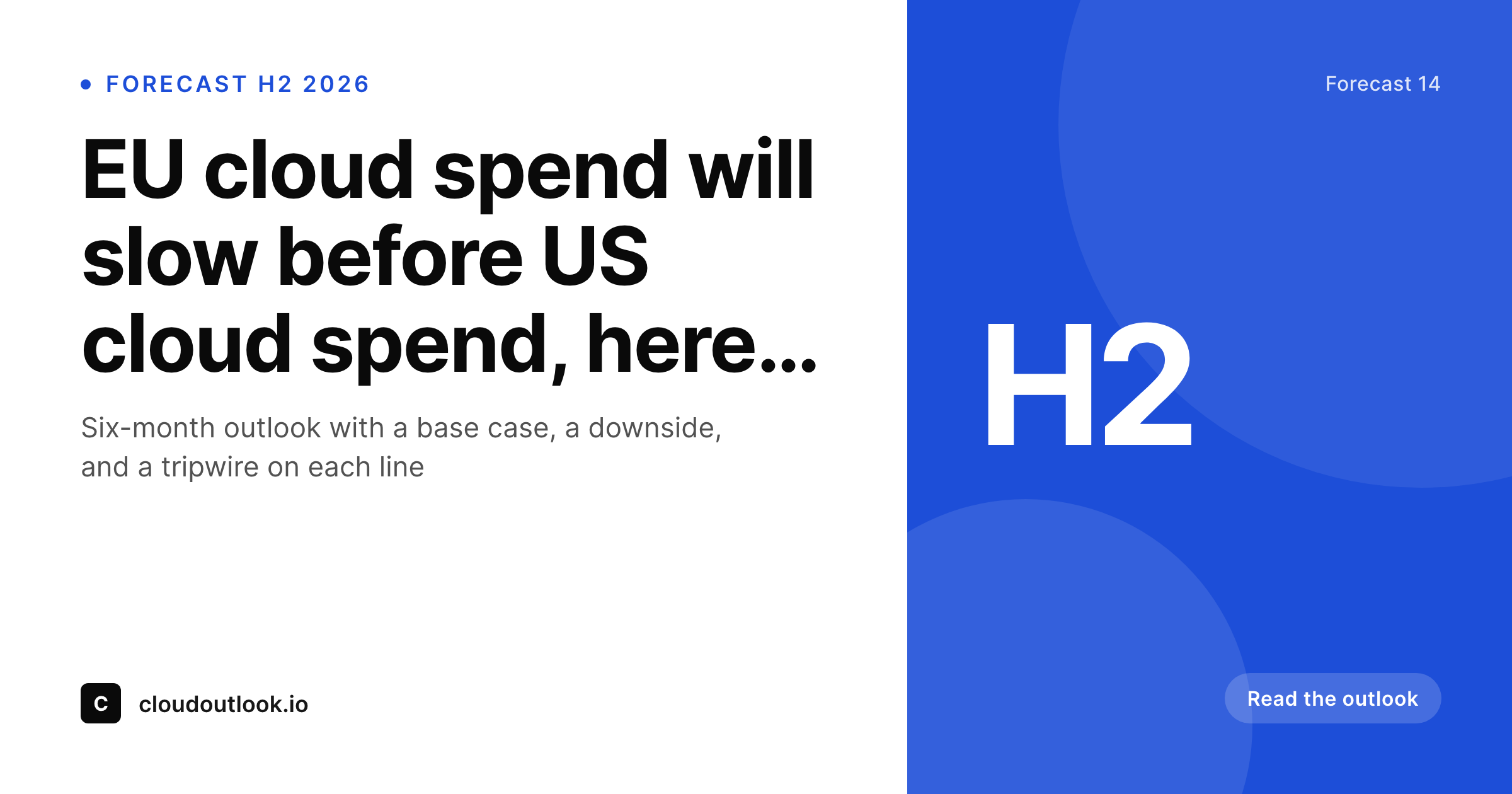
Every forecast post in WordPress renders a card with the time period, the scenario tag, the headline number, and the brand mark drawn from real fields. Half-year and annual outlooks share one template and one source of truth.
♾️ Lifetime License available
Forecasts age in public, the card sets the frame
A forecast is a forward-looking artifact with a date attached. The reader needs three things on the card before they decide to click: the period the forecast covers, the scenario (base case, downside, upside), and the headline number. Most forecast posts hide all three inside the body and surface only a generic gradient on social, which trains the reader to treat the post like opinion rather than projection.
SleekPixel turns the card into the leading edge of the forecast. The forecast post type holds the period, the scenario label, the headline figure, and the topic. The template encodes the brand layout with the right slots, and every new outlook inherits the look without anyone touching a design tool. Half-year forecasts, quarterly outlooks, and annual projections all render through the same template so the reader sees a recognizable series.
When the period closes and the forecast is graded, the card is still readable. Analysts cite the original image when comparing actuals to projections. The card stops being decorative and starts being citable.
Workflow
From draft forecast to a card the desk can cite
Compose the template
Register the fields
Publish the outlook
Grade against actuals
Output
What a forecast card composes from
An OG card with the period band, scenario tag, headline figure, and brand mark, all sourced from real forecast fields.
Comparison
Default forecast cards image vs SleekPixel
Default forecast cards image
- Period is buried in the post body, the card just shows a title
- Scenario labels are inconsistent across posts in the same series
- Headline numbers get reformatted differently from card to card
- Brand refresh leaves older forecasts looking like a different program
- Designer rebuilds the card per outlook, slowing the publish loop
SleekPixel
- Period band renders straight from a date or quarter field
- Scenario tag uses a controlled vocabulary, not free text
- Headline figure formats consistently across the forecast series
- Bulk regenerate refreshes the archive after a brand or layout change
- Card and post share one source so cited figures stay accurate
Features
What SleekPixel gives you for forecast cards
Period band
Half-year, quarter, or full-year periods render as a band on the card. Readers see the forecast horizon at a glance without opening the post.
Scenario tag
Base, downside, and upside scenarios get their own colored tag from a controlled vocabulary. The forecast series becomes visually filterable across the archive.
Headline figure
The single most important number on the forecast lives in a large slot with auto-fit type. Long figures and short figures both read cleanly on the card.
Use cases
Forecast formats this template covers
Half-year outlooks
H1 and H2 outlooks with a base case and a downside. The period band carries the half-year tag and the scenario chip carries the variant.
Annual forecasts
Year-long forecasts published in January. The card emphasises the year and the topline figure so the post reads as a flagship annual artifact.
Quarterly updates
Recurring quarterly updates with a fresh headline figure each wave. The card refreshes per quarter and stays in lockstep with the rest of the series.
The bigger picture
Why a forecast card earns the cite
Forecast posts are dense, but the reader's first decision happens on the card. A card with a clear period, a visible scenario, and a readable headline figure tells the analyst the forecast is structured before they click. A card with a generic gradient and a marketing headline tells them the forecast is positioning.
The serious reader picks the first and skips the second. Past that initial filter, the card has a second life when the period closes. Analysts compare projections to actuals six months later, and the image they cite is the one that was on the original post.
If that image carried the scenario and the headline figure, the grading is honest and verifiable. If it carried only the title, the grading requires opening the post and reconstructing what the forecast even claimed. SleekPixel keeps the original card aligned with the forecast record, so the post and the image age together.
A research desk that ships forecasts on a steady cadence ends up with an archive that looks like a program, not a sequence of one-offs.
Questions
Common questions about SleekPixel for forecast cards
Either works. SleekPixel can render a date range, a quarter tag, or a half-year label depending on which field you map. The same template handles all three with the right slot configuration.
Yes. Define per-scenario colors in the template. Base case, downside, and upside scenarios render with their own chip color so the forecast series stays visually filterable.
Auto-fit type rules scale the figure between min and max bounds. A short figure renders large, a long figure scales down to fit, both stay within the bounding box without breaking the layout.
Yes. Save the post after the revision and SleekPixel re-renders the card. The cache busts on the next request so social platforms pick up the new image when they refresh.
Yes. The image sits at a stable URL under /uploads. Analysts can embed it in a newsletter or a research note, and the image itself carries the period and headline figure so the citation reads on its own.
Yes. The admin has a one-click bulk regenerate that re-renders every card in the forecast post type. Useful after a brand refresh or a template change.
SleekPixel runs inside WordPress. If the forecasts live in a different tool, you can sync them to a WordPress custom post type and let SleekPixel render from there. The plugin does not need to talk to the source system directly.
Yes. Add a result field on the grading post type and let the template render with a graded badge. The image carries the original projection alongside the result so the comparison is on the card.
Pricing
More than 1000+
happy customers
Explore our flexible licensing options tailored to your needs. Upgrade your license anytime to access more features, or opt for a lifetime license for ongoing value, including lifetime updates and lifetime support. Our hassle-free upgrade process ensures that our platform can grow with you, starting from whichever plan you choose.
Lifetime ♾️
Most popular
EUR
once
- Unlimited websites
- Lifetime updates
- Lifetime support
...or get the Bundle Deal
and save €250 🎁
💎 Want everything forever? The All Access Pass is going away on 01.08.2026.
The Bundle (unlimited sites)
Pay once, own it forever
Elevate your WordPress site with our exclusive plugin bundle that includes all of our premium plugins in one package. Enjoy lifetime updates and lifetime support. Save significantly compared to buying plugins individually.
What’s included
-
SleekAI
-
SleekByte
-
SleekMotion
-
SleekPixel
-
SleekRank
-
SleekView
€749
Continue to checkoutBrowse more
- Snapchat snap images
- Threads post cover
- LinkedIn ad images
- Bluesky profile banners
- LinkedIn banner images
- Lemon Squeezy product covers
- Facebook post images
- X community banners
- Threads profile banner
- Depop listing images
- KDP paperback cover
- TikTok profile banners
- Ko-fi shop images
- Kick channel banners
- LinkedIn company banners