






SleekPixel for pop-up restaurant
One night at a bar in Brooklyn, the next at a brewery in Oakland, the next at a member's club in Mexico City. Every event needs a card with the menu, the venue, the date, and the ticket link. SleekPixel renders the card on save.
♾️ Lifetime License available
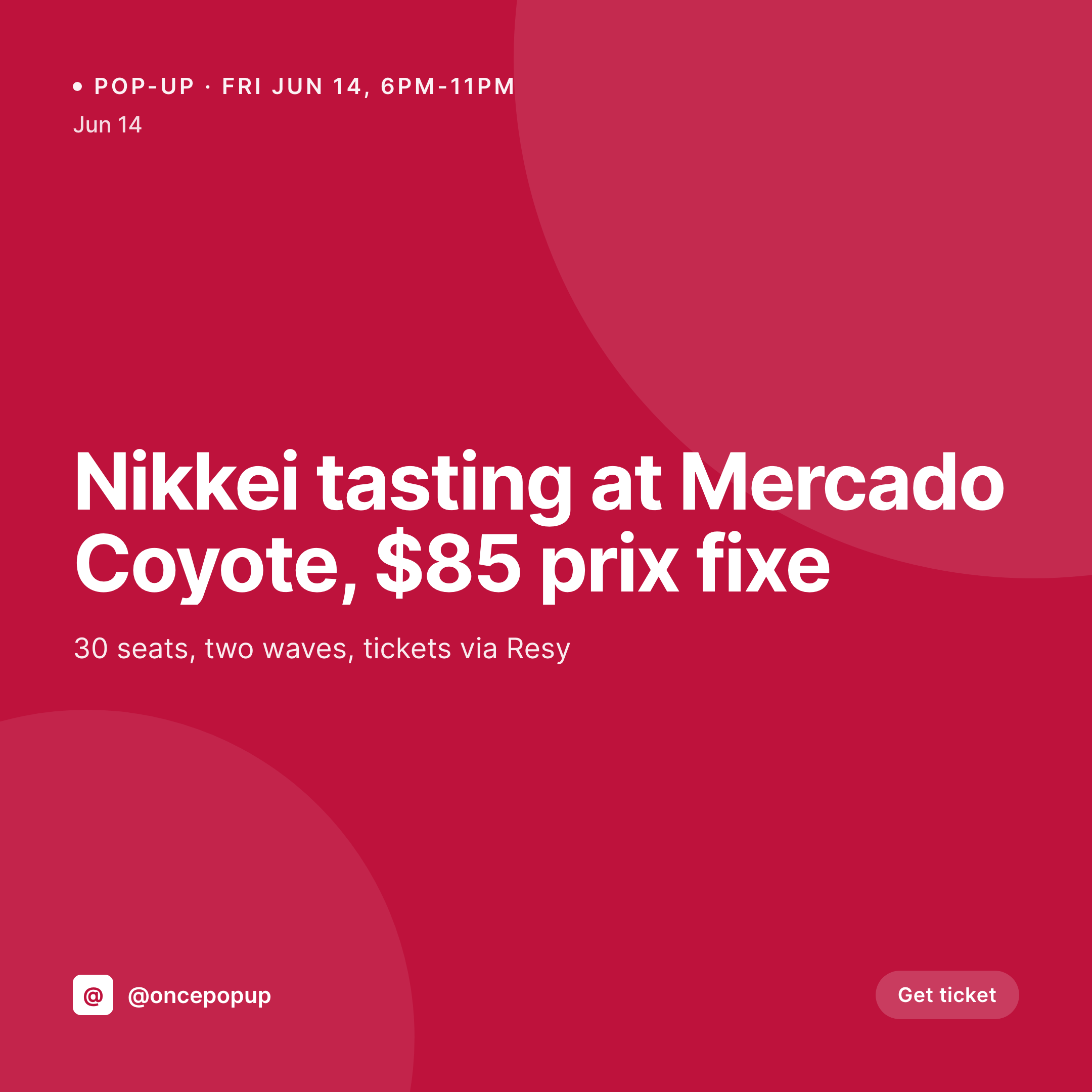
Pop-ups move and the design has to move with them
A pop-up restaurant is a chef plus a guest venue plus a date. The whole business is sold out or undersold based on whether the Instagram post lands in time. Each event is unique: different menu, different city, different ticket price, different seat count, different cohost.
The data is already in the WordPress event post. The menu, the venue, the date, the seat count, the ticket price, the cohost's handle. The work of typing it ended the moment the booking was confirmed. What keeps happening is the work of getting it into a Canva file, sized to 1080x1080, with the right type and palette for the touring chef's brand.
SleekPixel renders the card on save. The event post hits publish, the 1080x1080 PNG saves to uploads, the OG image wires to the event URL. The card carries the menu, the venue, the date, the ticket. The chef posts it, the cohost reposts it, the seats fill before the kitchen is even stocked.
Workflow
From event booking to ticket card
Map event fields
Design one square template
Publish the event
Post and tag the cohost
Output
What gets generated per pop-up
A 1080x1080 square card with the menu, host venue, date, ticket price, seat count, and cohost handle, pulled from the event post.

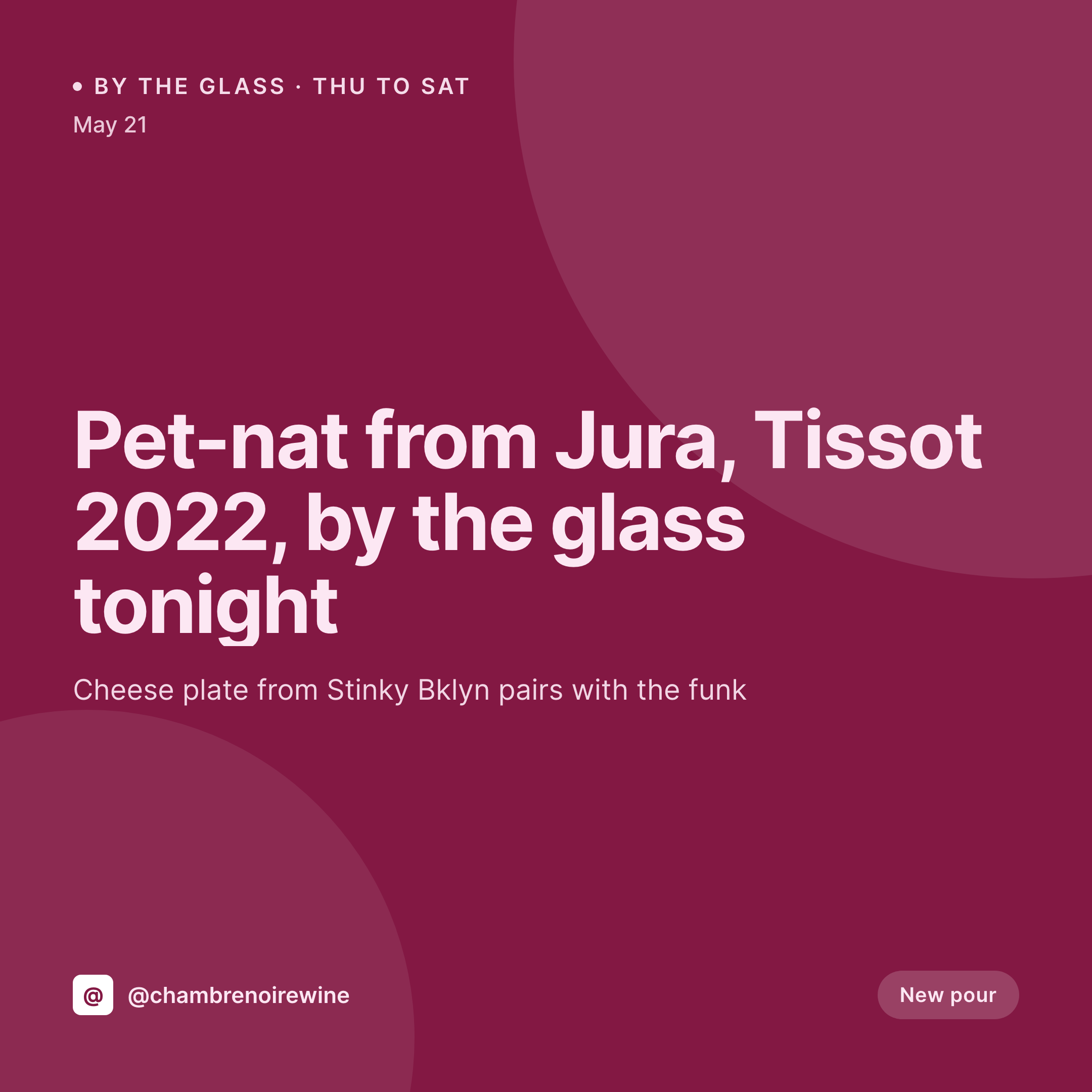
Comparison
Default pop-up restaurant image vs SleekPixel
Default pop-up restaurant image
- Chef rebuilds a Canva card for every city, every event
- Cohost venue tags get misspelled across reposts
- Ticket price changes don't reach the card in time
- Seat count on the card doesn't match what's actually left on Resy
- Touring chefs lose visual identity across cities by event five
SleekPixel
- Save the event post, the 1080x1080 card lands in uploads
- Menu, venue, date, seat count, and ticket pulled from event fields
- Cohost handle and tag render correctly without manual typing
- OG image wires to the event URL for ticket-page share previews
- One template carries the chef's brand across every city
Features
What SleekPixel gives you for pop-up restaurant
Venue per event
The host venue field renders on the card. Whether the pop-up is at a wine bar, a brewery, or a private club, the venue line stays accurate.
Tickets and seats
Seat count and ticket price pull from the event post. Sold-out variants render the moment the seat field hits zero.
Cohost handles
The cohost or guest chef's Instagram handle and tag come from the post fields. The card reposts cleanly to both feeds.
Use cases
Who uses SleekPixel for pop-up restaurants
Touring chef pop-ups
A chef hosting a different city each weekend renders a card per stop with that city's venue, menu, and ticket info.
Guest chef residencies
A restaurant inviting a guest chef for a one-week residency renders cards for each night with the guest's menu and bio.
Themed dinner series
A monthly themed series (omakase, regional Mexican, Korean BBQ) renders cards that share a series mark and rotate the per-event menu.
The bigger picture
Why pop-ups live and die on the launch post
A pop-up has one launch window. The post drops, tickets sell, and the chef heads to the venue four hours later. If the launch post is late, the seats don't fill, and the kitchen cooks for half a room.
The chefs who fill every seat are the ones who treat the launch post as a system, not a Sunday-night Canva session. Each event has a venue, a date, a menu, and a ticket link, and the same template can render that data on save. The card matches the chef's broader brand across every city, the venue gets a correct tag, the cohost reposts a clean image, and the ticket page's share preview is wired to the same render.
The touring economics actually work when the marketing scales by event post, not by Canva file.
Questions
Common questions about SleekPixel for pop-up restaurant
Yes. The cohost handle and tag come from the event post fields. Each event can carry a different cohost while the chef's template stays consistent.
When the seat count hits zero or a sold-out checkbox is set, the card re-renders with a sold-out variant. The OG image updates too, so the ticket page shows the right state.
SleekPixel renders images, not ticket flows. The card embeds the ticket URL, but the booking still happens on Resy, Tock, or Eventbrite directly.
Yes. The course list field renders directly on the card. A prix-fixe menu with four to six courses fits the standard layout.
Yes. Each event carries its own date and time zone field. The card renders the local time so customers in that city see the correct start.
Yes. A venue logo field on the event post composes into a designated slot. The card carries both marks without manual editing.
No. SleekPixel saves the image to uploads. Posting stays a manual step or runs through a third-party scheduler.
Yes. One save can produce a 1080x1080 grid card, a 1080x1920 story, and a 1200x630 OG image, all carrying the same event data.
Pricing
More than 1000+
happy customers
Explore our flexible licensing options tailored to your needs. Upgrade your license anytime to access more features, or opt for a lifetime license for ongoing value, including lifetime updates and lifetime support. Our hassle-free upgrade process ensures that our platform can grow with you, starting from whichever plan you choose.
Lifetime ♾️
Most popular
EUR
once
- Unlimited websites
- Lifetime updates
- Lifetime support
...or get the Bundle Deal
and save €250 🎁
💎 Want everything forever? The All Access Pass is going away on 01.08.2026.
The Bundle (unlimited sites)
Pay once, own it forever
Elevate your WordPress site with our exclusive plugin bundle that includes all of our premium plugins in one package. Enjoy lifetime updates and lifetime support. Save significantly compared to buying plugins individually.
What’s included
-
SleekAI
-
SleekByte
-
SleekMotion
-
SleekPixel
-
SleekRank
-
SleekView
€749
Continue to checkoutBrowse more
- X list banners
- Instagram stories
- KDP paperback cover
- Dribbble shot covers
- Behance banner
- Mastodon profile banners
- X Space banners
- Discord server banners
- Substack post headers
- SoundCloud banner
- Facebook ad images
- Facebook Marketplace images
- Mailchimp email banner
- Audible audiobook cover
- TikTok cover images