






SleekPixel for wine bar
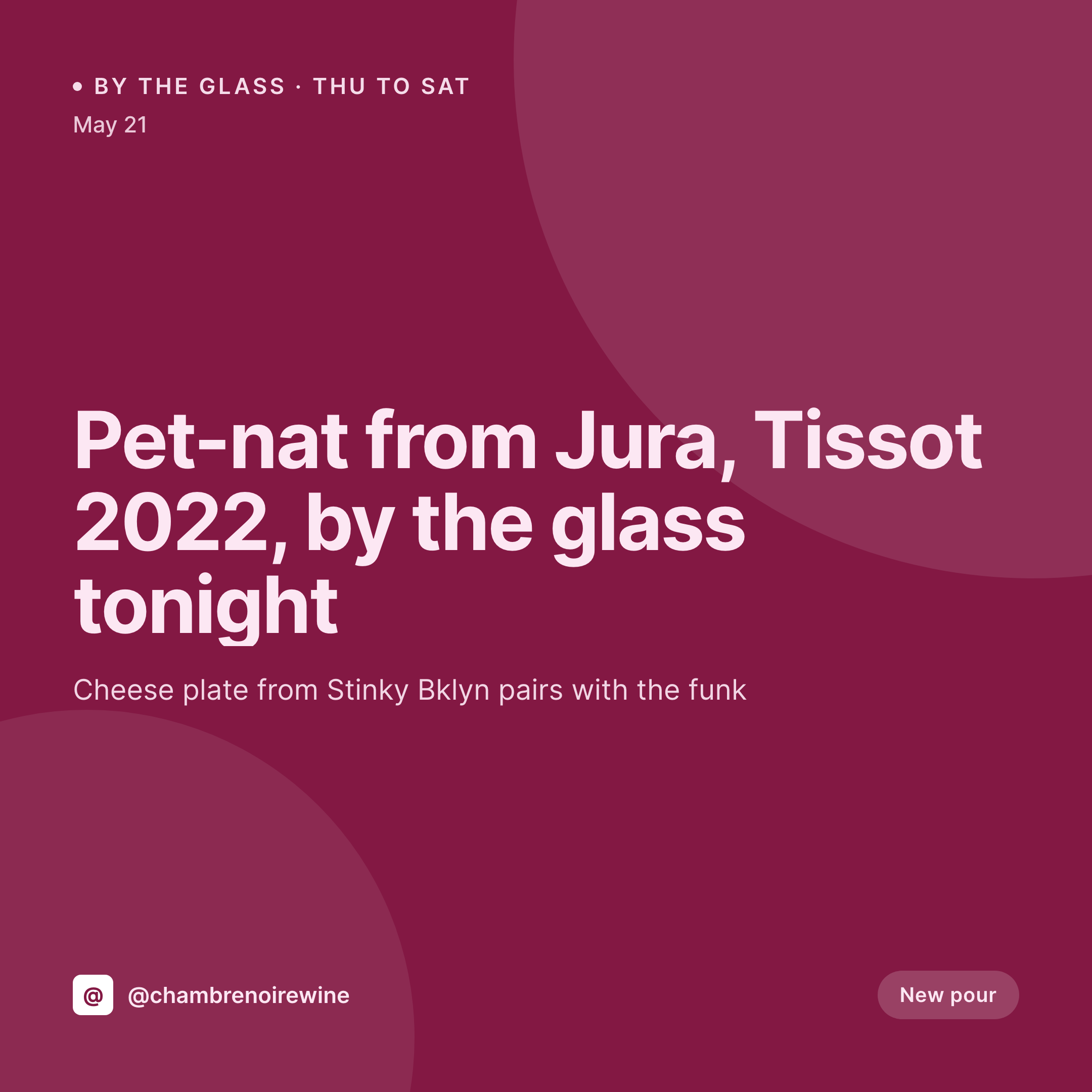
A new pet-nat on Thursday, a Jura chardonnay on Friday, a Tuesday Italian flight. Each bottle post on the website becomes a 1080x1080 grid card the sommelier can post before service.
♾️ Lifetime License available
Natural wine lists rotate faster than the design budget
A wine bar's list moves. A producer's allocation arrives, two cases of a 2022 Tissot pet-nat, and that bottle is on the by-the-glass for ten days until it sells through. The next allocation is a Beaujolais from a grower the sommelier just visited, and that one's on the list for three weeks. Each new pour wants a square for the feed, a quick caption that names the grape and the vigneron, and a price the floor team is actually charging. None of that work survives if it has to be retyped into Canva every Tuesday.
The cellar list already lives on the site. The bar runs a wine CPT or an ACF group on a menu post: producer, region, grape, vintage, dosage, price by glass, price by bottle, natural certification, hero shot of the label. The fields are full. The gap is the image, the 1080x1080 that sits in the Instagram grid next to last week's pour and the brand frame from a year ago.
SleekPixel closes that gap. The sommelier saves the new pour as a wine post, the 1080 square renders with the producer, the vintage, the grape, the price by the glass, and the brand frame. The PNG is in uploads, the og:image wires up, the floor manager posts from a phone before the first walk-in. The grid stays consistent across the year even as the list rotates every ten days.
Workflow
From new allocation to grid card
Map the cellar fields
Design one square template
Publish the new pour
Post from a phone
Output
What gets generated per pour
A 1080x1080 square card with the producer, vintage, grape, price by the glass, and the bar's brand frame, pulled from the wine post fields.

Comparison
Default wine bar image vs SleekPixel
Default wine bar image
- Sommelier or manager builds a Canva card for every new pour
- Producer names get misspelled in transit (Tissot, Trousseau, Mondeuse)
- Price by the glass drifts from what the bar is actually charging tonight
- Friday pet-nat post uses different type than Tuesday's Italian flight
- Sister bar across town posts cards that look like a different brand
SleekPixel
- Save the wine post, the 1080x1080 PNG lands in uploads
- Producer, vintage, grape, region, and price pulled live from the cellar list
- Square format sized for Instagram and Facebook grids
- Sidebar download so the floor team posts before doors
- One template across sister bars keeps the brand consistent
Features
What SleekPixel gives you for wine bar
Card per bottle
Every new pour, every flight, every bottle drop saves with a square card. The producer and price come from the wine post, not a Canva file.
Natural-wine tags
Natural certification, low intervention notes, sulfur level, and dosage all render as small badges so the card reads as a real cellar note.
Floor-manager fast lane
The manager opens the bottle post on a phone, taps download in the Gutenberg sidebar, and posts. No design tools, no font drift, no retyping the producer.
Use cases
Who uses SleekPixel for wine bars
Natural-wine bars
Pet-nat allocations, biodynamic Beaujolais, skin-contact whites. Each new pour renders as a card from the cellar CPT, ready to post.
Enotecas and wine shops
Retail allocations and by-the-glass pours render together. The same wine post can produce a shop listing card and an in-bar pour card.
Multi-location wine groups
A group with three wine bars and a shop keeps every store on the same template, with each location's by-the-glass rendering on the same brand frame.
The bigger picture
Why wine bars need cards that match the list, not last week's design
A wine list is a living document, and the social grid should read the same way. A pet-nat from Tissot rotates onto the by-the-glass on Thursday, and by Sunday a Beaujolais from Lapierre has taken its slot. The grid is supposed to follow that rotation, but it only does that if every card carries the same type, the same palette, and the same hierarchy from producer to vintage to price.
The moment two different managers open Canva, the grid drifts. The fix is to type the wine once into the cellar post that already runs the website, and to let the card fall out of that post. Producer names stay spelled correctly because the data is typed once, by the sommelier who knows how to spell them.
Prices on the card match the chalkboard. The grid reads as one bar across an entire calendar year, even when the bottles, the staff, and the seasons all rotate underneath it.
Questions
Common questions about SleekPixel for wine bar
Yes. Any text typed in the wine post renders into the template, including accented characters in French, Italian, and German producer names. Custom web fonts keep the typography consistent across scripts.
Yes. Templates can be conditional on category or field. By-the-glass uses one layout with a glass price, bottle-only releases use another with a bottle price and a case-count callout.
A flight post can be its own record that references multiple wine posts. The card renders the flight name, the three producers, and the flight price together in a single layout.
Yes. SleekPixel reads any post type and any field, so WP Tasty, GloriaFood, ACF wine groups, or a plain custom post type all map onto the card template.
Yes. Multisite or a location taxonomy lets each bar render with its own address, hours, and by-the-glass on the same brand frame. The group reads as one cellar across cities.
No. SleekPixel renders the PNG and saves it to uploads. Posting is a manual step from Instagram or a scheduling tool like Buffer or Planoly.
Yes. A single save can render a 1080x1080 grid card, a 1080x1920 Story, and a 1200x630 OG image. Each format is configured once and renders together.
Editing the wine post and flipping a sold-out flag re-renders the card with a sold-out badge. The Instagram post stays archived; the website card updates so customers see the current list.
Pricing
More than 1000+
happy customers
Explore our flexible licensing options tailored to your needs. Upgrade your license anytime to access more features, or opt for a lifetime license for ongoing value, including lifetime updates and lifetime support. Our hassle-free upgrade process ensures that our platform can grow with you, starting from whichever plan you choose.
Lifetime ♾️
Most popular
EUR
once
- Unlimited websites
- Lifetime updates
- Lifetime support
...or get the Bundle Deal
and save €250 🎁
💎 Want everything forever? The All Access Pass is going away on 01.08.2026.
The Bundle (unlimited sites)
Pay once, own it forever
Elevate your WordPress site with our exclusive plugin bundle that includes all of our premium plugins in one package. Enjoy lifetime updates and lifetime support. Save significantly compared to buying plugins individually.
What’s included
-
SleekAI
-
SleekByte
-
SleekMotion
-
SleekPixel
-
SleekRank
-
SleekView
€749
Continue to checkoutBrowse more
- Twitch stream overlay images
- WhatsApp status images
- LinkedIn ad images
- LinkedIn post images
- Stan Store cover
- Dribbble shot covers
- Bandcamp release cover
- Linktree banner image
- Snapchat Discover tiles
- Beacons.ai banner
- Substack podcast cover
- Threads story-style images
- Snapchat Spotlight covers
- Telegram channel cover images
- Depop listing images