






SleekPixel for Teachable courses
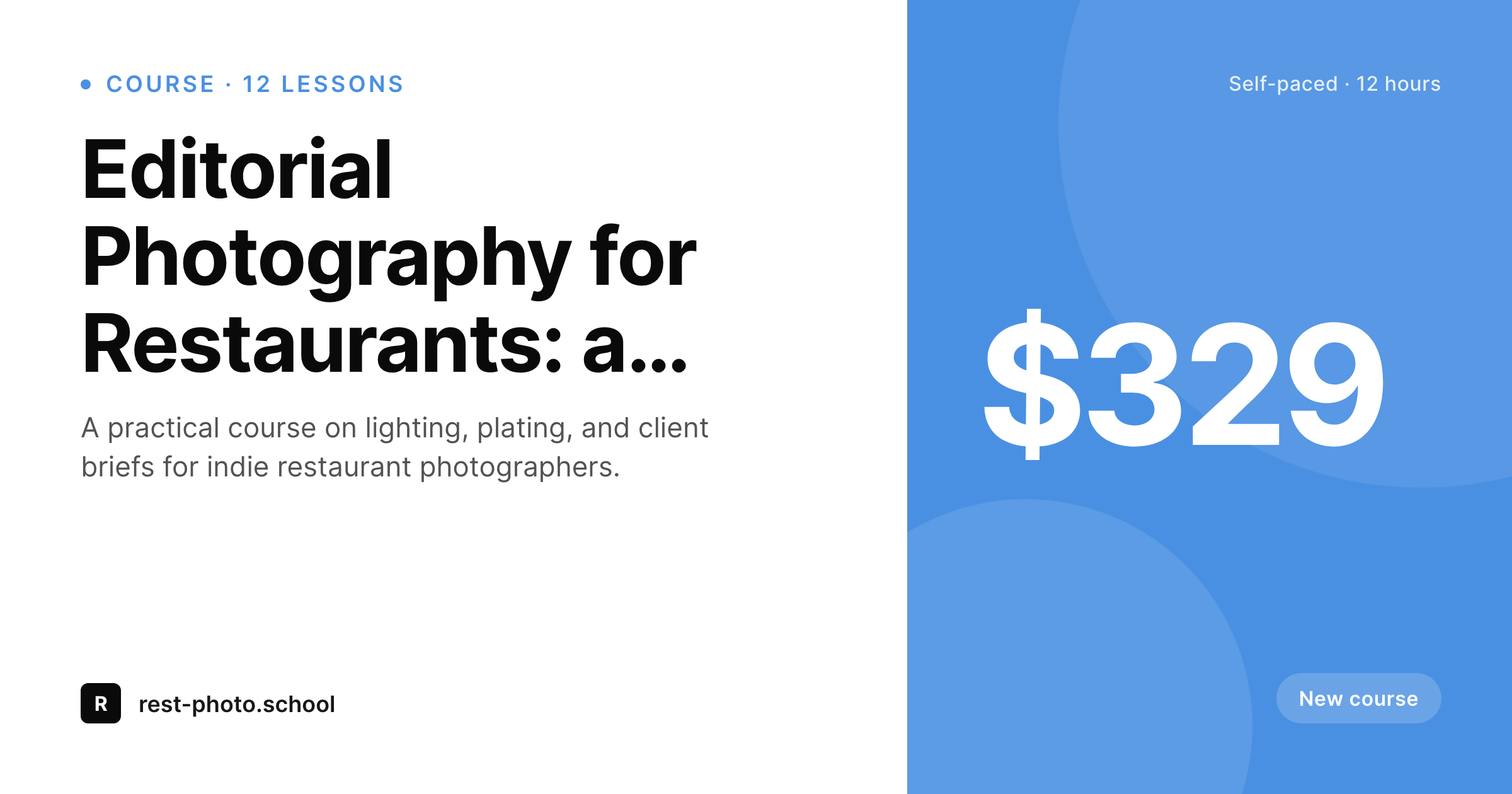
Teachable delivers the course; the WordPress site sells it. SleekPixel reads the WordPress course post and renders a 1200 by 630 OG and Twitter card so every share preview matches the catalog brand instead of a default banner.
♾️ Lifetime License available
Teachable as delivery, WordPress as storefront
Teachable started as a school platform and grew into a full delivery layer: course player, drip schedules, quizzes, certificates, affiliates, checkout. Most operators keep the marketing site separate from the delivery. The brand, the blog, the testimonials, the SEO landing pages, and the catalog all live on WordPress, and the buy button hands off to Teachable's checkout.
The catalog on the WordPress side is usually a custom post type. Each course has a title, a short description, a price, a lesson count, and sometimes a featured image cropped for the in-page hero. The OG image is whatever WordPress can find, often that hero image stretched into a 1200 by 630 frame, or the homepage logo as a fallback. Neither carries enough information to do the course justice on a share.
SleekPixel reads the course post fields and renders a real card. Title, lesson count, price, and brand wordmark sit on the share image. Categories like 'new course' or 'best seller' render as quiet badges when the field is set. The card is generated once per save and serves as the og:image and twitter:image for the WordPress course URL. Teachable does not need to change anything. The marketing site finally ships shares that look like a real product line.
Workflow
From Teachable course to share-ready WordPress page
Mirror courses to WordPress
Build the catalog template
Save the WordPress post
Share the catalog
Output
What renders on every Teachable course page
A 1200 by 630 OG and Twitter card: course title, lesson count, price, optional badge such as 'new course' or 'best seller', and brand mark, all from the WordPress course post.
Comparison
Default WordPress unfurl vs Teachable-aware rendering
Default theme OG
- Course shares unfurl with the homepage banner instead of the course title
- Featured images framed for the hero stretch awkwardly at 1200 by 630
- Lesson counts and prices never make it to the social card
- Canva exports per course skip after the catalog grows past five
- Brand updates require manual re-export of every past card
SleekPixel
- Reads WordPress fields for each Teachable course sold through WP
- Per-course title, price, lesson count, and badge render automatically
- Self-paced, cohort, and bundle variants share the template family
- Bulk re-render the whole catalog on a template or brand change
- Works alongside any Teachable embed or buy-button shortcode
Features
What SleekPixel gives you for Teachable courses
Course-aware layout
Title, lesson count, and price slot into specific positions on the template, so every catalog entry shares with the same visual rhythm.
Badge slots
Optional 'new course', 'best seller', or 'updated' badges render from a custom field, useful for launch and refresh moments.
Price slot
Price renders as a corner mark with currency. Useful for catalog shares on Twitter and LinkedIn where the offer carries the headline.
Use cases
Who runs Teachable with a WordPress front
Solo expert creators
A single instructor running three to ten Teachable courses keeps a WordPress catalog for SEO and gets a card per course without leaving the editor.
Small academies
Multi-instructor academies sell on Teachable and market on WordPress, with each course unfurling with the academy's consistent visual.
Professional training
Consultants selling certification courses through Teachable run WordPress as the trust layer, where every course shares with a brand-aligned card.
The bigger picture
Why catalog cards lift Teachable conversion rates
Course buyers research before they buy. A typical Teachable purchase involves at least one click from a tweet, a newsletter, or a peer recommendation, often more. The share preview at each of those touch points is the last visual the buyer sees before deciding whether to click.
If every preview shows the same homepage banner, the catalog reads as undifferentiated and the click rate suffers. If every course unfurls with its own title, lesson count, and price, the buyer can mentally narrow the choice before clicking, which means the clicks that do happen are higher intent. The second compounding effect is across a multi-course catalog.
A creator selling twelve Teachable courses looks like a real school when each course shares with the same template, and looks like a side project when each share looks different. SleekPixel produces the consistent visual for free on every WordPress save, so the catalog grows without the cards falling behind, and the marketing surface finally matches the quality of what Teachable is delivering on the back end.
Questions
Common questions about SleekPixel for Teachable courses
No. The plugin reads WordPress post fields. Teachable continues to handle course delivery, checkout, and student dashboards. Only the WordPress course post needs to exist for the share card to render.
Then the plugin has nothing to render against. SleekPixel only writes OG tags on WordPress URLs. Operators who keep marketing on WordPress get the benefit; operators fully on Teachable rely on Teachable's own previews.
Yes. A custom field selects the badge: 'new course' for recent launches, 'best seller' or 'updated' for older courses. The template chooses the badge at render time.
SleekPixel renders the price stored on the WordPress post. If you change price on Teachable, also update the matching WordPress field for the card to follow. Some teams sync this with a small webhook.
Yes. Bundles can use a variant template with a bundle badge and a course-count slot. Memberships render with their own badge and an optional renewal cadence label.
Yes. Affiliate links add query strings that platforms strip when fetching OG tags. The share preview stays consistent across affiliate refs, which is the desired behavior.
An instructor slot on the template can render up to two names from a custom field. For more, the brand mark usually carries the academy name and the instructors render inside the page body.
A WP-CLI command bulk re-renders every course post with the current template and tokens. The new cards replace the old PNGs in uploads, and platforms refresh their cache on their own cycle.
Pricing
More than 1000+
happy customers
Explore our flexible licensing options tailored to your needs. Upgrade your license anytime to access more features, or opt for a lifetime license for ongoing value, including lifetime updates and lifetime support. Our hassle-free upgrade process ensures that our platform can grow with you, starting from whichever plan you choose.
Lifetime ♾️
Most popular
EUR
once
- Unlimited websites
- Lifetime updates
- Lifetime support
...or get the Bundle Deal
and save €250 🎁
💎 Want everything forever? The All Access Pass is going away on 01.08.2026.
The Bundle (unlimited sites)
Pay once, own it forever
Elevate your WordPress site with our exclusive plugin bundle that includes all of our premium plugins in one package. Enjoy lifetime updates and lifetime support. Save significantly compared to buying plugins individually.
What’s included
-
SleekAI
-
SleekByte
-
SleekMotion
-
SleekPixel
-
SleekRank
-
SleekView
€749
Continue to checkoutBrowse more
- Xiaohongshu cover images
- Kick channel banners
- Linktree banner image
- Mastodon profile header
- YouTube ad thumbnails
- LinkedIn ad images
- Klaviyo email headers
- Mailchimp email banner
- LinkedIn document post covers
- Discord server icon
- YouTube podcast thumbnails
- SoundCloud track art
- Instagram grid tiles
- Instagram feed posts
- Spotify podcast covers