






SleekPixel for Framer projects
Framer ships clean visuals but a single fallback share image. SleekPixel reads Framer CMS fields through a WordPress proxy and renders a per-page OG card, so every link unfurls with the right title and the right brand.
♾️ Lifetime License available
Framer is great at pages and quiet about share cards
Framer covers the build side beautifully. The component model, the CMS, the publishing flow and the on-page animations all read modern. The share preview is a different layer, and most Framer projects ship with one default OG image or a screenshot of the home hero. Every blog post, case study and product page shares with the same picture, no matter how much work went into each individual page.
Teams that want per-page share cards in Framer usually wire up a small WordPress install in front of the Framer subdomain or beside it as a content backbone. The Framer pages render the experience, WordPress holds the post data that mirrors the Framer CMS, and SleekPixel sits on the WordPress side to handle the share layer. Each CMS row becomes a WordPress post; each post gets an OG image rendered from its fields.
The trade-off is real. Framer keeps the on-page polish, WordPress keeps the meta tag job, and SleekPixel turns the metadata into a card per row. When the Framer CMS updates and the sync pushes the new fields, the WordPress post saves and the PNG re-renders. The link unfurls with the right title, the right thumbnail and the brand the rest of the Framer project already wears.
Workflow
From Framer CMS to share image
Sync Framer CMS to WordPress
Build the row template
Save triggers a render
Point Framer at the WordPress meta
Output
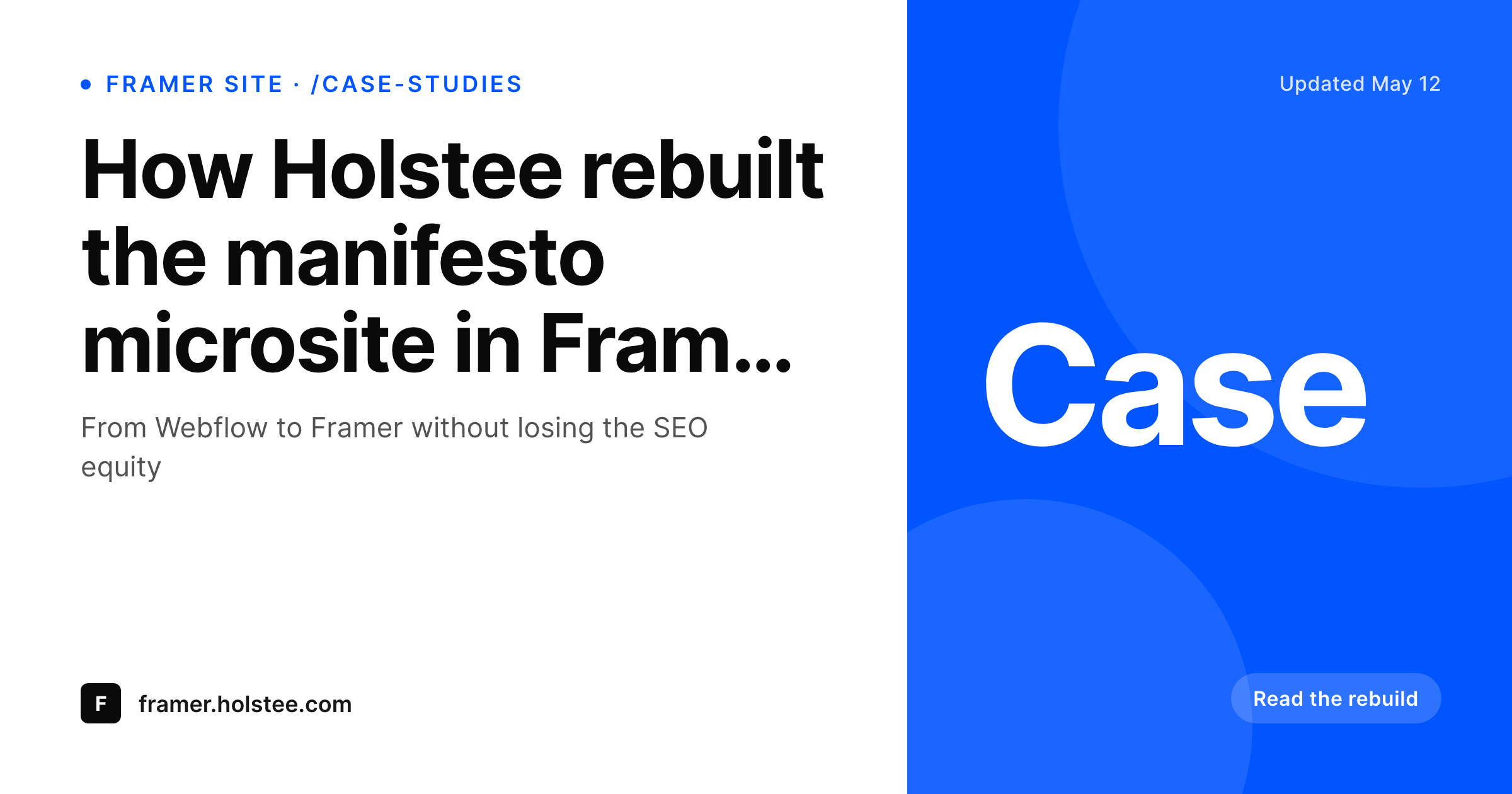
Per-page OG for a Framer project
A 1200 by 630 OG and Twitter card built from Framer CMS fields synced into WordPress: title, category, headline and brand mark.
Comparison
Single Framer fallback OG vs SleekPixel per page
Framer fallback OG
- One OG image covers every page in the Framer project
- CMS field values never reach the share preview
- Logos and brand color on the live page never make it into the unfurl
- Updating a Framer CMS row never refreshes the share image
- Manually exporting share art per page does not scale past a small site
SleekPixel
- Reads WordPress fields synced from Framer CMS collections
- Per-row OG image with title, category and headline field
- Brand color and logo from the Framer project carry into the card
- Bulk re-render after a brand refresh or template tweak
- Works alongside any Framer-to-WordPress sync, not against it
Features
What SleekPixel gives you for Framer projects
CMS row aware
Each Framer CMS row that lands in WordPress becomes a post with the same fields. The OG template binds to those fields, not to a static asset.
Brand parity
Brand color, type and logo from the Framer project drop into the card. The share unfurl looks like the page it points at.
Re-renders on sync
When the Framer CMS updates and the sync writes the new field, the post saves and the PNG re-renders. Stale share art stops being the default.
Use cases
Where Framer projects benefit most
Framer blogs and changelogs
Posts in a Framer CMS blog get per-post share cards with title, category and date, instead of a single home banner for every entry.
Case study microsites
Case study collections ship with per-case OG cards, so each client logo and headline win appears in the unfurl on LinkedIn.
Product detail pages
Marketing pages for individual products or features each get their own card, sized for OG and Twitter.
The bigger picture
Why Framer projects need a share layer beside them
Framer projects look modern on the page and ordinary in the share preview. The visual quality of the live site does not transfer to LinkedIn, Slack or Twitter cards, because those surfaces only read the og:image meta. A Framer project with one fallback image shares the same way across every URL, and the brand polish from the page never reaches the audience that does not click.
The fix is structural: WordPress already does the share-meta job well, so use it as the backbone for the share layer while Framer keeps the on-page experience. SleekPixel sits on the WordPress side and turns the synced CMS data into per-row cards. Marketing keeps Framer where Framer wins and gains a share preview that matches.
Questions
Common questions about SleekPixel for Framer projects
No. SleekPixel is a WordPress plugin. The pattern is to run a WordPress backbone alongside the Framer project, sync CMS data into it, and let WordPress handle the share-image meta while Framer handles the on-page experience.
Common approaches include a custom script that reads the Framer CMS API and writes to the WordPress REST API, a Zapier or Make automation, or an off-the-shelf Framer-to-WordPress connector. SleekPixel does not care which path you choose as long as the WordPress posts end up with the right fields.
Yes. The og:image meta points at a public URL, so a Framer page can include that URL as a custom meta tag through its page settings or a small head injection. The image itself is served from the WordPress uploads directory.
Treat WordPress as the source of the share-meta and the Framer CMS as the source of the on-page content. Sync writes the meta-relevant fields to WordPress, the Framer build uses its own CMS for the page render. The two layers stay decoupled.
The image files do, because LinkedIn and Twitter need to fetch them. The WordPress admin and most of the site can stay behind auth. A common setup is a private WordPress install with only the uploads directory publicly cacheable through a CDN.
Yes. SleekPixel supports multiple templates per post. A Framer case study row can render a 1200 by 630 OG card plus a 1080 by 1080 Instagram square from the same fields.
Framer's SEO panel handles og:title, og:description and a default og:image at the project level. The pattern here overrides og:image at the per-page level through the WordPress proxy. The Framer-level defaults stay in place as a fallback.
No. Image generation and meta-writing happen on the WordPress side. The Framer pages keep rendering as before. Only the og:image URL changes, and image fetches by social platforms are cached after the first request.
Pricing
More than 1000+
happy customers
Explore our flexible licensing options tailored to your needs. Upgrade your license anytime to access more features, or opt for a lifetime license for ongoing value, including lifetime updates and lifetime support. Our hassle-free upgrade process ensures that our platform can grow with you, starting from whichever plan you choose.
Lifetime ♾️
Most popular
EUR
once
- Unlimited websites
- Lifetime updates
- Lifetime support
...or get the Bundle Deal
and save €250 🎁
💎 Want everything forever? The All Access Pass is going away on 01.08.2026.
The Bundle (unlimited sites)
Pay once, own it forever
Elevate your WordPress site with our exclusive plugin bundle that includes all of our premium plugins in one package. Enjoy lifetime updates and lifetime support. Save significantly compared to buying plugins individually.
What’s included
-
SleekAI
-
SleekByte
-
SleekMotion
-
SleekPixel
-
SleekRank
-
SleekView
€749
Continue to checkoutBrowse more
- Medium article headers
- X community banners
- Spotify Canvas
- Twitch offline banners
- Threads profile banners
- Facebook group banners
- Patreon tier images
- Twitch starting soon screen
- Dribbble shot covers
- Instagram ad images
- Patreon cover images
- YouTube channel banners
- Facebook Shop product images
- LinkedIn banner images
- Fansly banner