






SleekPixel for Spotify podcast covers
Templated 3000x3000 covers generated per show on save. The same show data feeds the Spotify, Apple, and Overcast cover slots, all rendered from one source of truth.
♾️ Lifetime License available
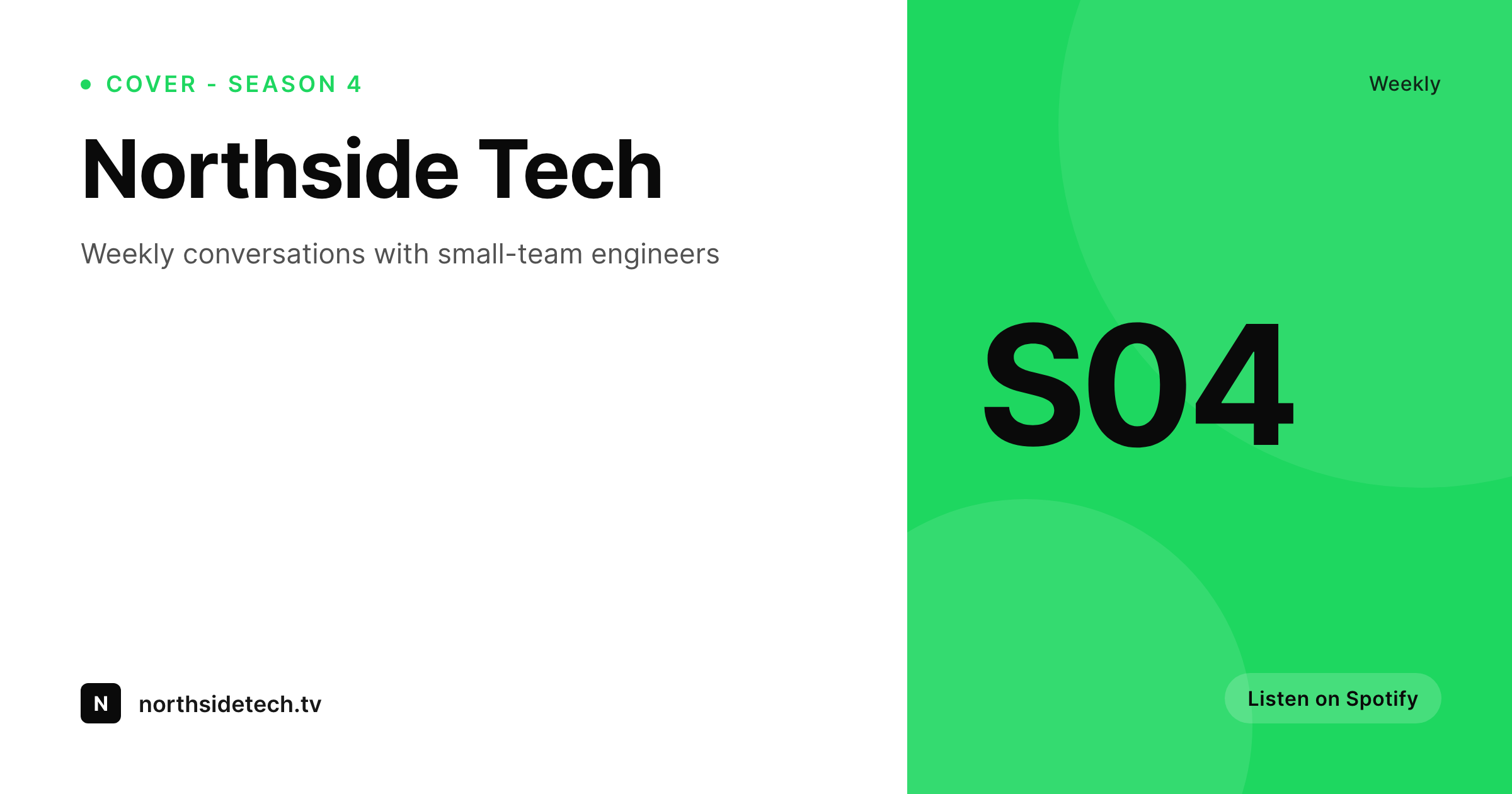
Spotify treats the cover as the entry point to the show
Spotify's podcast browse is a grid of covers. The cover is the listener's first impression in search, in topic shelves, and in the now-playing card. The Spotify spec follows the same 3000x3000 square as Apple, but the visual language on Spotify rewards covers that read at small sizes and stay legible against the dark UI. Most shows reuse the file produced when the show launched and never revisit it.
SleekPixel renders the cover from the WordPress post that documents the show. Show name, season number, host, tagline, and category are real fields on the post. The 3000x3000 template renders on save into the uploads directory. The host downloads the PNG and uploads it through Spotify for Podcasters.
The same render uploads to Apple Podcasts and other directories without rework. A new season is a post edit. A rebrand is a template edit and a batch re-render. The show stays current across every directory because the cover is generated, not curated.
Workflow
From show post to Spotify upload
Design the cover
Map show fields
Save the show post
Upload through Spotify for Podcasters
Output
What gets rendered per show
A 3000x3000 square cover with show name, season number, and tagline, sized for Spotify show art.
Comparison
Static Spotify covers versus SleekPixel
Static file from launch
- Cover file from launch, never refreshed because the source is lost
- Season changes go unreflected on Spotify because the upload is manual
- Brand refreshes never make it to Spotify because the cost is too high
- Network shows drift visually because each cover was made by a different designer
- Covers fail to read at small sizes because no one tested them in the grid
SleekPixel
- 3000x3000 PNG rendered per show or season on save
- Show name, season, host, and tagline pulled from real post fields
- Sidebar download per post, ready for Spotify for Podcasters
- Same render uploads to Apple Podcasts and other directories
- Real PNGs in uploads, mirrored to every directory by upload
Features
What SleekPixel gives you for Spotify podcast covers
Spotify-spec
3000x3000 square PNG meets Spotify's spec and reads cleanly in the dark-UI grid at every small size.
Locked typography
Self-hosted brand fonts and exact colors render across every show and season. A network reads as one network.
Sidebar download
The host opens the show post in Gutenberg, hits download, and uploads the PNG through Spotify for Podcasters.
Use cases
Where Spotify covers benefit most
Season refreshes
A new season changes a post field. The cover re-renders with the right season number and tagline.
Network families
A podcast network uses one template across shows, with show-specific fields. The grid feels like a coherent family.
Cross-directory parity
The same render uploads to Spotify and Apple Podcasts so the cover is identical across listening apps.
The bigger picture
Why Spotify rewards covers that stay current
Spotify's podcast surfaces favor shows that look maintained. Covers with current season cues, fresh hosts, and brand consistency get more grid placement than covers that look like they were uploaded once and forgotten. The shows with the time and money to refresh the cover every season have a structural advantage on the platform, and most independent shows never compete because the cost of a new render is too high.
SleekPixel removes the cost entirely. The show post in WordPress holds the data. The template renders the cover on save.
A new season is a field change. A rebrand is a template edit. The show's Spotify presence stays current because the cover is generated from the same source that documents the show, and that source already lives in WordPress.
Questions
Common questions about SleekPixel for Spotify podcast covers
No. SleekPixel renders the PNG inside WordPress. The host downloads from the Gutenberg sidebar and uploads through Spotify for Podcasters manually.
3000x3000 square PNG, which is the spec across Spotify, Apple Podcasts, and most directories. JPEG output is supported if file size matters.
Yes. The 3000x3000 square is the canonical size across all major directories. The same PNG works for Spotify, Apple, Overcast, and Pocket Casts.
Yes, with a separate template. Episode covers use the same engine bound to the episode post instead of the show post, so each episode can have its own custom cover.
Yes. Season number is a custom field on the show post. Edit the field, save, and the cover re-renders.
Video podcasts use the same 3000x3000 cover for the show. Episode-level cover behavior is the same. SleekPixel does not generate the video itself, only the cover artwork.
Yes, including self-hosted brand fonts. Upload the font file in the SleekPixel editor or reference it via @font-face in the template CSS.
In the WordPress uploads directory as real PNGs, in the media library, and included in normal backups.
Pricing
More than 1000+
happy customers
Explore our flexible licensing options tailored to your needs. Upgrade your license anytime to access more features, or opt for a lifetime license for ongoing value, including lifetime updates and lifetime support. Our hassle-free upgrade process ensures that our platform can grow with you, starting from whichever plan you choose.
Lifetime ♾️
Most popular
EUR
once
- Unlimited websites
- Lifetime updates
- Lifetime support
...or get the Bundle Deal
and save €250 🎁
💎 Want everything forever? The All Access Pass is going away on 01.08.2026.
The Bundle (unlimited sites)
Pay once, own it forever
Elevate your WordPress site with our exclusive plugin bundle that includes all of our premium plugins in one package. Enjoy lifetime updates and lifetime support. Save significantly compared to buying plugins individually.
What’s included
-
SleekAI
-
SleekByte
-
SleekMotion
-
SleekPixel
-
SleekRank
-
SleekView
€749
Continue to checkoutBrowse more
- Tumblr header
- Instagram carousel slides
- Medium article headers
- Kindle book cover
- GitHub social preview images
- KDP paperback cover
- Twitch profile banner
- YouTube Shorts covers
- Instagram bio link banners
- Twitch offline banners
- Pinterest product pin covers
- Pinterest board covers
- Amazon Storefront banners
- WeChat Moments images
- Snapchat ad images