






SleekPixel for Pinterest board covers
Templated 600x600 covers generated per category or board post on save. The boards on your Pinterest profile stay visually aligned with your site without manual cover uploads.
♾️ Lifetime License available
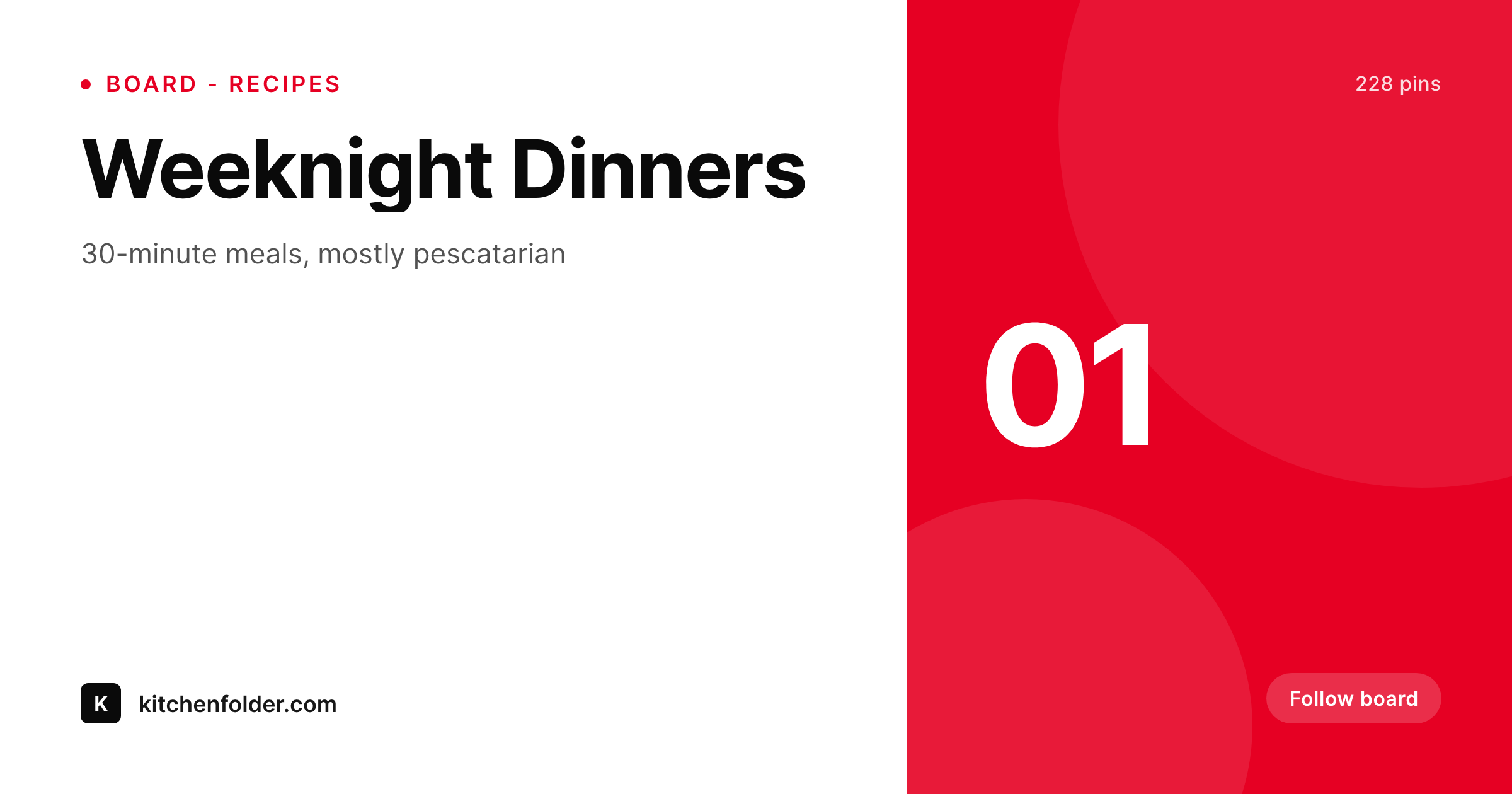
Board covers are the profile, not the pins
Pinterest profile pages live or die on board organization. A profile with twelve named boards each with a custom cover reads as a destination, while a profile with default-cover boards reads as someone's bookmark folder. The cost of producing real board covers is higher than producing pins, because the cover is one frame that has to summarize a whole board, and most creators stop after the first three covers.
SleekPixel renders board covers from the WordPress category or board post that maps to each Pinterest board. The category title, post count, and theme line live as fields. The 600x600 layout uses your brand fonts and colors and renders to uploads on save. The creator downloads the PNG and uploads it as the board cover via Pinterest's pin-upload flow.
Adding a new board is a category edit. Refreshing the visual system is a template edit and a re-render. Profile boards stay aligned with the site's category structure because they are generated from it.
Workflow
From category to Pinterest profile
Design the cover
Map categories to boards
Save the category post
Upload to Pinterest
Output
What gets generated per board
A 600x600 PNG with the board name, theme line, and pin count, sized for the Pinterest board cover slot.
Comparison
Default Pinterest covers versus SleekPixel
Default cover from latest pin
- Default board covers swap to whatever pin is most recent and break the profile look
- Custom covers in Canva are abandoned after the first three boards
- Pin counts and theme lines on covers go stale within weeks
- Profile rebrands never propagate because every cover is a one-off
- New boards launch with default covers because no one has time to design
SleekPixel
- 600x600 PNG rendered per category or board post on save
- Board name, theme line, and pin count pulled from real fields
- Sidebar download per category or post, ready for Pinterest upload
- Brand refresh re-renders every board cover in batch
- Real PNGs in uploads, mirrored to Pinterest by manual upload
Features
What SleekPixel gives you for Pinterest board covers
Profile-ready
600x600 fits Pinterest's board cover slot. Pinterest crops to a circle on smaller surfaces, so the template centers the focus accordingly.
Locked typography
Self-hosted brand fonts and exact brand colors render across every board so the profile reads as one destination.
Sidebar download
Each category or board post exposes a download button. Save the PNG and upload through Pinterest's cover flow.
Use cases
Where Pinterest board covers earn their keep
Recipe categories
Each recipe category renders a board cover with the theme and current pin count, no manual edits.
Seasonal collections
Seasonal boards swap covers as the campaign rotates. Edit the category, the cover re-renders.
Product collections
Home and craft stores map product collections to boards. Each collection renders a cover with product count and theme.
The bigger picture
Why Pinterest profile covers move follow rates
Pinterest's growth math leans on profile follows. A profile with coherent board covers gets followed at a higher rate than a profile with default covers, because the coherent profile reads as a real destination with curated boards instead of a bookmark folder. The reason most creators never get there is throughput.
A site with twenty categories means twenty board covers, and that is too much Canva work for a single afternoon. SleekPixel collapses the work by treating the cover as a side effect of saving the category. The category in WordPress already holds the title, theme, and pin count.
The template renders on save. The creator uploads each cover once. New categories launch with covers because covers are generated, not designed.
The profile stays coherent because the system, not the creator, holds the consistency.
Questions
Common questions about SleekPixel for Pinterest board covers
No. SleekPixel renders the PNG inside WordPress. The creator downloads it from the sidebar and uploads it through Pinterest's board cover flow manually.
600x600 by default. Pinterest crops covers to a circle on some surfaces, so the template keeps focal content centered. The dimensions are configurable if your strategy uses a different aspect.
No. The pin count is a field on the WordPress category or post, not a live read from Pinterest's API. Update the field when the count changes meaningfully.
Both. Categories, tags, and custom post types are all supported. Whichever taxonomy or post type maps to your Pinterest boards can drive the renders.
Yes. Templates are scoped per category or post type. A recipe board can use one design and a product board another, with different field bindings.
Yes, if the template uses appropriate type sizes. SleekPixel auto-shrinks long titles to fit the bounding box, so covers stay legible at the small profile thumbnail.
Edit the template and run batch regenerate. Every board cover re-renders with the new design. Re-uploading to Pinterest is manual since Pinterest does not expose a bulk cover API.
In the WordPress uploads directory as real PNGs, in the media library, and included in normal backups.
Pricing
More than 1000+
happy customers
Explore our flexible licensing options tailored to your needs. Upgrade your license anytime to access more features, or opt for a lifetime license for ongoing value, including lifetime updates and lifetime support. Our hassle-free upgrade process ensures that our platform can grow with you, starting from whichever plan you choose.
Lifetime ♾️
Most popular
EUR
once
- Unlimited websites
- Lifetime updates
- Lifetime support
...or get the Bundle Deal
and save €250 🎁
💎 Want everything forever? The All Access Pass is going away on 01.08.2026.
The Bundle (unlimited sites)
Pay once, own it forever
Elevate your WordPress site with our exclusive plugin bundle that includes all of our premium plugins in one package. Enjoy lifetime updates and lifetime support. Save significantly compared to buying plugins individually.
What’s included
-
SleekAI
-
SleekByte
-
SleekMotion
-
SleekPixel
-
SleekRank
-
SleekView
€749
Continue to checkoutBrowse more
- LinkedIn document post covers
- GitHub README banners
- Bluesky link cards
- Ghost feature images
- Twitter/X header
- Vimeo channel banners
- LinkedIn ad images
- Pinterest shop banners
- Medium article headers
- Facebook group banners
- Lemmy post images
- Bluesky feed banner
- TikTok Now image
- Snapchat ad images
- LinkedIn carousel slides