






SleekPixel for YouTube channel banners
Templated 2560x1440 banner art generated per show post on save. Channel name, schedule, and season pulled from real fields and held inside YouTube's safe-zone for desktop, tablet, and TV.
♾️ Lifetime License available
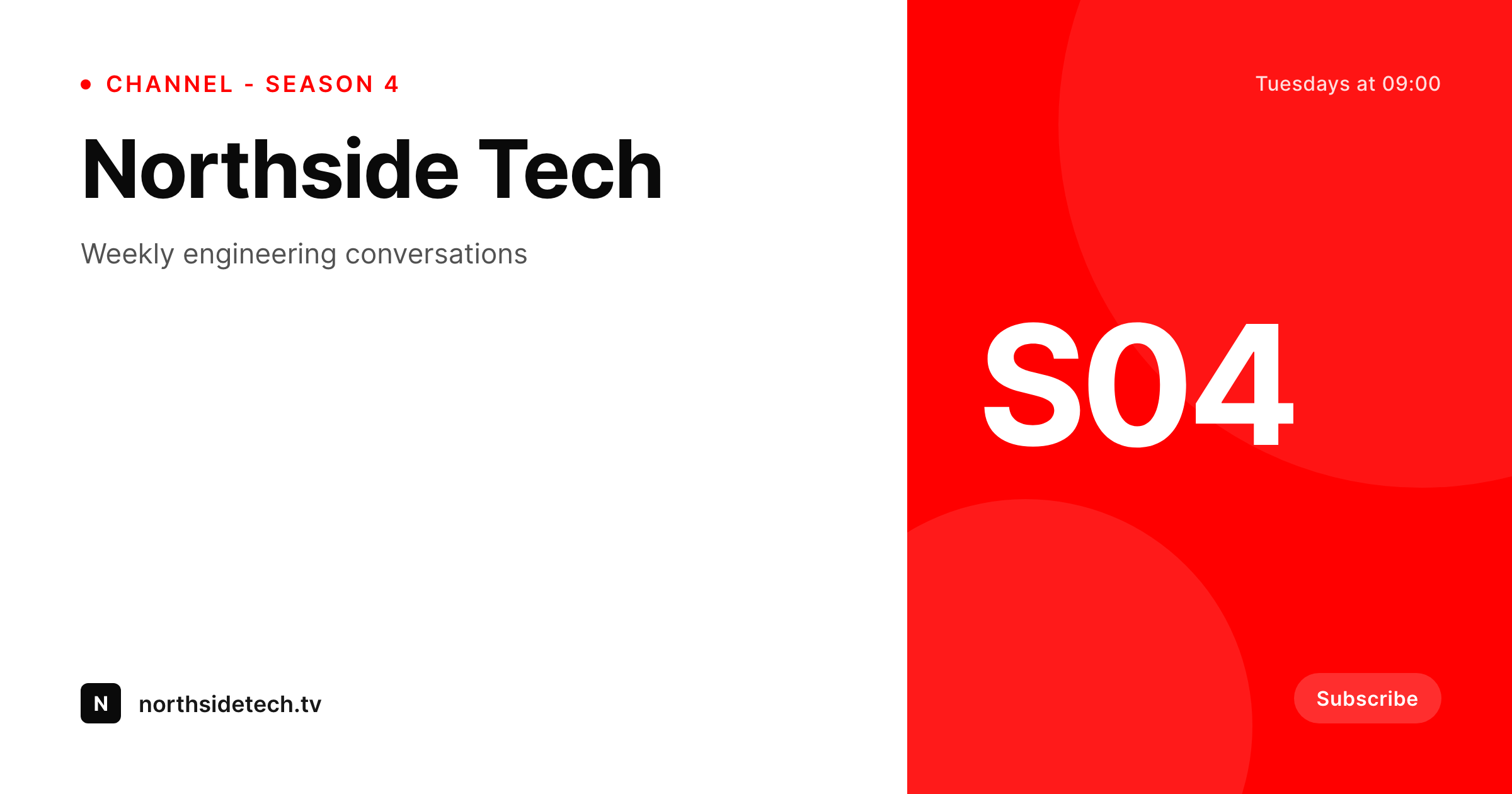
Channel banners are the show's billboard
The banner at the top of a YouTube channel page is the largest single asset the channel owns. New visitors hitting the channel page see the banner, the avatar, and a grid of recent videos. The banner is what they read first to decide whether the channel is worth subscribing to. YouTube's spec is unforgiving: 2560x1440 master art that has to read clearly inside a 1235x338 safe-zone for desktop, with TV displays cropping to the full 2560x1440. Most channels upload the banner once at launch and never refresh it.
SleekPixel renders the banner from the WordPress show post. Channel name, current season, schedule, and host live as fields. The 2560x1440 template uses brand fonts and colors and respects YouTube's safe-zone constraint by anchoring critical text inside the central 1235x338 region. The PNG renders on save and downloads from the Gutenberg sidebar.
A new season is a post edit. A schedule change is a field update. A rebrand is a template edit. The banner stays current because keeping it current costs nothing.
Workflow
From show post to YouTube channel
Design the banner
Map show fields
Save the show post
Upload through YouTube Studio
Output
What gets rendered per channel
A 2560x1440 PNG with channel name, season, and schedule rendered inside YouTube's central safe-zone.
Comparison
Static channel banners versus SleekPixel
Static file from launch
- Banner uploaded once at launch and never refreshed
- Schedule on the banner goes stale within a quarter and misleads new viewers
- Season number on the banner lags the actual current season by months
- Rebrands skip the banner because the source file is lost
- Critical text falls outside YouTube's safe-zone and gets cropped on desktop
SleekPixel
- 2560x1440 PNG rendered per show post on save
- Critical text held inside YouTube's 1235x338 safe-zone
- Channel name, season, and schedule pulled from real post fields
- Sidebar download per post, ready for YouTube Studio upload
- Brand refresh re-renders the banner across multiple channels
Features
What SleekPixel gives you for YouTube channel banners
Safe-zone aware
Critical text and brand mark sit inside the 1235x338 desktop safe-zone. TV crops show the full 2560x1440 master without important content lost.
Locked typography
Self-hosted brand fonts and exact colors render identically each upload, so the channel page stays visually consistent across refreshes.
Sidebar download
The host opens the show post in Gutenberg, hits download, and uploads the PNG via YouTube Studio's channel customization screen.
Use cases
Where channel banners need a system
Show seasons
A new season changes a post field. The banner re-renders with the right season number and refreshed schedule.
Schedule shifts
A change from weekly to biweekly is a field edit. The banner stops misleading new visitors immediately.
Multi-channel networks
A network of channels uses one base template with channel-specific fields, so all banners feel like one family.
The bigger picture
Why a current channel banner moves subscribe rates
YouTube's subscribe action depends on the channel page reading as a real, maintained channel. A current schedule on the banner signals that the channel ships consistently. A current season cue signals that the channel is in active development.
A stale banner signals the opposite, and viewers who land on a stale-looking channel page subscribe at a measurably lower rate. Most channels know this and still ship stale banners because the cost of refreshing the banner is high enough that it falls behind every other production task. SleekPixel collapses that cost.
The post that backs the show holds the schedule and season. The template renders on save. The host downloads and uploads.
New seasons, new schedules, and rebrands all propagate to the channel page in minutes instead of months.
Questions
Common questions about SleekPixel for YouTube channel banners
No. SleekPixel renders the PNG inside WordPress. The host downloads from the Gutenberg sidebar and uploads it through YouTube Studio's channel customization.
2560x1440 PNG by default, the YouTube master art size. Critical text sits inside the 1235x338 desktop safe-zone so it survives all device crops.
Yes. The 2560x1440 master shows in full on TV. The template fills the outer canvas with brand pattern or color so the TV crop reads cleanly.
Yes. Templates are scoped per show post type or category. Each channel in a network can use its own template variant or share a base template with channel-specific fields.
Yes. The schedule is a field on the show post. Edit the field, save, and the banner re-renders with the new schedule.
Yes, including self-hosted brand fonts. Upload the font file in the SleekPixel editor or reference it via @font-face in the template CSS.
Default PNG renders typically land between 1 and 4MB depending on artwork density. YouTube allows up to 6MB for channel art, well within the rendered range.
In the WordPress uploads directory as real PNGs, in the media library, and included in normal backups.
Pricing
More than 1000+
happy customers
Explore our flexible licensing options tailored to your needs. Upgrade your license anytime to access more features, or opt for a lifetime license for ongoing value, including lifetime updates and lifetime support. Our hassle-free upgrade process ensures that our platform can grow with you, starting from whichever plan you choose.
Lifetime ♾️
Most popular
EUR
once
- Unlimited websites
- Lifetime updates
- Lifetime support
...or get the Bundle Deal
and save €250 🎁
💎 Want everything forever? The All Access Pass is going away on 01.08.2026.
The Bundle (unlimited sites)
Pay once, own it forever
Elevate your WordPress site with our exclusive plugin bundle that includes all of our premium plugins in one package. Enjoy lifetime updates and lifetime support. Save significantly compared to buying plugins individually.
What’s included
-
SleekAI
-
SleekByte
-
SleekMotion
-
SleekPixel
-
SleekRank
-
SleekView
€749
Continue to checkout