






SleekPixel for checklist cards
SleekPixel turns each checklist into a branded card on save. Title, item count, topic, and brand mark all come from real fields, so the OG card, the checklist index thumbnail, and any download-gate hero share one consistent layout.
♾️ Lifetime License available
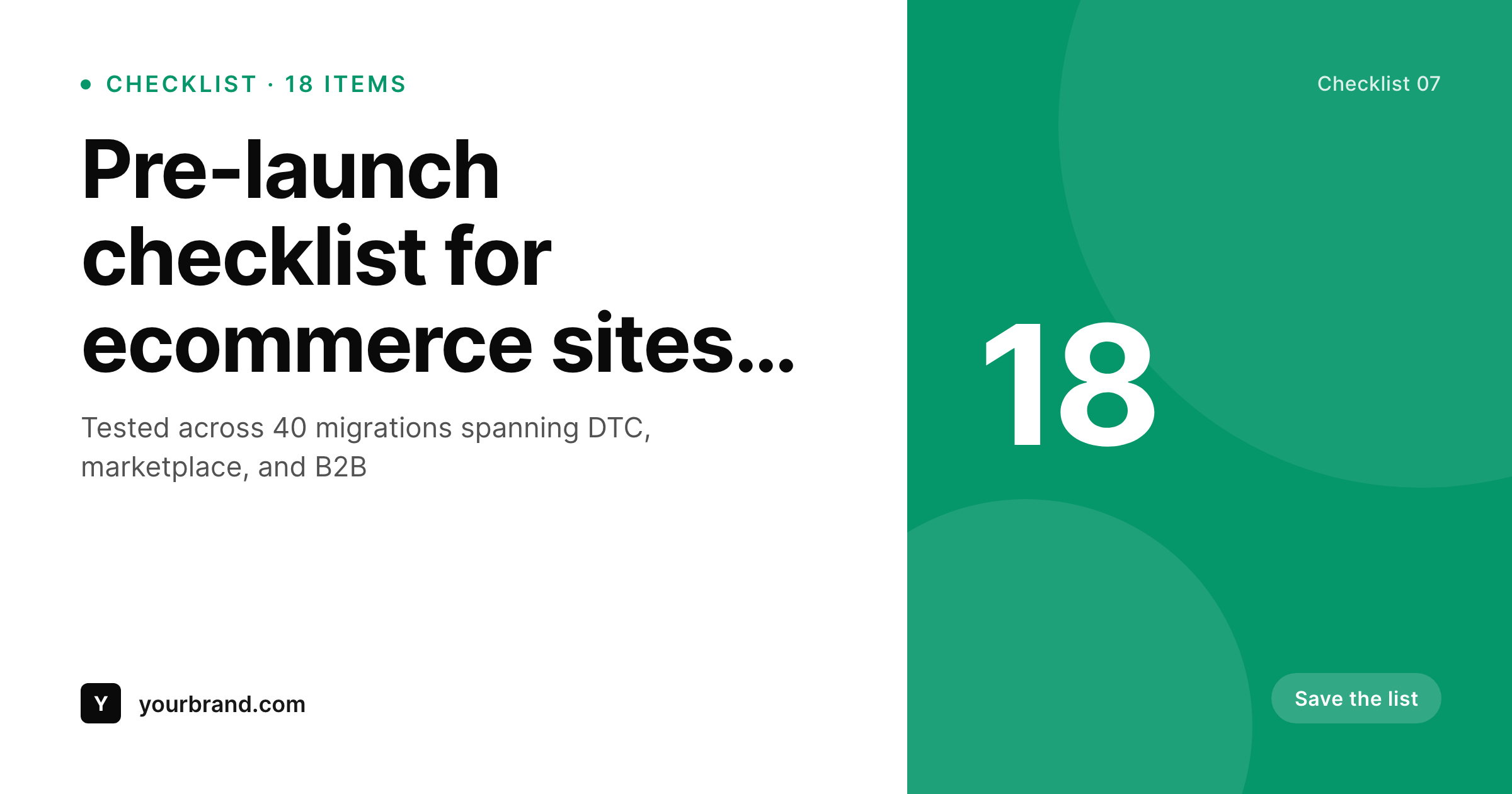
Checklists are gated content with a fragile cover
A checklist is one of the most-converted lead magnets on the internet. Pre-launch checklists, audit checklists, onboarding checklists. The format is simple, the value is concrete, and the gating works. The OG card on the gated landing page, on the other hand, is what determines whether a prospect ever reaches the form. Generic site cards on every checklist mean every gated download looks the same. The 18-item ecommerce pre-launch and the 6-item content audit get identical previews, so the prospect cannot tell the depth before clicking.
SleekPixel turns the checklist card into a window into the checklist. The checklist post type already holds the title, the item count, the topic, and the brand mark. The template encodes the layout once, with rules for short and long titles and with topic-driven accents. Save the post and the renderer writes the OG card, the index thumbnail, and the gated landing hero in one pass. The item count is visible from the card, so prospects know the depth before they click through to the form.
For lead-gen programs that publish checklists at volume, this is the difference between a download library that converts and one that quietly stagnates. Every checklist ships with the same treatment because the same template renders the same primitives. The library reads as a coherent product, and the gating works because the cover earned the click.
Workflow
From a checklist post to a ready-to-ship card
Encode the checklist layout
Connect the topic palette
Publish the checklist
Refresh the library
Output
How a checklist card composes
An OG card with the title, item count, topic, and brand mark, all assembled from real checklist fields.
Comparison
Default checklist cards vs rendered ones
Default site card on every checklist
- Every checklist landing page ships with the same generic OG card
- Item count is invisible until the prospect clicks through to the form
- Long titles get truncated on social and the topic disappears
- Library page thumbnails are a placeholder grid
- A brand refresh skips the back catalogue because the volume is too high
SleekPixel
- Checklist cards render from real post fields the moment you save
- Item count is visible from the card, no click-through required
- Topic drives the accent so categories feel distinct
- OG card, library thumbnail, and gated hero share one template
- Bulk regenerate refreshes the whole library after a brand update
Features
What SleekPixel gives you for checklist cards
Count-aware
Item count renders from a field. Prospects see depth at a glance, and the layout adapts to short and long counts without overflow.
Topic-colored
Topic taxonomy drives the accent palette. Pre-launch, audit, and onboarding checklists all read as distinct without separate templates.
Card and gate together
Register an OG size, a library thumbnail, and a gated landing hero against the same template. All three render on save.
Use cases
Checklist formats this template covers
Pre-launch checklists
Launch-readiness checklists tied to a category. The card highlights the item count and topic for buyers in late evaluation.
Audit checklists
Audit and review checklists for compliance, accessibility, or SEO. The card focuses on topic and depth.
Onboarding checklists
Onboarding and ramp checklists for new hires or new customers. The card emphasizes item count and a step-driven topic line.
The bigger picture
Why checklist cards earn the gated click
Checklists are some of the most reliable lead magnets a content team can produce. The format is concrete, the perceived value is high, and the cost to consume is low. The friction is the gating step.
A prospect lands on the checklist URL through a share, a search, or a referral, and decides in three seconds whether to fill in the email form. The OG card on the URL is the dominant input on that decision, because it is what the prospect saw before they clicked. A generic site card forces the prospect to read the page to figure out what the checklist actually contains, which means more bounces.
A rendered card with the title, the item count, and the topic answers the question on the preview, so the prospects who reach the form are pre-qualified and convert at a higher rate. SleekPixel makes that the default. Every checklist gets a card with the same primitives because the same template renders from real fields.
The download library starts compounding instead of plateauing.
Questions
Common questions about SleekPixel for checklist cards
Yes. Item count is a number field on the checklist post. The template references it directly, so prospects see the depth on the OG card before clicking through to the form.
Yes. Map the accent color in the template to a topic taxonomy term. Each topic resolves to a brand color so pre-launch, audit, and onboarding checklists feel distinct without separate templates.
Yes. Register an OG size, a library thumbnail, and a gated landing hero against the same template. SleekPixel renders all three on save and they share the layout primitives.
You can register a PDF cover size against the same template, and the renderer writes a print-resolution cover alongside the OG card. The PDF and the landing page share the same visual identity automatically.
Yes. SleekPixel attaches templates to whichever post types you choose. Your existing checklist post type, with its item counts and topic taxonomy, becomes the data source.
Yes. Each checklist post has a Gutenberg sidebar with download buttons for every registered size. Sales can grab the latest card directly from the post for outbound emails or sales decks.
Yes. The admin has a one-click bulk regeneration that re-renders all checklist cards using the template. The whole download library refreshes in one pass.
No. The image is rendered once at save time and stored as a static PNG/JPG. Visitors load a regular image URL, no rendering happens at view time.
Pricing
More than 1000+
happy customers
Explore our flexible licensing options tailored to your needs. Upgrade your license anytime to access more features, or opt for a lifetime license for ongoing value, including lifetime updates and lifetime support. Our hassle-free upgrade process ensures that our platform can grow with you, starting from whichever plan you choose.
Lifetime ♾️
Most popular
EUR
once
- Unlimited websites
- Lifetime updates
- Lifetime support
...or get the Bundle Deal
and save €250 🎁
💎 Want everything forever? The All Access Pass is going away on 01.08.2026.
The Bundle (unlimited sites)
Pay once, own it forever
Elevate your WordPress site with our exclusive plugin bundle that includes all of our premium plugins in one package. Enjoy lifetime updates and lifetime support. Save significantly compared to buying plugins individually.
What’s included
-
SleekAI
-
SleekByte
-
SleekMotion
-
SleekPixel
-
SleekRank
-
SleekView
€749
Continue to checkoutBrowse more
- Stan Store cover
- TikTok profile banners
- Etsy shop banners
- Instagram ad images
- YouTube Shorts cover
- Twitch overlay
- YouTube channel banners
- SoundCloud track art
- Kindle book cover
- Mastodon profile banners
- Patreon tier images
- Facebook Marketplace images
- Mastodon post images
- Dribbble shot covers
- Twitch alert