






SleekPixel for Threads profile banners
Threads profile pages display a wide header that introduces the account. SleekPixel renders that banner from your WordPress data so the profile carries the same visual identity as the rest of your stack.
♾️ Lifetime License available
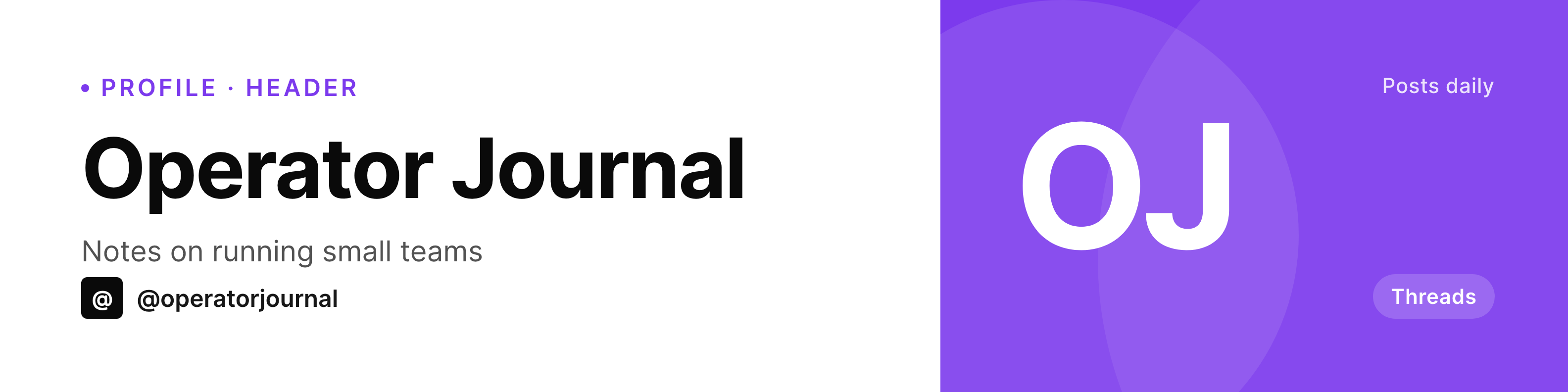
The Threads profile header is the only banner on the platform
Threads kept the profile design lean. The handle, the bio, the avatar, the follower count, and a wide header image. The header is the one piece of brand surface the account fully controls, and most profiles leave it on a default color or upload a screenshot that did not last past launch week.
SleekPixel renders the banner from WordPress with the right ratio and the right typography. The image binds to a profile post or a site option, so updating the tagline is a field edit rather than a design session. Brand refresh? Edit the template once, regenerate, upload to Threads.
Because Threads does not have a publishing API for profile assets at the broad scale most schedulers use, the upload itself is manual. The heavy lift is the render, and the render is what SleekPixel does well.
Workflow
From a WordPress field to a Threads banner
Design the banner template
Bind to a source
Trigger the render
Upload to Threads
Output
What a Threads banner shows
A wide profile header sized for Threads. Handle, tagline, and a small badge are bound to WordPress fields.
Comparison
Default Threads banner vs SleekPixel header
Solid color or stock image
- Default colored banners signal an unfinished profile
- Stock photo banners do not say anything about the actual focus
- Manual Figma exports stop happening after the first month
- Resizing for Threads ratios involves trial and error
- Brand refresh leaves the banner two iterations stale
SleekPixel
- Banner rendered at the Threads header ratio
- Handle, tagline, and any campaign data bind to WordPress
- On-demand or scheduled regeneration
- Same pipeline as the rest of the brand's social art
- Template change re-renders without opening a design tool
Features
What SleekPixel gives you for Threads profile banners
Right ratio
The SleekPixel template canvas matches the Threads profile header so the focal area sits inside the visible region on both web and mobile.
Bound to fields
Tagline, handle, and any small ribbon of metadata live as WordPress fields. Update once, regenerate, upload.
Refresh on schedule
Run the render on a weekly cron, or hook into a custom action when a campaign begins. The banner stays current without manual nudging.
Use cases
Who needs a current Threads banner
Newsletter authors
Banner shows the current issue and tagline. New issues trigger a regenerate, profile reflects the latest entry.
Indie product accounts
Banner carries the current product focus and a small status badge. Field edit in WordPress, regenerate, upload.
Community accounts
Communities running events update the banner with the next event date. Tagline edit triggers the regeneration.
The bigger picture
Why the Threads banner punches above its weight
Threads' profile page gives most of the visible space above the fold to the header banner, especially on mobile where the banner is taller than the bio. Visitors decide whether to follow within the time it takes to take in the avatar and the banner. A blank header signals an unfinished profile; a banner that reflects the current focus signals an active account that someone is actually running.
The cost of keeping a banner current is normally a recurring design ask, which is why most accounts settle for the version they uploaded on day one. Binding the banner to a WordPress field collapses the cost of an update to the cost of editing a string. The banner can carry the current issue number, the current product, the next event date, or any other piece of data the account wants to surface.
The visual identity stays tight because the template lives in the SleekPixel admin and every render runs through the same engine.
Questions
Common questions about SleekPixel for Threads profile banners
Threads displays the profile header at a wide aspect ratio. Rendering at 1584x396 fits within the visible focal area on both web and mobile, with safe padding around the corners where the UI may overlap.
No. Threads does not expose a public API broad enough for third-party profile updates at the scale most schedulers use. SleekPixel renders the image; the upload via Threads settings is a manual step.
Yes, as long as the data lives in WordPress. Sync the value into a custom field on a scheduled job; SleekPixel reads it at render time.
Each platform uses a slightly different banner ratio. Clone the SleekPixel template per platform, adjust the canvas, reuse the field bindings.
SleekPixel writes the new render to the configured filename. Earlier versions remain in the uploads directory under their original timestamps unless you overwrite explicitly.
Yes. Bind a campaign post to the template, change the tagline and accent color, regenerate, upload. The banner becomes a temporary campaign surface and reverts when you switch the binding back.
Threads compresses uploads, but the type rendered at full canvas size survives compression in most cases. Avoid very thin strokes and large flat gradients, which compress less gracefully.
Threads crops the header slightly differently on web versus mobile, so the focal area should sit in the safe zone. The SleekPixel canvas guide marks the safe region for both layouts.
Pricing
More than 1000+
happy customers
Explore our flexible licensing options tailored to your needs. Upgrade your license anytime to access more features, or opt for a lifetime license for ongoing value, including lifetime updates and lifetime support. Our hassle-free upgrade process ensures that our platform can grow with you, starting from whichever plan you choose.
Lifetime ♾️
Most popular
EUR
once
- Unlimited websites
- Lifetime updates
- Lifetime support
...or get the Bundle Deal
and save €250 🎁
💎 Want everything forever? The All Access Pass is going away on 01.08.2026.
The Bundle (unlimited sites)
Pay once, own it forever
Elevate your WordPress site with our exclusive plugin bundle that includes all of our premium plugins in one package. Enjoy lifetime updates and lifetime support. Save significantly compared to buying plugins individually.
What’s included
-
SleekAI
-
SleekByte
-
SleekMotion
-
SleekPixel
-
SleekRank
-
SleekView
€749
Continue to checkoutBrowse more
- buy one get one cards
- LinkedIn thread card
- early bird banners
- headcount card
- cohort announcement card
- book recommendation cards
- swipe file card
- ship it card
- book quote cards
- playbook cards
- music recommendation cards
- template download card
- investor update card
- fundraising announcement cards
- trend report cards
- Twitch offline banners
- Snapchat Spotlight covers
- Amazon Storefront banners
- Telegram channel banner
- TikTok profile banners
- Rumble thumbnails
- Etsy cover photos
- Linktree banner image
- LinkedIn banner images
- Kick stream thumbnails
- Discord server icon
- Mastodon profile banners
- Spotify podcast covers
- Ko-fi banners
- Weibo post images