






SleekPixel for Twitch offline banners
Render the offline banner from a WordPress channel post. Next-stream date, recap, and channel brand baked in. Save, download, upload, done.
♾️ Lifetime License available
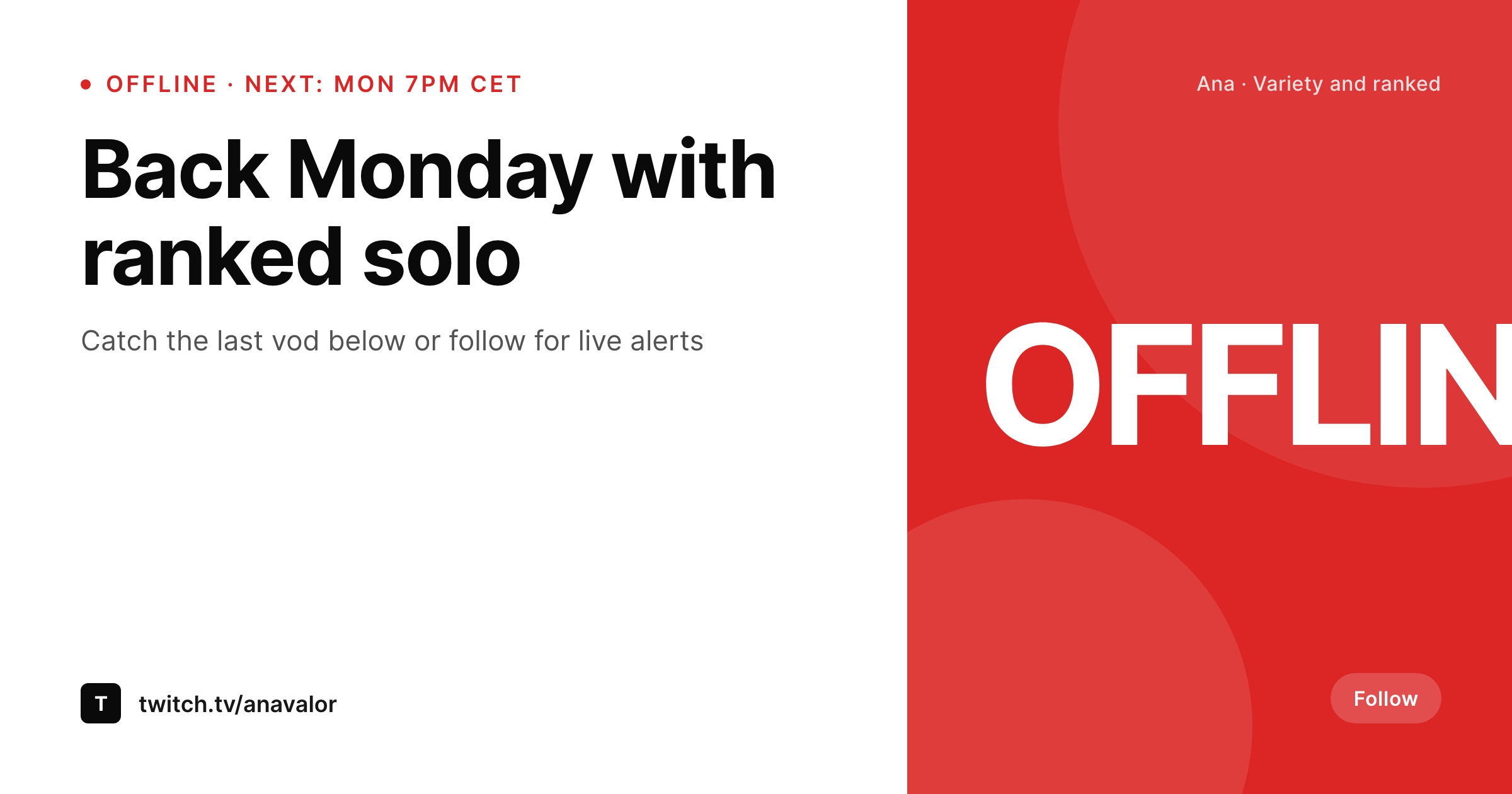
The offline banner is the channel's quiet recruiting surface
The Twitch offline banner is what visitors see when a streamer is not live, which is most of the week for most channels. A static banner that says nothing more than the channel name is a missed chance to recruit a follow from a visitor who landed during off hours.
SleekPixel renders the offline banner from a WordPress channel post. The next stream date and time, a one-line recap, and the channel brand mark live as fields. The 1920x1080 PNG carries the next-live cue clearly enough to convert a visitor into a follower or a returning viewer.
When the schedule shifts, the field updates and the banner re-renders. Vacation, sickness, or a tournament weekend all become a one-field edit rather than a Photoshop session.
Workflow
From schedule update to offline banner
Build the offline template
Bind the channel source
Save the post
Upload to Twitch
Output
Sample Twitch offline banner
Banner sized for Twitch's offline screen, with the next-live date, a recap line, and the channel brand mark.
Comparison
Static offline banner vs SleekPixel
Static offline banner
- Static banner carries no schedule cue
- Schedule changes leave the banner pointing at a stream that already happened
- Vacation or break weeks have no visual acknowledgement
- No straight path from the channel schedule post to the offline banner
- Rebrand means redoing the banner by hand
SleekPixel
- Offline banner rendered from a WordPress channel post
- Next-live date and recap line in fields
- Vacation or break state swaps the banner copy
- Channel mark, accent, and font locked across stream and offline surfaces
- Batch regenerate after a brand refresh
Features
What SleekPixel gives you for Twitch offline banners
Next-live cue
The next stream date and time render prominently so visitors know when to come back, not just that the streamer is offline.
Break mode
A toggle swaps the banner to a break or vacation variant when the streamer is away. The next-live cue gives way to a return date.
Channel-locked brand
Accent, font, and brand mark match the in-stream overlays so the channel reads as one brand whether live or offline.
Use cases
Where the offline banner does its work
Competitive channels with tournament schedules
Banner carries the next tournament date when the regular schedule is paused. Visitors during the off week still get a clear next-live cue.
Community channels with returning viewers
Recap line names the last stream's topic so returning viewers can find the vod, while the next-live cue earns the next session's attendance.
Creative channels with project cycles
Project name and project phase render on the banner so visitors get context on the current arc, even when the stream is not running.
The bigger picture
Why the offline banner deserves a real workflow
Most channels are offline most of the time. The offline banner is the surface that earns follows from visitors during those hours, and the visitor pool is bigger than people assume because clip shares, YouTube uploads, and search drive traffic outside live windows. A static banner that says nothing about when the channel is next live wastes that traffic.
Templating the banner from a WordPress channel post means the schedule cue stays accurate without a Photoshop session per change. The streamer who already updates the schedule on the website is now also updating the Twitch offline banner. The cost of staying current drops to a save, which is the cost most streamers will actually pay.
Questions
Common questions about SleekPixel for Twitch offline banners
No. Twitch does not expose a third-party API for offline banner uploads at this level. SleekPixel renders the PNG. An admin replaces the banner in the Twitch channel settings.
1920x1080 reads cleanly across desktop and mobile offline screens. The template can render at that size while exposing a 1200x630 variant for the channel's OG share.
Yes. A break-mode toggle on the source post swaps the layout to a vacation or break variant with a return date instead of the next-live cue.
The template can render two time zones side by side, or pull a primary time zone from the channel source and a secondary from a guest field.
Yes. Add a recent-vods field on the source post. The template can render a small thumbnail row pointing at recent vod titles.
Run a source post per channel. Each channel binds to its own offline banner template instance.
In the WordPress uploads directory. Each render replaces the previous offline banner file or saves with a versioned filename.
Yes. Add a tournament flag on the channel post. When the flag is on, the template uses a tournament variant; when off, it returns to the standard offline banner.
Pricing
More than 1000+
happy customers
Explore our flexible licensing options tailored to your needs. Upgrade your license anytime to access more features, or opt for a lifetime license for ongoing value, including lifetime updates and lifetime support. Our hassle-free upgrade process ensures that our platform can grow with you, starting from whichever plan you choose.
Lifetime ♾️
Most popular
EUR
once
- Unlimited websites
- Lifetime updates
- Lifetime support
...or get the Bundle Deal
and save €250 🎁
💎 Want everything forever? The All Access Pass is going away on 01.08.2026.
The Bundle (unlimited sites)
Pay once, own it forever
Elevate your WordPress site with our exclusive plugin bundle that includes all of our premium plugins in one package. Enjoy lifetime updates and lifetime support. Save significantly compared to buying plugins individually.
What’s included
-
SleekAI
-
SleekByte
-
SleekMotion
-
SleekPixel
-
SleekRank
-
SleekView
€749
Continue to checkoutBrowse more
- Farcaster cast images
- LinkedIn article covers
- Threads profile banner
- Rumble thumbnails
- Telegram channel banner
- Threads profile banners
- Instagram carousel slides
- Discord server banners
- Pinterest product pin covers
- X ad images
- Vimeo thumbnails
- Bandcamp release cover
- Depop listing images
- X community banners
- Medium article headers