






SleekPixel for Smartsheet sheets
Smartsheet runs the schedule, the budget and the resource plan for a lot of construction, IT and consulting projects. SleekPixel reads rows synced into WordPress and renders 1200 by 627 LinkedIn cards per row, so milestone reports and schedule updates leave the workspace as branded images.
♾️ Lifetime License available
Smartsheet exports are not a share preview
Smartsheet is the system of record for many large project teams, especially in construction, IT infrastructure and consulting. Schedules, budgets, RAID logs and resource trackers all live in sheets with hundreds of rows and dozens of custom columns. The platform exports cleanly to PDF and Excel, which is how internal reporting tends to flow. When a milestone needs to be communicated externally (a press release, a LinkedIn post, an investor update), the PDF export is not the right shape.
The fallback is a screenshot, and the screenshot inherits the same problems as every other workplace tool: column widths designed for desktop, branding designed for Smartsheet, status colors that do not match the company palette. The post that should read as a confident milestone reads as a sheet leak.
SleekPixel sits on the WordPress side. Selected Smartsheet rows get pushed into a WordPress custom post type by the Smartsheet Bridge, the Smartsheet API or a Zapier scenario. Each row becomes a post with the row fields as meta. SleekPixel renders a 1200 by 627 LinkedIn card per row, with the milestone name, the status, the schedule position and the brand wordmark. Public-facing project updates ship as real images.
Workflow
From Smartsheet row to branded milestone card
Sync Smartsheet into WordPress
Build the milestone template
Render on update
Share the WordPress URL
Output
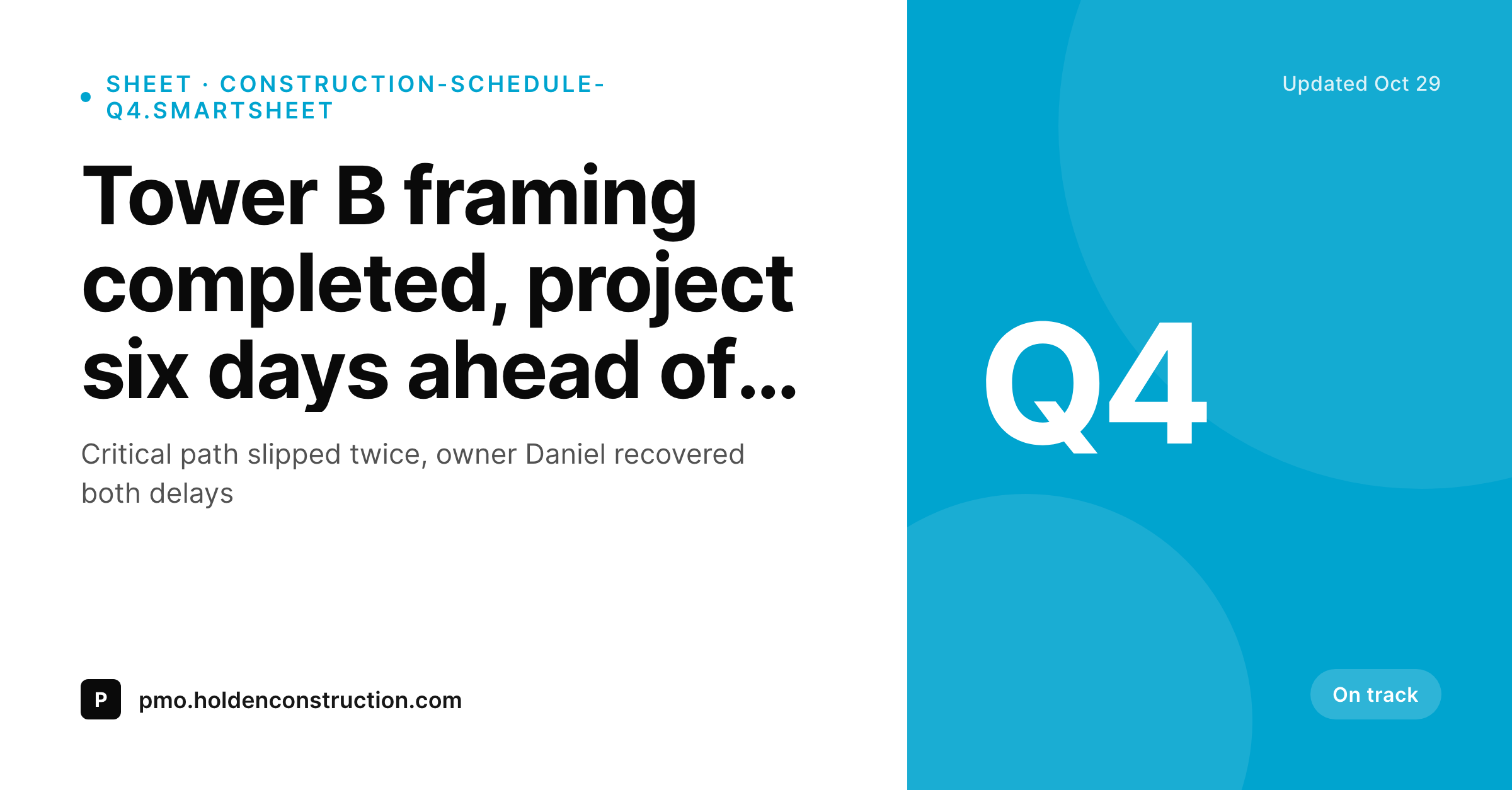
Sample Smartsheet milestone card
A 1200 by 627 LinkedIn-ready PNG: row title, status pill, owner, schedule position and brand wordmark, rendered from the WordPress post synced from Smartsheet.
Comparison
Smartsheet screenshot vs SleekPixel card
Smartsheet sheet screenshot
- Sheet screenshots include neighboring rows that should not be public
- Smartsheet branding and column headers leak into the captured image
- Status symbols (RYG balls, harvey balls) do not translate to feed sizes
- Recap posts inherit a generic theme image instead of a milestone-specific card
- Every schedule change forces a re-screenshot for the next update
SleekPixel
- Reads WordPress fields synced from Smartsheet rows via Bridge, API or Zapier
- Status, owner, milestone name and date bind cleanly to template slots
- Re-renders when the synced row updates from the next sheet sync
- Bulk re-render the milestone back catalog after a brand refresh
- Leaves the Smartsheet workspace untouched, only the WordPress side renders
Features
What SleekPixel gives you for Smartsheet sheets
Milestone framing
Each card has a dedicated milestone headline slot, so a reader sees the project event first and the project name second. Useful for executive feed scrolls.
RYG to brand colors
Red, yellow and green health indicators from Smartsheet map to color tokens on the WordPress side, so the card uses the company palette instead of Smartsheet's defaults.
Schedule position
Days ahead or behind, percent complete and target dates render on the card. Construction PMs and IT program managers communicate progress without a Gantt screenshot.
Use cases
Who shares Smartsheet rows as branded cards
Construction milestones
Framing complete, slab poured, certificate of occupancy received. Each milestone ships as a branded card to LinkedIn and investor updates.
IT program reporting
Major IT programs share weekly health cards to the executive team. Each workstream has its own card with status, dependencies and forecast finish.
Consulting engagement updates
Big-four-style engagements share milestone closures with clients via branded cards. The client portal carries the consulting firm's wordmark on every update.
The bigger picture
Why infrastructure-scale projects deserve real share cards
Construction firms, IT integrators and consulting practices live and die on the perception of execution quality. Their projects span months or years, their schedules are public commitments, and their milestone communications are how external stakeholders form an impression of the team. A jagged Smartsheet screenshot in an investor email, even when the project is running ahead of schedule, frames the work as scrappy.
A branded card with the same data but the right typography and the firm's palette frames the same project as deliberate, controlled and on track. Across a long-running program, that visual layer compounds. Investors, clients and prospects see consistent communication that reflects how the actual work is run.
SleekPixel does not replace Smartsheet and does not aspire to. Smartsheet keeps the schedule, the budget and the resource plan in the system of record. WordPress becomes the brand surface for milestones that need to communicate outward, and the card renders from the same data.
When a milestone status changes, the next sync flows it, the next save re-renders, and the next share reflects the updated reality.
Questions
Common questions about SleekPixel for Smartsheet sheets
No. SleekPixel reads WordPress post fields. Getting Smartsheet data into WordPress is a separate step, handled by Smartsheet Bridge, the Smartsheet API, Zapier or a custom integration. Once rows are posts, SleekPixel renders cards from the fields.
For high-volume sheets, the Smartsheet API on a webhook trigger is the cleanest path: a row update fires a webhook, a small handler on the WordPress side upserts the post. For lower-volume sheets, a daily Zapier scenario reading the sheet on a schedule is enough.
Yes, as long as the column is synced as a post field. The template can compute simple values like variance in days at render time, or you can compute in Smartsheet first and sync the final number for cleaner rendering.
Yes. Programs created from a Control Center blueprint expose their sheets through the same API. SleekPixel sees individual rows once they reach WordPress, regardless of how the original Smartsheet structure was provisioned.
Nothing reaches WordPress unless your sync rule pushes it. Confidential rows can be filtered out at the sync layer based on a 'Public' column or a workspace permission check. The card render only sees deliberately synced fields.
Not the full Gantt, but a progress bar bound to the percent complete field renders cleanly on a card. For executive consumption, a single bar plus the variance number reads faster than a full schedule chart anyway.
Yes, as a complement. WorkApps and dashboards keep their internal role. The branded card layer handles external communication: stakeholder posts, client portals and public milestone updates that need to look like the firm, not like the tool.
The bottleneck is the WordPress side, not SleekPixel. A standard hosted WordPress install handles tens of thousands of synced rows without issue. Bulk re-renders queue in the background so brand refreshes do not block normal saves.
Pricing
More than 1000+
happy customers
Explore our flexible licensing options tailored to your needs. Upgrade your license anytime to access more features, or opt for a lifetime license for ongoing value, including lifetime updates and lifetime support. Our hassle-free upgrade process ensures that our platform can grow with you, starting from whichever plan you choose.
Lifetime ♾️
Most popular
EUR
once
- Unlimited websites
- Lifetime updates
- Lifetime support
...or get the Bundle Deal
and save €250 🎁
💎 Want everything forever? The All Access Pass is going away on 01.08.2026.
The Bundle (unlimited sites)
Pay once, own it forever
Elevate your WordPress site with our exclusive plugin bundle that includes all of our premium plugins in one package. Enjoy lifetime updates and lifetime support. Save significantly compared to buying plugins individually.
What’s included
-
SleekAI
-
SleekByte
-
SleekMotion
-
SleekPixel
-
SleekRank
-
SleekView
€749
Continue to checkoutBrowse more
- Stan Store cover
- Pinterest board covers
- X Space banners
- LinkedIn company banners
- Gumroad product covers
- Klaviyo email banner
- Spotify Canvas
- Fanvue page banner
- Douyin thumbnails
- Threads social images
- Buy Me a Coffee banners
- KakaoTalk channel banners
- Klaviyo email headers
- Signal sticker pack
- LinkedIn banner images