






SleekPixel for LinkedIn company banners
Render a 1584x396 banner from a WordPress post that holds the current pitch, hiring status, and milestone. Save, download, upload, done.
♾️ Lifetime License available
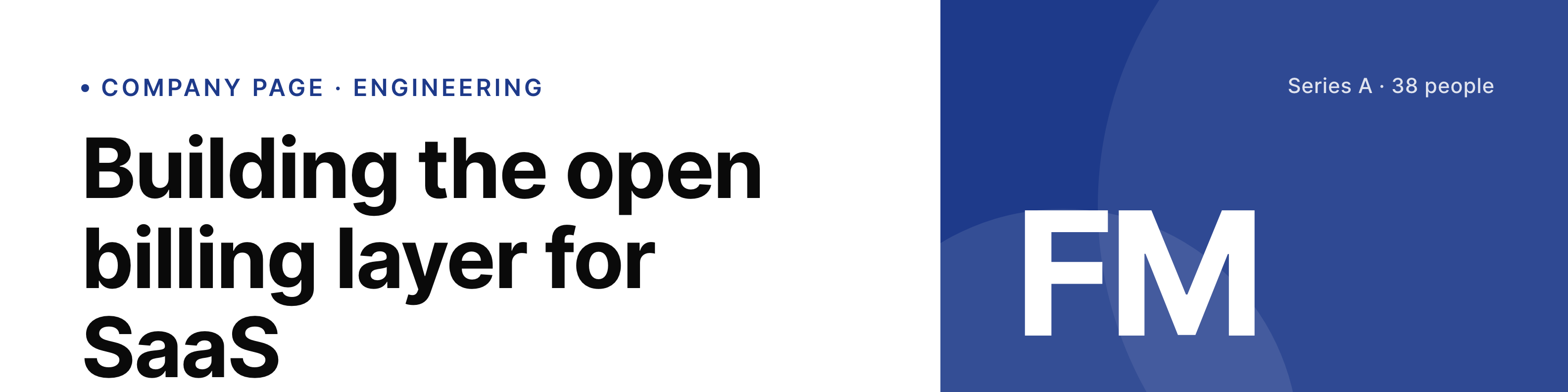
The company banner is the headline visitors read before the about page
A LinkedIn company page banner is the first piece of content above the company name. It carries the current pitch, the hiring signal, the round announcement, or the conference where the team is showing up. Most teams use one Canva file, update it twice a year, and live with a banner that does not match what the company is actually doing this quarter.
SleekPixel binds the banner to a WordPress post that holds the current message. The headline, the sub-line, the hiring state, and the brand mark all live as fields. When the company is hiring backend engineers, the field flips and the banner re-renders. The PNG lands in uploads at the size LinkedIn expects.
The upload to LinkedIn stays manual because LinkedIn does not give third-party plugins programmatic access to the company banner. SleekPixel handles the rendering and the consistency; an admin handles the upload step.
Workflow
From a company news post to the LinkedIn banner
Build the 1584x396 template
Bind a source post
Update the post
Download and upload to LinkedIn
Output
Sample LinkedIn company banner
1584x396 PNG with headline, sub-line, hiring badge, and brand mark, sized for the LinkedIn company page slot.
Comparison
Canva-managed banner vs SleekPixel for LinkedIn company banners
Canva file updated occasionally
- Banner ages out of sync with the current pitch and hiring state
- Each refresh is a Canva session plus a manual export at the right size
- Typography and accent drift across people and quarters
- No straight path from a company news post to the banner
- Older banners linger because the cost of a refresh outweighs the gain
SleekPixel
- 1584x396 banner rendered from a WordPress source post
- Headline, sub-line, and hiring badge bound to fields
- Brand fonts and accent stay identical across every refresh
- Save the post, sidebar shows the new banner ready to download
- Older banners can be regenerated when the brand template changes
Features
What SleekPixel gives you for LinkedIn company banners
Current pitch as a field
The banner headline lives in a WordPress field, not in a Canva file. Whoever updates the company narrative on the marketing site updates the banner.
Hiring state
A simple toggle adds or removes the hiring badge. When a role closes, the banner stops shouting about it the next time the post is saved.
Brand-locked
Fonts and accent come from the same brand setup the website uses. The banner reads as part of the same brand, not a Canva approximation.
Use cases
Where LinkedIn company banners earn the click into the page
Startups in fundraising or hiring mode
Banner carries the round announcement or the active hiring focus. Update the field, save, upload, ride the new wave.
Agencies and consultancies
Banner rotates between case study pitches and service focus areas. The team can refresh weekly without a designer bottleneck.
Conference and event seasons
When the company is at a conference, the banner says so with the booth number. When the event ends, the field resets.
The bigger picture
Why a current banner beats a polished but stale one
A LinkedIn company page is where candidates, prospects, and partners look to decide whether the company is the kind of place they want to engage with. The banner is the largest visual cue on that page, and a stale banner immediately signals a company that does not bother with its own surfaces. Most teams know this and still let banners drift, because the workflow to refresh them lives in a Canva file outside their main content stack.
Templating the banner from a WordPress source folds the refresh into work that already happens. The marketing lead who updates the homepage pitch is now also updating the LinkedIn banner. The cost of staying current drops to a save and an upload, which is the cost teams will actually pay.
Questions
Common questions about SleekPixel for LinkedIn company banners
No. LinkedIn does not expose a third-party API for company banner uploads at this level. SleekPixel renders the PNG. An admin uploads it through the LinkedIn page settings.
1584x396 pixels. The template renders at that exact size, and the safe zone keeps key content visible when LinkedIn crops the banner for narrower viewports.
LinkedIn shows one banner per company page. SleekPixel can render variants for testing, but only one is live at a time on LinkedIn.
It is a checkbox or toggle on the source post. When checked, the badge renders. When unchecked, the banner re-renders without it on the next save.
Yes. LinkedIn showcase pages use the same banner dimensions. SleekPixel can manage a banner per showcase page from its own source post.
In the WordPress uploads directory, alongside other media. The banner is included in backups and accessible from the media library.
Yes. The SleekPixel admin has a batch regenerate action that re-renders every banner under the same template. Useful when a font or accent changes.
Yes. A hero image region can sit behind the headline and sub-line. A safe-zone overlay keeps the text readable over photography.
Pricing
More than 1000+
happy customers
Explore our flexible licensing options tailored to your needs. Upgrade your license anytime to access more features, or opt for a lifetime license for ongoing value, including lifetime updates and lifetime support. Our hassle-free upgrade process ensures that our platform can grow with you, starting from whichever plan you choose.
Lifetime ♾️
Most popular
EUR
once
- Unlimited websites
- Lifetime updates
- Lifetime support
...or get the Bundle Deal
and save €250 🎁
💎 Want everything forever? The All Access Pass is going away on 01.08.2026.
The Bundle (unlimited sites)
Pay once, own it forever
Elevate your WordPress site with our exclusive plugin bundle that includes all of our premium plugins in one package. Enjoy lifetime updates and lifetime support. Save significantly compared to buying plugins individually.
What’s included
-
SleekAI
-
SleekByte
-
SleekMotion
-
SleekPixel
-
SleekRank
-
SleekView
€749
Continue to checkoutBrowse more
- Klaviyo email banner
- Rumble thumbnails
- Shopify product images
- Lemon Squeezy product covers
- Instagram stories
- Nostr note images
- Buy Me a Coffee banners
- Twitch offline banners
- Beacons.ai banner
- Pinterest product pin covers
- LinkedIn newsletter headers
- YouTube Shorts cover
- Twitch schedule banners
- VSCO cover
- Stan Store cover