






SleekPixel for course module cards
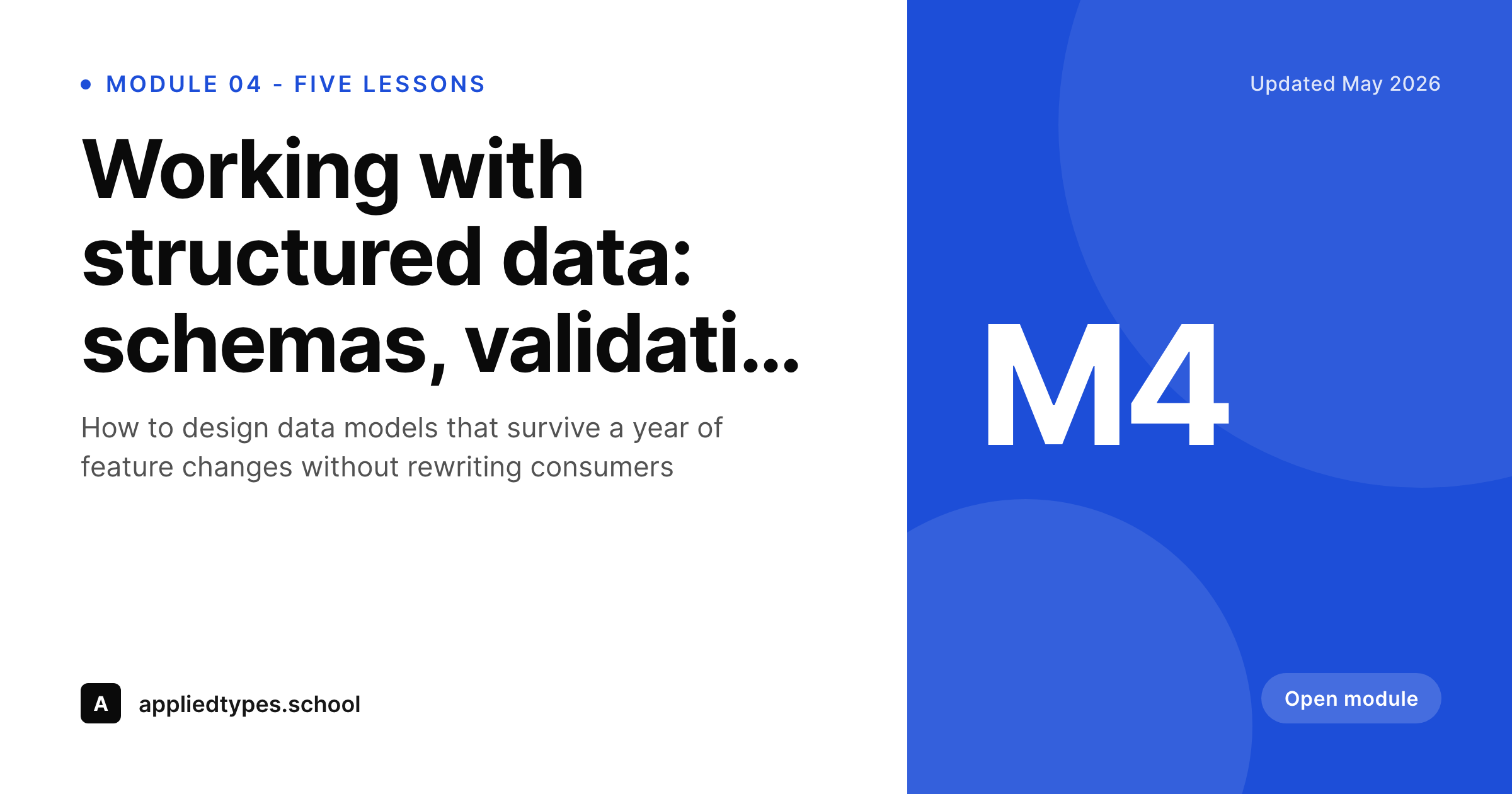
Courses that publish modules as WordPress posts often share the module URL on social or in welcome emails. SleekPixel renders a module-specific OG card with the module number, title and lesson count baked in.
♾️ Lifetime License available
Module pages need their own social cards
Course creators on WordPress, whether running LearnDash, LifterLMS, Tutor LMS or a custom curriculum structure, end up with a public module page per module. That page gets linked from the welcome sequence, from sales pages, from learner shares on social. The card on those shares decides whether the link reads as a polished course or a generic blog post.
Most setups default to a site-wide OG image, the course logo on a flat color, which means every module link looks identical. Learners and prospective students cannot tell at a glance which module a link goes to. Worse, the same generic card shows up on the sales page and on Module 7, signaling that the operator did not bother to differentiate.
SleekPixel binds the module card to the module post fields. Module number, module title, lesson count, instructor name. The template renders on save, the og:image tag is written into the head, and every share now communicates exactly which part of the curriculum the link leads to.
Workflow
From module publish to social-ready in one save
Design module template
Publish a module
Share the module link
Update the curriculum
Output
What a generated module card looks like
A 1200x630 PNG with module number, title and lesson count, written into the module post's og:image meta tag at save time.
Comparison
Default module share image vs SleekPixel
Default course module cards image
- Same site-wide OG image on every module link
- Module numbers and titles invisible to anyone scrolling a share
- Manual per-module cards drift over time
- Course rebrand requires re-exporting every module card
- Welcome-sequence shares look identical to sales-page shares
SleekPixel
- Render fires on save for every module post
- Module number, title and lesson count from post fields
- Per-course template variants for multi-course catalogs
- Instructor name and photo bound to author or ACF fields
- Bulk regenerate handles brand updates across the catalog
Features
What SleekPixel gives you for course module cards
LMS-aware bindings
Reads module data from LearnDash, LifterLMS, Tutor LMS and Sensei post types, or from a custom CPT. The template binds to whichever fields the LMS already stores.
Per-course variants
Catalogs running multiple courses can have a template per course. Each module renders against the right course's visual system automatically.
Curriculum-wide regenerate
Update a course's visual identity, run bulk regenerate, every module card re-renders to the new template overnight.
Use cases
Who uses SleekPixel for course module cards
Solo course creators
Operators running one or two courses on LearnDash or LifterLMS. Each module ships with its own branded share card without per-module design work.
Online academies
Multi-course platforms with shared branding and per-course accents. Templates per course keep each course identifiable while staying inside the academy's system.
Corporate training portals
Internal training sites where module pages get linked in Slack and email. Cards make the link target obvious instead of indistinguishable from the company intranet.
The bigger picture
Why module-level cards matter for course sales
Courses sell on specificity. A prospective student deciding whether to buy reads the curriculum, and the curriculum is communicated through the module pages. Every share of a module link is an opportunity to make the curriculum visible.
A generic site logo on every module link wastes that opportunity completely, every share looks the same regardless of which part of the curriculum the link goes to. A module-specific card shows the prospective student exactly what is inside, with the module number, title and lesson count, which is the question they were going to ask anyway. Creators who handle this well report higher conversion from social shares because the prospect arrives at the sales page already understanding the curriculum shape.
SleekPixel anchors the system to the module post so the curriculum visibility is automatic, not dependent on per-module design discipline.
Questions
Common questions about SleekPixel for course module cards
Yes. SleekPixel reads from any post type with custom fields, which is what LMS plugins use under the hood. Module title, number, lesson count and other LMS fields all bind to template layers directly.
Yes. Bind an image layer to the post author's avatar, to an ACF instructor photo field, or to the LMS instructor meta. Image layers support cover, contain and shape options.
Both work. Configure a template for course-level posts and another for module-level posts. Each post type picks the right template automatically.
Yes. The bulk regenerate command runs across all module posts and re-renders against the current template. A 200-module catalog can be regenerated overnight.
Yes. The render fires on save, so a renamed module produces an updated card. The og:image URL stays stable so re-shares on Twitter or LinkedIn pick up the new title.
Yes. If you built the course on a custom post type instead of an LMS plugin, SleekPixel binds to whatever fields you defined. The template is decoupled from any specific LMS.
Yes. Flag the module with a category, custom field, or LMS access setting, and assign a different template. Preview modules can carry a 'Free preview' badge while paid modules render with the locked-content treatment.
No. Renders run in under a second on a normal host. Bulk regeneration runs in a queued background process so the editor stays responsive even for large catalogs.
Pricing
More than 1000+
happy customers
Explore our flexible licensing options tailored to your needs. Upgrade your license anytime to access more features, or opt for a lifetime license for ongoing value, including lifetime updates and lifetime support. Our hassle-free upgrade process ensures that our platform can grow with you, starting from whichever plan you choose.
Lifetime ♾️
Most popular
EUR
once
- Unlimited websites
- Lifetime updates
- Lifetime support
...or get the Bundle Deal
and save €250 🎁
💎 Want everything forever? The All Access Pass is going away on 01.08.2026.
The Bundle (unlimited sites)
Pay once, own it forever
Elevate your WordPress site with our exclusive plugin bundle that includes all of our premium plugins in one package. Enjoy lifetime updates and lifetime support. Save significantly compared to buying plugins individually.
What’s included
-
SleekAI
-
SleekByte
-
SleekMotion
-
SleekPixel
-
SleekRank
-
SleekView
€749
Continue to checkoutBrowse more
- Shopify collection banners
- LinkedIn post images
- Farcaster cast images
- Instagram grid tiles
- Lemon8 post
- Bluesky feed banner
- Patreon cover images
- KakaoTalk channel banners
- Behance project covers
- Lemon Squeezy product covers
- Pinterest pins
- Poshmark listing images
- Medium article headers
- Slack channel headers
- Bluesky profile banners