






SleekPixel for assignment cards
Assignment pages get linked in reminder emails, course announcements and student-run forums. SleekPixel renders a card from the assignment post in WordPress, with number, title, due date and point value baked in.
♾️ Lifetime License available
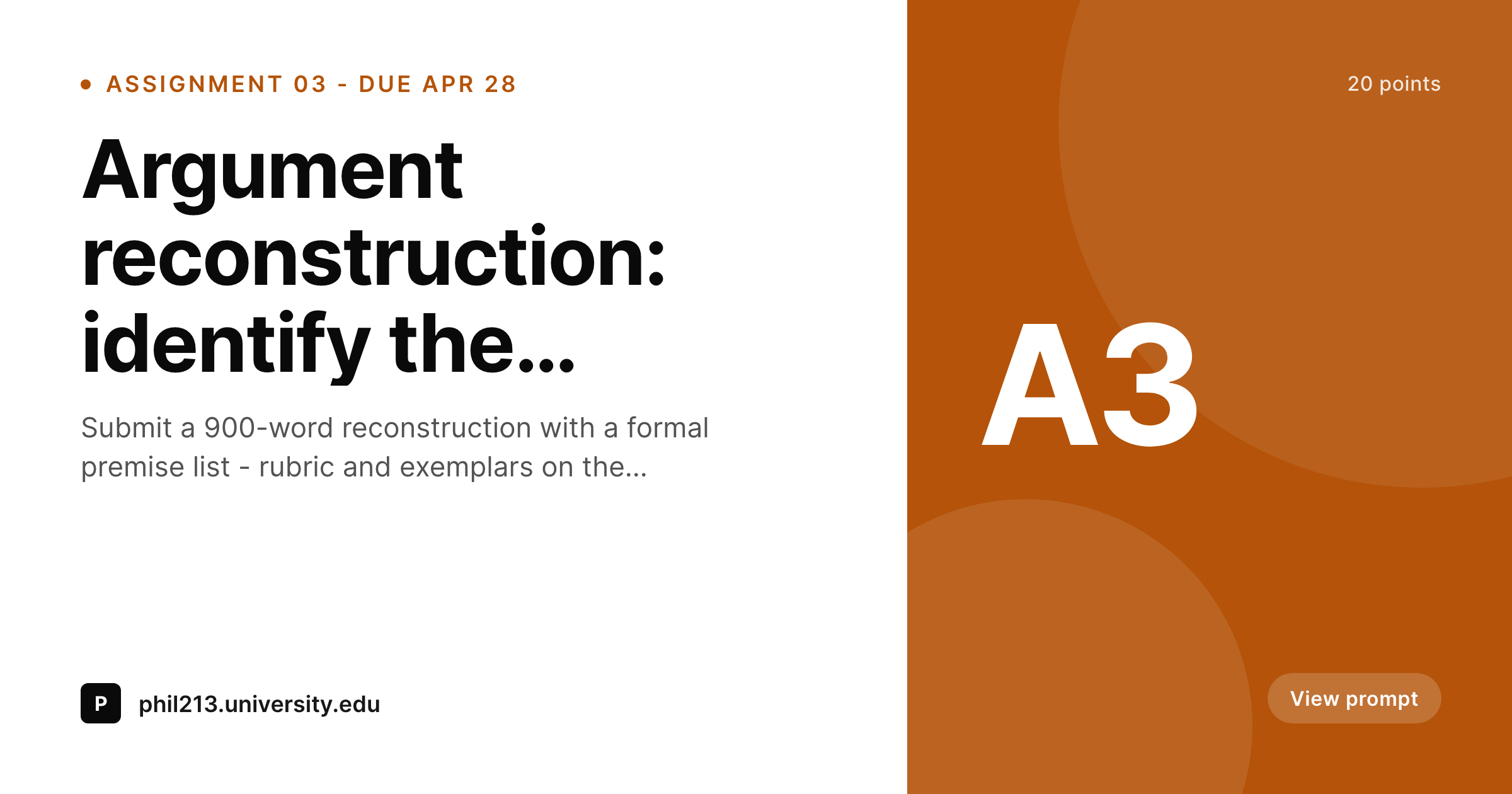
Assignment pages need their own preview cards
The assignment page is the single most-clicked URL in any course's week-to-week life. Students follow it from reminder emails, course announcements, calendar reminders, study-group threads on Discord, and panicked Slack messages the night before the due date. The link preview is often the visual cue that helps a student confirm they are clicking the right week's assignment rather than the previous week's, and the default preview answers none of that.
A generic site logo on every assignment link leaves students having to read the URL slug or the surrounding text. For a long course with weekly assignments, that adds friction to every reminder click, and instructors end up having to type 'Assignment 3, due April 28' in every email and announcement.
SleekPixel renders an assignment-specific card. Assignment number, title, due date and point value pulled from the assignment post fields. The og:image tag gets written into the page's head, every share previews the right assignment, and the per-share context disappears as a manual task.
Workflow
From prompt publish to reminder-ready in one save
Design assignment template
Publish the assignment
Share the link
Shift a deadline
Output
What a generated assignment card looks like
A 1200x630 PNG with assignment number, title, due date and point value on the locked template, attached to the assignment post via og:image.
Comparison
Default assignment page share image vs SleekPixel
Default assignment cards image
- Generic site logo on every assignment link
- Students cannot tell which assignment a reminder points to
- Instructor types the due date in every email by hand
- Per-assignment cards drift if designed manually
- Date or rubric changes never update the share card
SleekPixel
- Render fires on save for every assignment post
- Assignment number, title, due date and points bound
- Per-course or per-term template variants
- Due-date edits regenerate the card immediately
- Bulk regenerate handles a full term's archive
Features
What SleekPixel gives you for assignment cards
Due-date aware
The due-date layer pulls from a date field on the assignment post, formatted to your locale. Date changes regenerate the card so reminders always show the current deadline.
Per-course variants
Instructors running multiple courses can configure a template per course, picked automatically by category. PHIL 213 assignments look different from PHIL 105 assignments without manual switching.
Edits regenerate
Move a due date, change a point value, edit the prompt title, the card re-renders on save. Re-scrapes on Slack, Discord and Twitter pick up the new card.
Use cases
Who uses SleekPixel for assignment cards
University courses
Self-hosted course sites with weekly or biweekly assignments. The card system surfaces the assignment number and due date on every link share without instructor effort.
Bootcamps with portfolio prompts
Cohort programs where each prompt is a portfolio piece. The card carries the prompt title and submission deadline, useful when students share their progress in cohort channels.
Self-paced courses
Async courses where assignment URLs circulate in community forums months after the original drop. Cards keep context intact for late and returning students.
The bigger picture
Why assignment cards reduce student confusion
Late submissions and confusion about which assignment is due come from broken context. A student receives three reminders in a week, two from the LMS and one from a study group, and the link previews on all three look identical because they all point to generic site logos. The student clicks the wrong one, reads the wrong prompt, and submits the wrong work.
Cards that name the assignment, the number and the deadline in the link preview itself cut that confusion in half. The instructor stops getting emails asking which assignment is due Friday because the answer is visible in every reminder thread. SleekPixel anchors the card to the assignment post so the system runs without instructor effort, and the friction reduction lasts across the whole term, year after year.
Questions
Common questions about SleekPixel for assignment cards
Yes. The render fires on save, so a moved due date produces a fresh card with the new deadline. The og:image URL stays stable so reminder reposts and re-scrapes pick up the updated date automatically.
Yes. Date fields from ACF, Meta Box, or native post meta all work. Most academic setups use an ACF date field on the assignment CPT, bound directly to the due-date layer in the template.
Yes. Assignments stored as a post type in any LMS plugin can serve as a source for template bindings. The template reads from whichever fields the LMS plugin already writes.
Yes. Configure per-course templates and pick by category or course taxonomy. Each course gets its own visual treatment for assignment cards without manual switching.
Those stay where they are on the assignment post (PDF attachments, structured rubric blocks). SleekPixel only handles the OG card. The page contents and attachments work as before.
Yes. SleekPixel respects WordPress post status and an optional per-post toggle. Draft assignments do not render until they are published, and any post can be opted out individually.
Most email clients render OG previews on first click rather than on send. If a reminder email is opened after a card update, the preview reflects the latest version once the email client refetches the page.
Yes. The admin bulk regenerate command runs across all assignment posts and re-renders against the current template, useful at the start of a new term after a card refresh.
Pricing
More than 1000+
happy customers
Explore our flexible licensing options tailored to your needs. Upgrade your license anytime to access more features, or opt for a lifetime license for ongoing value, including lifetime updates and lifetime support. Our hassle-free upgrade process ensures that our platform can grow with you, starting from whichever plan you choose.
Lifetime ♾️
Most popular
EUR
once
- Unlimited websites
- Lifetime updates
- Lifetime support
...or get the Bundle Deal
and save €250 🎁
💎 Want everything forever? The All Access Pass is going away on 01.08.2026.
The Bundle (unlimited sites)
Pay once, own it forever
Elevate your WordPress site with our exclusive plugin bundle that includes all of our premium plugins in one package. Enjoy lifetime updates and lifetime support. Save significantly compared to buying plugins individually.
What’s included
-
SleekAI
-
SleekByte
-
SleekMotion
-
SleekPixel
-
SleekRank
-
SleekView
€749
Continue to checkoutBrowse more
- book recommendation cards
- founding customer card
- holiday promo card
- sale banner images
- HIPAA compliance card
- glossary term cards
- growth experiment card
- quote of the day cards
- press kit card
- release roadmap card
- team hire card
- incident postmortem card
- contributor spotlight card
- company milestone card
- good vs bad cards
- Substack podcast cover
- Pinterest board covers
- Pinterest shop banners
- Douyin thumbnails
- TikTok ad images
- Klaviyo email banner
- podcast cover art
- Instagram ad images
- Ko-fi banners
- VK community cover photos
- Farcaster cast images
- Medium article headers
- Passes page banner
- Pinterest product pin covers
- Patreon tier images