






SleekPixel for lesson thumbnail cards
Course platforms display a thumbnail per lesson on the curriculum page and inside the player sidebar. SleekPixel renders that thumbnail from the lesson post in WordPress, bound to lesson number, title, duration and module.
♾️ Lifetime License available
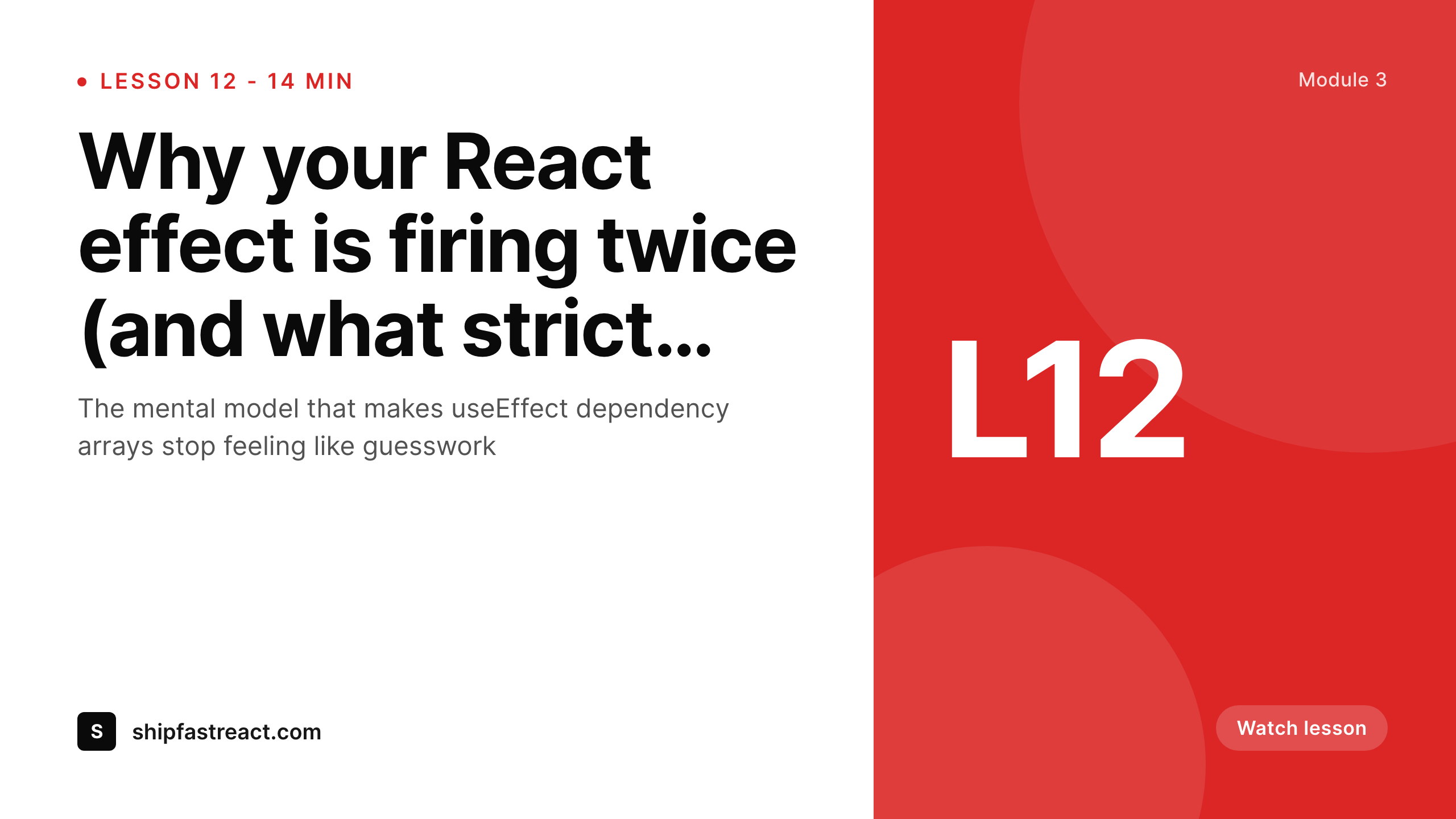
Lesson thumbnails make the curriculum legible
The curriculum page is the second-highest-converting page of an online course, just after the sales page. Prospective students land there to verify what is actually inside, and the page is a grid of lesson thumbnails with titles underneath. When those thumbnails look like one consistent system, the curriculum reads as a polished course. When they look like a mix of stock images, hand-cropped Loom screenshots and a few designer-made graphics, the course reads as a side project.
The reason most courses end up with the mixed look is workload. Creating a designer thumbnail per lesson on a 60-lesson course is a week of work, repeated every time the curriculum updates. So creators ship with whatever lesson cover Loom or Riverside gave them, and the curriculum page suffers.
SleekPixel renders the lesson thumbnail from the lesson post fields. Lesson number, lesson title, duration and parent module all live as fields, the template renders on save, and every thumbnail in the curriculum looks like one course.
Workflow
From lesson publish to curriculum-ready in one save
Design lesson template
Publish a lesson
Curriculum page updates
Edit and regenerate
Output
What a generated lesson thumbnail looks like
A 1280x720 PNG with lesson number, title, duration and module label on the locked template, used on the curriculum page and inside the player.
Comparison
Mixed lesson thumbnails vs SleekPixel
Default lesson thumbnail cards image
- Stock-image and Loom-screenshot thumbnails mixed together
- Curriculum grid looks like a Frankenstein of styles
- Lesson duration and number missing on most thumbnails
- Updating the title does not update the thumbnail
- Designer thumbnails for 60 lessons is a week of work
SleekPixel
- Locked 1280x720 template renders identical across the catalog
- Lesson number, title, duration, parent module all bound
- Per-module color or accent variants supported
- Title edits regenerate the thumbnail on save
- Bulk regenerate handles a full curriculum overnight
Features
What SleekPixel gives you for lesson thumbnail cards
Curriculum-aware bindings
Reads from LearnDash, LifterLMS, Tutor LMS, Sensei or a custom lesson CPT. Lesson number, title, duration and parent module bind directly to template layers.
Per-module accents
Each module in a course can have its own accent color, picked automatically based on the lesson's parent. The curriculum still reads as one course but the grouping is visible.
Title edits regenerate
Rename a lesson or update its duration, the post saves, the thumbnail re-renders. The curriculum grid stays accurate without manual intervention.
Use cases
Who uses SleekPixel for lesson thumbnail cards
Long-form courses
60 to 200 lesson curricula where per-lesson designer thumbnails are unrealistic. The template renders every thumbnail with the same care a designer would put in once.
Cohort-based programs
Live cohorts with weekly drop schedules. New lessons publish each week, the thumbnail is ready immediately, the curriculum page stays current.
Course catalogs
Platforms with 20+ courses sharing one visual system. Each course has its own template variant, the catalog reads as one academy with distinct courses inside it.
The bigger picture
Why curriculum visuals close the sale
Course buyers scrutinize the curriculum page more than the sales-pitch page. They want to verify what is actually inside the course before they pay, and the curriculum page is the only place that answer lives. A polished grid of consistent lesson thumbnails communicates that the creator cared about the product, which is the strongest possible proxy for whether the course itself was made carefully.
A mismatched grid of stock photos and Loom screenshots sends the opposite signal regardless of how good the lessons are. The creators who maintain visual discipline across a long course are the ones whose courses sell at premium prices over years. SleekPixel keeps that discipline anchored to the lesson post in WordPress so the curriculum visuals do not depend on a designer being available every week.
Questions
Common questions about SleekPixel for lesson thumbnail cards
No. SleekPixel renders the thumbnail image. The video itself still gets hosted on Wistia, Vimeo, Bunny, Mux, YouTube, or your LMS's built-in player. The thumbnail is a static asset that points to the lesson page.
Yes. Bind an image layer to a screenshot field (ACF image, featured image, or lesson-cover meta), the screenshot becomes a background or panel inside the locked template alongside the text overlays.
Yes. Configure per-module accents via category, custom field, or LMS module relationship. The lesson thumbnail picks up its parent module's accent automatically.
Yes. SleekPixel works with any LMS that stores lessons as a post type. The template binds to whichever fields the LMS uses for lesson title, number and duration.
Yes. Rename the lesson, update the duration, change the parent module, the post saves and the thumbnail re-renders. The curriculum page picks up the updated thumbnail immediately.
Yes. The admin bulk regenerate command runs across all lesson posts and re-renders against the current template. A 200-lesson curriculum regenerates in under an hour in a queued process.
For lessons hosted on YouTube, the thumbnail uploaded to YouTube is a separate asset. SleekPixel can render at the same 1280x720 dimensions so the same PNG can be uploaded to YouTube manually if the lesson is published there as well.
Usually no. Most LMS themes already display the lesson featured image, which is what SleekPixel writes to. Where it does not, a small template hook outputs the SleekPixel image URL anywhere on the curriculum page.
Pricing
More than 1000+
happy customers
Explore our flexible licensing options tailored to your needs. Upgrade your license anytime to access more features, or opt for a lifetime license for ongoing value, including lifetime updates and lifetime support. Our hassle-free upgrade process ensures that our platform can grow with you, starting from whichever plan you choose.
Lifetime ♾️
Most popular
EUR
once
- Unlimited websites
- Lifetime updates
- Lifetime support
...or get the Bundle Deal
and save €250 🎁
💎 Want everything forever? The All Access Pass is going away on 01.08.2026.
The Bundle (unlimited sites)
Pay once, own it forever
Elevate your WordPress site with our exclusive plugin bundle that includes all of our premium plugins in one package. Enjoy lifetime updates and lifetime support. Save significantly compared to buying plugins individually.
What’s included
-
SleekAI
-
SleekByte
-
SleekMotion
-
SleekPixel
-
SleekRank
-
SleekView
€749
Continue to checkoutBrowse more
- Discord event cover
- Twitch offline banners
- LinkedIn document post covers
- LinkedIn showcase page banners
- Stan Store cover
- TikTok Now image
- Apple Podcasts covers
- Gumroad product covers
- YouTube Music cover art
- Lemmy post images
- Shopify product images
- Tumblr header
- Vimeo thumbnails
- Weibo post images
- Farcaster cast images