






SleekPixel for Shopify product images
Generate 1080x1080 square product images per SKU with title, price, stock state, and brand mark baked in. Same template across the whole catalog, updated on save.
♾️ Lifetime License available
Shopify storefronts rely on consistent product imagery to read as a brand
Shopify product pages and collection grids pull the first image of each product. When those images come from different photographers, different angles, or different crops, the grid stops reading as one store. The brand cue weakens and the conversion rate on the collection page suffers.
SleekPixel pulls product title, price, stock state, and the catalog photo from a WordPress source connected to Shopify, then composites them into a 1080x1080 square image. The product photo becomes a hero region, the brand mark sits in a fixed corner, and the price renders with the right currency.
The output is a real PNG stored in WordPress uploads. Editors push it to Shopify as the product's gallery image, or sync via the Shopify API. Brand refresh re-renders the entire catalog in one batch.
Workflow
From product save to Shopify-ready image
Map product fields
Design the square template
Save the product
Push to Shopify
Output
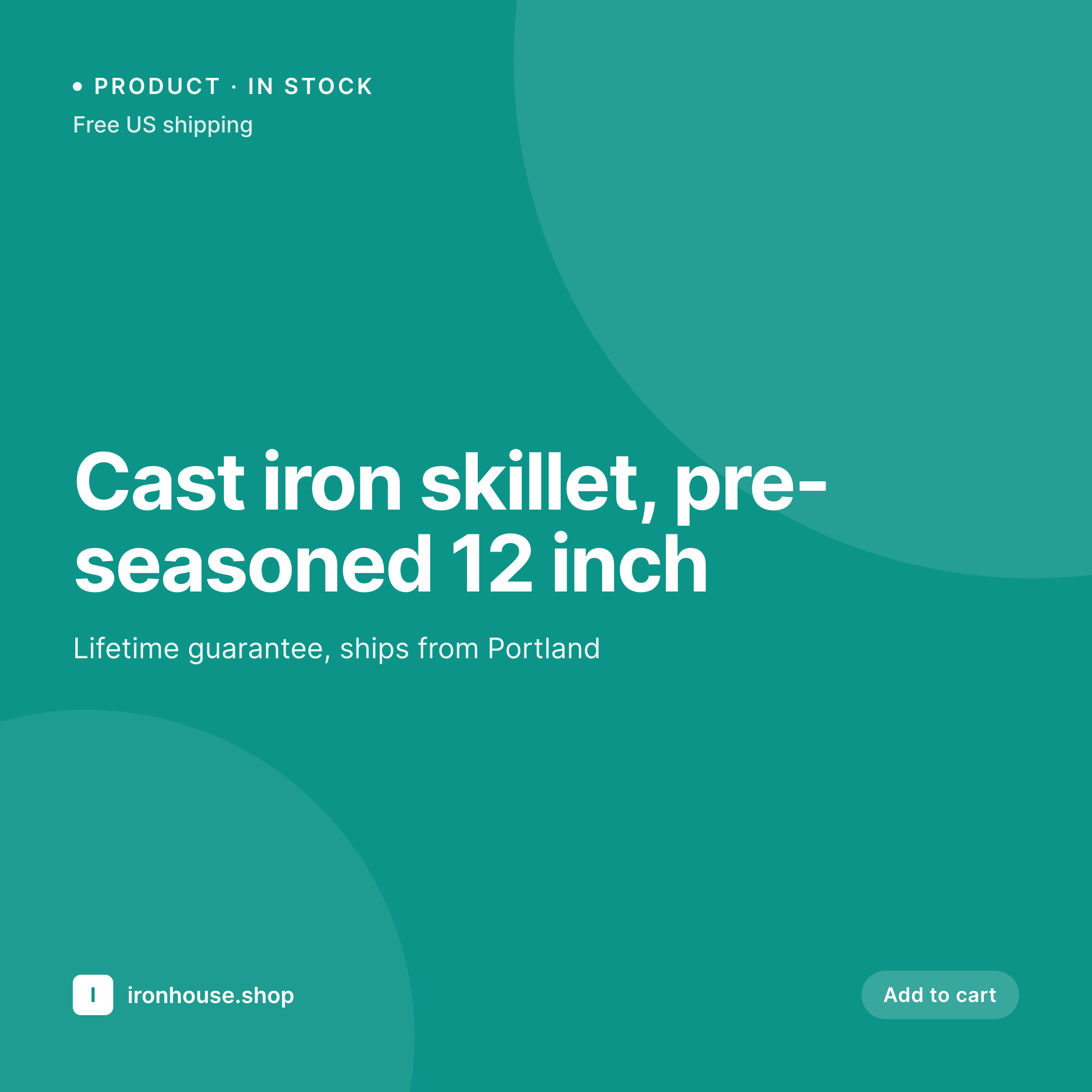
Sample Shopify product image
1080x1080 square PNG with title, price, stock cue, and brand mark composited over the product photo.

Comparison
Raw catalog photos vs SleekPixel per SKU
Raw photographer files uploaded directly
- Photographer crops and aspect ratios vary across the catalog
- Title, price, and stock cues are absent from the image itself
- Brand mark missing, so collection grids read as a marketplace dump
- No way to refresh imagery when the brand or template changes
- Manual Photoshop pass per SKU stops working past 100 products
SleekPixel
- 1080x1080 square PNG per SKU, generated from WordPress product data
- Hero photo composited with title, price, and brand mark in safe zones
- Stock state cues like low stock, out of stock, pre-order rendered as tags
- Currency and sale handling baked into the price block
- Batch regenerate refreshes the entire Shopify gallery from one template
Features
What SleekPixel gives you for Shopify product images
Hero photo composite
The product photo sits as the hero region with title and price in a safe zone, keeping the image readable in Shopify collection grids and search results.
Currency aware
Price renders with the store currency, decimals, and sale handling. Sale prices strike through the regular price with a discount percentage if configured.
Stock state tags
Out of stock, low stock, pre-order, and back in stock states render as different tag treatments without changing the rest of the template.
Use cases
Where Shopify product images decide the click
Direct-to-consumer brands
Stores with a tight visual identity where the collection grid is the brand. Per-SKU consistency turns the grid into a coherent storefront.
Multi-category catalogs
Stores spanning apparel, home, and accessories where each category needs its own accent inside one shared template family.
Seasonal refreshes
Spring, summer, holiday seasons where the brand template shifts and every product image needs to follow without per-SKU manual work.
The bigger picture
Why consistent product images move the needle on Shopify
Shopify shoppers move between the collection grid and the product page in a few seconds. The collection grid is the first impression, and inconsistent thumbnails are the fastest way to break trust. Customers do not articulate it as design inconsistency, they feel it as a sense that the store is somewhere between drop-shipper and brand.
Per-SKU templating closes that gap without a designer per product. The brand renders the same way on every tile, the price and stock cues are visible before the click, and the long tail of products gets the same treatment as the hero SKUs. A brand refresh becomes a template update and a batch render, not a six-week reshoot of the catalog.
Questions
Common questions about SleekPixel for Shopify product images
Not natively. SleekPixel renders the PNG into WordPress uploads. Many stores then sync via the Shopify API, a feed plugin, or a manual upload to the product gallery. The render is automatic, the sync step depends on your setup.
Yes. SleekPixel can render per-variation images so size or color SKUs each get their own composite, or you can keep one image per parent product and rely on Shopify swatches for variants.
The composite renders as a flat PNG. If you want a transparent product cut-out, supply a transparent source photo and the template can place it over a flat or patterned background.
The template shows the regular price with a strike-through and the sale price beside it, with an optional discount percentage. The sale block only renders when the product is on sale.
Yes. Scope by collection, tag, or an exclusion list. Excluded products keep their raw photo or fall back to the theme default.
Yes. Every render is a real PNG in uploads, backed up with the rest of the media and accessible from the product editor.
Yes. The image re-renders on product save. If you replace the source photo in the media library, batch regenerate updates every composite using that asset.
Yes. The same source can fan out to a 1080x1080 Shopify image, a 1080x1350 for Pinterest, and an 1200x630 OG image for the product page. One source, multiple outputs.
Pricing
More than 1000+
happy customers
Explore our flexible licensing options tailored to your needs. Upgrade your license anytime to access more features, or opt for a lifetime license for ongoing value, including lifetime updates and lifetime support. Our hassle-free upgrade process ensures that our platform can grow with you, starting from whichever plan you choose.
Lifetime ♾️
Most popular
EUR
once
- Unlimited websites
- Lifetime updates
- Lifetime support
...or get the Bundle Deal
and save €250 🎁
💎 Want everything forever? The All Access Pass is going away on 01.08.2026.
The Bundle (unlimited sites)
Pay once, own it forever
Elevate your WordPress site with our exclusive plugin bundle that includes all of our premium plugins in one package. Enjoy lifetime updates and lifetime support. Save significantly compared to buying plugins individually.
What’s included
-
SleekAI
-
SleekByte
-
SleekMotion
-
SleekPixel
-
SleekRank
-
SleekView
€749
Continue to checkoutBrowse more
- eBay listing images
- Patreon tier images
- Behance project covers
- Instagram carousel slides
- Patreon cover images
- Pinterest video pin covers
- Ko-fi banners
- Bluesky link cards
- Amazon Storefront banners
- kbin post images
- YouTube end screens
- LINE official account banners
- YouTube banner art
- Weibo post images
- Klaviyo email banner