






SleekPixel for Shopify collection banners
1200x630 banner images per collection, with title, tagline, item count, and brand mark in template fields. Update once, propagate everywhere.
♾️ Lifetime License available
Shopify collection pages stay generic without a banner per section
The default Shopify collection page surfaces a grid of products under a plain text heading. Stores that want a stronger top-of-page hero upload a banner image, but cutting one per collection in Photoshop is exactly the kind of work that gets skipped past the third release.
SleekPixel renders a banner per collection from a WordPress collection post. The collection title, tagline, item count, hero asset, and accent live in the post fields. The output is a 1200x630 PNG sized for the Shopify collection hero region.
Templating means a small team can ship a banner per collection without it becoming a designer bottleneck. Seasonal refresh is one template update plus a batch render.
Workflow
From collection post to Shopify collection banner
Create a collection post
Bind the banner template
Save the post
Upload via Shopify
Output
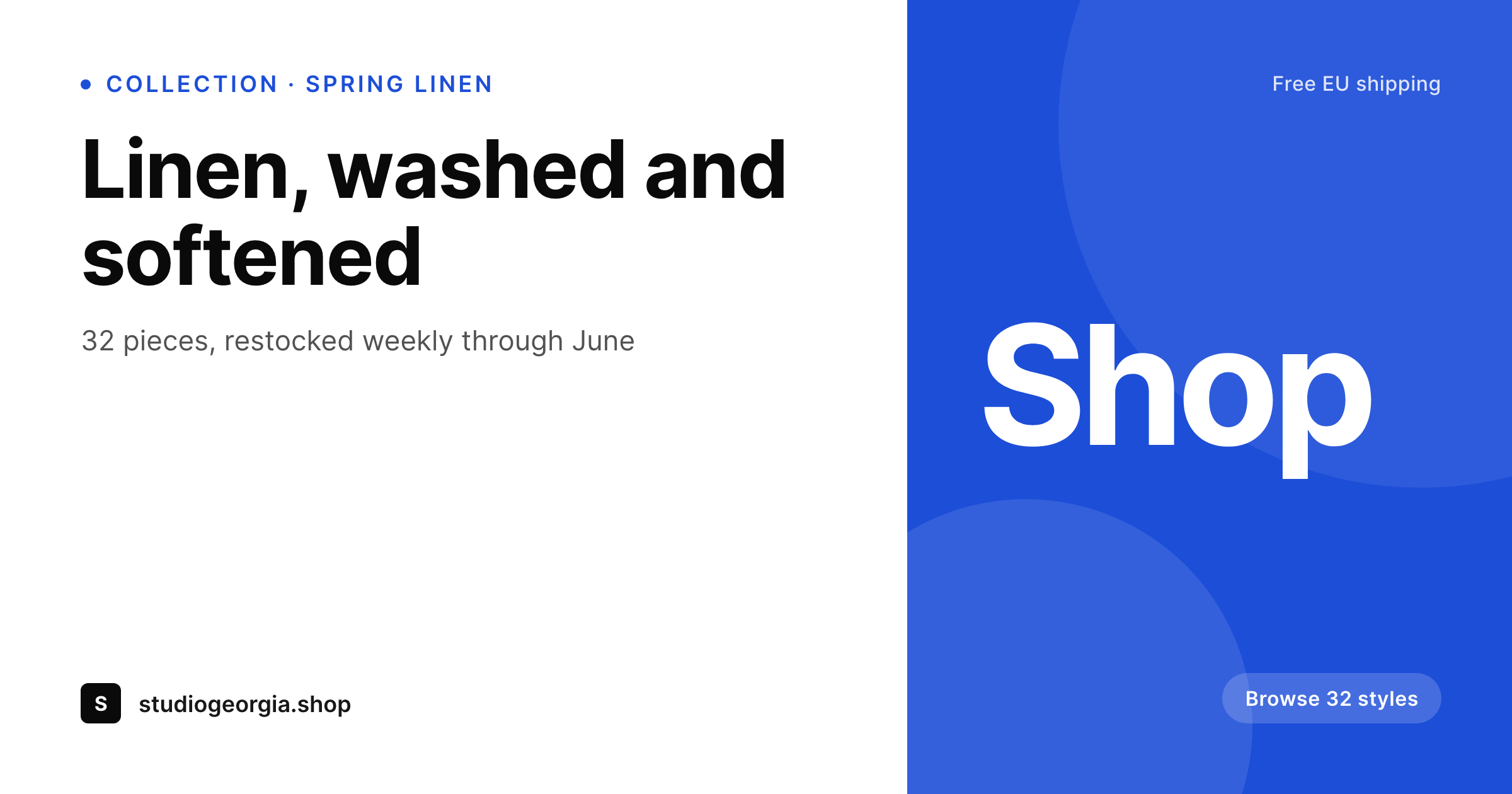
Sample Shopify collection banner
1200x630 banner PNG with collection title, tagline, item count, and brand mark composited over the hero asset.
Comparison
Default heading vs SleekPixel banner per collection
Default Shopify collection heading
- Plain text heading on the collection page lacks visual hierarchy
- Manual Photoshop banners take hours per collection and get skipped
- Banners drift between collections when each is freelanced
- No item count or tagline carried into the banner
- Seasonal refresh costs the price of a designer per banner
SleekPixel
- 1200x630 banner per collection, generated from a WordPress source
- Title, tagline, item count, and brand mark in template fields
- Accent per collection propagates to related product images
- Brand refresh re-renders every banner in one batch
- Real PNGs in WordPress uploads, ready to upload via Shopify admin
Features
What SleekPixel gives you for Shopify collection banners
Per-collection accent
Each collection picks its accent hex and shares it with related product images, so the collection page reads as one curated edit.
Tagline and count
Collection tagline and item count render in template fields so the banner reads as a curated section, not a category dump.
Hero region
A featured asset becomes the hero with title and tagline overlaid in a safe zone, keeping the banner readable on desktop and mobile.
Use cases
Where collection banners earn the click into products
Multi-category apparel
Linen, denim, knitwear collections under one brand. Each banner makes the section feel chosen, not auto-generated.
Seasonal collections
Spring, summer, holiday drops with their own banner per release, matched to the campaign palette across the storefront.
Gift edits
Gift guides as Shopify collections, each with a banner that signals the occasion before the user scrolls into the grid.
The bigger picture
Why collection banners shape what a Shopify storefront feels like
Collection pages on Shopify are the second-most-visited surface after the product page, and they carry more brand weight than any single SKU. A plain heading turns the page into a catalog, while a banner with a tagline, an item count, and a hero asset turns it into a curated edit. The visual hierarchy at the top of the page tells the user that the brand cared enough to compose the section, which translates directly into longer browse sessions and higher add-to-cart rates.
Templating the banner from a WordPress source means a small team can ship the curated feel without burning a designer per collection. The brand can refresh seasonally, ship a new collection on Tuesday, and have the banner ready Tuesday afternoon.
Questions
Common questions about SleekPixel for Shopify collection banners
Not natively. The render lands in WordPress uploads. Stores then upload to Shopify via the admin or sync via the Shopify API, depending on their setup.
Most themes accept a 1200x630 banner cleanly. Some use 1920x600 or 1600x900 for wider hero regions, which the same template can output by swapping the canvas size.
Yes. Map a Shopify collection or WooCommerce category to a WordPress collection post so the banner field automatically pulls from the right source.
Edit the template once, then run batch regenerate. Every banner re-renders with the new design while keeping its title, tagline, and accent.
Yes. Add a static CTA element such as Browse collection in the template. The banner itself is non-clickable inside the image, but the collection hero on Shopify wraps the banner with a link.
Yes. Output a 1200x630 for desktop and a 1080x1080 or 1080x1350 for mobile from the same source. Shopify themes can swap based on the viewport.
Yes. Every render is a real PNG in uploads, accessible from the collection post editor and backed up alongside the rest of the media.
Yes. Scope by tag, category, or an exclusion list. Excluded collections keep the default Shopify heading.
Pricing
More than 1000+
happy customers
Explore our flexible licensing options tailored to your needs. Upgrade your license anytime to access more features, or opt for a lifetime license for ongoing value, including lifetime updates and lifetime support. Our hassle-free upgrade process ensures that our platform can grow with you, starting from whichever plan you choose.
Lifetime ♾️
Most popular
EUR
once
- Unlimited websites
- Lifetime updates
- Lifetime support
...or get the Bundle Deal
and save €250 🎁
💎 Want everything forever? The All Access Pass is going away on 01.08.2026.
The Bundle (unlimited sites)
Pay once, own it forever
Elevate your WordPress site with our exclusive plugin bundle that includes all of our premium plugins in one package. Enjoy lifetime updates and lifetime support. Save significantly compared to buying plugins individually.
What’s included
-
SleekAI
-
SleekByte
-
SleekMotion
-
SleekPixel
-
SleekRank
-
SleekView
€749
Continue to checkoutBrowse more
- Discord stage banner
- Twitch stream overlay images
- Bluesky profile banners
- Snapchat snap images
- Audible audiobook cover
- YouTube Shorts thumbnails
- Tidal cover art
- Klaviyo email banner
- Discord server icon
- Twitter/X header
- Bandcamp release cover
- X list banners
- Facebook cover photos
- Instagram Reels covers
- Discord server banners