






SleekPixel for handyman business
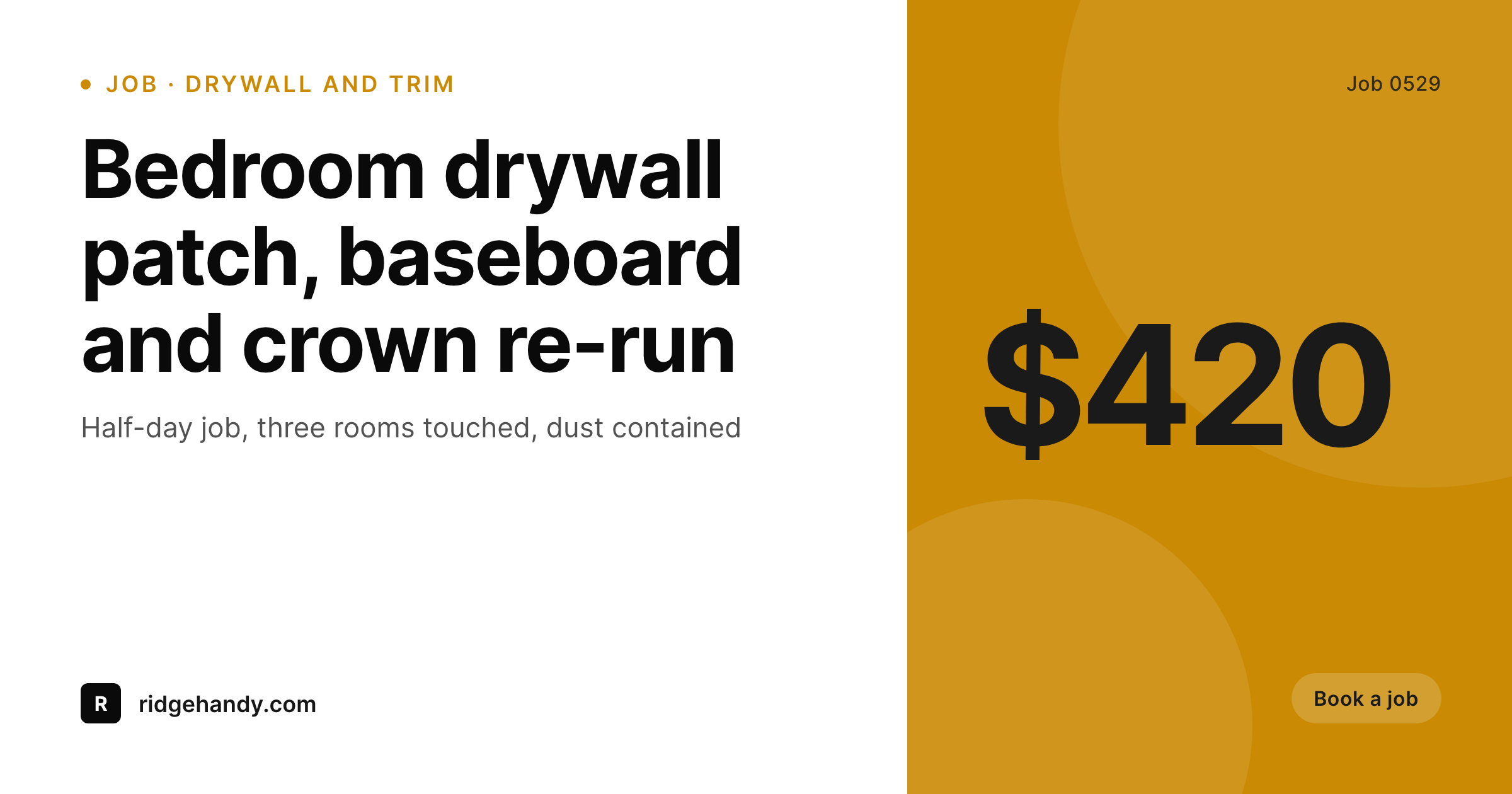
Job recaps, service-area pages, and small-fix posts already carry job type, duration, and price band as fields. SleekPixel renders a 1200x630 OG image on save so Facebook, Nextdoor, and GBP show the actual van and crew, not a stock toolbox.
♾️ Lifetime License available
Handyman work is bookable on visual proof, not promises
The handyman category competes on a single trust signal: can this person actually do the job? Customers booking a TaskRabbit slot or scrolling Thumbtack profiles read photos before they read text. The handyman who shows real fix-it photos (the patched drywall, the rebuilt deck step, the fence panel replaced) gets booked. The handyman who shows a stock photo of a generic toolbox does not. Every working handyman knows this, and every working handyman has hundreds of fix-it photos on a phone, and almost none of them publish those photos with consistent branding.
The block is not photography or willingness, it is the publishing flow. To turn a phone photo into a branded share image takes a Canva account, a template, fifteen minutes per post, and a discipline that conflicts with running a one-person field service. The handyman who tries to manage a publishing schedule on top of the actual work usually gives up after a month. The website fills with stock images, the Nextdoor presence is a name and a phone number, and the booking flow falls back to word-of-mouth alone, which puts a hard ceiling on growth.
SleekPixel removes the publishing flow as a separate task. A job-recap post with job type, duration, neighborhood, and a phone photo becomes the source. The recap saves, SleekPixel renders the 1200x630 OG image with the van's brand colors, and the share preview is ready. Facebook neighborhood groups, Nextdoor, and Google Business Profile all open with a clean branded card showing the actual job. The handyman who could not run a Canva schedule can run this one because the publishing is a side effect of saving the post.
Workflow
From completed job to shareable recap
Map the job-recap fields
Build one branded template
Save the recap
Post and share
Output
What ships per completed job
A 1200x630 OG image with job type, duration, neighborhood, price band, and visit date rendered over the phone photo of the finished work.
Comparison
Stock toolbox photos vs auto-rendered job cards
Stock photos / Canva
- Handyman websites share with the same stock toolbox or paint roller photo
- Real fix-it photos sit on phones and never reach the website
- Service-area pages share with a generic neighborhood photo per city
- Small-fix posts (drywall, fence, deck) recycle stock from the same vendor
- The publishing schedule collapses because Canva exports take fifteen minutes each
SleekPixel
- Job type, duration, neighborhood, and price band pull from recap post fields
- Service-area pages render a city-specific OG image per neighborhood served
- Real phone photos slot into the template, not stock toolbox art
- 1200x630 baked in for Facebook, Nextdoor, and Google Business Profile
- Small-fix and service-type posts each get distinct branded cards
Features
What SleekPixel gives you for handyman business
Per-job cards
Each completed-job post saves with a branded share image. Job type, duration, and neighborhood render straight from the recap fields.
Service-area pages
Each neighborhood landing page gets a unique OG image with the city name and local imagery, instead of a repeated stock shot.
Small-fix categories
Drywall, fence repair, deck steps, light fixtures each render a distinct branded card matched to the job category and visual.
Use cases
Where handyman share images get used
Facebook neighborhood groups
Posting a finished job into a local Facebook group shows the actual work and the company's brand instead of a stock toolbox preview.
Google Business posts
Weekly GBP updates about service availability, completed jobs, and seasonal fixes share with images that match the brand.
Nextdoor referrals
When a neighbor recommends the handyman on Nextdoor, the link preview signals a real local pro instead of a generic name and phone.
The bigger picture
Why one-person handyman businesses fail at the publishing flow
The handyman category has a brutal asymmetry between the marketing surface and the operating capacity. The customer is looking for a single person who can fix things competently. The marketing surface (Nextdoor, Facebook, Google Business Profile, Thumbtack) rewards the same person for publishing consistently across multiple channels.
The two demands fight each other. A working handyman who fixes drywall and rebuilds fences cannot also run a Canva publishing schedule that produces fifteen-minute exports per post. Either the field work suffers or the marketing surface does.
The handymen who break out of this trap usually do it through automation. They wire up a recap CPT, a frontend submission form on a phone, and a template that turns each completed job into a branded share image. The publishing happens as a side effect of finishing the work.
SleekPixel is the rendering layer in that wiring. Once the recap saves, the share image is ready, and the handyman can post the link to Facebook from the truck without opening Canva. The one-person business gets the marketing surface of a small agency, fed automatically from the actual work.
The growth ceiling that word-of-mouth alone imposes lifts because the brand is finally visible on every channel that matters.
Questions
Common questions about SleekPixel for handyman business
SleekPixel reads WordPress post fields. If Jobber, Housecall Pro, ServiceTitan, or Workiz pushes completed jobs into a CPT through Zapier or a custom API, the share image renders the moment the recap saves. Most field-service platforms expose webhooks for this kind of integration.
Yes. A frontend submission form (Gravity Forms, WPForms, Frontend Submissions) lets the handyman complete a quick mobile form after the job, the post saves, SleekPixel renders the image. Many one-person handyman businesses use this as their entire reporting flow.
Job recaps usually have a category. The template can branch on category to render slightly different visuals: drywall in one accent, fence repair in another, deck work in a third. All variants share the brand wordmark and type stack to stay unified.
Yes. The price slot is conditional on a custom field. Standard small-fix recaps can show a price band, while quote-only jobs can hide pricing entirely. The same template handles both with no separate design work.
If a tool reads the WordPress RSS or webhook and posts to GBP, SleekPixel just needs to render the image to uploads, which it does on save. The GBP tool grabs the OG image and posts the branded card. Surfer Local and similar tools work this way.
Indirectly. Thumbtack and Angi pull profile photos separately, but the website's share preview shows up when customers click through to the handyman's own site. A clean branded preview signals a real local pro and increases the click-to-book rate from those marketplace listings.
Service-area pages are typically a CPT or pages tagged with a city. SleekPixel reads the city field and renders a per-neighborhood OG image. Ten service-area pages get ten distinct branded share images, each with its own local context.
Yes. Bulk regenerate runs the current template against every existing recap post. If the van wrap changes color or the business name updates, the entire archive of share images refreshes in one pass without editing each post by hand.
Pricing
More than 1000+
happy customers
Explore our flexible licensing options tailored to your needs. Upgrade your license anytime to access more features, or opt for a lifetime license for ongoing value, including lifetime updates and lifetime support. Our hassle-free upgrade process ensures that our platform can grow with you, starting from whichever plan you choose.
Lifetime ♾️
Most popular
EUR
once
- Unlimited websites
- Lifetime updates
- Lifetime support
...or get the Bundle Deal
and save €250 🎁
💎 Want everything forever? The All Access Pass is going away on 01.08.2026.
The Bundle (unlimited sites)
Pay once, own it forever
Elevate your WordPress site with our exclusive plugin bundle that includes all of our premium plugins in one package. Enjoy lifetime updates and lifetime support. Save significantly compared to buying plugins individually.
What’s included
-
SleekAI
-
SleekByte
-
SleekMotion
-
SleekPixel
-
SleekRank
-
SleekView
€749
Continue to checkoutBrowse more
- TikTok ad images
- Discord server banners
- Twitch offline banners
- Instagram Shop product images
- Pinterest video pin covers
- LinkedIn post images
- Bluesky link cards
- SoundCloud track art
- YouTube podcast thumbnails
- Instagram stories
- YouTube banner art
- YouTube Shorts cover
- Twitch starting soon screen
- X social cards
- Depop listing images