






SleekPixel for Instagram stories
Design a 1080x1920 story template once, then download a story-ready image for every post, product, or event with one click - directly from the Gutenberg sidebar.
♾️ Lifetime License available
Stop reformatting blog posts in Canva for every story
Instagram stories live or die on speed. The post you just published needs to be in your story within minutes, before the algorithm forgets it. The standard workflow - export, drop into Canva, redesign, save, upload - kills the speed and the consistency, because every story ends up looking like it was made by whoever happened to be at the laptop.
SleekPixel collapses that workflow. The same plugin that generates your OG images can also generate vertical 1080x1920 versions for stories. Open the post in Gutenberg, click 'Download story image' in the SleekPixel sidebar, get a story-ready PNG. Then drop it into the Instagram app and post.
Because the template lives in WordPress, every story looks like it came from the same brand. Author photos, category badges, brand colors - all pulled from the post, not redesigned by hand.
Workflow
From post to story image in two clicks
Design the story template
Open any post in Gutenberg
Click download
Post the story
Output
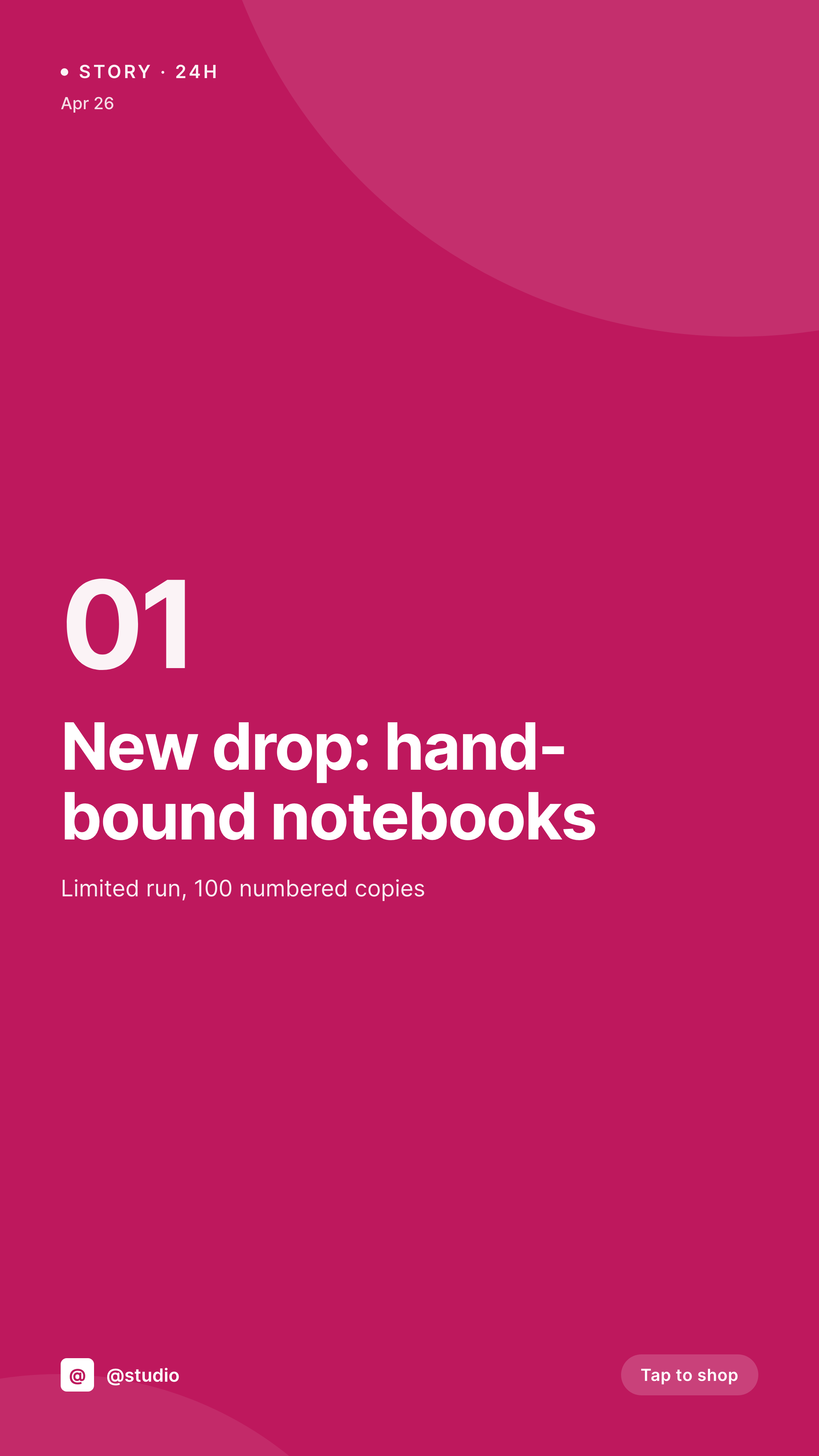
Sample Instagram story from a blog post
This vertical card was rendered from a post's title and a single accent color. Story-ready, 1080x1920, no Canva.


Comparison
Canva-per-story vs SleekPixel for Instagram stories
Canva or Figma per story
- Every story is a fresh design session in Canva
- Brand consistency depends on whoever opens Canva that day
- No path from a published post to a matching story image
- Re-rebuilding the same layout for the 50th time
- External tool means an extra subscription and an extra login
SleekPixel
- 1080x1920 templates designed once, downloadable per post
- Pulls post data automatically - title, image, author, category
- One-click download from the Gutenberg sidebar
- Stays consistent - every story looks like the same brand
- No external tools, no extra subscriptions
Features
What SleekPixel gives you for Instagram stories
Vertical-first templates
Design the layout for 9:16 from the start. SleekPixel handles the safe-zone padding so nothing critical gets cropped by the Instagram UI.
Download from Gutenberg
Editors get a 'Download story' button in the SleekPixel sidebar block. One click, PNG to disk, ready for the Instagram app.
Per-category accent colors
Map post category to template variant - food posts get the warm palette, tech posts get the cool one. Automatic, every time.
Use cases
Where Instagram stories work hardest
Editorial brands
Every published article gets a matching story image. Editors push to Instagram in the same five minutes as the post goes live.
Product launches
Each new product variant on WooCommerce becomes a story-ready image at SKU level. Hundreds of products, one template.
Event countdowns
Pull the event's date, location, and price into the template. Daily countdown stories from a single template, no per-day design.
The bigger picture
Why story consistency wins on Instagram
Instagram's grid is a brand surface; the story bar is a brand cue. When every story has the same visual identity, viewers recognize you in the corner of their eye and tap into the story without consciously deciding to. When stories look random - one Canva template, one phone screenshot, one stock photo - the recognition collapses, and so does the tap-through.
Templated stories used to require either a designer on staff or a daily Canva ritual. Both fail at scale. Pulling the story image directly from the post that already exists in WordPress closes the gap between publishing and promoting, and keeps the visual identity tight without burning hours.
Questions
Common questions about SleekPixel for Instagram stories
No - SleekPixel generates the image; the Instagram app handles the actual posting. The download is a manual handoff to the phone. Auto-posting requires Instagram's official Graph API and is out of scope.
Same template format - 1080x1920 - works for Reels covers. SleekPixel doesn't distinguish; you can use the same generated image as either a story or a Reels cover.
Titles auto-wrap and clamp at a configurable line count. If a title is too long, it ellipsizes rather than overflowing. You set the line limit in the template.
Yes. SleekPixel supports custom font uploads and Google Fonts. The template editor previews live.
Yes. Map product fields - title, price, image, badge - into the template and generate a story image per product variant. New SKU = new story image.
Bulk download from the admin, zipped. SleekPixel renders all of them in the background and gives you a single archive.
Yes - 1080x1920 pixels, no compression artefacts. Instagram won't downscale further on upload.
Yes. Logos sit in the template like any other element - they appear on every generated image without per-post work.
Pricing
More than 1000+
happy customers
Explore our flexible licensing options tailored to your needs. Upgrade your license anytime to access more features, or opt for a lifetime license for ongoing value, including lifetime updates and lifetime support. Our hassle-free upgrade process ensures that our platform can grow with you, starting from whichever plan you choose.
Lifetime ♾️
Most popular
EUR
once
- Unlimited websites
- Lifetime updates
- Lifetime support
...or get the Bundle Deal
and save €250 🎁
💎 Want everything forever? The All Access Pass is going away on 01.08.2026.
The Bundle (unlimited sites)
Pay once, own it forever
Elevate your WordPress site with our exclusive plugin bundle that includes all of our premium plugins in one package. Enjoy lifetime updates and lifetime support. Save significantly compared to buying plugins individually.
What’s included
-
SleekAI
-
SleekByte
-
SleekMotion
-
SleekPixel
-
SleekRank
-
SleekView
€749
Continue to checkoutBrowse more
- LinkedIn post images
- SoundCloud track art
- TikTok cover images
- Ko-fi banners
- Bandcamp release cover
- Tumblr header
- YouTube Music cover art
- Kindle book cover
- Twitter header banners
- LinkedIn banner images
- Twitch profile banner
- Pinterest video pin covers
- Fanvue page banner
- Facebook group banners
- Pinterest board covers