






SleekPixel for GeoMashup maps
GeoMashup attaches coordinates and metadata to WordPress posts and renders them onto Google or OpenLayers maps. SleekPixel reads the same post fields and renders a branded OG card per location and per map page, so the LinkedIn or Mastodon preview looks like the project, not a generic homepage banner.
♾️ Lifetime License available
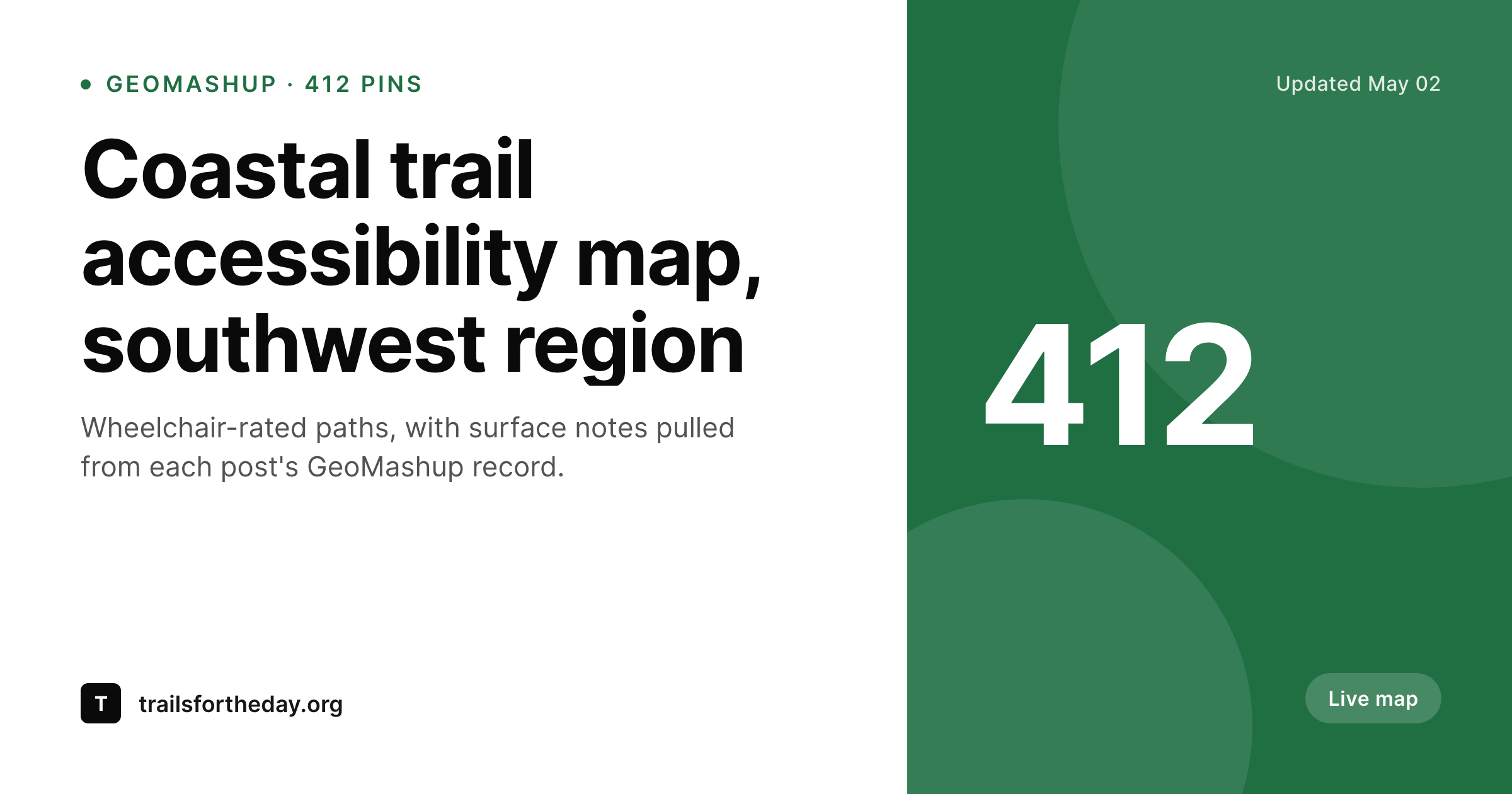
GeoMashup gives the map a home, the share card is still missing
GeoMashup is one of the oldest mapping plugins in the WordPress ecosystem. It attaches latitude and longitude to posts, ties categories to map styling, and renders interactive maps from the resulting set. Heritage projects, trail networks, accessibility audits and small civic mapping efforts still ship on it because it is stable, self-hosted, and tied to the same post model the rest of the site uses.
What it does not give the site is a share image. When a location post or a regional map page gets shared to Mastodon, LinkedIn, Bluesky or Slack, the preview falls back to the site default. That default rarely says anything about the place being shared, and the social link looks identical to every other link from the same domain. Audiences who would have engaged with a clear cue (the name of the trail, the count of pins, the region) get a generic card instead.
SleekPixel binds to the same WordPress post fields GeoMashup already writes to: location title, region taxonomy, category, and any custom meta the project uses. On save, it renders a 1200 by 630 PNG with the location or map title, the region label, a pin or count mark and the project brand. The card lives in uploads and gets attached as og:image to the post, so every share carries the right preview.
Workflow
From GeoMashup post to branded share card
Map already populated
Build location and map templates
Render on save
Share from WordPress
Output
What ships for each GeoMashup post
A 1200 by 630 OG and Twitter card carrying the location or map title, region label, pin count or category mark, and the project wordmark. Renders on post save and on bulk template updates.
Comparison
Default GeoMashup share vs SleekPixel
Default map post share
- Map posts share with the site default OG, not the location
- Region and category taxonomies never reach the preview thumbnail
- Pin counts and update dates stay invisible outside the map itself
- Manual social art ages out as the map data evolves
- Brand updates require rebuilding every location card by hand
SleekPixel
- Reads GeoMashup post fields (location, region, category, meta) directly
- Per-location and per-map-page templates with a 1200 by 630 PNG output
- Pin counts and update dates bind to clear slots on the card
- Bulk re-render across hundreds of mapped posts when the brand template changes
- Self-hosted output that matches GeoMashup's own data philosophy
Features
What SleekPixel gives you for GeoMashup maps
Location-aware slots
Title, region, category and a small pin or count mark bind to fields GeoMashup already writes. No duplicate data entry on the WordPress side.
Map-page variants
Regional roll-up pages render a different template than individual location posts, so a 'Southwest trails' map shares with its own card and not the same one as a single pin.
Re-render on data updates
When the pin count or category changes and the post is saved, the card re-renders. Old shares already published keep their old card; new shares pick up the new one.
Use cases
Where GeoMashup maps need real share cards
Trail and route projects
Trail directories share each route with its name, region and surface category on the card, so social links read like routes and not like a generic site.
Civic and heritage maps
Heritage sites, historical markers and accessibility audits each carry a real location label when shared, instead of the project homepage banner.
Community directories
Local member, meet-up and venue maps render per-location cards, so partner shares carry the venue name and area instead of the umbrella site.
The bigger picture
Why mapped content deserves a mapped-looking card
Mapping projects almost always punch above their weight on engagement when the share preview matches the content. A trail post that shares with the trail name, the region and a small route count reads as a specific destination, while a homepage banner reads as a generic site link. GeoMashup keeps the map data clean and self-hosted, and the projects that lean on it tend to share the same values, so a third-party design detour to add a card per post is exactly the workflow that gets skipped.
SleekPixel slots into the WordPress side of the same project, reads the post fields GeoMashup already writes, and renders a branded card per location and per map page in the same save cycle as any other post update. The map keeps running on GeoMashup, the brand layer attaches on save, and the share previews start matching the work the project actually does. Across a directory of hundreds of pinned posts, that switch is the difference between social referrals and silent shares.
Questions
Common questions about SleekPixel for GeoMashup maps
No. SleekPixel renders a template-driven card from the post fields (title, region, category, count). It does not embed a live map tile. Most projects prefer this since map tiles often have attribution and licensing requirements that complicate static reuse.
Yes. Latitude and longitude are post fields GeoMashup already exposes, so the template can render them in a small meta slot. Most projects use a region name instead because it reads faster than coordinates.
Already-shared links on social platforms keep their old card; the platforms cache it. The next share of the same URL picks up the freshly rendered PNG. SleekPixel re-renders on post save.
Yes. SleekPixel reads taxonomies and post meta, and GeoMashup categories are standard WordPress terms, so they bind to template slots the same way any other taxonomy would.
Yes. SleekPixel allows multiple templates and per-post-type rules. A roll-up page on a custom post type can use one template, individual locations another, and the bindings differ between the two.
Both. SleekPixel does not interact with the map renderer. It reads the post data GeoMashup stores in WordPress, which is identical whether the map is rendered via OpenLayers or Google.
A directory of 500 pinned posts renders in a single bulk pass without issue. Render is per-save in normal operation, so the steady-state cost is one PNG per post edit.
Updates are infrequent, but the plugin still runs on current WordPress. SleekPixel does not depend on GeoMashup releases since it only reads standard WordPress post fields.
Pricing
More than 1000+
happy customers
Explore our flexible licensing options tailored to your needs. Upgrade your license anytime to access more features, or opt for a lifetime license for ongoing value, including lifetime updates and lifetime support. Our hassle-free upgrade process ensures that our platform can grow with you, starting from whichever plan you choose.
Lifetime ♾️
Most popular
EUR
once
- Unlimited websites
- Lifetime updates
- Lifetime support
...or get the Bundle Deal
and save €250 🎁
💎 Want everything forever? The All Access Pass is going away on 01.08.2026.
The Bundle (unlimited sites)
Pay once, own it forever
Elevate your WordPress site with our exclusive plugin bundle that includes all of our premium plugins in one package. Enjoy lifetime updates and lifetime support. Save significantly compared to buying plugins individually.
What’s included
-
SleekAI
-
SleekByte
-
SleekMotion
-
SleekPixel
-
SleekRank
-
SleekView
€749
Continue to checkoutBrowse more
- Instagram stories
- Dribbble shot covers
- Threads post images
- Bluesky link cards
- Amazon Storefront banners
- Facebook Shop product images
- Dailymotion thumbnails
- Telegram channel cover images
- Snapchat Discover tiles
- X Space banners
- Bandcamp banner
- Threads post cover
- Telegram bot avatar
- Threads profile banner
- Behance banner