






SleekPixel for Schema Pro
Schema Pro by Brainstorm Force lets you map schema markup to post types and assign field sources in bulk. SleekPixel reads the same field mappings and renders a share card from the matching fields, so schema-rich post types ship with matching previews.
♾️ Lifetime License available
Schema Pro mapped the fields, the share image is still default
Schema Pro is the Brainstorm Force take on schema markup: instead of asking editors to fill in schema fields per post, it lets the site owner map schema fields to existing post fields once, per post type. Service-area pages map to a LocalBusiness schema with phone, address and review fields drawn from custom fields the theme already uses. Reviews map to a Review schema with rating and item drawn from ACF or theme meta. The setup is once-and-done across the post type.
What stays manual is the share image. Even after every service-area page is correctly mapped to LocalBusiness schema, the OG image for those pages is the theme default. The schema describes a roofing business in Reading; the card on Twitter shows the company homepage banner. The mapping discipline ends at the head tag.
SleekPixel reads the same custom fields Schema Pro is already drawing from. Service area, phone, review average, primary city: all of it sits on the post, all of it is wired into the Schema Pro mapping. The template binds to the same fields and renders a per-post card. The schema and the share image are now drawn from the same source of truth, kept in sync by the same author updates.
Workflow
From Schema Pro mapping to branded card
Map fields once in Schema Pro
Bind the SleekPixel template
Render on save
Publish across surfaces
Output
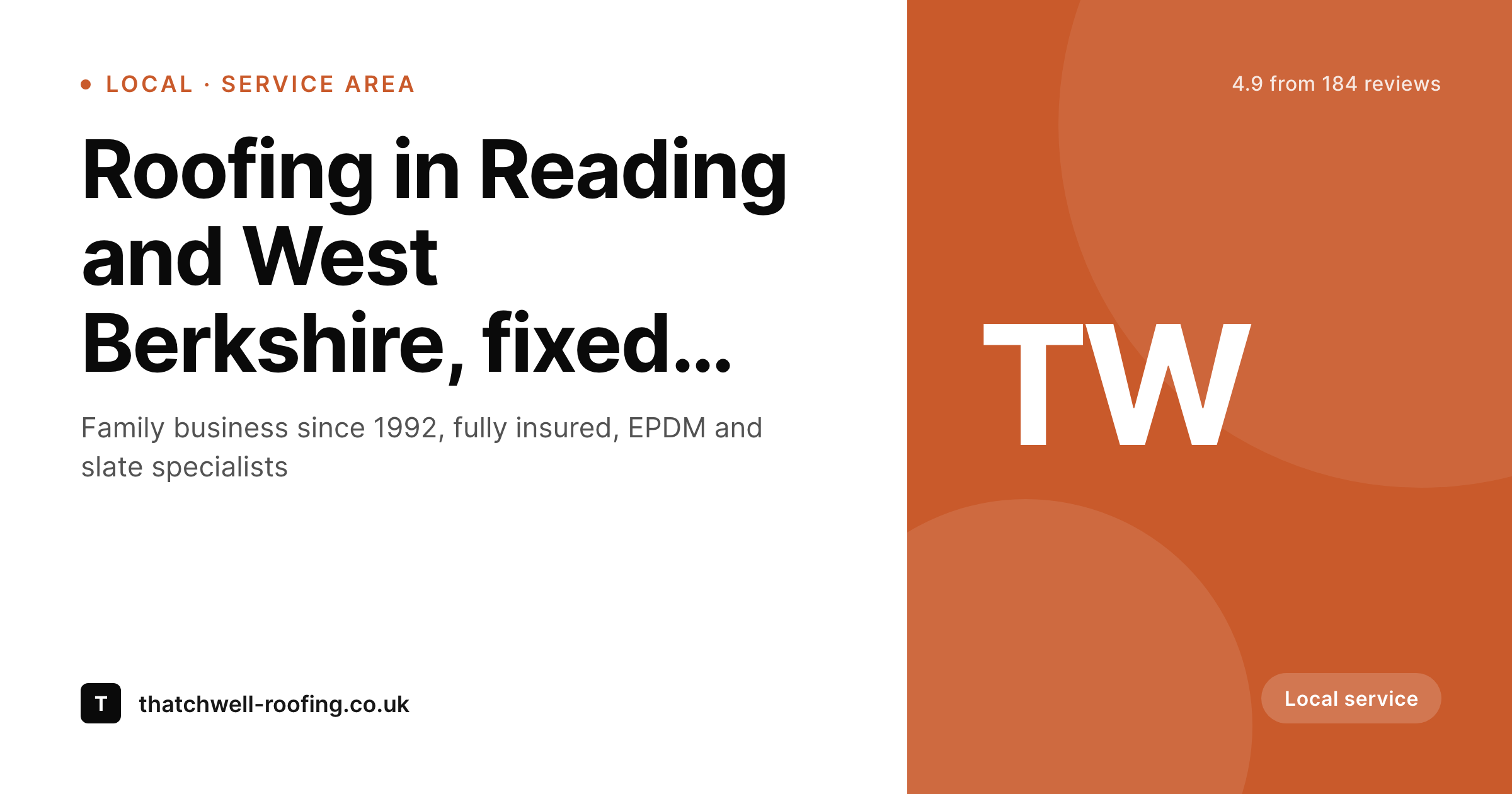
Sample Schema Pro service-page card
A 1200 by 630 OG image: service title, area, review rating and brand mark, rendered from the same custom fields Schema Pro maps to LocalBusiness schema.
Comparison
Default service-page share vs SleekPixel card
Default theme OG image
- Mapped post types share with the same generic theme banner
- Custom fields used by Schema Pro never reach the share preview
- LocalBusiness pages look identical regardless of service area
- Review rating from the mapping never reaches the social card
- Schema mapping work is invisible outside Google's rich results
SleekPixel
- Binds to the same custom fields Schema Pro maps from
- Per-post OG card rendered on save
- Service-area, review and product schemas each get a matching template
- Bulk re-render when the brand evolves
- Coexists with Schema Pro JSON-LD output
Features
What SleekPixel gives you for Schema Pro
Mapping-aware bindings
Slots reference the same custom fields Schema Pro maps to schema, so updating a field updates both the schema and the share card from the same edit.
LocalBusiness layout
Service-area templates render city, service title and rating, matching the shape of the LocalBusiness schema beneath them.
Review-aware variant
Review post types render a card with item and rating, drawn from the same mapping that powers the Review schema in the head.
Use cases
Who uses SleekPixel for Schema Pro
Local service businesses
Trades, agencies and consultancies running LocalBusiness schema across service-area pages ship per-page cards with city and rating.
Review-driven publications
Product review sites mapping Review schema by category render matching cards per review.
Course catalogs
Course or training sites with Course schema mappings ship cards per course with title, provider and duration.
The bigger picture
Why Schema Pro deserves a matching share layer
Schema Pro's value proposition is exactly that schema setup should be a one-time mapping decision, not a per-post chore. That model only pays off if the rest of the metadata stack respects the same idea. Today the OG image is the place that breaks the model: every other layer is mapped to fields, the share image is still expected to be a manual upload per post.
SleekPixel extends Schema Pro's logic to the visual layer. Map once. Edit per post.
The card renders itself from the same fields the schema already reads. The team's discipline in setting up the post-type mappings pays off across rich results and social previews together, and nobody has to remember to attach a graphic on every publish. The brand stays consistent, the data stays consistent, and the editing flow stays as light as Schema Pro promised it would be.
Questions
Common questions about SleekPixel for Schema Pro
They are the same plugin from Brainstorm Force; WP Schema Pro is an older naming variant. SleekPixel works with either name; the integration reads the underlying custom fields that the mapping references.
Yes. The plugin reads custom fields directly. Schema Pro just happens to share the same source of truth, which is what makes the integration low-friction.
A post type can carry several schema types in Schema Pro. SleekPixel uses one card per post; the template can branch on the dominant schema (Review wins on a review post, LocalBusiness wins on a service page).
Yes. Schema Pro often maps to ACF, Pods or theme meta. SleekPixel reads whichever field key the mapping references, so the same source works for both.
Yes, if the aggregate rating is stored as a field (most setups store an average and a count). The template renders the numeric average and the count in a compact badge.
No. Schema Pro does not produce OG images, only JSON-LD schema. SleekPixel handles the OG image side and writes the og:image meta tag itself.
Yes. The SleekPixel editor previews the card live as fields change. After save, the rendered PNG is available at a known uploads URL for testing in social card debuggers.
Older posts that were already mapped through Schema Pro can be bulk re-rendered through SleekPixel's batch command. Schema updates do not require a re-render; only post field or template changes do.
Pricing
More than 1000+
happy customers
Explore our flexible licensing options tailored to your needs. Upgrade your license anytime to access more features, or opt for a lifetime license for ongoing value, including lifetime updates and lifetime support. Our hassle-free upgrade process ensures that our platform can grow with you, starting from whichever plan you choose.
Lifetime ♾️
Most popular
EUR
once
- Unlimited websites
- Lifetime updates
- Lifetime support
...or get the Bundle Deal
and save €250 🎁
💎 Want everything forever? The All Access Pass is going away on 01.08.2026.
The Bundle (unlimited sites)
Pay once, own it forever
Elevate your WordPress site with our exclusive plugin bundle that includes all of our premium plugins in one package. Enjoy lifetime updates and lifetime support. Save significantly compared to buying plugins individually.
What’s included
-
SleekAI
-
SleekByte
-
SleekMotion
-
SleekPixel
-
SleekRank
-
SleekView
€749
Continue to checkout