






SleekPixel for painting company
Exterior repaints, interior color projects, and color-consultation pages on a painter's site already carry finished-job photos and color names. SleekPixel renders branded share cards on save so portfolio links land on Houzz, Facebook, and Nextdoor with real color and brand context.
♾️ Lifetime License available
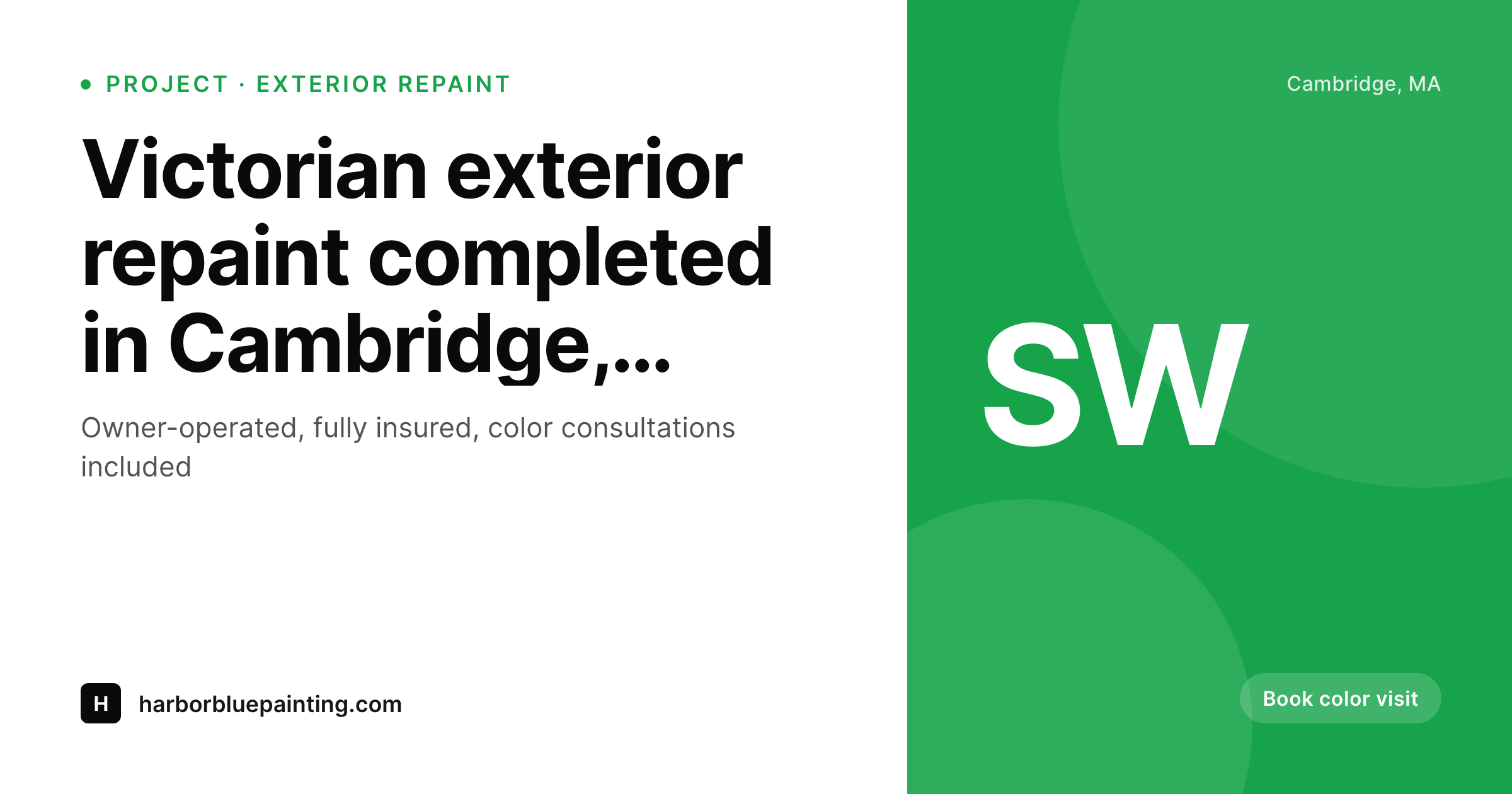
Painters lose the share preview on color, the one thing that matters
The most-asked question in homeowner Facebook groups is 'what color is that?'. A neighbor posts a finished exterior repaint and the comments fill with requests for the paint name. The company that did the work gets tagged, a link gets pasted, and the share preview is what determines whether the inquiry turns into a color visit booking. Most painting company websites surface a stock photo of a paint roller or the theme's default banner. The actual finished job, the actual Sherwin-Williams or Benjamin Moore color, the actual neighborhood, never make it to the link preview. The biggest lead generator the company has, photographed beautifully and indexed cleanly on the site, gets erased the moment the link travels.
The standard fix is a marketing assistant who exports per-project share cards in Canva. The reality of an owner-operated painting company is that the marketing assistant is the owner's spouse, who handles invoicing on weekends and does not have time to design ten share cards a month. New project galleries go up with default cards; old galleries share with templates from a brand the company refreshed three years ago; and the portfolio that should carry the highest conversion rate per share moment carries the lowest.
SleekPixel reads each project page on save and renders the share image from the company's template. Color name, color code, neighborhood, and the finished-job hero photo pull from post fields. The PNG saves to uploads, og:image and twitter:image fire, and the next homeowner who pastes the link in a 'what color is that' thread sees a clean branded preview that names the color, the painter, and the suburb. The recommendation lands ready to convert.
Workflow
From completed job to portfolio-ready in one save
Set the brand template
Map gallery post types
Save the gallery
Neighbors share the link
Output
What ships with every project gallery
A 1200 by 630 share image carrying the color name, color code, neighborhood, and a finished-job photo behind the company wordmark. Ready for Facebook, Nextdoor, and Houzz cross-posts.
Comparison
Stock paint roller vs auto-rendered project cards
Stock photo / Theme default
- Stock paint-roller photo across most painter company shares
- Theme default banner on every gallery, no color or job context
- Color name and code never make it to the share preview
- Owner-operator's spouse can't keep Canva queue current
- Old galleries share with brand templates from years ago
SleekPixel
- Project galleries render branded share cards on save
- Color name, code, and neighborhood pull from post fields
- Real finished-job photos slot into the share card background
- Color-consultation pages share with a clear booking call to action
- Old galleries refresh in bulk after a brand update, no per-project work
Features
What SleekPixel gives you for painting company
Project gallery cards
Each completed-job gallery saves with a share image showing the color name, the neighborhood, and a hero photo of the finished work.
Color-consultation pages
Pages selling color consultations render share cards calling out the consultation format, the duration, and the included color samples.
Service area pages
Suburb landing pages render share cards with the suburb name and the local phone, scaling cleanly as the service area grows.
Use cases
What painting companies generate with SleekPixel
Exterior repaints
Exterior project galleries share with cards showing the home style, the color used, and the neighborhood. Useful when 'what color is that' threads tag the company.
Interior color projects
Interior project pages render share cards with the room type, the color name, and the homeowner's first name when permitted.
Cabinet refinishing
Cabinet refinishing project pages render with before-and-after pairings, useful as cabinet refinishing has become a distinct search category in itself.
The bigger picture
Why share previews drive color consultation bookings
The painting category converts almost entirely through visual referral. A homeowner sees a finished exterior on a friend's Facebook post, asks for the painter, and the conversation moves to a color visit booking within days. The single sentence that drives it is 'what color is that, and who did it'.
The link preview that arrives in response is the moment of conversion. A clean branded preview that shows the actual color, names the manufacturer, and identifies the neighborhood signals a painter who knows their craft and stands behind the work. A stock paint roller image signals a generic operator who could be anyone.
Across hundreds of gallery shares per year, the delta between strong previews and default ones is the gap between a fully booked color-visit calendar and a perpetual lead drought. The second reason is portfolio compounding. Painting portfolios accumulate over years; a five-year-old exterior repaint still gets shared today when a new neighbor moves in and asks the same 'what color is that' question.
Without automation those older galleries share with templates from prior brand eras, breaking the visual coherence of the portfolio. SleekPixel binds the share image to the gallery itself and re-renders the catalog on demand, so the painter who refreshes their brand updates every existing gallery in one pass. The portfolio stays current with the company's identity, and the referrals that arrive years after the actual work was completed still convert at the rate the work deserves.
Questions
Common questions about SleekPixel for painting company
Yes. The template has a slot for color name and color code that pulls from post fields. Sherwin-Williams, Benjamin Moore, Farrow and Ball codes all render the same way. The color information that drives the most-asked question in homeowner threads arrives in the preview itself, not three clicks deep on the page.
Yes. Whether the gallery is built with a custom CPT, FooGallery, Envira, or a Gutenberg gallery block, SleekPixel reads the post fields and uses the featured image as the share card background. The plugin works alongside any gallery setup; it does not replace galleries themselves.
Yes. Pages tagged as color-consultation can render a variant of the template with a 'book a color visit' badge and the consultation duration in the preview. The category-aware switching makes the preview itself signal the booking action, raising click-through compared to generic service-name previews.
Cabinet refinishing has emerged as a distinct search and share category. The template can switch variants for cabinet refinishing pages, with before-and-after pairings rendered into the share card. Useful when cabinet refinishing accounts for a meaningful portion of the company's revenue.
Yes. If a project gallery has a custom field for homeowner first name and a permission flag, the template can render the name conditionally. Galleries without permission render the suburb only. Marketing controls the privacy default, the share preview respects it.
Yes. Commercial painting pages can use a different template variant aimed at facility managers and general contractors. The visual treatment shifts to a more formal style, the brand wordmark stays constant, and the commercial portfolio stays distinct from the residential one without losing brand cohesion.
Yes. Houzz reads og:image when projects link from external sources, so the SleekPixel-rendered preview shows up there. Instagram does not render og:image but does pull a preview when links are pasted in DMs. Either way, the social distribution channels homeowners actually use end up showing the branded preview.
Yes. Bulk re-render walks every gallery and refreshes the share image to the latest template. File names stay the same, social platforms refresh their cached previews on the next scrape, and the entire portfolio rebrands visually in one step. No per-project re-export needed.
Pricing
More than 1000+
happy customers
Explore our flexible licensing options tailored to your needs. Upgrade your license anytime to access more features, or opt for a lifetime license for ongoing value, including lifetime updates and lifetime support. Our hassle-free upgrade process ensures that our platform can grow with you, starting from whichever plan you choose.
Lifetime ♾️
Most popular
EUR
once
- Unlimited websites
- Lifetime updates
- Lifetime support
...or get the Bundle Deal
and save €250 🎁
💎 Want everything forever? The All Access Pass is going away on 01.08.2026.
The Bundle (unlimited sites)
Pay once, own it forever
Elevate your WordPress site with our exclusive plugin bundle that includes all of our premium plugins in one package. Enjoy lifetime updates and lifetime support. Save significantly compared to buying plugins individually.
What’s included
-
SleekAI
-
SleekByte
-
SleekMotion
-
SleekPixel
-
SleekRank
-
SleekView
€749
Continue to checkoutBrowse more
- Instagram carousel slides
- YouTube channel banners
- Amazon A+ content images
- Telegram channel images
- Discord server icon
- Tumblr header
- Pinterest Idea Pins
- Twitter card images
- Beacons.ai banner
- Instagram stories
- Telegram channel cover images
- X list banners
- LinkedIn article covers
- Telegram bot avatar
- Threads post cover