






SleekPixel for Bear Notes
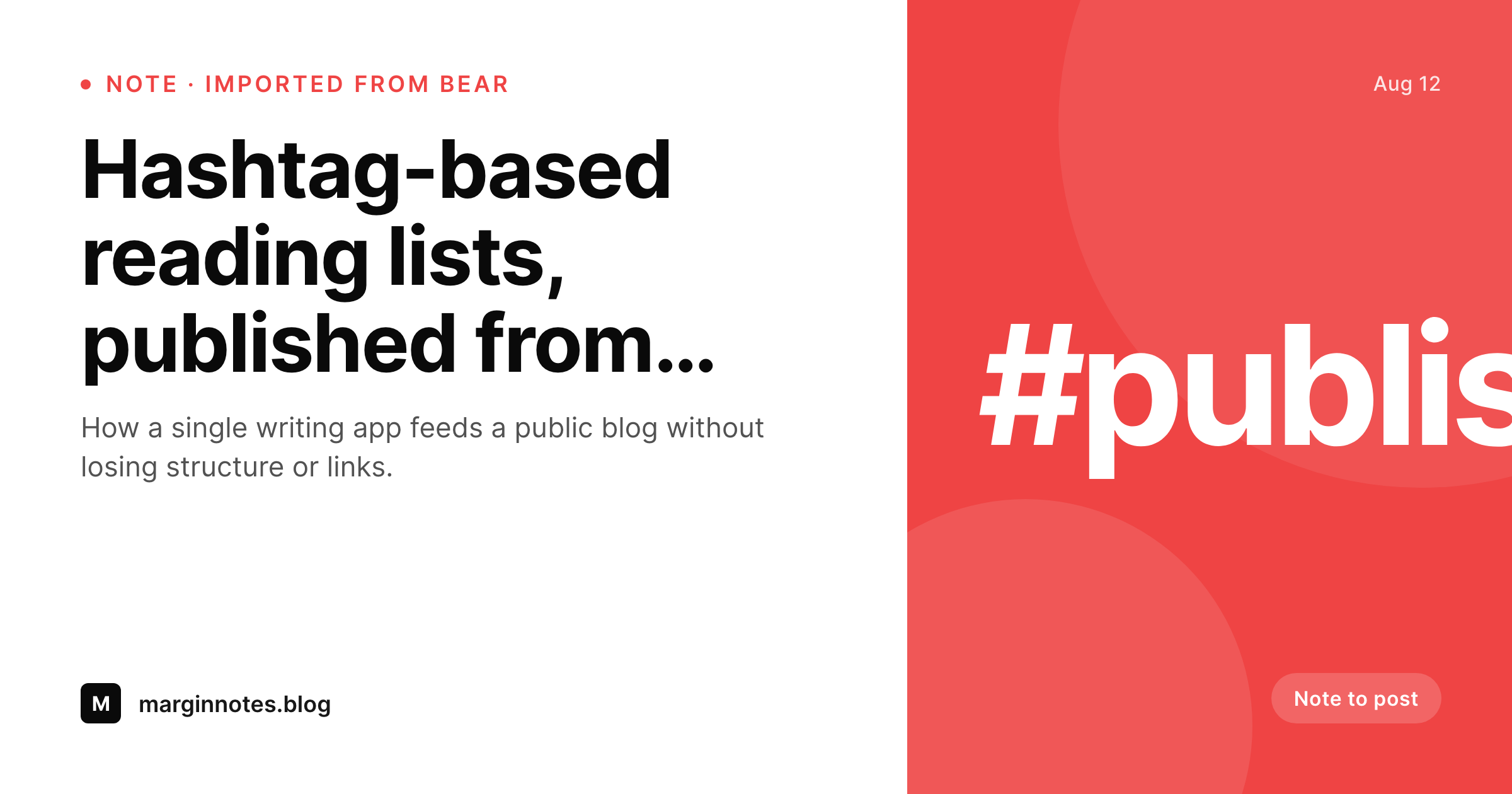
Writers who draft in Bear and publish to WordPress can get a clean share card per post automatically. SleekPixel reads the imported title, hashtags, and word count and renders a 1200 by 630 PNG on save, no Canva detour.
♾️ Lifetime License available
Bear is the editor, WordPress is the publisher
Bear is the writing tool of choice for a sizeable group of independent writers, mostly on macOS and iOS, because the editor stays out of the way. Its hashtag system doubles as a folder structure, Markdown is native, and the typography is calm. None of that survives a direct copy-paste into the WordPress editor. The usual workflow looks like this: write in Bear, export Markdown or use a Bear-to-WordPress shortcut, paste into a Gutenberg block, fix the headings that the conversion got wrong, hit publish.
SleekPixel sits at the end of that chain. When the post saves in WordPress, the OG image renders from the post title, the first hashtag (which usually maps to a category in WordPress), and the word count if you have a reading-time plugin. The output is a 1200 by 630 PNG that points at the post URL, written into uploads, with the og:image meta tag wired up. The Bear hashtags can flow in as small category tags on the card, so a post tagged #essays #travel in Bear can show that lineage on its share image without any extra setup.
None of this changes anything about Bear itself. The app keeps doing what it does best. SleekPixel only operates inside WordPress, on the imported post, and renders one extra asset per save. The result is that a writer can stay in Bear for the actual writing and not think about share images, and the WordPress side still ships a properly composed card per post on Twitter, LinkedIn, Mastodon, and any platform that unfurls a link.
Workflow
From Bear note to share-ready post
Write in Bear
Publish to WordPress
SleekPixel renders the card
Share anywhere
Output
What gets generated per Bear-imported post
A 1200 by 630 OG and Twitter card with the post title, the first hashtag as a category badge, and an optional reading time anchored bottom-left.
Comparison
Bear note straight to WordPress versus SleekPixel
Default WordPress unfurl
- Bear has no public OG image system, the share preview is whatever WordPress falls back to
- Writers either skip the share card or detour through Canva for every post
- Hashtag context from Bear is lost the moment the post crosses into WordPress
- Featured image gets reused as OG even when it was framed for the in-post hero
- Bulk archive of past Bear posts has no visual share consistency
SleekPixel
- Renders OG and Twitter cards from the WordPress post on save, no Bear plugin needed
- First imported hashtag flows in as a category badge on the share image
- Reading time appears bottom-left when a reading-time plugin is installed
- Bulk regenerate covers a back catalogue of Bear-imported posts in one pass
- Featured image stays in-article, the share card uses a calmer layout
Features
What SleekPixel gives you for Bear Notes
Reads imported metadata
Title, author, date, and the first hashtag from the original Bear note flow into the template. The share image carries the same lineage the note had inside Bear.
Hashtag as category
Bear hashtags usually map onto WordPress categories or tags during import. SleekPixel surfaces the first one as a small badge on the card so readers see the topic at a glance.
One card per post
Every post imported from Bear gets its own rendered PNG. No shared default image across the archive, no Canva round-trip per essay.
Use cases
Where Bear-to-WordPress writers benefit
Personal essay sites
Writers drafting long-form essays in Bear and publishing to a WordPress blog get a consistent share image without leaving the writing app for a design tool.
Newsletter cross-posts
Drafts that start in Bear, ship to a newsletter, and also get a WordPress archive post end up with a proper share card per piece on the WordPress side.
Note-based reading lists
Curated Bear notes published as link round-ups on WordPress each get their own share preview, with the first hashtag shown as the topic.
The bigger picture
Why Bear writers should care about WordPress share images
Bear is a beautiful writing tool, and the writers who use it tend to care a lot about how their words read. They tend to care much less about the secondary asset chain that comes after publish, share images, social meta, OG previews. That gap is fine when a Bear note stays inside Bear.
The moment a note ships to WordPress and gets a public URL, the share preview becomes the thumbnail every reader sees before they read a word. Readers form an opinion from that preview, and a missing or generic preview costs clicks even on excellent writing. The second reality is consistency across an archive.
A personal blog with two years of posts looks much more cared-for when every post has the same share-card system behind it, even if the writer never touched Canva once. SleekPixel handles that consistency on the WordPress side, while Bear remains the calm writing surface it always was. The publishing workflow does not change.
The share preview just stops being a missing layer.
Questions
Common questions about SleekPixel for Bear Notes
No. SleekPixel runs entirely inside WordPress. The Bear side is unchanged, however you currently get Bear notes into WordPress, Markdown export, shortcuts, or paste, the rendering kicks in once the post saves on the WordPress side.
Yes, indirectly. Most Bear-to-WordPress imports turn hashtags into WordPress categories or tags. SleekPixel reads those WordPress taxonomies and can show the first one as a small badge on the share image.
Nested hashtags usually map to parent/child categories in WordPress. SleekPixel can show either the leaf hashtag, the root, or both, depending on how the template is set up. Most writers show the leaf for specificity.
No. Bear notes stay exactly as they are, no extra files, no side effects. SleekPixel only generates assets on the WordPress side, attached to the WordPress post.
Yes, if a reading-time plugin or theme function exposes the value as post meta. SleekPixel reads the meta key and renders it bottom-left or wherever the template places it. Word count works the same way.
Each save regenerates the share image based on the current post content. If the second import updates the title or category, the new card reflects that. Old PNGs in uploads can be cleaned up with the orphan-scan command.
Footnotes are body content, so they do not affect the share card. The card is composed from post-level fields, title, category, author, date, reading time, not from anywhere inside the body.
Yes. The bulk regenerate WP-CLI command walks every post in a chosen category or post type and renders a fresh card with the current template. Useful for sites that imported a year of Bear notes before installing SleekPixel.
Pricing
More than 1000+
happy customers
Explore our flexible licensing options tailored to your needs. Upgrade your license anytime to access more features, or opt for a lifetime license for ongoing value, including lifetime updates and lifetime support. Our hassle-free upgrade process ensures that our platform can grow with you, starting from whichever plan you choose.
Lifetime ♾️
Most popular
EUR
once
- Unlimited websites
- Lifetime updates
- Lifetime support
...or get the Bundle Deal
and save €250 🎁
💎 Want everything forever? The All Access Pass is going away on 01.08.2026.
The Bundle (unlimited sites)
Pay once, own it forever
Elevate your WordPress site with our exclusive plugin bundle that includes all of our premium plugins in one package. Enjoy lifetime updates and lifetime support. Save significantly compared to buying plugins individually.
What’s included
-
SleekAI
-
SleekByte
-
SleekMotion
-
SleekPixel
-
SleekRank
-
SleekView
€749
Continue to checkoutBrowse more
- Pinterest product pin covers
- Discord event cover
- Bluesky link cards
- LinkedIn ad images
- Kick stream thumbnails
- Bandcamp banner
- Twitch starting soon screen
- WeChat Moments images
- YouTube end screens
- Klaviyo email headers
- Douyin cover
- Pinterest Idea Pins
- Spotify playlist cover
- Lemon Squeezy product covers
- Facebook Marketplace images