






SleekPixel for Presto Player
SleekPixel reads any WordPress post or page that embeds a Presto Player video and renders a custom OG image from its title, duration, and custom fields. Tutorials, course lessons, and case-study videos all get share previews that match the post.
♾️ Lifetime License available
Presto Player handles the video, the share card needs its own logic
Presto Player is a WordPress video player that wraps self-hosted, Bunny.net, YouTube, or Vimeo videos with a consistent on-site player, video chapters, and analytics. The player renders inside posts and pages. The post itself is a regular WordPress post, and its social-share preview is whatever your theme defaults the OG image to. The video card that appears when the URL gets shared rarely shows anything specific to the video.
SleekPixel handles the metadata layer Presto Player does not try to touch. You build one template in the WordPress admin with dynamic fields like {post_title}, {video_duration}, {category}, and any custom field on the post. Every save regenerates the OG image. The post that embeds the Presto Player block already has the title and category, store the video duration in a custom field if you want it on the card, and the share preview ships with the URL.
SleekPixel does not modify Presto Player itself, it works at the post level. Presto Player keeps doing what it does: in-page video playback, chapters, gating, and analytics. SleekPixel handles the metadata around the post so the page that hosts the video looks intentional wherever the URL gets shared.
Workflow
From video embed to share-ready in one save
Design the template
Connect to post type
Save the post
Share anywhere
Output
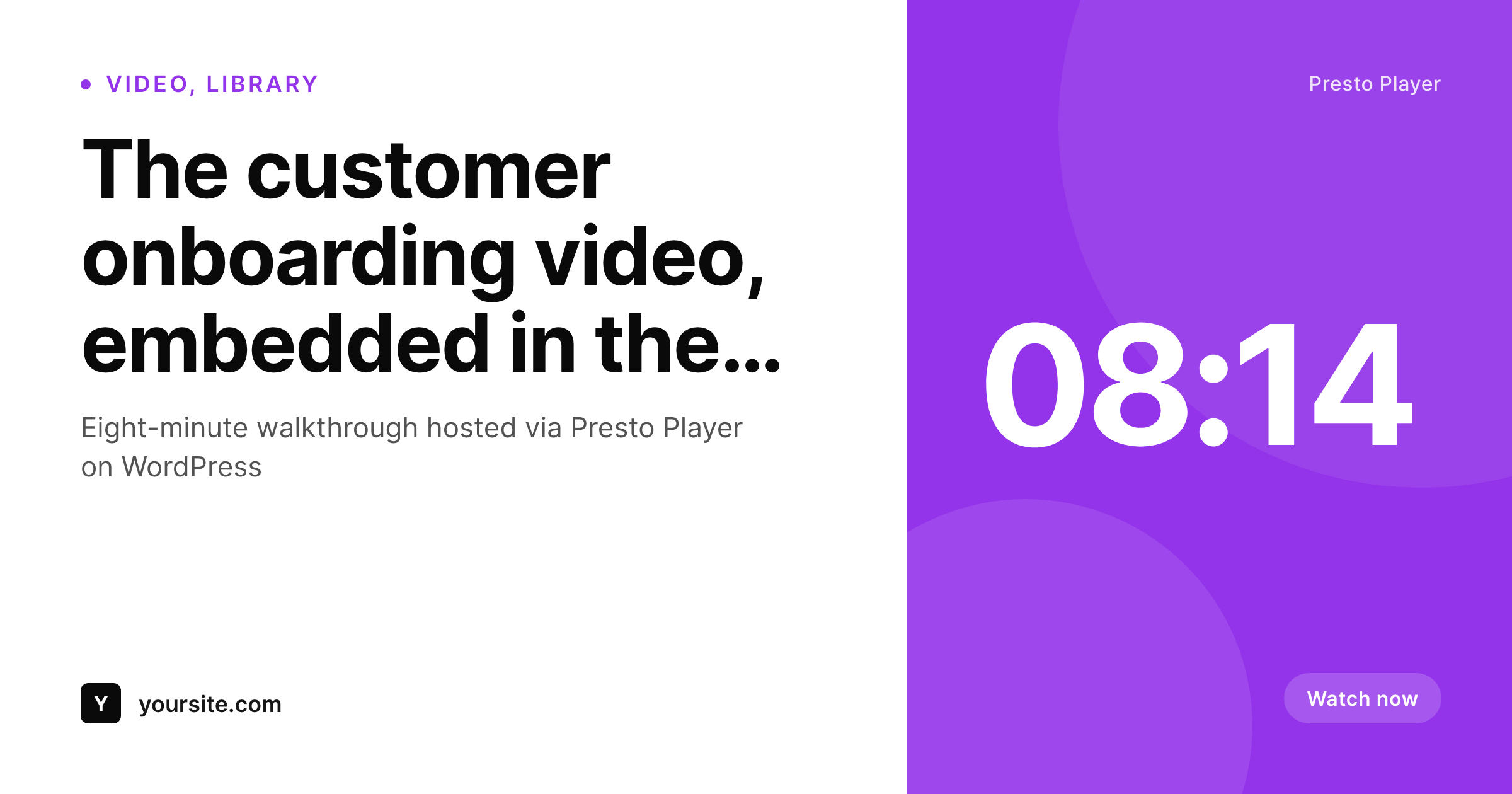
Sample social card for a Presto Player video post
This card was rendered from the post's title, video duration, and category. Same template, every video post.
Comparison
Generic site logo vs SleekPixel
Default site logo on every video post
- Every video post shares with the same generic site logo
- Video tutorials and case-study posts look identical when shared
- Video duration and topic on the post never reach any social card
- YouTube embed previews override the brand identity on shares
- No automation, card creation falls to a designer or never happens
SleekPixel
- Auto-generated OG image per video post on save, every time
- Pulls from any field on the post (title, duration, category, presenter)
- Works on any post or page that embeds a Presto Player block
- Edit the template once and every past video post regenerates
- Does not touch Presto Player itself, video playback stays as configured
Features
What SleekPixel gives you for Presto Player
Video-aware design
Show a play badge, duration, and presenter directly on the share card. The Presto Player embed inside the post stays exactly as configured.
OG + Twitter meta
SleekPixel writes og:image, twitter:image, and twitter:image:alt on each video post, no theme code to touch.
Override YouTube/Vimeo defaults
When the video source is YouTube or Vimeo, the default share preview pulls from the platform. SleekPixel writes a branded og:image at the WordPress level so the post URL keeps your brand.
Use cases
Where this fits best
Tutorial and walkthrough posts
Every tutorial post that embeds a Presto Player video gets a card with the topic, duration, and presenter from custom fields.
Case-study and customer videos
Case-study posts get cards with the customer name and video length, so each story stands on its own when shared.
Course lesson pages
Public lesson pages and free preview pages get cards with the course name and lesson number from post meta.
The bigger picture
Why video posts need explicit share cards
Video content gets shared a lot in slack channels, twitter threads, and email. The thumbnail that appears with the URL is the only signal a reader gets about what the video covers and how long it is before they decide to click through. Default WordPress share cards on video posts almost always fall back to a generic site logo, which is the worst possible outcome for a tutorial or customer story that depends on a clear topic to earn a click.
A per-post card that pulls title, duration, and topic directly from the post keeps each video distinct from the share onward, which materially affects click-through rate. Presto Player handles in-page playback. SleekPixel handles the metadata around the post so the share preview matches the value the video provides.
Questions
Common questions about SleekPixel for Presto Player
No. SleekPixel works at the post level by writing the og:image meta tag for the post that embeds the Presto Player block. Presto Player continues to handle playback, chapters, and gating exactly as configured.
No. SleekPixel renders a designed card from the post's data, it does not extract a frame from the video. If you want a frame, store the URL in a custom field and reference it as a background image in the template.
Yes. SleekPixel reads the post that contains the Presto Player block, regardless of where the video is hosted. Self-hosted, Bunny, YouTube, and Vimeo are all the same to SleekPixel because it works at the post level.
If the duration is stored as a custom field on the post, SleekPixel can render it. The duration metadata Presto Player exposes can be mirrored to a meta field via standard WordPress hooks if needed.
Updating the post and saving regenerates the image. If the only change is the video file but the title and meta stay the same, you can also trigger a bulk regenerate for that category.
No. The image is rendered once at save time and stored as a static PNG. Presto Player loads independently and is not affected.
SleekPixel writes og:image at the post level. Whether the post is gated for visitors is a separate question, the share preview still appears for the URL because og:image is in the head, not gated.
Generated images stay in the uploads folder. The og:image meta tag stops being written, so new shares fall back to whatever your theme outputs.
Pricing
More than 1000+
happy customers
Explore our flexible licensing options tailored to your needs. Upgrade your license anytime to access more features, or opt for a lifetime license for ongoing value, including lifetime updates and lifetime support. Our hassle-free upgrade process ensures that our platform can grow with you, starting from whichever plan you choose.
Lifetime ♾️
Most popular
EUR
once
- Unlimited websites
- Lifetime updates
- Lifetime support
...or get the Bundle Deal
and save €250 🎁
💎 Want everything forever? The All Access Pass is going away on 01.08.2026.
The Bundle (unlimited sites)
Pay once, own it forever
Elevate your WordPress site with our exclusive plugin bundle that includes all of our premium plugins in one package. Enjoy lifetime updates and lifetime support. Save significantly compared to buying plugins individually.
What’s included
-
SleekAI
-
SleekByte
-
SleekMotion
-
SleekPixel
-
SleekRank
-
SleekView
€749
Continue to checkoutBrowse more
- Twitter card images
- YouTube playlist covers
- Twitch starting soon screen
- LinkedIn document post covers
- Twitch offline banners
- Etsy cover photos
- Open Graph images
- Amazon Storefront banners
- LinkedIn event banners
- Vimeo channel banners
- Bluesky feed banner
- Instagram ad images
- Facebook post images
- Fanvue page banner
- Twitch stream overlay images