






SleekPixel for Obsidian notes
Obsidian writers who publish a digital garden through WordPress use SleekPixel to render per-note share cards. Title, tags, backlinks and last update bind to the template on save.
♾️ Lifetime License available
Digital gardens grow in private and share in public
Obsidian is where many writers, researchers and developers do their thinking. The local-first markdown model, the linking, the backlinks and the graph view all support a particular kind of long-form note-taking. When those notes graduate to a public surface - a digital garden, a public second brain - the export usually goes through a static site or through WordPress. The notes get URLs, the URLs get shared, and the share previews are usually a single generic site banner.
The flow that works is to publish Obsidian notes as WordPress posts using one of the Obsidian-to-WP plugins or a markdown sync pipeline. The note's frontmatter becomes post meta, the body becomes post content, and tags become taxonomy terms. SleekPixel reads from that post and renders a per-note share card.
Backlinks, related notes and last-update timestamps slot into the template so each shared note tells the reader what it is and how it fits the garden. Visitors who land on the share preview see the note's identity rather than a generic garden banner. The work that went into the note actually reaches the audience the writer is trying to reach.
Workflow
From Obsidian note to branded share card
Publish to WordPress
Map frontmatter to fields
Design the note template
Edit and publish
Output
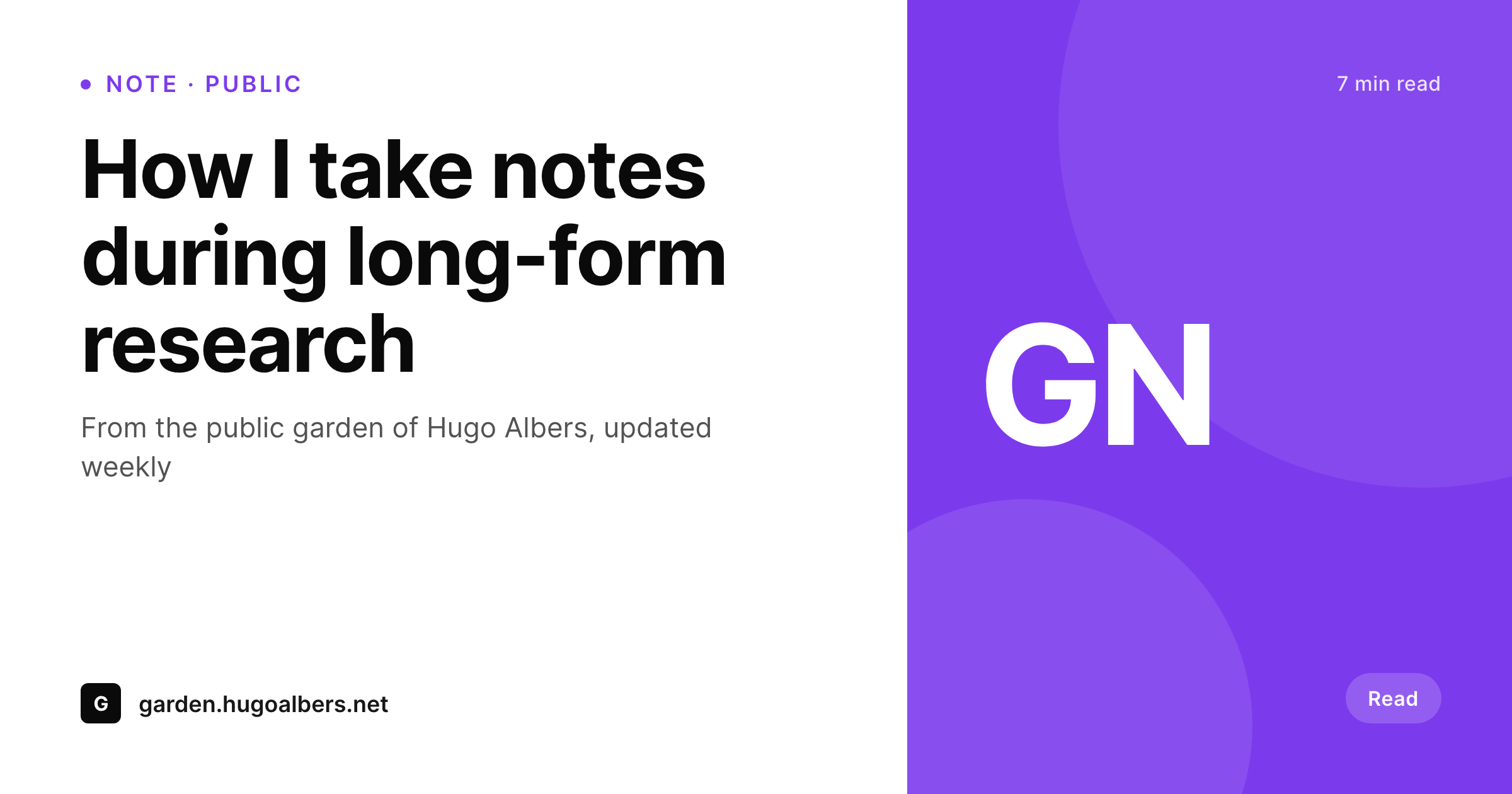
Sample note share card
A 1200 by 630 OG image rendered from an Obsidian note published to WordPress: title, tags and last update in your brand colors.
Comparison
Default garden share vs SleekPixel
Default site OG image
- Default OG falls back to the garden's homepage banner on every note
- Note tags and last update never appear on the share preview
- Backlinks and related-note context never reach the share card
- Manual per-note art is unrealistic past a few dozen notes
- Brand refreshes require redoing every note card by hand
SleekPixel
- Renders per-note share cards from synced Obsidian frontmatter
- Tags, last update and backlink counts bind into template slots
- Status-aware variants for evergreen, seedling and budding notes
- Bulk re-render every note when the template or brand updates
- All rendering stays inside WordPress on your own domain
Features
What SleekPixel gives you for Obsidian notes
Garden-aware fields
Note title, status (seedling/budding/evergreen), tags and last update come from frontmatter and render into the share card.
Backlink context
Backlink count or related-note slugs from the Obsidian graph render onto the card, signalling how connected the note is within the garden.
Per-status templates
Seedlings render with quiet treatments, budding notes with intermediate emphasis, evergreens with full brand polish. Templates handle the variants.
Use cases
Where Obsidian writers use SleekPixel
Digital gardens
Public gardens get per-note share cards. Twitter and Mastodon shares of individual notes preview with the note's identity, not the garden's banner.
Public research notes
Academic and independent researchers publishing notes get cards showing the topic, last update and tag - useful for academic Twitter and Slack.
Long-running essays
Essays that evolve over months share with cards that show the last update, signalling to readers that the note is alive.
The bigger picture
Why public Obsidian notes need real share images
The audience for a public digital garden is not coming from search alone. Notes spread on Twitter, Mastodon and Bluesky, in newsletters and in DMs to interested friends. Each of those channels surfaces the share preview first and the note's text second.
A great note with a flat preview gets fewer clicks than the same note with a card that signals what is inside. The asymmetry is well known to anyone who has watched their analytics: the same content performs very differently with different share images. The second reason is recognizability over time.
A digital garden grows over months and years. Readers who see four or five share cards from the same garden in a single year learn the visual language and start clicking on cards that look familiar. SleekPixel makes that visual consistency happen automatically because the rendering is templated.
The writer focuses on the notes and the garden's identity reaches every reader who ever encounters a share preview from it.
Questions
Common questions about SleekPixel for Obsidian notes
Most setups use one of the Obsidian-to-WordPress plugins (Obsidian Publisher to WP, custom community plugins), a markdown sync via Git, or a workflow tool. The result is a WordPress post per published note.
Yes, depending on the sync. Most syncs map frontmatter keys to WordPress post meta. From there SleekPixel reads them the same as any other post meta.
Internal [[wiki links]] are resolved during sync to the corresponding WordPress URLs. The share image does not render links visually, but the link count or backlink count can render as a number.
Yes. Status is a frontmatter field that syncs as post meta. The template renders a badge or color treatment based on the status value.
No. SleekPixel works on published WordPress posts. Private Obsidian vaults that never reach WordPress are out of scope by design.
Renaming a note in Obsidian typically updates the title in the synced WordPress post. The next save triggers a SleekPixel re-render with the new title.
Not directly. The graph view is a live visualization in Obsidian. SleekPixel could render a static representation if the sync exports graph data, but most setups surface a backlink count or related-note list instead.
Obsidian Publish is a separate hosted product with its own URLs. SleekPixel works on a WordPress mirror, not on Obsidian Publish URLs directly. Most writers pick one publishing path; they do not overlap.
Pricing
More than 1000+
happy customers
Explore our flexible licensing options tailored to your needs. Upgrade your license anytime to access more features, or opt for a lifetime license for ongoing value, including lifetime updates and lifetime support. Our hassle-free upgrade process ensures that our platform can grow with you, starting from whichever plan you choose.
Lifetime ♾️
Most popular
EUR
once
- Unlimited websites
- Lifetime updates
- Lifetime support
...or get the Bundle Deal
and save €250 🎁
💎 Want everything forever? The All Access Pass is going away on 01.08.2026.
The Bundle (unlimited sites)
Pay once, own it forever
Elevate your WordPress site with our exclusive plugin bundle that includes all of our premium plugins in one package. Enjoy lifetime updates and lifetime support. Save significantly compared to buying plugins individually.
What’s included
-
SleekAI
-
SleekByte
-
SleekMotion
-
SleekPixel
-
SleekRank
-
SleekView
€749
Continue to checkoutBrowse more
- Instagram Reels covers
- Depop listing images
- Audible audiobook cover
- LinkedIn event banners
- Etsy shop banners
- Kick stream thumbnails
- Instagram ad images
- YouTube Shorts cover
- Xiaohongshu cover images
- WhatsApp status images
- LinkedIn document post covers
- Vimeo channel banners
- Etsy cover photos
- Ko-fi shop images
- podcast cover art