






SleekPixel for spin studio
Ride theme, instructor, start time, bike count, and BPM peak already live in the booking plugin. SleekPixel renders a 1080x1080 card on save so the schedule's energy shows up on the grid before the lights drop.
♾️ Lifetime License available
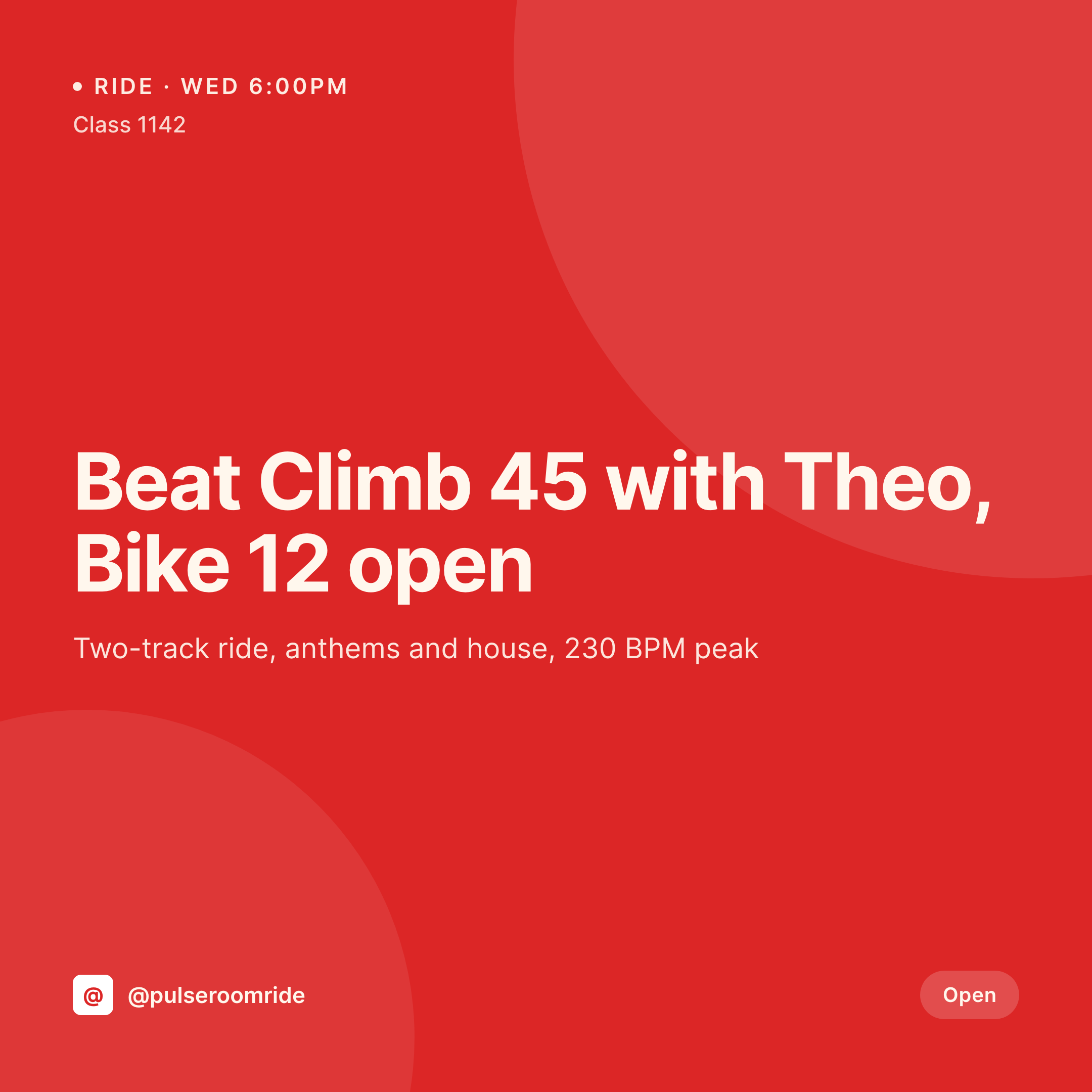
From ride playlist to grid post
A spin studio sells music as much as it sells cardio. A Wednesday house ride with Theo, a Saturday anthems ride with Jules, the Sunday hip-hop recovery flow. Each post on Instagram is a card with the ride theme, the instructor, the start time, and a hint at the playlist or BPM peak. The grid has to feel loud and confident because clients pick rides by vibe before they pick them by time.
The data is already on the WordPress site. The studio runs Mariana Tek, Mindbody, or a custom class CPT with the theme, instructor, room, BPM peak, and bike count already structured. The instructor photo and the studio shot are in the media library. The gap is the 1080x1080 PNG that the marketing person otherwise rebuilds every week and slightly off-brand by the third one.
SleekPixel renders that PNG on save. The ride post updates with the theme and instructor, the card lands in uploads with the time and BPM peak locked in. The studio posts the card from the front desk an hour before the ride. The schedule page uses the same render as the ride hero. The grid reads as one room across instructors, themes, and weeks.
Workflow
From ride schedule to grid card
Map ride and instructor fields
Design one square template
Update the schedule
Post before the lights drop
Output
What gets generated per ride
A 1080x1080 square card with ride theme, instructor, start time, BPM peak, and bike count, pulled from the class CPT or booking plugin.


Comparison
Default spin studio image vs SleekPixel
Default spin studio image
- Marketing rebuilds ride cards in Canva every week
- Instructor names and ride themes get misspelled across posts
- Start times on the card drift from what the booking system shows
- Sub-instructor swaps don't make it to the social post
- Themed rides and signature series end up with mismatched typography
SleekPixel
- Save the ride post, the 1080x1080 card lands in uploads
- Ride theme, instructor, time, and BPM peak pulled live from the post
- Square format sized for Instagram and Facebook feeds
- Schedule hero stays in sync with the social card automatically
- Theme palette adapts so anthem, house, and hip-hop rides each look distinct
Features
What SleekPixel gives you for spin studio
Theme-aware
Anthems, house, hip-hop, throwback, and recovery rides each map to a variant palette so the grid stays scannable by mood.
Instructor mapped
Instructor photo, name, and signature ride label render onto the card so the post reads like a real ride card.
BPM and bike count
BPM peak and bike count render from the class fields so riders can pick by intensity before they check the time.
Use cases
Who uses SleekPixel for spin studios
Boutique single-room studios
One room, a tight schedule, a coordinated grid that doesn't need a Sunday design sprint to refresh.
Multi-location boutique chains
Every location renders the same card style with its own room name and instructors, so the brand reads as one studio across cities.
Themed series and rides
Signature rides like a candlelight night or a charity ride get their own variant card with the cause and donation total rendered.
The bigger picture
Why a loud, on-brand grid sells the next ride
Spin clients pick a ride by vibe. The grid is where the vibe lives, and a grid that drifts from week to week tells riders the studio isn't paying attention. Cards rendered from the schedule keep the ride theme, instructor, and time on the post matching what the booking page shows, which builds enough trust that a new rider clicks book on a Tuesday-night house ride with someone they've never met.
Templated rendering also keeps signature rides distinct from regular ones, so a candlelight Saturday doesn't look like a Tuesday warmup, and the grid stays as energetic as the room.
Questions
Common questions about SleekPixel for spin studio
Yes. SleekPixel reads class fields from the WordPress mirror of Mariana Tek, Mindbody, or WellnessLiving, plus any ACF or Meta Box fields.
Yes. Map a theme taxonomy term to an accent color, so anthems, house, hip-hop, throwback, and recovery rides each get their own palette.
If the instructor field updates, the card re-renders with the new instructor's name and photo. Many studios automate this on schedule sync.
Yes. A variant template can feature the instructor with their signature ride title, photo, and a quick line about the format.
Yes. The class hero image and the social card are both wired to the same render, so editing the class refreshes both.
Yes. Bike count and 'Open' or 'Waitlist' status render from the reservation field automatically.
Tag a class with the series term and route to a variant template with the series name, progress count, and end date rendered.
No. SleekPixel renders the image and saves it to uploads. Posting is a manual step from the app or a scheduling tool.
Pricing
More than 1000+
happy customers
Explore our flexible licensing options tailored to your needs. Upgrade your license anytime to access more features, or opt for a lifetime license for ongoing value, including lifetime updates and lifetime support. Our hassle-free upgrade process ensures that our platform can grow with you, starting from whichever plan you choose.
Lifetime ♾️
Most popular
EUR
once
- Unlimited websites
- Lifetime updates
- Lifetime support
...or get the Bundle Deal
and save €250 🎁
💎 Want everything forever? The All Access Pass is going away on 01.08.2026.
The Bundle (unlimited sites)
Pay once, own it forever
Elevate your WordPress site with our exclusive plugin bundle that includes all of our premium plugins in one package. Enjoy lifetime updates and lifetime support. Save significantly compared to buying plugins individually.
What’s included
-
SleekAI
-
SleekByte
-
SleekMotion
-
SleekPixel
-
SleekRank
-
SleekView
€749
Continue to checkoutBrowse more
- checklist download card
- template download card
- patch note cards
- webinar replay card
- newsletter issue card
- employee spotlight card
- anniversary promo card
- chart of the week cards
- book quote cards
- roadmap update cards
- restock alert cards
- AMA recap card
- countdown banners
- CCPA update card
- book recommendation cards
- SoundCloud banner
- TikTok shop images
- LinkedIn banner images
- Twitch alert
- Pinterest board covers
- Facebook group banners
- Instagram ad images
- Pinterest shop banners
- LinkedIn showcase page banners
- Twitter/X header
- Douyin thumbnails
- Odnoklassniki banners
- X Space banners
- Etsy shop banners
- Mailchimp email headers