






SleekPixel for Mux video
Mux delivers HLS video with the streaming analytics most serious teams want. WordPress sites wrap each Mux asset in a post with playback ID, title and metadata. SleekPixel reads those fields and renders branded OG cards plus thumbnails per video, so every share carries the brand instead of a default.
♾️ Lifetime License available
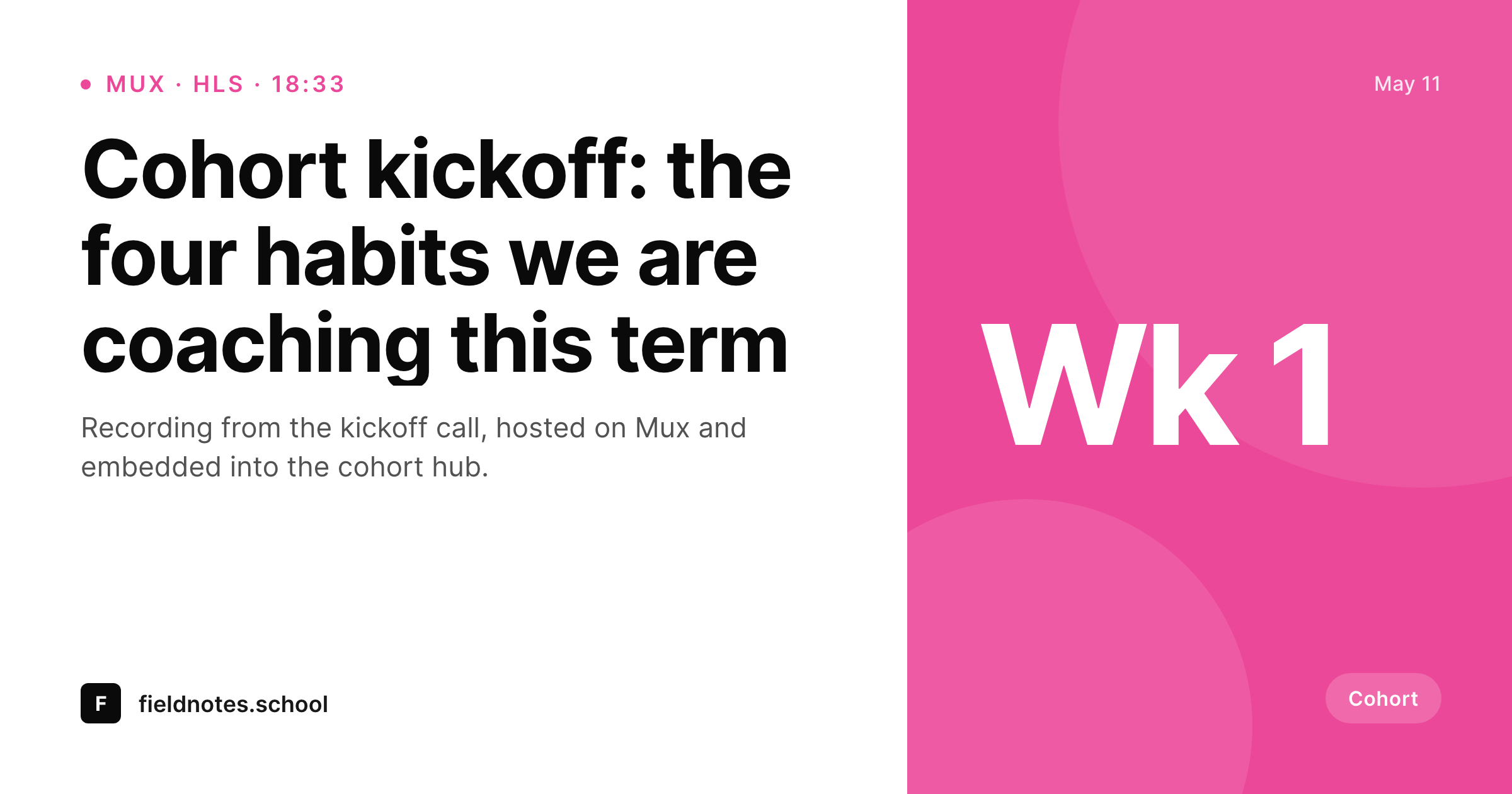
Mux handles the streaming, the share preview is still default
Mux is the video infrastructure that engineering-led teams pick when they want both reliable HLS delivery and serious streaming analytics. It handles uploads, encoding, signed playback, low-latency live, and the data side that helps a video team understand its audience. WordPress sites using Mux typically wrap each asset in a post or custom post type, with the playback ID, title and metadata in post meta.
The share surface for those posts is almost always an afterthought. A cohort kickoff video, a product walkthrough, a recorded talk, all of them get shared with the same generic OG that the theme has set. The brand has invested in Mux for delivery and analytics; the brand has not invested in what a Mux-hosted video looks like when its URL gets pasted into Slack, LinkedIn or Bluesky.
SleekPixel runs on the WordPress side and reads the post fields surrounding each Mux embed. On save it renders a 1200 by 630 OG card and a 1280 by 720 catalog thumbnail per video, with title, week or cohort mark, duration and brand wordmark. The PNG sits in uploads, gets attached as og:image, and every share starts looking like the rest of the brand.
Workflow
From Mux asset to branded share card
Videos already on Mux
Build the templates
Render on save
Share with confidence
Output
What renders per Mux video post
A 1200 by 630 OG card with title, week or cohort mark, duration and brand wordmark. Matching 1280 by 720 catalog thumbnail from the same template family.
Comparison
Default Mux share vs SleekPixel
Default Mux frame
- Mux Data tracks playback, not share-preview design
- Default thumbnails fall on awkward frames
- Brand identity disappears from the share preview
- Cohort, week or episode tags never reach the card
- Manual social art per video lags every cohort
SleekPixel
- Reads WordPress post fields wrapping each Mux playback ID
- Per-video OG and thumbnail templates rendered on save
- Cohort, week and series mark slots for educational sites
- Bulk re-render across the full catalog on brand updates
- Self-hosted PNG output, served like any other media
Features
What SleekPixel gives you for Mux video
Mux-aware slots
Playback ID reference, title, duration and cohort or week mark come from post meta. The card and the player share the same source of truth.
OG plus thumbnail
A 1200 by 630 card and a 1280 by 720 thumbnail render together from one template family, with the same accent color and slot bindings.
Mux Data unchanged
Mux Data continues tracking playback as configured. SleekPixel only renders the share image; nothing in the analytics path is touched.
Use cases
Where Mux-powered sites benefit
Cohort-based courses
Each cohort week's recording shares with the week and title on a branded card, refreshed on save through the term.
Engineering deep dives
Internal talks opened up externally share with a session number and topic, not a flat frame-grab.
Live event replays
Conference replay pages share with the talk title and speaker rendered onto a card, instead of the event homepage banner.
The bigger picture
Why Mux-hosted videos deserve branded cards
Mux is a deliberate choice for teams that take video seriously, and the same teams tend to under-invest in what their videos look like when their links get shared. The default frame-grab approach undermines the brand investment and the analytics work, because the share preview is the first signal an audience sees before deciding whether to click into the video at all. SleekPixel reads the post meta surrounding each Mux asset and renders a branded card and thumbnail on save.
Mux keeps streaming and tracking; the WordPress post starts carrying a card that reads like the brand. Cohort-based courses, recorded conferences and engineering deep-dive series all get a consistent share surface across their entire catalog without anyone exporting per-episode art. The brand work compounds across hundreds of videos at the same cadence as the publishing cadence itself.
Questions
Common questions about SleekPixel for Mux video
No. SleekPixel reads WordPress post meta. The Mux playback ID and metadata get into post meta via whichever plugin or custom integration the team uses to embed Mux assets in WordPress.
Yes. Signed URLs control access to the video stream. The og:image lives on the WordPress post URL and works regardless of playback access.
No. Mux Data tracks playback events from the Mux player. SleekPixel only renders images and does not touch the player path.
Duration is commonly stored as post meta and binds cleanly. Resolution is rarely surfaced on the card itself, but a small 'HD' or 'HDR' badge variant can be added when relevant.
Yes. A Mux Live broadcast wrapped in a WordPress post can render a 'live' variant of the card while the broadcast is live, then re-render to a 'replay' card after the broadcast ends, depending on how the post status is updated.
Yes. SleekPixel supports per-taxonomy template variants, so each cohort or term taxonomy can map to a different accent color or template.
Each post save triggers one render. A weekly cohort that publishes ten videos per week generates ten cards per week with no design queue.
Yes. The player is irrelevant to SleekPixel. The card binds to WordPress post meta, regardless of which player consumes it on the front end.
Pricing
More than 1000+
happy customers
Explore our flexible licensing options tailored to your needs. Upgrade your license anytime to access more features, or opt for a lifetime license for ongoing value, including lifetime updates and lifetime support. Our hassle-free upgrade process ensures that our platform can grow with you, starting from whichever plan you choose.
Lifetime ♾️
Most popular
EUR
once
- Unlimited websites
- Lifetime updates
- Lifetime support
...or get the Bundle Deal
and save €250 🎁
💎 Want everything forever? The All Access Pass is going away on 01.08.2026.
The Bundle (unlimited sites)
Pay once, own it forever
Elevate your WordPress site with our exclusive plugin bundle that includes all of our premium plugins in one package. Enjoy lifetime updates and lifetime support. Save significantly compared to buying plugins individually.
What’s included
-
SleekAI
-
SleekByte
-
SleekMotion
-
SleekPixel
-
SleekRank
-
SleekView
€749
Continue to checkoutBrowse more
- Vimeo thumbnails
- Instagram Shop product images
- Discord event cover
- LinkedIn company banners
- Patreon cover images
- Flickr cover photo
- Twitch overlay
- Facebook Shop product images
- Etsy shop banners
- Instagram feed posts
- Twitch profile banner
- YouTube Shorts cover
- Douyin cover
- Pinterest Idea Pins
- Spotify playlist cover